Aspecten
 Download (3.9 GB)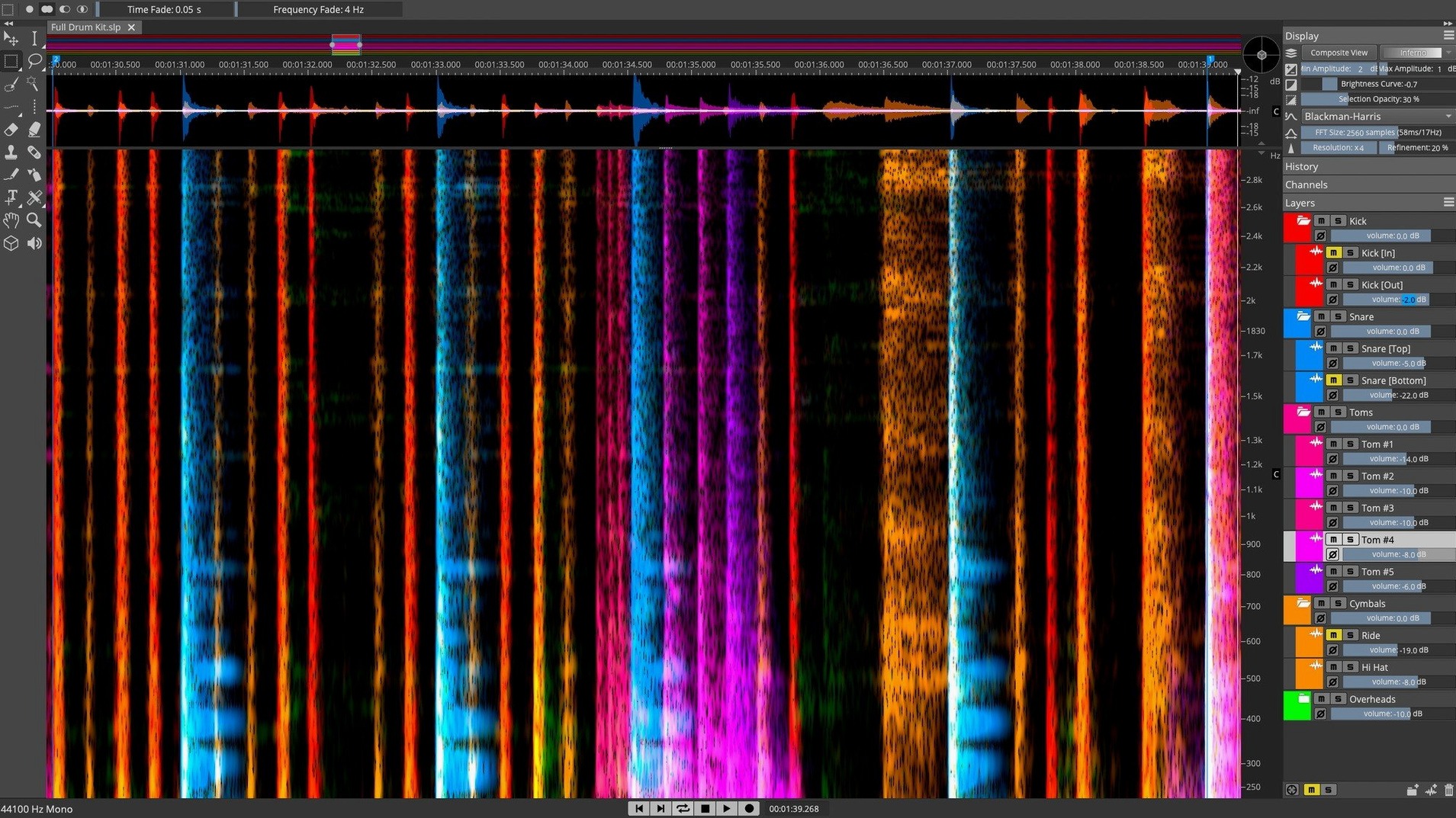
Unmix a stereo file into layers
SpectraLayers treats a finished mix as a set of separable events, not a flat waveform. Its AI-driven processes let you pull vocals, drums, bass and other instruments onto their own layers for independent treatment, much like working with the original multitrack.
Attenuate sibilance directly in the spectral display
The de-essing tools operate on the spectral data itself, so you can see the bright vertical streaks of sibilance and draw them down manually or let the automatic detector find them. The result is a cleaner attenuation that leaves the body of the voice intact.
Reshape a single transient without touching its neighbours
Because the editor exposes every frequency and time slice, you can isolate a snare hit, a string squeak or a chair creak and process just that event. Selection tools, gain envelopes and cloning all work on the spectral fingerprint, which keeps the surrounding audio completely untouched.
Isolating a cough from a quiet verse
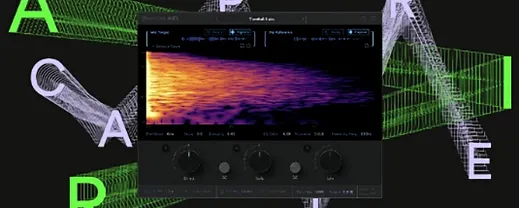
Open a stereo mix of a live recording that has a loud cough right in the middle of a quiet verse. SpectraLayers loads it and draws the spectral display across the main window — blue and purple streaks mapping frequency against time, brighter where the energy is denser. The cough shows up as a vertical smudge with a different shape to the vocal line sitting just above it.
With the lasso selection tool, you draw a loose boundary around the cough across its frequency range. The selection snaps to the harmonic structure, and you audition the isolated event to confirm it catches the whole interruption and nothing else. A right-click opens the layer menu; you extract the selection to a new layer, which lifts it clean out of the mix. Below it, the original layer now has a gap where the cough was, but the ambience and the vocal continue without a hard mute.
Next, you switch the cough layer to a dim amber colour so it stays visible but out of the way. The gap in the main layer is small enough that the room tone around it bridges naturally, but you still paint a little of the ambient noise from just before the cough into the gap using the clone brush — a few quick strokes, working at a zoom level where the individual time slices are about a pixel wide. After a playback pass, the interruption is gone and the singer’s breath continues as if nothing happened.
You then run the unmix process on the full track. SpectraLayers splits it into five layers: vocals, drums, bass, piano and an “other” layer that catches reverb tails and audience rustle. Each layer renders in under twenty seconds on the current playback selection. You solo the vocal layer and spot a thin whistle around 8 kHz that was masked before. A quick pass with the manual de-esser — a horizontal drag across the offending frequency band, pulling its amplitude down by about 6 dB — tames it without dulling the air above 10 kHz. The whole session, from loading the file to exporting stems, runs inside ten minutes.
First days with SpectraLayers
Give the application its own screen if you can. The spectral display benefits from width, and you will spend a lot of time zooming in and out along both axes. The scroll wheel zooms in time when unmodified, and holding Command zooms in frequency; swapping between them becomes muscle memory quickly.
Turn on auto-backup in the preferences before you do anything else. Spectral edits are deep and destructive in a way that waveform editors are not, and undoing a complex layer extraction ten steps later can leave you reconstructing work you had already finished. A five-minute backup interval to a dedicated folder saves a lot of quiet swearing.
Spend the first afternoon with a file you know intimately — something you mixed yourself, where you remember exactly where the snare bottom mic hummed or where the bass player knocked the body of the instrument. Watching how SpectraLayers represents those known events teaches you to read the spectral display faster than any tutorial. The 3D view, toggled from the toolbar, helps at this stage: peaks that look flat in the 2D heatmap gain obvious height, and you start to correlate colour intensity with actual amplitude.
Resist the urge to unmix everything on day one. The AI separation is good, but the real power of the application is in the manual tools — the lasso, the harmonics selector, the amplitude envelope you draw directly onto the spectral data. Pick a single track with a glaring problem, fix it with three or four manual edits, and export it back to your DAW. That one round trip teaches more about the workflow than batch-processing a dozen files.
Sibilance and breath survive the unmix engine
The 13.0 release tightened the unmix engine noticeably. Voice extraction now holds onto sibilance and breath with less of the brittle, phasey quality that earlier versions could produce on dense material. Drums and bass also separate with fewer artefacts bleeding between them, particularly on tracks where the kick drum and bass guitar overlap in the low midrange.
Pattern Finder received a speed improvement that makes it practical for longer sessions. Selecting a short noise event and asking the application to find similar occurrences across a forty-minute field recording now completes in seconds rather than minutes. The matches are more precise too, catching variations in level and duration that the earlier algorithm sometimes missed.
The ARA 2 integration with Cubase and Nuendo became more stable — round trips that previously required a manual re-sync now update automatically when you switch back to the DAW. For users outside the Steinberg ecosystem, the standalone workflow is unchanged, but the installer package now handles both Intel and Apple Silicon architectures in a single download, removing the earlier need to pick the correct build manually.
Alongside other editors
Next to iZotope RX, SpectraLayers feels like an instrument as much as a repair toolkit. RX excels at problem-solving — its Dialogue Isolate and De-click modules are fast, focused and require almost no spectral literacy. SpectraLayers asks you to understand the spectral view, but in return it gives you direct, unmediated control over the data. Where RX offers a module with sliders, SpectraLayers gives you a brush. Both approaches work; the choice depends on whether you want a diagnosis or a paintbrush.
Compared with Adobe Audition, the spectral editing surface is deeper. Audition’s spectral display is clean and its selection tools are competent, but it treats spectral editing as a secondary feature bolted onto a waveform editor. SpectraLayers builds the entire application around the spectral view, which means the selection logic, the layer system and the processing tools all assume you are working in frequency and time simultaneously. Audition is the better choice for broadcast editors who need to top-and-tail files quickly; SpectraLayers suits someone who expects to spend an hour inside a single three-minute track.
Against Melodyne, the overlap is smaller than it first appears. Melodyne analyses pitch and timing of individual notes within a monophonic or polyphonic recording, and its editing model is note-based. SpectraLayers works with raw spectral data — it does not care what note something is, only where it sits in frequency and time. A sound designer removing a camera shutter click from a film take needs SpectraLayers; a vocal producer tuning a phrase needs Melodyne. The two complement each other more than they compete.
Six layered processes without playback lag
On current Apple Silicon hardware, the application loads a three-minute stereo file in under three seconds and draws the full spectral display without visible tiling. Playback stays responsive even with six or seven layers active, each with its own processing chain. The unmix processes use the Neural Engine where available, and you can feel the difference: a full five-stem separation runs about twice as fast on an M-series Mac as on an equivalent Intel machine from a few years ago.
Memory use is moderate for the class. A dense session with eight layers, each carrying a full set of spectral edits, sits around 2.5 GB of RAM. The application does not aggressively cache undo states, which keeps memory pressure low but means you should not rely on undo alone for long editing sessions — another reason to enable auto-backup early.
Stability in 13.0.20 is solid under routine use. Crashes are rare during normal editing and processing; the few that occur tend to involve rapid switching between the 3D view and the layer panel while the unmix engine is running. Closing the 3D view before starting a heavy process avoids this entirely. The application recovers cleanly, and the auto-backup means you rarely lose more than a few minutes of work.