Aspecten
 Download (61 MB)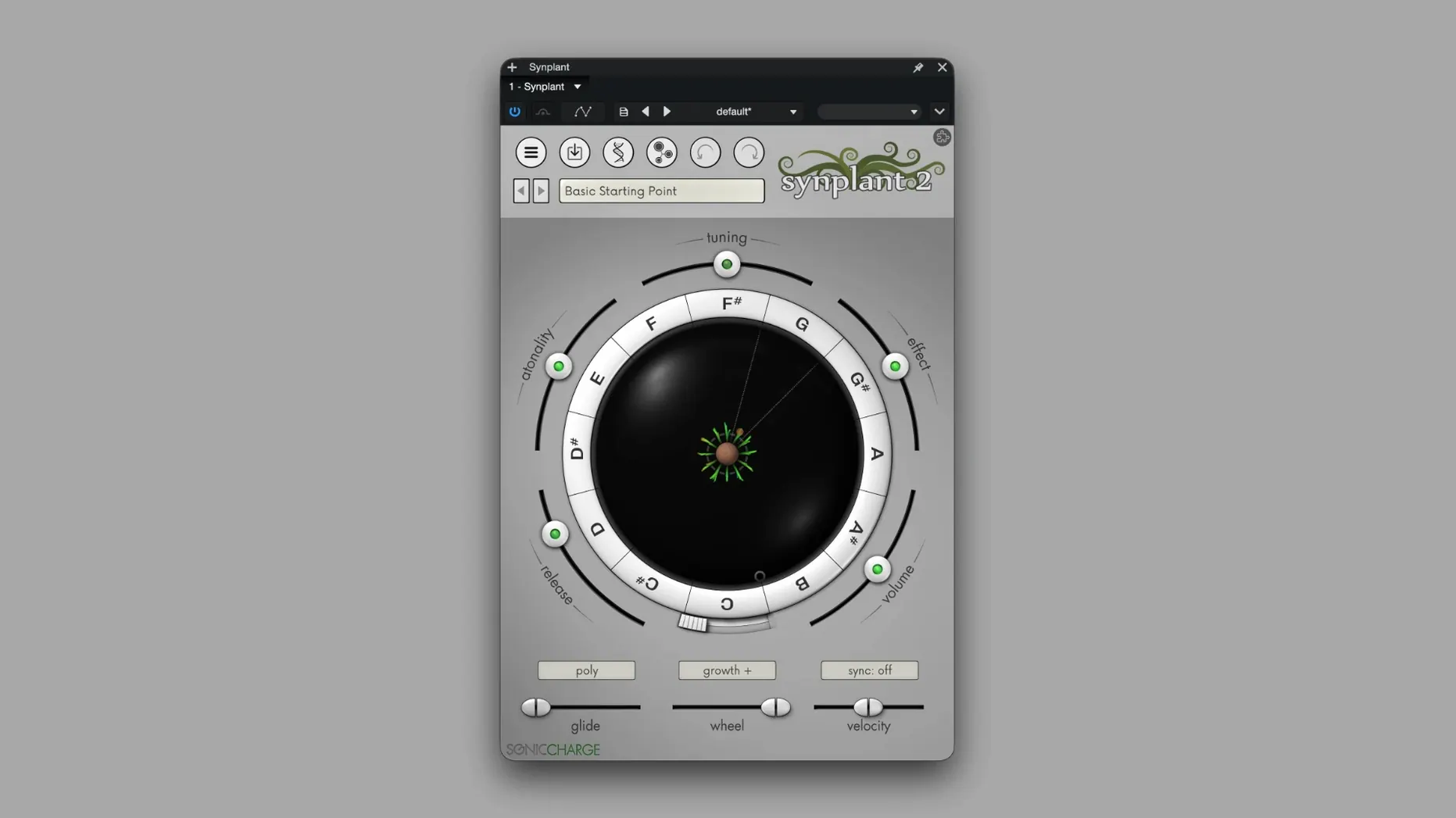
Version 2.0.2 fixes a single file browser bug, but the engine underneath runs deeper. Synplant 2 thinks about synthesis like a botanist: you plant a sound seed and it grows into a patch, branching outward from a core timbre you can steer with velocity and key tracking. That genetic approach places it on tracks where you want a sound to feel found rather than built — a pad that breathes unevenly, a stab whose decay trails off at a slight angle.
In a session, it often lands on a synth bus or an aux-fed return, fed by the Genopatch side of the engine. You feed it a short audio recording — a guitar pluck, a field-recording blip, a snippet of vocal — and it reconstructs a playable approximation. The result is never a carbon copy, which is the point. It gives you something related but independent, sitting in the mix like a parallel voice rather than a processed duplicate. Tempo sync keeps any rhythmic modulation tied to the project clock, so those off-kilter LFO shapes stay in time.
Mono mode and velocity-to-sound routing make it usable as a lead voice too. Patch a single-note line through it, set the DNA Editor so envelope depth follows key number, and you get a line that changes character as it climbs — thinner and sharper up high, rounder in the middle. The graphical DNA Editor lays out oscillators, filters and envelopes plainly, so you are not guessing at the gene pool you are working with.
Layering pushes it further. Stack two instances on the same MIDI track, one running a Genopatch reconstruction and the other a conventional seed-grown patch, and blend them against each other. The effect plug-in, Synplant FX, pulls the same modulation architecture into an audio processor for treating existing tracks. It works on Intel and Apple Silicon hosts across VST 2.4, VST3 and AudioUnit formats, back to macOS 10.13 High Sierra.
Happy accidents as raw material for sample-pack designers
Sound designers who build their own sample packs tend to connect with the genetic engine quickly. They already work by ear and accept happy accidents as raw material, which suits a tool where dragging a seed into new territory is the primary gesture. The Genopatch side appeals especially to producers who blend acoustic and synthetic layers — a short kalimba recording turned into a wide stereo pad, or a metal tap rebuilt as a percussive synth body. The result lands somewhere between a sampler and a wavetable oscillator, and that ambiguity is what makes it useful.
Producers working in downtempo, ambient and experimental electronic music also get mileage here. The engine leans toward organic instability — pitch waver, uneven harmonic decay, timbres that shift under velocity — which fits genres where static presets sound out of place. If you spend a lot of time automating filter cutoffs and assigning random LFOs to soften a patch, Synplant 2 often does half that work before you reach for a mod wheel. Users coming from a subtractive-synth background may need a few sessions to unlearn the habit of reaching for oscillator-sync and detune controls, because the sound-shaping happens at a higher level of abstraction.
AU, VST, and standalone sound design without a project clock
Synplant 2 loads as an AU, VST 2.4 or VST3 plug-in inside most DAWs, and the standalone app works well for sound design sessions where you want to browse and layer without a project clock running. MIDI learn inside a host lets you map a controller’s knobs to the core growth parameters, so you can push a seed around while playback rolls — something the on-screen sliders invite with their large click-and-drag zones.
It plays well with external processing chains. A common setup runs Synplant 2 into a convolution reverb on an aux send, then feeds the wet return through Synplant FX for additional modulation. The effect plug-in inherits the same modulation architecture as the synth, so you can apply tempo-synced envelope followers or velocity-tied filter shifts to any audio track — a drum loop, a vocal take, a hardware synth printed to audio. Because Genopatch operates entirely offline, the sonic charge synplant 2 mac download fits into studios where an always-on internet connection is not practical or wanted. macOS integration covers standard clipboard and file-drag behaviour: drag a WAV from Finder onto the Genopatch drop zone and it begins analysis immediately.
Workflow: turning a field recording into a playable pad
Start with a short recording — a struck wine glass, a finger-snap with room tone, a two-second snippet of rain hitting a windowsill. Trim it to under four seconds so Genopatch has a clean transient and a bit of decay to work with. Open Synplant 2 on a stereo instrument track and switch to the Genopatch tab. Drag the audio file onto the analysis area and let the engine run. It typically returns a handful of candidate patches ranked by closeness to the source, but the second or third candidate often proves more interesting than the top match — slightly less accurate in the frequency domain, but with a more usable dynamic response.
Select a candidate and switch to the DNA Editor. The envelope view shows attack, decay and release mapped across the frequency range. Shorten the release slightly at the top end so the pad closes with a warm low-mid tail rather than a brittle shimmer. Assign key tracking to the filter section so higher notes open the cutoff gently, then set velocity to modulate the oscillator blend. Save this as a starting patch.
On a second instrument track, load a seed-grown patch from the factory bank — something airy with slow, tempo-synced amplitude movement. Layer it under the Genopatch pad and pan them slightly apart. Send both channels to a shared bus with Synplant FX inserted, set to a gentle chorus-style modulation that follows the project tempo. The combined result sounds like a single evolving texture, but the two layers pull against each other in a way a single instance cannot reproduce.