Aspecten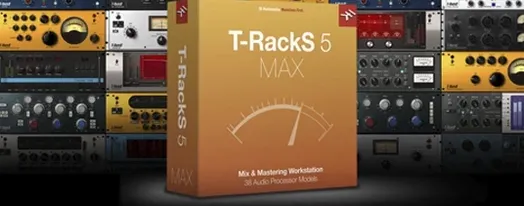
 Download (2.3 GB)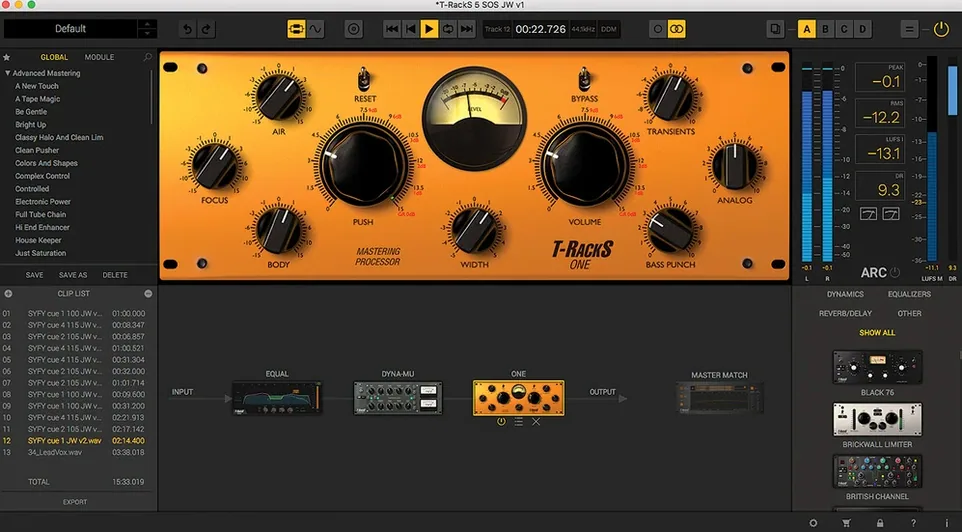
If you are used to shaping tone with an EQ or controlling dynamics with a compressor in your DAW, T-RackS 6 sits further down the line. It is where individual track processing turns into full-session balancing: a modular suite you can place on buses and the master fader, or use outside a DAW entirely via its standalone Mastering Console.
| Aspect | Detail |
|---|---|
| Version | 6.3.2 |
| Developer | IK Multimedia |
| Host formats | Audio Units, VST 3, AAX |
| macOS | 10.15 Catalina and later |
| Architecture | Intel and Apple Silicon |
The package supplies nine processors, four of them new to this generation: Master Match, Dyna-Mu, EQual and ONE. Each can be loaded as an individual plug-in on a track or bus, or chained inside the standalone console for a dedicated mastering session. Floating-point processing runs up to 192 kHz at 32-bit, which keeps headroom predictable when stacking several modules on a mix bus. The interface was redesigned for version 6, and the layout stays consistent whether you open a single module or the full console. A practical limit is the absence of localisation beyond English, which may be a hindrance in multilingual studio environments.
Outgrowing stock plug-ins and wanting a dedicated mastering chain
Bedroom producers who have outgrown stock EQ and compressor plug-ins often find the jump to a dedicated mastering chain clarifying. T-RackS suits someone who already understands gain staging, stereo imaging and how a limiter behaves, but wants a set of processors that share a common visual logic. Loading the Module Manager and dragging processors into a chain feels closer to patching outboard gear than opening five unrelated plug-in windows. The standalone Mastering Console gives that same person a way to finish a track without launching a full DAW session, which matters when the arrangement is done and only the final polish remains.
Mixing engineers working on a deadline benefit from the 16-slot chain. A single instance on the master bus can hold a saturator, a bus compressor, a dynamic EQ and a look-ahead limiter, each with its own bypass and level trim. Because the chain can be set to parallel routing, mid-side processing becomes a matter of splitting the signal path, not creating auxiliary sends. Mastering engineers who need to deliver an album with consistent loudness and spacing use the album assembly features: track sequencing, crossfade editing and metadata embedding all live inside the same window. The multi-format export then writes WAV, mp3 and AAC files in one pass, which removes the need to run a separate encoder afterwards.
Less obvious is the appeal for sound designers who work at high sample rates. The 32-bit floating-point architecture preserves transients even after aggressive limiting, and the four user-selectable dithering options give control over what happens when a 192 kHz master drops to 44.1 kHz for distribution. In those cases, T-RackS behaves less like a finaliser and more like a deliberate degradation tool, where the dither choice becomes part of the texture.
Trusting Master Match X as a one-click finish
The most frequent mistake is believing Master Match X sets a target curve and the job is done. Master Match analyses a reference track and adjusts EQ to bring the source closer to that profile, but it cannot compensate for a mix that has too much sub-bass build-up or a vocal that was tracked too quietly. Beginners who treat the module as an automatic mastering button end up with a thin-sounding result and blame the software. A reference curve is a guide, not a substitute for gain decisions made earlier in the chain.
Another misstep is slot order. Dragging a limiter before a compressor in a serial chain creates a ceiling that the compressor then tries to push against, leading to pumping artefacts that are hard to diagnose because both modules report normal metering. The software allows any order, and that flexibility is useful for parallel routing, but beginners benefit from working left to right: corrective EQ, dynamics control, tonal shaping, then limiting. Only after hearing that flow should the order be changed deliberately.
Ignoring the Module Manager is also common. Users who stick to the four or five processors they recognise miss that the Manager lets them hide unused modules, which reduces the visual clutter that slows down decisions. A session with nine visible processors feels heavier than one with the six that actually matter for that track. The Manager exists precisely to shorten the distance between opening the plug-in and making a move.
Finally, some beginners load the standalone console and expect it to behave like a DAW. It does not host virtual instruments or record audio; it receives a stereo file and processes it. Users who try to compose inside the console quickly realise it has no transport controls for a reason. The workflow starts after the export from the DAW, not before.
Using T-RackS alongside your DAW's stock plug-ins
Does T-RackS 6 replace my DAW's stock plug-ins completely? It can, but that is not the typical use. Most people keep their DAW's channel strip for basic tasks and bring in T-RackS when a track needs a character compressor, a mastering-grade EQ or a limiter with dithering control. The plug-ins coexist; you might use ONE on the drum bus and your DAW's EQ on a vocal, without conflict. The formats (AU, VST 3, AAX) load alongside other plug-ins, and the CPU hit depends on how many modules are active in a session.
Will the standalone console work with my audio interface? The console sees any Core Audio device that macOS recognises. Opening the audio preferences lets you select an interface and set the buffer size, exactly as a DAW would. Latency is low enough for monitoring when adjusting a limiter threshold, though most users set the buffer to 1024 samples and listen for tonal changes rather than performing in real time.
What happens if I open an old T-RackS 5 session? The new Module Manager recognises earlier presets and loads them into the updated processors where equivalents exist. The four new modules (Master Match, Dyna-Mu, EQual, ONE) have no direct predecessor, so a session that relied on legacy modules opens with those modules skipped. IK Multimedia kept backwards compatibility for the processors carried forward, but a session created in version 5 should be checked module by module after upgrading.
Is the software usable without an internet connection? After installation, the standalone console and all plug-in formats run offline. The Module Manager does not require a connection once the software is in place. Users who download the file and complete a standard installation procedure can work entirely disconnected afterwards.
How T-RackS compares with similar Mac apps
Beside iZotope Ozone, T-RackS feels more modular and less assistive. Ozone offers a single mastering assistant that sets EQ, compression and limiting in one pass, and its workflow leans toward quick results. T-RackS splits the same tasks across separate processors that you assemble by hand. A user who prefers a guided workflow may lean toward Ozone; someone who wants to choose between two vari-mu compressor models, rather than accept one preset choice, will find T-RackS more transparent in its decision points. The album assembly and multi-format export in T-RackS also match features that Ozone spreads across separate applications or omits from its standard edition.
Against FabFilter's Pro-L 2 and Pro-Q 3, the comparison is about depth versus breadth. FabFilter's plug-ins are deep single-purpose tools with extensive visualisation. A producer who mixes into a limiter and needs to see inter-sample peaks in real time may prefer Pro-L 2. T-RackS offers a Stealth Limiter that does not visualise to the same degree, but the rest of the chain — the saturators, the dynamic EQ, the vari-mu compressor — lives in the same window. FabFilter requires you to open three or four separate plug-in windows to achieve the same cumulative effect. Both approaches work; the choice depends on whether you want one specialised tool or a connected set.
Tokyo Dawn Labs' plug-ins occupy a similar modular space but focus on analogue modelling with fewer processor types in a bundle. T-RackS covers more ground (EQ, dynamics, saturation, dithering, metering, album assembly) in a single installation, while TDR excels at specific tasks like feedback compression. Someone who only needs a bus compressor might stay with TDR; someone building a full mastering chain from scratch gets more usable parts from T-RackS without hunting for additional plug-ins.
Opening the standalone Mastering Console with a rendered mix
You have a mix rendered to a 24-bit stereo file. The DAW is closed. You open the T-RackS standalone Mastering Console and drag the file into the waveform display. The room is quiet and your interface is set to a 1024-sample buffer, which keeps the fan on your MacBook barely audible.
First step: load ONE as the initial module. You bypass its EQ and dynamics sections, using only the input trim to set the level so peaks land around -6 dBFS. This gives the chain room to breathe. Next, you insert EQual after ONE and apply a gentle high-pass at 30 Hz to clean up subsonic rumble that the mix engineer's nearfields did not reveal. A narrow cut at 400 Hz follows, pulling back a boxy resonance in the snare that only became audible on full-range monitors.
Dyna-Mu sits third. You switch it to the vari-mu mode and set the threshold so the needle moves only during the chorus, where the low-end energy pushes hardest. The gain reduction hovers around 1.5 dB, enough to glue the bass and kick without squashing the transients. The side-chain filter rolls off below 90 Hz so the compressor ignores the deepest kick-drum thumps and reacts to the body of the mix instead.
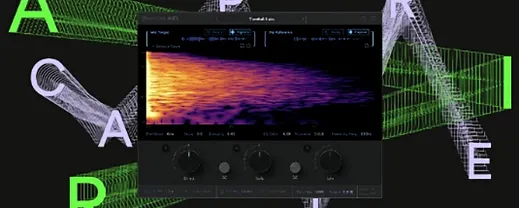
Now Master Match X. You load a reference track that the client sent — a commercial release in a similar genre. The module analyses the reference, then analyses the source, and draws a correction curve. You reduce the Match Amount to 40% because the full correction over-brightens the hi-hats. The result is a tonal shift that brings the mix closer to the reference without erasing its character. You bypass the module twice to check the difference, and the bypass switching is silent, which makes the comparison honest.
At the end of the chain, the new Stealth Limiter engages. You set the ceiling to -0.3 dBFS and pull the threshold down until the loudest sections show 3 dB of limiting. The dithering menu opens next; you choose a noise-shaped option suited for 44.1 kHz delivery and set the bit depth to 16. The limiter's true-peak detection ensures no inter-sample clips will appear after the mp3 conversion.
With the chain locked, you open the album assembly panel. Two other tracks from the same session are already sequenced, and you adjust the gap between them to 2.5 seconds. Metadata goes in — artist name, album title, track numbers — and you select three export formats: 24-bit WAV for archiving, 320 kbps mp3 for streaming previews, and AAC for the client's phone. One click writes all three formats to the output folder, correctly named and tagged.
The whole session, from loading the file to exporting the finished masters, takes under twenty minutes. The chain stays saved as a preset for the next track from the same album, which will need only minor threshold adjustments and a fresh reference match. That repeatability is the quiet benefit of working inside a modular system: the thinking happens once, and the subsequent tracks benefit from decisions already tested.