Aspecten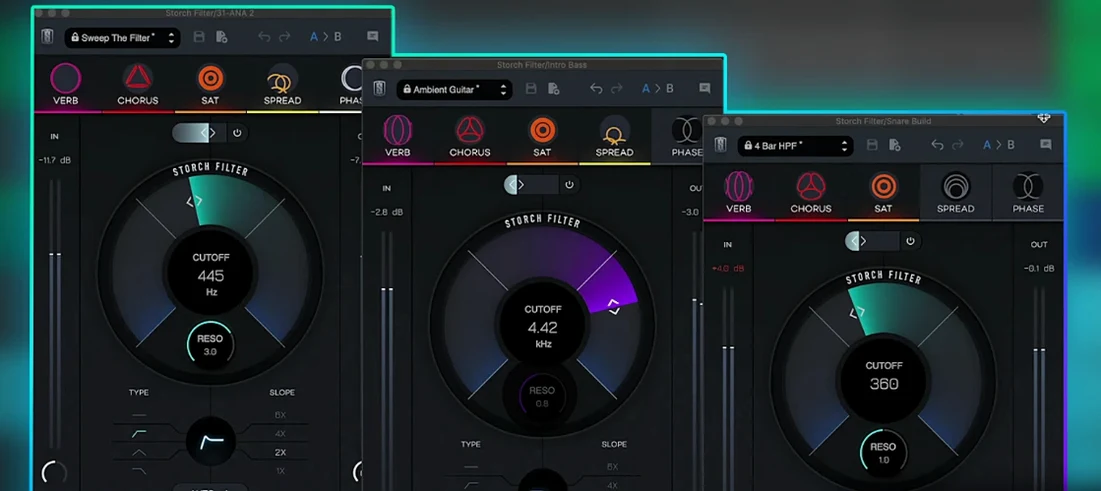
 Download (69 MB)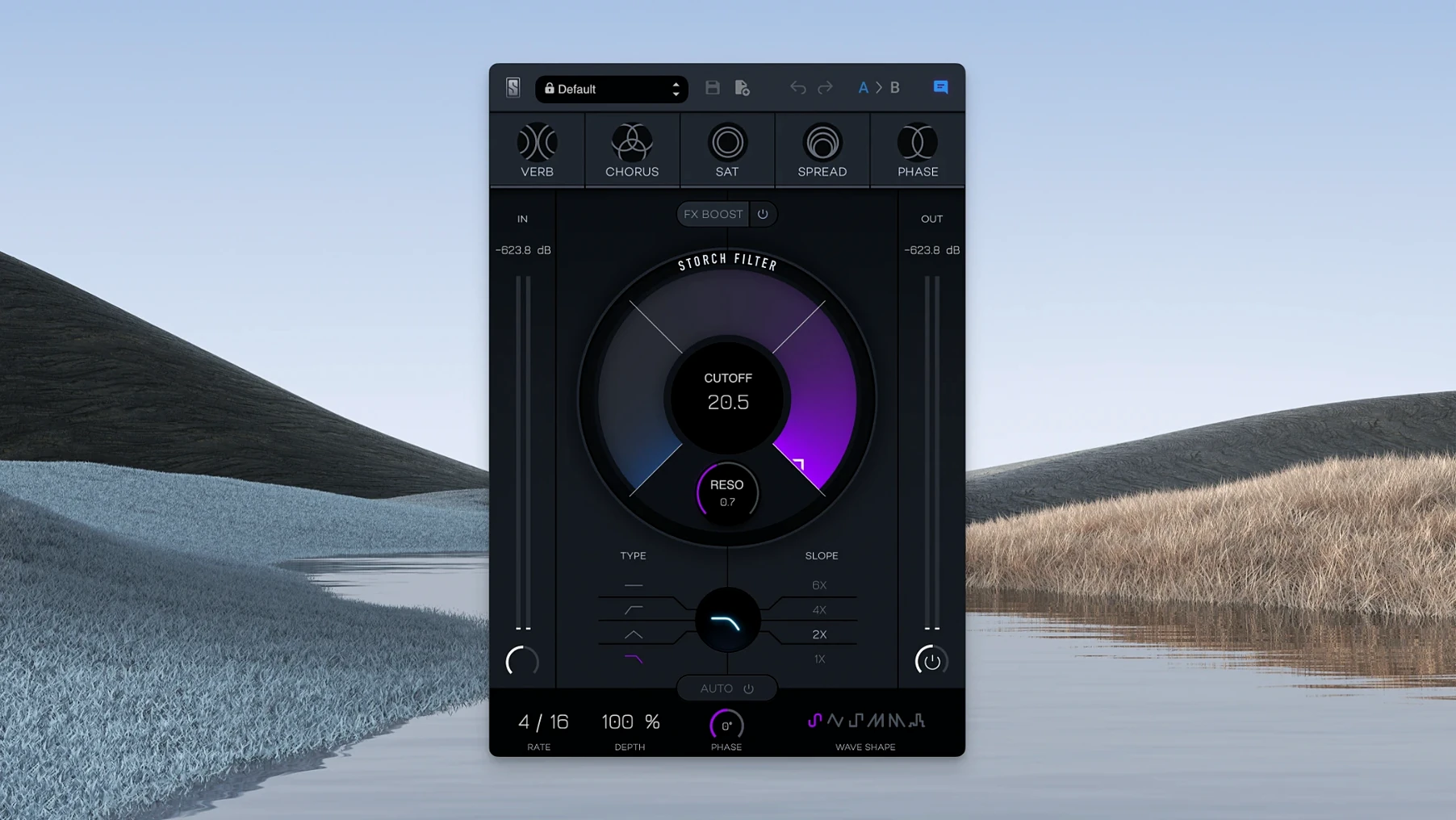
You have a clean synth pad that sits too politely behind the chorus. Placing Storch Filter on the insert, you pull the cutoff down around 400 Hz, switch the LFO to a slow sine, and nudge the FX Boost to give the resonance some bite. The pad now breathes with the track instead of simply floating above it.
- Individual tracks: often used as an adjustable low pass filter to carve space for a bass or kick, or to add rhythmic movement to keys and guitars with the six LFO wave shapes.
- Drum bus: the FX Boost slider brings up harmonics that help a snare or hi-hat pattern cut through a dense mix without raising the fader.
- Synth and sample groups: the autofilter turns static loops into evolving textures when synced to tempo or left to drift free.
- Parallel processing: sending a vocal or instrument to an aux channel with a steep band-pass and heavy modulation can create a supporting layer that widens the stereo field.
- Transition effects: automating the cutoff and resonance over two or four bars gives a clean sweep into a new section, controlled directly from the intuitive interface.
Storch Filter does not try to be a surgical tool. Its strength is in pushing a sound somewhere musical without needing a chain of separate plug-ins. The single-window layout keeps the filter, LFO and FX boost within reach, so a quick tweak on a bus or track stays a quick tweak.
Pull back the reverb send to clean up FX Boost
A few defaults inside Storch Filter reward a small nudge the moment you open it. The first is the FX Boost routing. Out of the box, the slider drives all five built-in effects equally. Pulling back the reverb send while pushing saturation and phaser higher gives a cleaner front edge on drums and plucks — the transient stays defined while the tail gets colour.
The LFO defaults to a triangle wave synced to host tempo, with a moderate depth. For percussive material, switching to a sawtooth-down shape and setting the rate to a dotted eighth can tighten the pocket considerably. For pads and sustained chords, unsyncing the LFO and choosing a slow random waveform keeps the modulation from becoming predictable after four bars.
The resonance-to-effects linking is subtle at first, but it benefits from a deliberate offset. Instead of leaving resonance at unity and driving cutoff alone, try a setting where resonance sits slightly higher than feels safe — around 60–70% — and then back the cutoff down to compensate. This shifts the effect chain’s harmonics into a denser range, which suits the saturation block particularly well when working on bass groups.
Finally, flip through a handful of the Scott Storch presets not just as sounds but as starting-point routings. Several of them set up combinations — chorus into widening, phaser into saturation — that are worth saving as user templates once you strip away the specific frequency map. The preset browser is fast enough that running through eight or nine of them takes under a minute.
Immediacy over deep modulation architecture
Next to Soundtoys FilterFreak, Storch Filter occupies a narrower lane. FilterFreak offers two independent filter sections, analogue saturation modelling per stage, and a deeper modulation architecture. What Storch Filter brings instead is immediacy: the five onboard effects sit behind a single set of cutoff and resonance controls, so the whole chain moves as one gesture. FilterFreak rewards programming patience; Storch Filter rewards a quick instinct on a channel strip.
Against Arturia Filter MS-20, the difference is philosophical. Arturia’s plugin models a specific hardware circuit with its own distortion character and envelope follower. It excels at aggressive, squelchy resonance and dirty band-pass sweeps. Storch Filter keeps the resonance smoother and ties it to a wider palette — the reverb and stereo widening alone push it beyond what a circuit model attempts. If you want a hardware-like scream, Filter MS-20 is the tool. If you want one plugin that turns a static Rhodes into a moving, wide, slightly chorused pad, Storch Filter gets there faster.
Waves MetaFilter sits somewhere between them, with a multi-mode filter, delay, and a modulation matrix that includes an envelope follower and sidechain input. MetaFilter’s modulation depth is more flexible, but its interface is busier. Storch Filter’s single-window layout with the large cutoff knob, six clearly labelled LFO shapes, and a single FX Boost slider makes it friendlier when you are shaping three or four tracks in quick succession. The trade-off is that MetaFilter can do things — like an adjustable low pass filter triggered by a sidechained kick — that Storch Filter cannot replicate without outside help.
Glue a verse with band-pass and slow phaser on an aux
Inside a DAW, Storch Filter works as a straightforward insert or aux plugin. On an aux, sending several tracks to a single instance with a band-pass and a slow phaser on the FX Boost can tie a verse together sonically — something that stacking individual channel-strip filters does not achieve the same way. The plugin responds to host automation for cutoff, resonance and the FX Boost slider, so drawing a sweep in Logic or Ableton Live takes just a few automation points.
In a Slate Digital Virtual Mix Rack context, Storch Filter sits naturally after a preamp module and before compression or a console strip. Driving a VCC channel into the filter’s input gives the saturation block more harmonic material to work with. Because the virtual mix rack handles gain staging and routing, the filter itself stays focused on tone and movement rather than level-matching.
Outside the Slate ecosystem, pairing it with a dynamic EQ is a practical move. A precise cut at 200 Hz on a muddy synth, followed by Storch Filter with a gentle high-pass and the chorus effect engaged, splits the duties cleanly: the EQ handles correction, the filter handles character. The plugin also complements macOS’s Audio Unit aggregation: running Storch Filter inside a host like Blue Cat’s PatchWork or DDMF Metaplugin allows mid-side routing that the plugin itself does not provide natively. A mid-channel low-pass with widening on the side channel can reshape a stereo bus without touching the centre image.
For producers who use Adobe Analytics Workspace to track session metrics — time spent on mix revisions, plugin instance counts across projects — a filter like Storch Filter, which reduces the need for three or four separate effects on a track, can simplify those project templates in measurable ways. One instance replacing a standalone filter, chorus, and saturator cuts the insert count and keeps the session file lighter.
Beatmakers chasing fast sweeps and tight autofilter rhythms
Beatmakers and hip-hop producers are the first obvious group. Scott Storch’s production fingerprint is all over the preset library, and the plugin’s behaviour — fast filter sweeps, tight autofilter rhythms, and the saturation-heavy FX Boost — aligns with the needs of drum-heavy sessions. A 0.5 filter sweep on an 808 pattern, synced to tempo with a sawtooth LFO, is a few clicks away. The workflow suits producers who build tracks quickly and want movement baked into a sound rather than drawn in later with automation.
Mix engineers working on dense pop or electronic sessions benefit from the single-control philosophy. When a client asks for a verse synth to feel wider and more textured, reaching for one plugin that handles filtering, stereo widening and a touch of chorus means fewer windows to manage during a recall. The FX Boost slider gives an immediate “more” without touching the channel fader, which is useful when a stem needs energy but not level.
Sound designers and sample library creators will use it differently. Running a sustained orchestral sample through a slow random LFO with the reverb and phaser engaged can turn a familiar texture into something unrecognisable in under a minute. Because the modulation ties to cutoff and resonance, the timbral shift stays musical even at extreme settings — the filter never feels disconnected from the effects it drives.
Users coming from the broader Slate Digital ecosystem — those who already have the Virtual Mix Rack or familiar Slate Digital Mac tools installed — will find the interface language and gain staging consistent. It slots into an existing Slate workflow without a learning curve. Independent producers who do not use the Slate suite will still find it useful as a standalone character filter, but they miss out on the gain staging conveniences the rack provides. The plugin runs natively on Apple Silicon, so users on M1, M2, or M3 machines get full performance without Rosetta overhead, which matters when running multiple instances across a large session.