Aspecten
 Download (97 MB)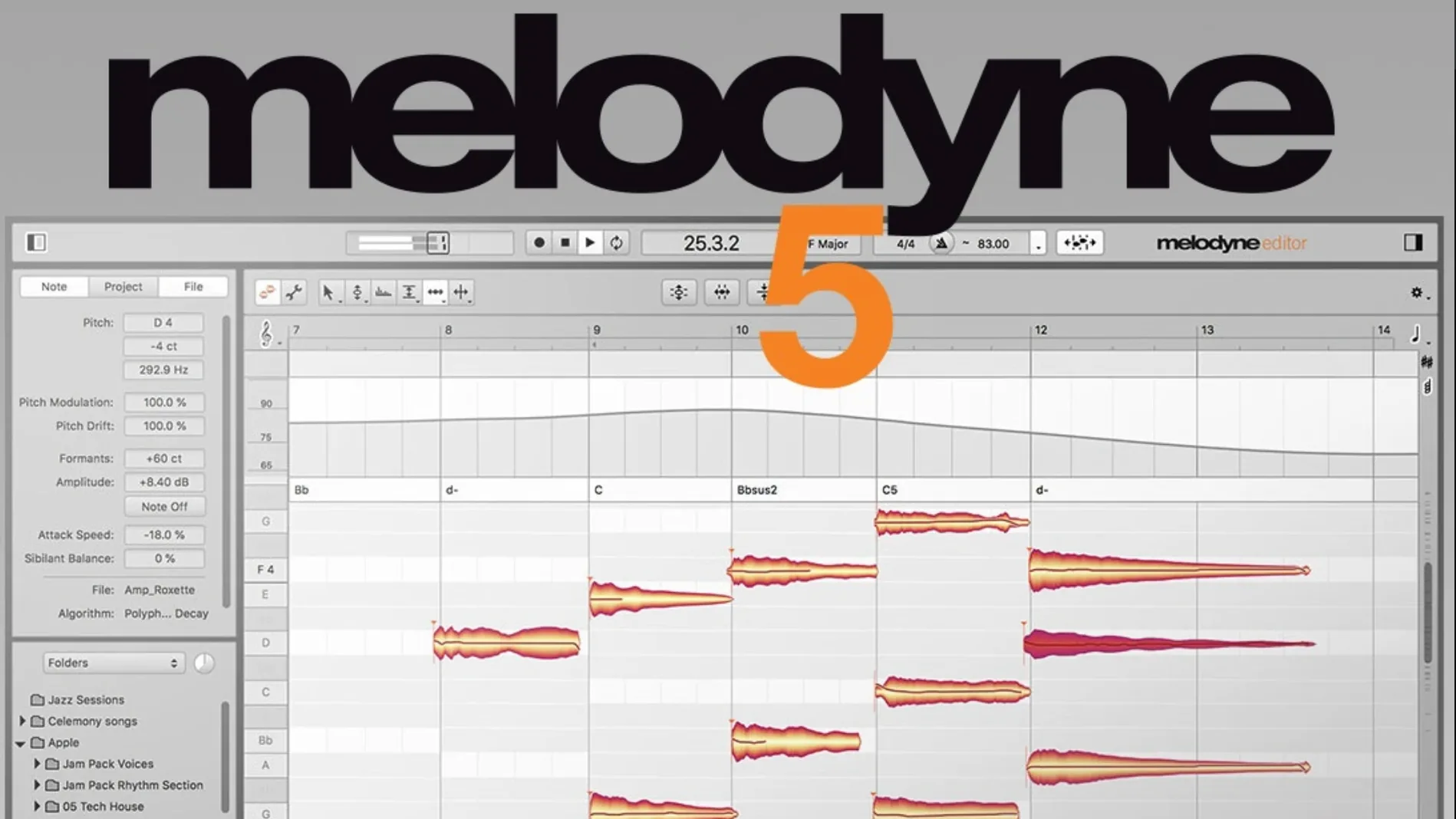
A vocal take sits slightly off-key in an otherwise solid arrangement, or a guitar note arrives a fraction late and nudges the whole groove out of shape. Re-recording is not always practical. Melodyne approaches the problem at the note level, treating recorded audio as a set of building blocks that can be tuned, shifted and reshaped without wrecking the character of the original performance.
What it does alongside everyday Mac tools
Melodyne integrates directly into a DAW as a plug-in, so it appears in the same signal chain as compressors, EQs and virtual instruments. ARA support keeps the host and Melodyne in sync without needing to transfer audio manually — edits appear in the DAW timeline as you make them. Because the application runs natively on Apple Silicon processors, it sits comfortably inside Logic Pro or other hosts without translation overhead. The same installer covers Intel Macs too, delivered as a Universal Binary.
The software can detect individual notes within a chord, which makes it useful for cleaning up a piano part or tightening a layered vocal stack. An algorithm called Percussive Pitched handles material where pitch and transient attack both matter — plucked strings, mallet instruments and similar sources.
Dragging blobs to fix pitch and timing
You load Melodyne onto a track, let it analyse the audio, and a note-by-note map appears. Dragging a blob up or down corrects pitch; sliding it left or right adjusts timing. Splitting, lengthening and deleting notes is direct. You can tune a vocal to the key of a composition rather than snapping every note to a rigid grid, keeping phrasing natural. The 5.4.2 update refined trackpad scrolling on Mac, so navigating the note display feels more predictable. It also addressed a crash that could surface when opening the plugin in ARA and standard plug-in modes, and brought the application in line with macOS Sequoia.
A vocal producer’s half-hour fix
Imagine a producer tidying a three-part backing vocal for a pop track. The lead vocal already sits well, but the harmony stack drifts slightly on the second verse — one voice lands a few cents flat on the held “oh,” another rushes the entry by a sixteenth note. The producer inserts Melodyne on each harmony track, lets the analysis run for a few seconds, and sees the notes laid out as blobs. Rather than quantising everything to a grid, they nudge the early entry back by hand, watching the waveform overlap in the DAW arrange window via ARA. The flat note gets pulled up by 18 cents, just enough to lock with the chord without sounding sterile. A quick pass with the Leveling Macro evens out the syllable volumes so no single voice pops out of the stack. Ten minutes of editing, a listen in context, and the producer moves on — the take feels tighter but still human. The process could have been a full re-record with three singers; instead it was a handful of mouse drags and a short playback check.
Checking compatibility before you download
Does Melodyne work properly on Apple Silicon, or should I expect glitches?
Version 5.4.2 runs as a native Universal Binary, so there is no Rosetta translation involved on an M-series Mac. The update specifically ironed out a crash that occurred when opening the plug-in in ARA and standard modes under certain conditions, and it was tested against macOS Sequoia. In practice, the only thing you might notice is that older projects with a different Melodyne version can prompt a re-analysis the first time they open — not a bug, just a format handshake.
Will it handle instruments that aren’t clean monophonic lines?
The polyphonic detection can separate notes inside chords, so a strummed acoustic guitar or a piano voicing becomes editable. There is a separate Percussive Pitched algorithm for sources with a sharp attack and a pitched tail — think marimba, plucked cello pizzicato, or a clean electric guitar arpeggio. Noise-heavy material like a shaker or a crash cymbal is not the tool’s territory, but anything with a discernible pitch and transient can usually be analysed.
How invasive is the editing on vocal character?
Melodyne lets you control formant shift independently from pitch shift, so you can move a note a minor third up without turning a baritone into a chipmunk. The sibilant detection separates fricative noise from pitched voice, meaning you can tune an “s” or a breath sound independently or leave it untouched. The vibrato tool can deepen, flatten or reshape the wobble of a held note without introducing artefacts, provided you stay within sensible ranges. Pushing a note beyond a fifth starts to sound synthetic regardless of the algorithm, which is true of any pitch-shifting process.
ARA keeps your DAW and Melodyne in sync
Melodyne shows up as an Audio Unit, VST3 or AAX plug-in inside whatever DAW you run, so it works with Logic Pro, Ableton Live, Studio One and Pro Tools without extra routing. ARA integration means the host and Melodyne stay in lockstep: you can hit play in the DAW and watch the playback cursor move through the note blobs in real time, then stop, edit a blob, and hear the change immediately on the next pass. There is no need to bounce audio back and forth or realign transfers manually.
On a Mac, the application respects Core Audio, so switching between the built-in output, an audio interface and Bluetooth headphones is handled by the system rather than needing a separate configuration panel. The app does not take over audio device priority; it simply rides on whatever the DAW or standalone app is using. Trackpad scrolling was revised in the 5.4.2 update, which means pinch-to-zoom and two-finger pan now behave like a standard macOS document view — useful when you are leaning back from the desk and editing on a MacBook without a mouse. Keyboard shortcuts for zoom, tool switching and playback are customisable through the host, so a Logic user can map tools to match their existing muscle memory.
File handling is straightforward: audio stays inside the DAW project. When you use the standalone application, you can drag an audio file in, edit it and export the result. The standalone version works with the same file types the host would — WAV, AIFF, MP3 — and honours the sample rate and bit depth of the source material. If you bring in a 48 kHz file, the export matches it unless you deliberately change the setting.
Fixing detection and sync issues
ARA sync drops after moving regions in the DAW
If you move an audio region in the host timeline after Melodyne has analysed it, the blobs can lose their alignment. The fix is to re-trigger analysis: select the region, remove Melodyne from the track, insert it again and let it re-scan. It takes a few seconds and restores the note map in the correct position. Some users find it less disruptive to commit edits to a new audio file before doing heavy arrangement changes — bounce the tuned audio in place, then move regions freely.
Analysis splits notes incorrectly on a slide or a scoop
When a vocal slides up to a pitch, Melodyne sometimes interprets the slide as two separate notes or a long pitch drift. The Note Separation tool lets you merge blobs that belong together or split a blob that was read as a single event. Right-click the blob and adjust the separation sensitivity, or use the tool manually. For a legato bass line where notes bleed into each other, switching the algorithm to a monophonic detection mode often produces a cleaner separation on the first pass.
Playback crackles or stutters on a dense project
Melodyne is CPU-heavy because it streams analysed audio data in real time. If you have five instances running on separate tracks, a large session can start to crackle. The simplest route is to bounce the tuned tracks to new audio files and deactivate the plug-in instances. Right-click the tuned region in the DAW, choose “bounce in place” or its equivalent, and mute the original track with Melodyne on it. You keep the edit and free up the processing headroom.
The plug-in window opens blank or crashes on launch
The 5.4.2 update fixed a specific crash path that occurred when opening Melodyne in ARA and plug-in modes under certain circumstances, but a blank window can still appear if the graphics driver gets out of step. On a Mac, toggling the DAW’s graphics setting — switching from OpenGL to Metal, or vice versa — often forces a refresh. If that does not help, trashing the Melodyne preferences file (in ~/Library/Preferences) resets the window state without touching your saved edits, since those live inside the DAW project.
Per-note fades with the Fade Tool
- Fade Tool on individual blobs. Select a note, switch to the Fade Tool and drag the edge of the blob to create a micro fade-in or fade-out. It works per note, not per region, so you can soften the attack of a single plosive without touching the surrounding syllables.
- Leveling Macro with a selection. Highlight a phrase instead of the whole track, then apply the Leveling Macro. It normalises only the selected range, which is useful for matching the chorus volume to the verse without flattening the entire performance.
- Scroll-wheel pitch nudging. Hover the cursor over a blob and hold a modifier key while scrolling vertically to nudge pitch in tiny increments — finer than dragging. On a trackpad, the post-5.4.2 scrolling improvements make two-finger vertical drags equally precise.
- Double-click to reset a note. If you have tuned a note and later want the original pitch back, a double-click on the blob resets all edits for that single note — pitch, timing, formant and volume — without clearing the whole track.
- Chord Track recognition for quick re-tuning. Let Melodyne detect the key and chord progression of a song, then drag blobs to the chord grid. It snaps the notes to chord tones rather than a chromatic scale, so a vocal line can be re-harmonised to follow a different progression in seconds.
- Standalone drag-and-drop workflow. Outside any DAW, you can drag a file from Finder straight onto the Melodyne standalone window, edit it and export it back. No session, no plug-in scanning — useful for touching up a sample before dropping it into a sampler or a video editor.