Aspecten
 Download (498 MB)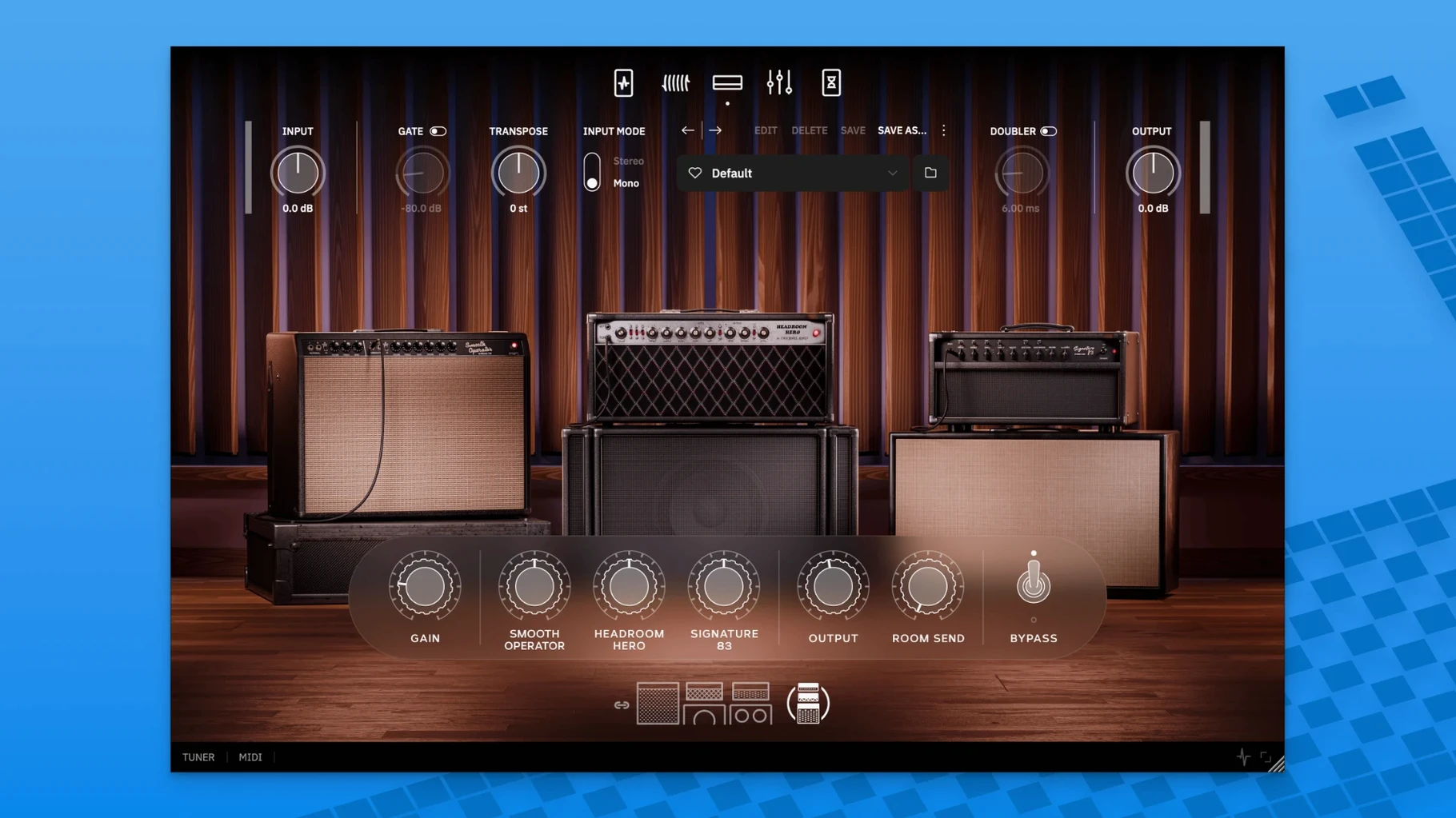
You open the standalone app after a straightforward install, plug in, and the first preset already sits right in a mix. It loads without fuss, and the signal path — three amplifiers tied into one logical system — feels deliberate rather than crammed.
Runs standalone and native on Apple Silicon
The plugin runs on macOS 10.13 and later, native on both Intel and Apple Silicon machines. It works inside any DAW that hosts VST3, AU or AAX plug-ins, and includes a standalone application for playing without opening a session. The installer is a standard disk image — mount it, run the installer, and the formats register themselves. No separate downloads for different architectures.
Sound and signal flow
The core is three studio amplifiers from John Mayer’s own collection, presented not as three separate channels but as one combined system. Around them sits a full signal chain: overdrive, filter, compressor and EQ for shaping, plus delay, reverb and tremolo for space and movement. Utility tools — tuner, transpose and doubler — sit alongside. The result leans toward a polished, record-ready tone that needs little tweaking, though the EQ and compressor stay available when the room or the guitar calls for adjustment.
No DAW required for the standalone app
One question that comes up often is whether the plugin works without a DAW. The standalone application handles that — you open it, select your audio interface, and play. No recording software needed. The same signal path and presets are available in both environments, so moving from practice to a session feels continuous.
Another common concern involves CPU load. Three amplifiers running as one system sounds heavy, but Neural DSP designed the processing to stay manageable on most Macs from the last several years. On an Apple Silicon machine the fan rarely spins up with a single instance; Intel Macs handle it comfortably at reasonable buffer sizes. Adding multiple instances — one per track in a full session — will eventually push any system, but a single guitar track sits light.
A third question: does it cover clean tones or only Mayer's overdriven sounds? The three amps span a fair range. You get glassy cleans at lower gain settings, edge-of-breakup warmth in the middle, and fuller saturation when pushed. The compressor and EQ let you tighten or soften the response without reaching for external plugins.
Three amps behave as a single unified rig
The most frequent slip is treating the three amplifiers as three independent channels to toggle between. The interface presents them as one unified system, and switching feels less like changing amps and more like shifting voicings within a single rig. Beginners sometimes click around hunting for a channel selector that is not there.
Another mistake is ignoring the doubler and transpose tools. New users often head straight for the amp controls and leave those utilities untouched. The doubler adds width without complicating the routing, and the transpose tool lets you shift pitch without retuning the guitar — handy for learning songs in different keys or matching a singer’s range on the fly. Both sit outside the main amp signal path and stay easy to overlook.
Some beginners also dismiss the presets too quickly. The factory set, and the 14 added from Mayer himself, cover more ground than first impressions suggest. Scrolling past the first three or four means missing some carefully dialled-in room and reverb combinations that show what the cab section can do. The selectable room sizes added later reward a second pass through the list.
Presets that sit in a mix straight away
Guitarists recording at home tend to connect with it straight away. The ready-to-play character means less time shaping tone and more time tracking parts. Someone who wants to plug in, pick a preset, and hear something that sits well in a rough mix will find the workflow matches that instinct.
Mix engineers working with guitar tracks benefit from the unified amp system. Rather than stacking three separate amp sims and managing phase or gain staging, the combined signal path keeps things coherent. The compressor and EQ sit pre- or post-amp depending on how you route them, which gives enough control for fitting a DI track into a dense arrangement. The transpose tool also saves a step when a part needs a quick key change without re-recording.
Players who already use Neural DSP’s Quad Cortex hardware get direct compatibility. Loading the plugin on the unit means the same sounds travel from desktop to stage without reprogramming. Those who want a neural dsp archetype john mayer x mac download to pair with their existing setup often mention that continuity as a deciding factor. The standalone app also suits anyone who just wants to play at the desk without opening a full session, and a neural dsp archetype john mayer x free download makes trying it a low-friction affair.
Newer players sometimes wonder if the Mayer name means it only does one thing. In practice the tone controls and the range of the three combined amps stretch further than the artist association implies. Anyone after a polished clean tone, a warm blues overdrive, or a tight rhythm sound will find usable ground without much dialling. The delay and reverb sections alone cover enough space to push well beyond a single genre.