Aspecten
 Download (447 MB)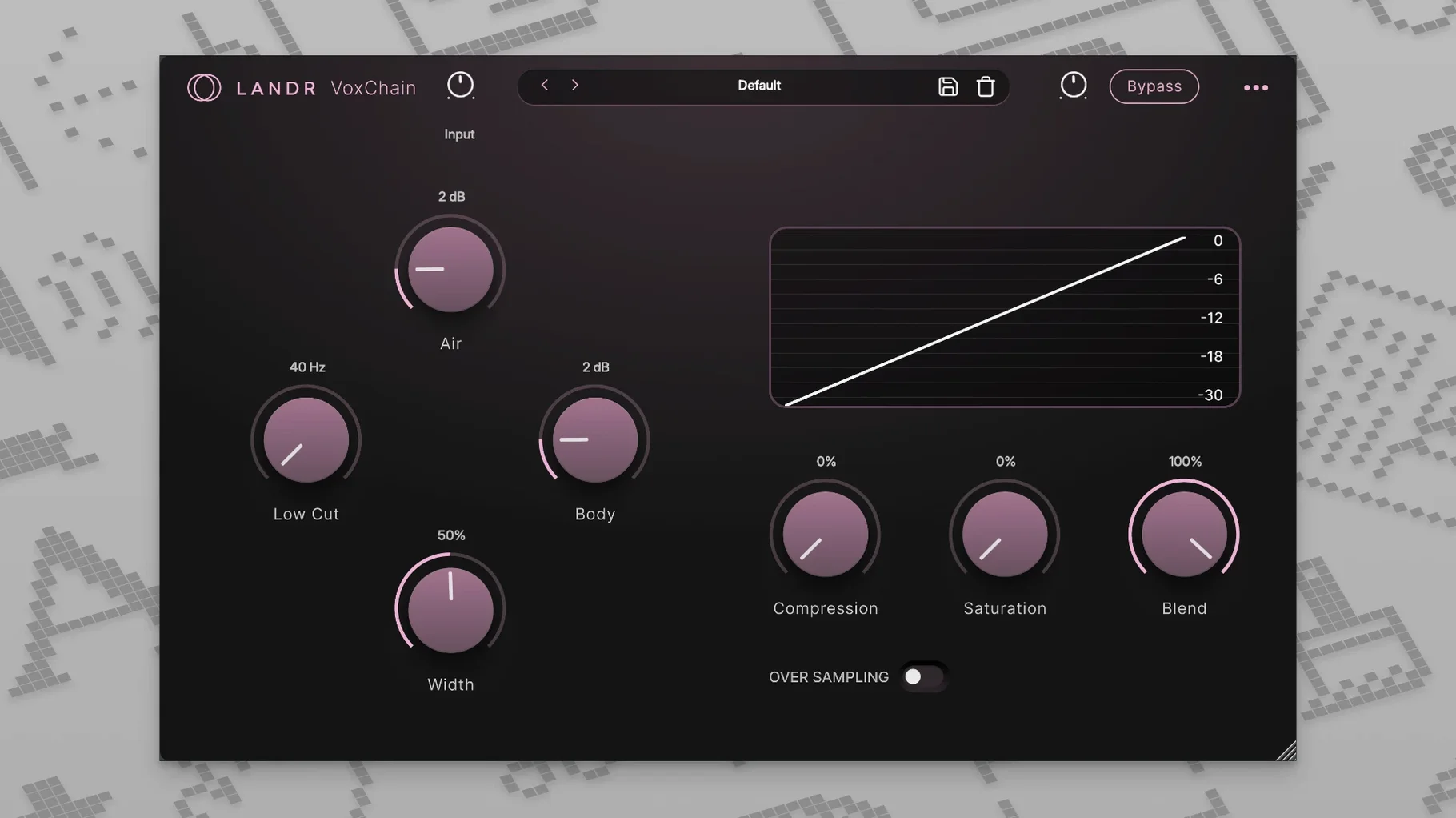
An untreated vocal track rarely sits right in a mix. You correct the pitch, but it sounds sterile. You add reverb, and the sibilance jumps forward. Fixing one thing often unsettles another. The LANDR Vocal Bundle bundles four tools that cover this chain — from real-time tuning to final high-frequency control — without bouncing between separate plugin families.
Where each plugin tends to land in a session:
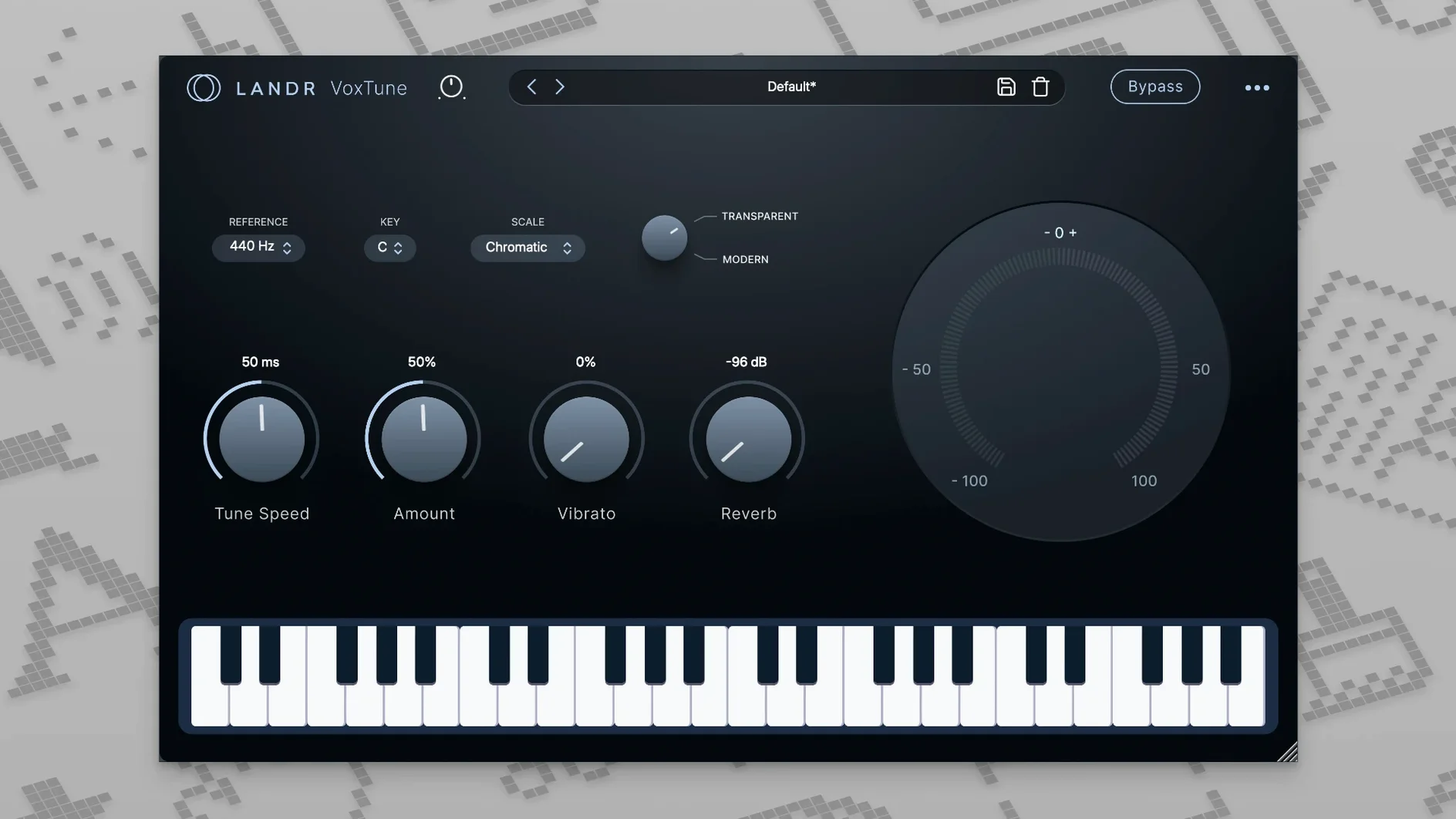
- VoxTune works on the insert of a vocal track for real-time pitch correction. It operates without added latency, so it stays practical during recording and live performance. The voice colour and vibrato controls let you shape the character, not just snap notes to a grid.
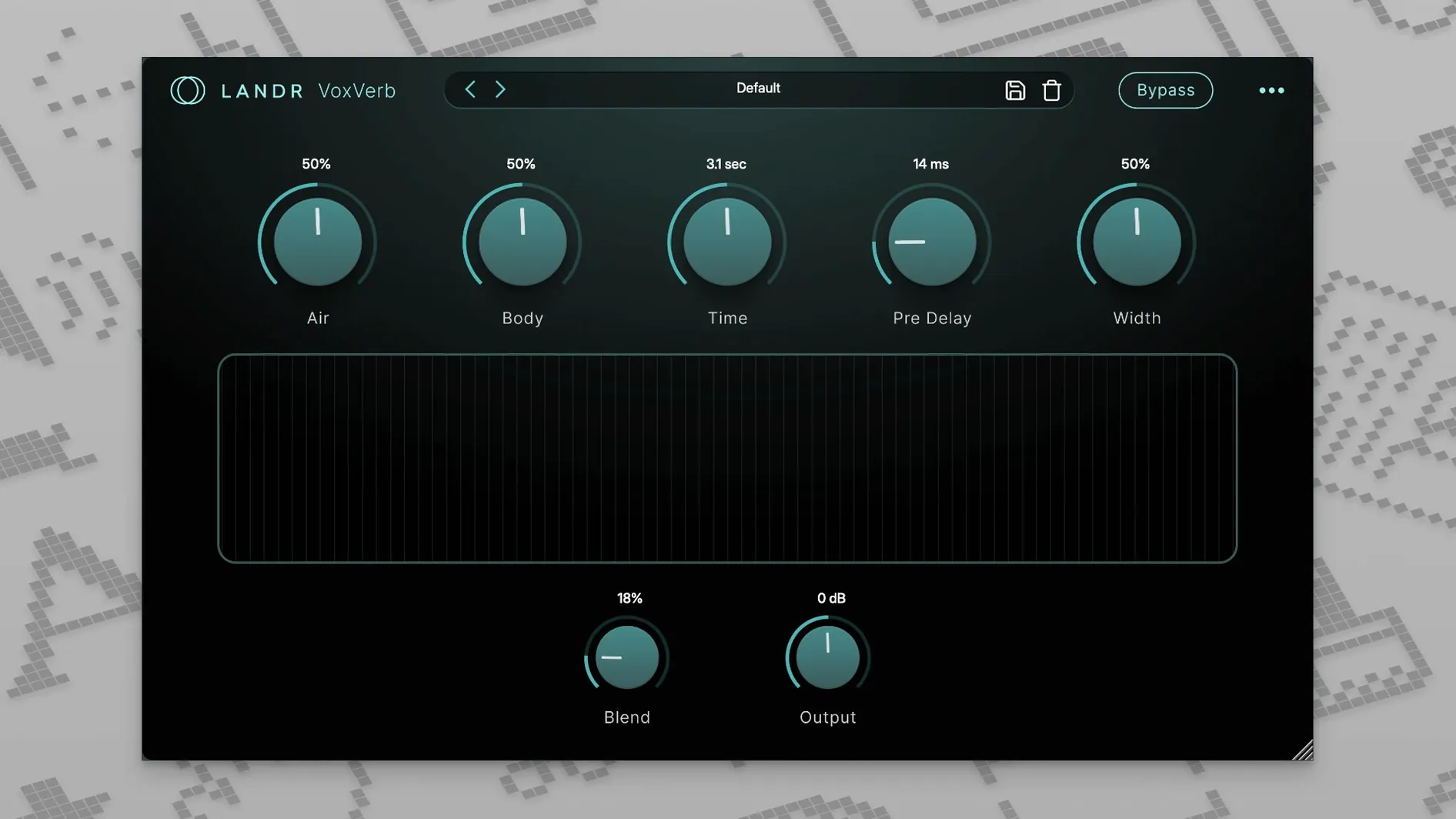
- VoxVerb adds depth and space while keeping the vocal forward. It suits a send bus for a shared reverb space, or an insert when the effect is part of the vocal's own tone.
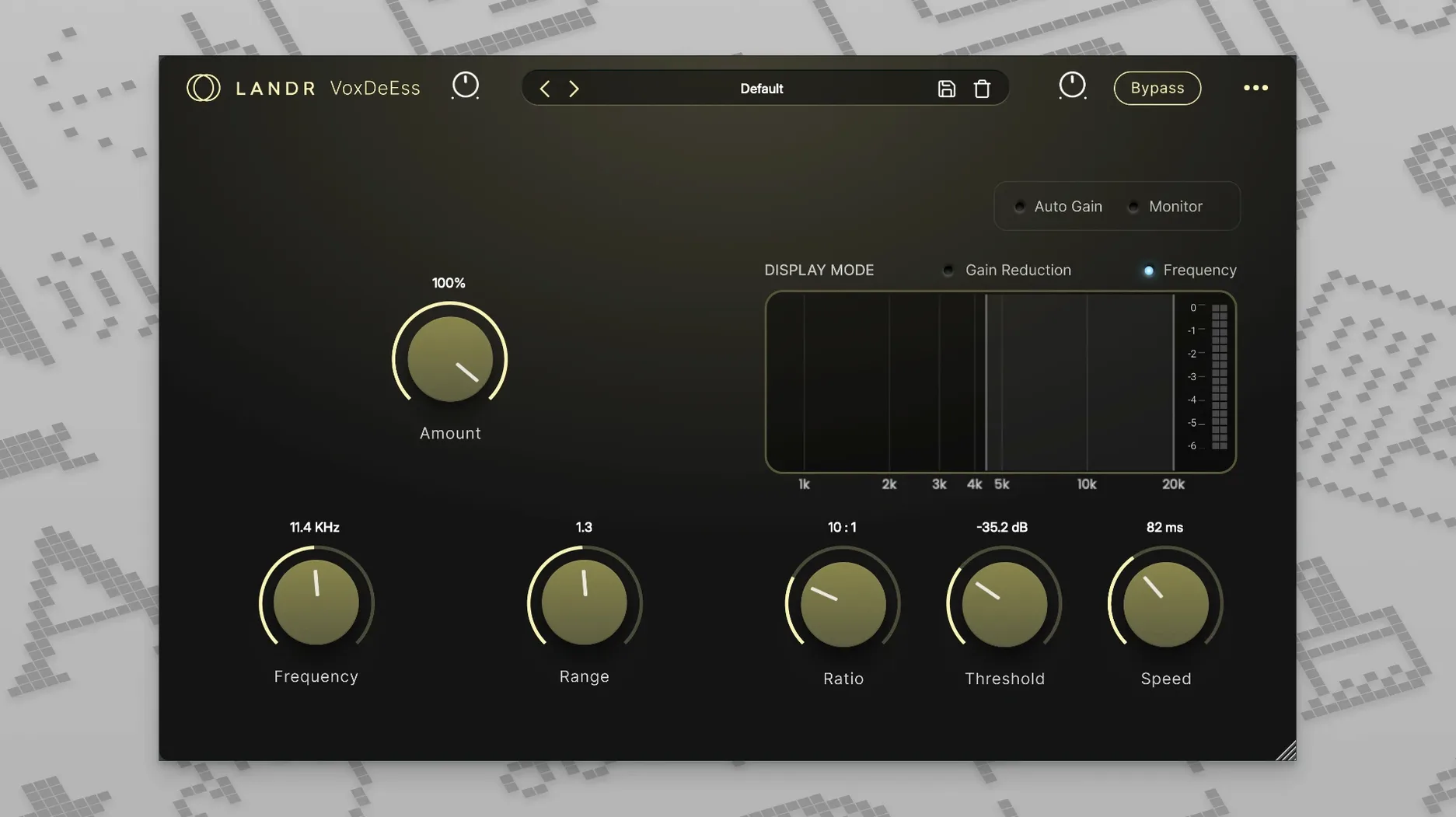
- VoxDeEss pulls back harsh s and sh sounds. It belongs on the vocal track insert, placed before compression to stop the compressor from reacting to sibilance spikes.
- VoxShaper handles channel-strip duties — EQ, compression, saturation — on a track insert, giving the vocal body and grip before it hits the mix bus.
The bundle runs on macOS 12 or later and comes as a single installation. All four plugins work together without much overlap, covering a vocal line from quick correction during tracking to creative tone shaping during mixing.
Dialing in a flat verse vocal and taming harsh consonants
You open a project with a lead vocal that feels slightly flat in the verse and harsh around the consonants. The track already has a rough level balance, but the vocal needs tightening before you touch the fader.
Step one is dropping VoxTune onto the first insert slot. The plugin analyses the incoming signal and locks to the key of D minor — set manually from the dropdown because the automatic detection guessed D major and missed the F natural. You pull the speed control to around 70%, enough to nudge the pitch without erasing the singer's slides between phrases. The voice colour knob stays at noon for now; pushing it clockwise later might add a glassy top end that works for the chorus, but the verse wants warmth. Vibrato gets a slight bump to 55% to keep the held notes from sounding rigid.
Next comes VoxDeEss in the second insert slot. The sibilance on “saw the sunlight” jumps out of the monitors. You set the frequency to 6.8 kHz and watch the reduction meter move with each s and t. A threshold of -28 dB catches the worst spikes without dulling the air band. The split-band display confirms the plugin is only pulling down the narrow range around the target frequency, leaving everything above and below untouched.
Third insert: VoxShaper. The vocal needs body and a bit of grip. You start with the EQ section — a 2 dB boost at 180 Hz with a wide Q fattens the low-mids, and a gentle high shelf at 10 kHz opens the top without pulling the sibilance back up. The compressor follows, set to a 3:1 ratio with a medium attack to let the consonants through and a fast release so the tail of each phrase breathes. The saturation stage comes last: you dial in a tape-style warmth at around 25% wet, just enough to round off the transients before the signal hits the channel fader.
On a send bus, VoxVerb gets a plate setting with the decay shortened to 1.2 seconds. The pre-delay sits at 40 ms to separate the dry vocal from the wash. The clarity control keeps the reverb tail from clouding the midrange, so the words stay intelligible even when the send level rises during the bridge. You automate the send up 3 dB for the last chorus and leave it there.
Four separate plugins, not a locked suite
One common question is whether the plugins load as individual units or as a locked suite. All four — VoxTune, VoxChain (labelled VoxShaper in some builds), VoxVerb and VoxDeEss — appear as separate plugins in the DAW menu. You can use one, two, or all of them across different tracks without the others loading into memory.
Another question concerns latency during recording. VoxTune is designed to run without added delay, which means you can track through it and hear the corrected pitch in the headphones in real time. The other three plugins introduce small processing delays typical of EQ and dynamics stages, so they are better suited to mixing than live monitoring. Some users looking for a landr plugin torrent may wonder whether the individual components match the standalone versions — the plugins inside the bundle are the same builds LANDR distributes separately, just packaged together.
People also ask about CPU load. Running all four plugins on a single vocal track sits comfortably on most Apple Silicon machines, though an Intel Mac running a dense session benefits from freezing VoxVerb first, since convolution-style reverb calculations add the largest footprint. The bundle works on both architectures, so no Rosetta translation is needed on M-series chips. Those who search for a landr torrent often want confirmation that the plugins run natively — they do, on ARM and x86-64 alike.
Putting the de-esser after the compressor dulls the whole signal
Placing VoxDeEss after the compressor is a frequent slip. When the de-esser sits downstream, the compressor has already reacted to the sibilance peaks and pulled the whole signal down. The de-esser then works on a signal where the harshness is partly buried, making its job less precise. Putting VoxDeEss first — before any dynamics processing — gives it a clean look at the sibilance and stops the compressor from pumping on every s.
Another mistake is setting VoxTune too fast by default. Dialling the speed to 100% on a natural vocal performance produces that flat, robotic tuning that draws attention to itself. Most lead vocals benefit from a speed between 60% and 80%, leaving some drift in the attack portion of each note. Reserve the instant correction for background stacks or a deliberate effect.
Beginners also treat VoxVerb as a one-knob ambience tool and ignore the pre-delay. Without some space between the dry signal and the reverb onset, the vocal feels pushed back in the mix rather than sitting inside a space. Even 30 to 50 ms of pre-delay keeps the voice present while the tail blooms behind it. Searching for a landr rehance free download sometimes brings up confusion with VoxTune’s features — note that VoxTune handles pitch and colour, not de-essing or spatial effects.
Lastly, overdriving the saturation stage in VoxShaper while the compressor is set aggressively leads to a crunched, narrow vocal that fights the mix. Start with subtle saturation — 15% to 25% wet — and let the EQ and compression do the heavy lifting first.
Switching VoxTune key detection from auto to manual
In VoxTune, switch the key detection from automatic to manual. The auto-detect feature guesses based on the incoming audio, but it stumbles on modal interchange and borrowed chords. Setting the key yourself — even a rough guess — gives better correction decisions across the whole take.
In VoxDeEss, move the frequency from the default 5 kHz up to somewhere between 6.5 and 8 kHz while listening to the vocalist's specific sibilance range. The preset frequency works for many voices, but a brighter singer often needs the de-esser aimed higher to avoid dulling the presence region.
In VoxShaper, disable the EQ band you are not using rather than leaving it flat. Each active band adds a small phase shift, and bypassing unused bands keeps the signal path cleaner. Also, swap the default compressor ratio from 4:1 to 2.5:1 for a vocal that needs gentle levelling rather than firm control — a common scenario in ballad verses.
In VoxVerb, shorten the default decay time by 30%. The factory plate and hall settings tend toward longer tails that build up in a busy arrangement. A shorter decay with a slightly higher mix level often sounds bigger than a long tail buried under the instruments. Those looking for a landr vocal plugin bundle free download often load the plugins and leave every knob at its default — taking five minutes with these adjustments changes the result noticeably.