Aspecten
 Download (270 MB)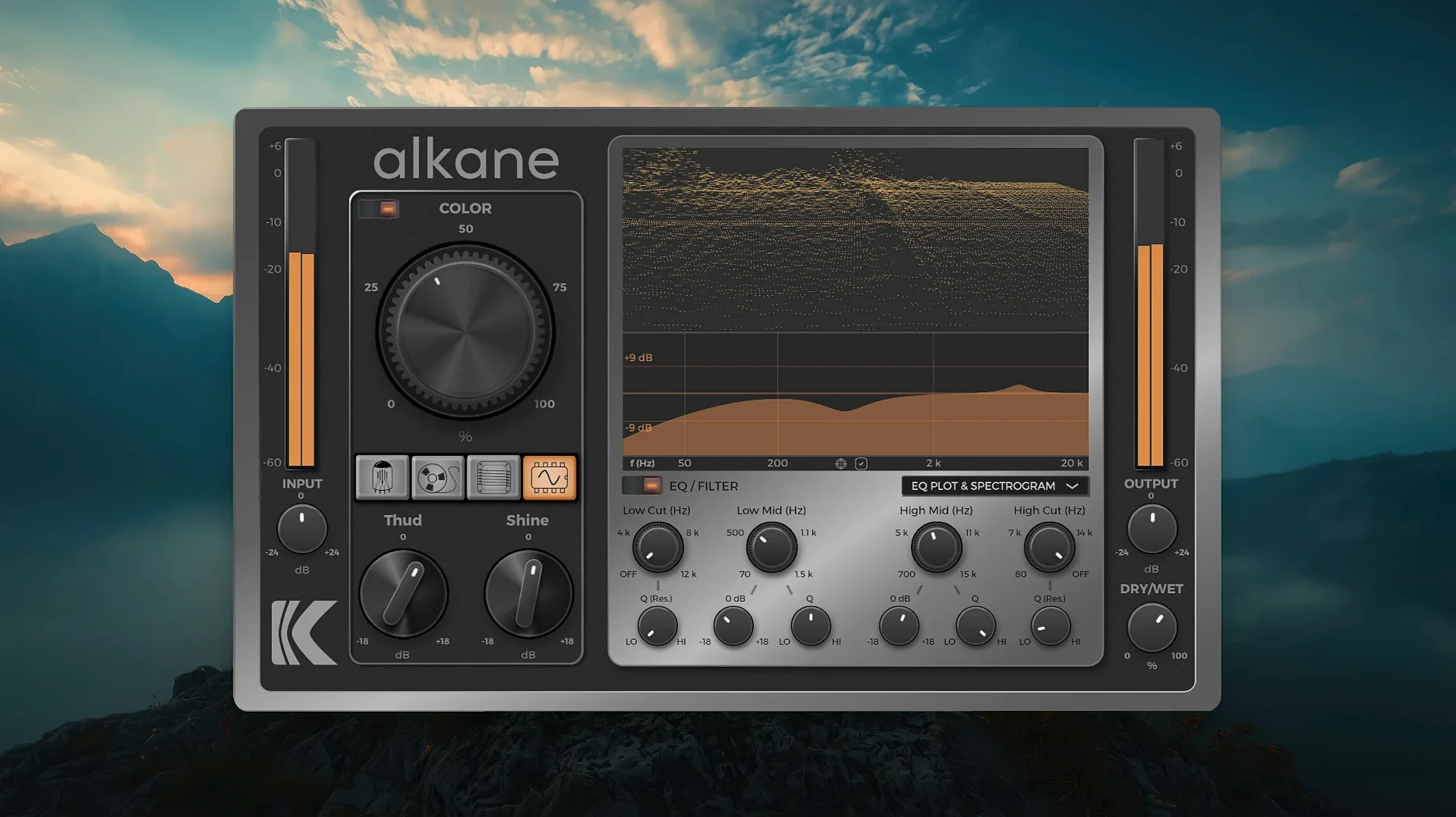
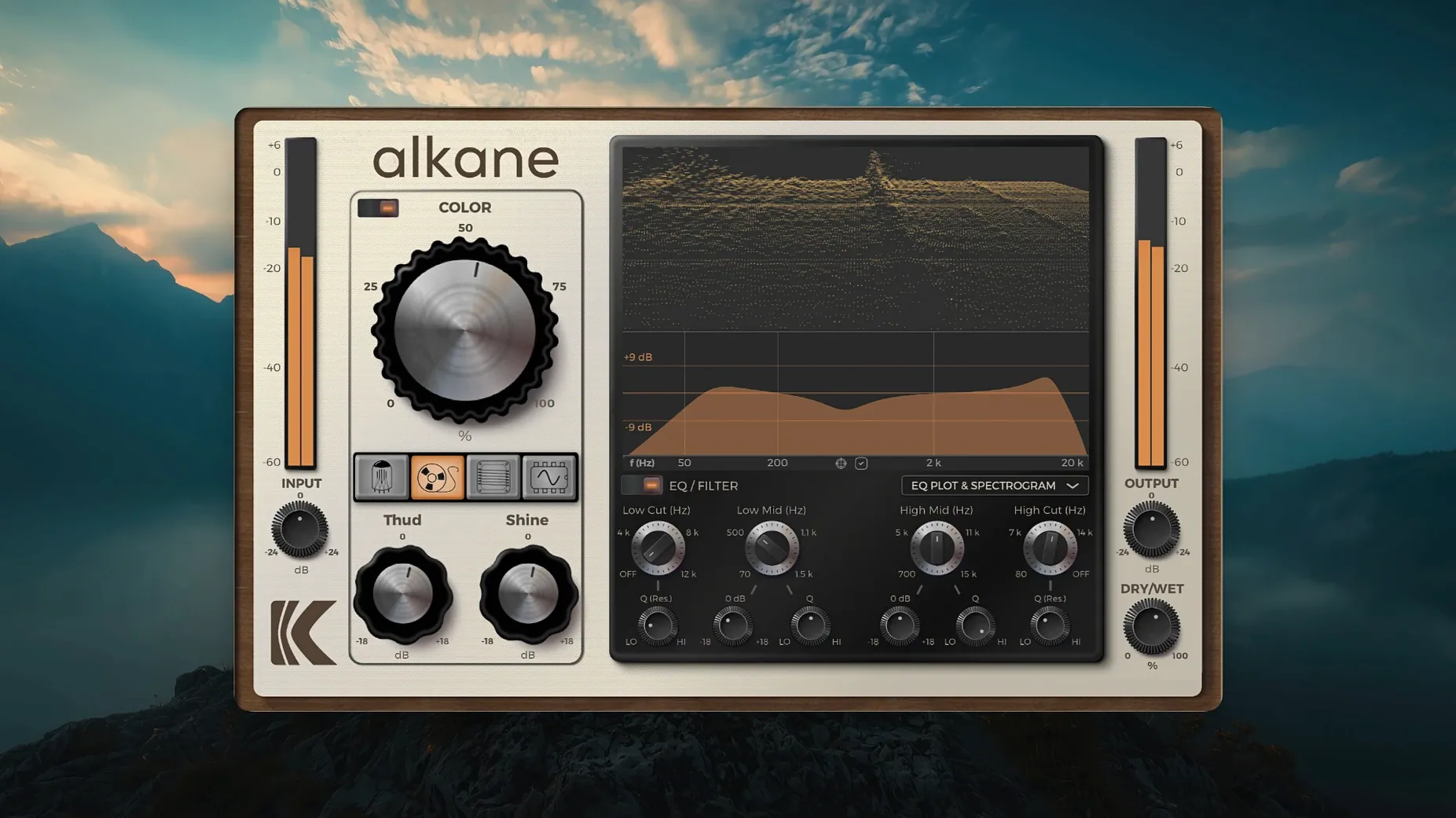
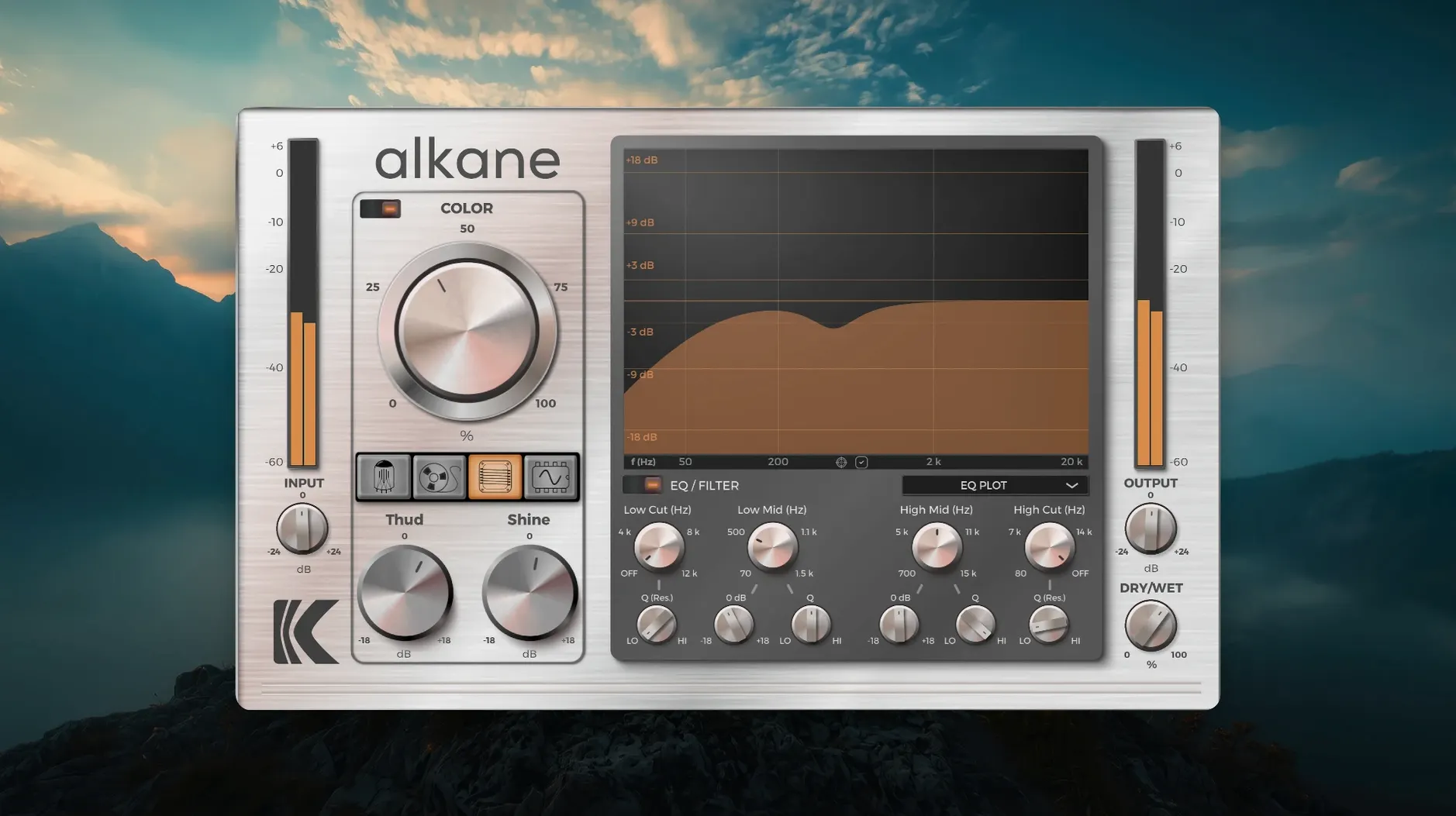
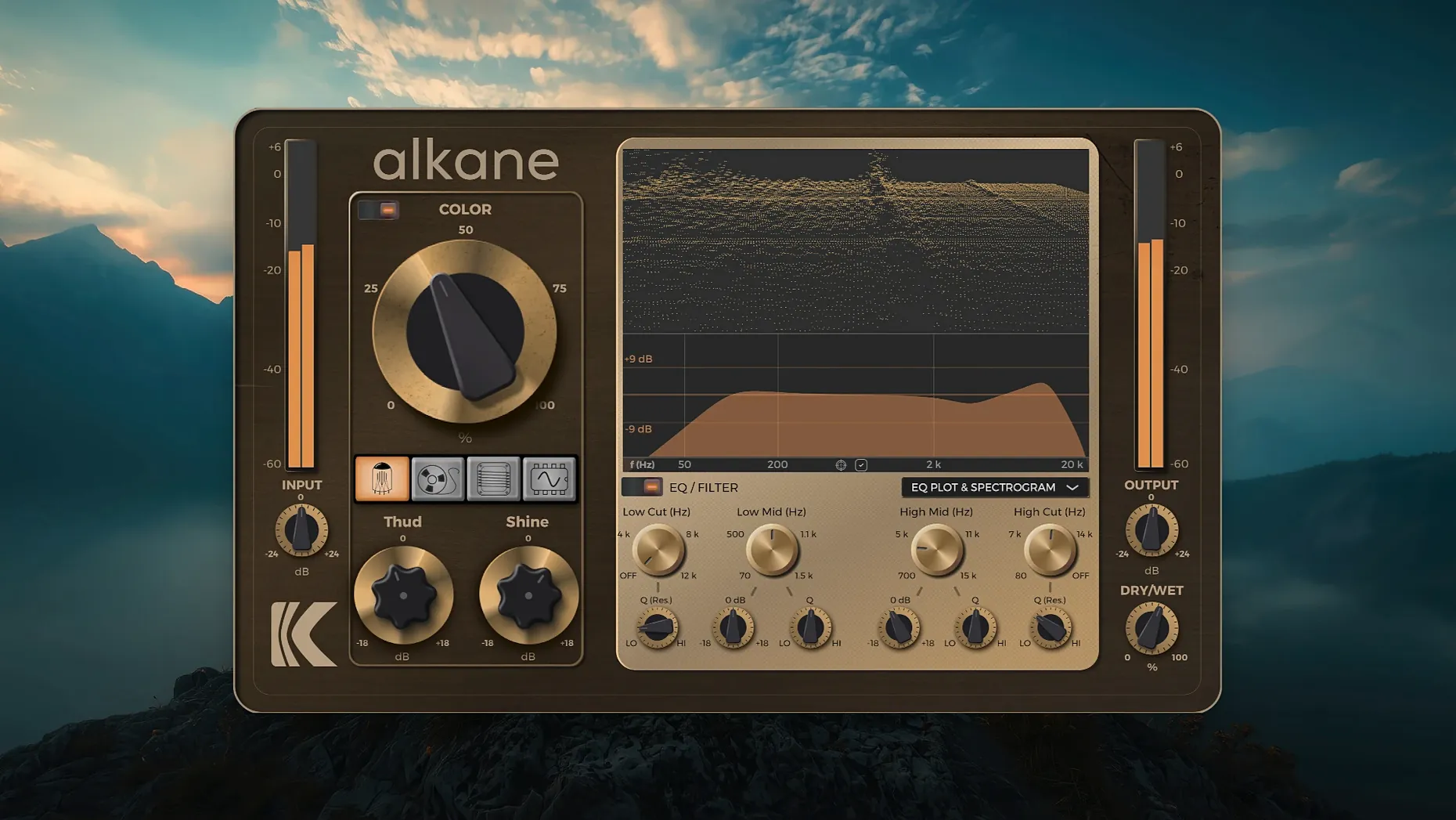
Engage the Color module and the signal immediately gains weight without stiffening the transients. That non-linear processing sits at the centre of KD Alkane, a quad-circuit harmonics plug-in that sequences Tube, Tape, Transformer and Synth models in one signal path. The order matters less than the blend: each circuit contributes a distinct saturation profile, and the real work happens when you treat the four stages as a single composite tone shaper.
A typical session route starts on individual drum or synth tracks. Pull the Tube circuit forward for a rounded bump in the low mids, then use Transformer to tighten the stereo field without narrowing the image. On a parallel bus, Synth adds synthetic upper-harmonic content that cuts through a dense mix — useful on a lead vocal send where presence needs to stay forward without raising the fader. Across the master bus, Tape rounds off the top end and the 8x oversampling keeps aliasing artefacts inaudible even at extreme drive settings.
The visualizer earns its screen space. A 3D spectrogram shows harmonic growth in real time, the EQ plot confirms what your ears suspect, and the parameter editor lets you tweak without closing the view. On a high-resolution display the GUI scales cleanly, so the readout stays legible when the plug-in window is small.
Dry kicks and DI bass find their glue here
Mix engineers working with recorded acoustic material tend to reach for it first. A dry kick drum, a flat DI bass, a vocal that sits on top of the track instead of inside it — these are the moments where the four circuits earn their keep. The Tube and Tape models in particular respond to transient-heavy material in a way that purely digital saturators often miss, rounding the attack slightly while thickening the sustain.
Electronic producers who build tracks entirely in the box form the second natural audience. The Synth circuit, with its overt synthetic harmonic generation, can turn a clean Serum or Diva patch into something that sounds as though it passed through an outboard chain. Running a software synth through Transformer and then Synth, in that order, often yields a stereo spread that stock DAW wideners cannot replicate without phase issues.
Sound designers doing post-production and game audio find the Color module particularly useful when layering. Because the non-linear processing leaves transients intact, a designed impact sound keeps its attack while gaining body — a combination that compression alone struggles to deliver. The two-band parametric EQ with its high-pass and low-pass filters means fewer insert slots get occupied by corrective processing.
Beginners who have never used harmonic saturation may find the four-circuit layout a little front-loaded; there is no single-knob "warmth" control. The plug-in rewards time spent learning how each circuit behaves before combining them. Users comfortable with gain staging and parallel processing will integrate it fastest.
Sweep one circuit at a time with a spectrogram
A practical approach for the first few sessions is to use one circuit at a time. Open an instance on a drum bus with only the Tape model active and sweep the drive control while watching the spectrogram. Note where the second and third harmonics appear and how they shift with input level. Repeat the exercise with Tube on a bass track and Transformer on a stereo synth pad. Building a mental map of each circuit in isolation makes combining them far more intuitive later.
Set the output ceiling early. The 8x oversampling prevents aliasing, but gain can accumulate quickly across four stages, and a track that sounds controlled at low drive settings can clip the next plug-in in the chain. A safe starting point is to keep the output meter peaking around -12 dBFS and adjust downstream gain accordingly.
The EQ section is easy to overlook, but placing a gentle low-pass filter after the Synth circuit tames the very high harmonics without dulling the presence region. On a vocal send, try cutting around 300 Hz with the parametric band before the signal hits the Tube stage; this prevents the low-mid buildup that often makes saturated vocals sound congested.
Save a handful of starting-point presets after the first day. A basic four-circuit balance for drums, one for bass and one for the master bus will speed up later sessions and provide a useful reference for how the plug-in interacts with different source material in your particular monitoring environment.
Four circuits, one full-range path versus Saturn’s multiband sprawl
Next to FabFilter Saturn, KD Alkane takes a narrower but deeper approach. Saturn offers a long list of saturation models and multiband processing, while Alkane sticks to four circuits and a single full-range signal path. The difference shows in use: Saturn is the tool for surgical saturation across frequency bands; Alkane is the tool for treating the whole signal through a curated chain. On a drum group, Saturn can add warmth to just the low end; Alkane builds a composite character that affects the entire transient and body together.
Compared with Soundtoys Decapitator, the tonal range expands noticeably. Decapitator models analogue hardware with a focused set of controls and a single circuit emulation per instance. Alkane's four-circuit architecture means you can, for example, push Tube for thickness and then immediately follow it with Synth for upper-harmonic presence — two distinct characters in one plug-in window. Decapitator wins on sheer speed and the punish button, but Alkane offers more shaping without leaving the interface or stacking multiple instances.
Against a free alternative like Softube Saturation Knob, the gap is wide. Saturation Knob does one thing and does it well for zero cost, but it cannot approach the layered circuit design, the visualizer feedback or the EQ integration that Alkane provides. Users who have relied on Saturation Knob as a quick character adder may find Alkane a logical next step when single-stage saturation stops being enough.
Adding weight to a clean mix that falls flat
A producer opens a session in Logic with a finished arrangement that sounds clean but lacks weight. The kick and snare sit forward in the mix, the bass line is audible but thin, and the stereo synth pad disappears when the vocal enters.
On the drum bus, an instance of KD Alkane loads with the default flat settings. The Tube circuit is activated first and the drive control is raised until the kick's body thickens — visible on the spectrogram as a growing second harmonic around 100 Hz. The Tape circuit follows, set to a moderate level to soften the snare's crack without losing its snap. Transformer is dialled in last, tightening the stereo image of the overheads slightly. The EQ module's high-pass filter removes everything below 40 Hz to keep the low end clean.
On the bass track, a separate instance uses only the Transformer and Tube circuits. Transformer adds a subtle midrange bite that helps the bass cut through on small speakers; Tube fills out the fundamental. The drive levels stay conservative — heavy saturation would mask the kick drum's low end in the final mix.
The stereo synth pad receives the Synth circuit at a higher drive setting, generating upper harmonics that create the illusion of a wider stereo field. The Color module is engaged with a gentle curve, adding non-linear content that makes the pad feel more three-dimensional. The low-pass filter in the EQ section rolls off the very top of the Synth-generated harmonics to prevent them from clashing with the vocal air frequencies.
On the master bus, Tape runs at a low setting — just enough to round transients across the full mix. The visualizer confirms that harmonic content extends smoothly across the spectrum without any sudden spikes. The output ceiling is checked and the mix is printed. The result: the same arrangement, now with the kick sitting inside the track instead of on top, the bass audible on a phone speaker and the synth pad holding its space even when the lead vocal is present.