Aspecten
 Download (264 MB)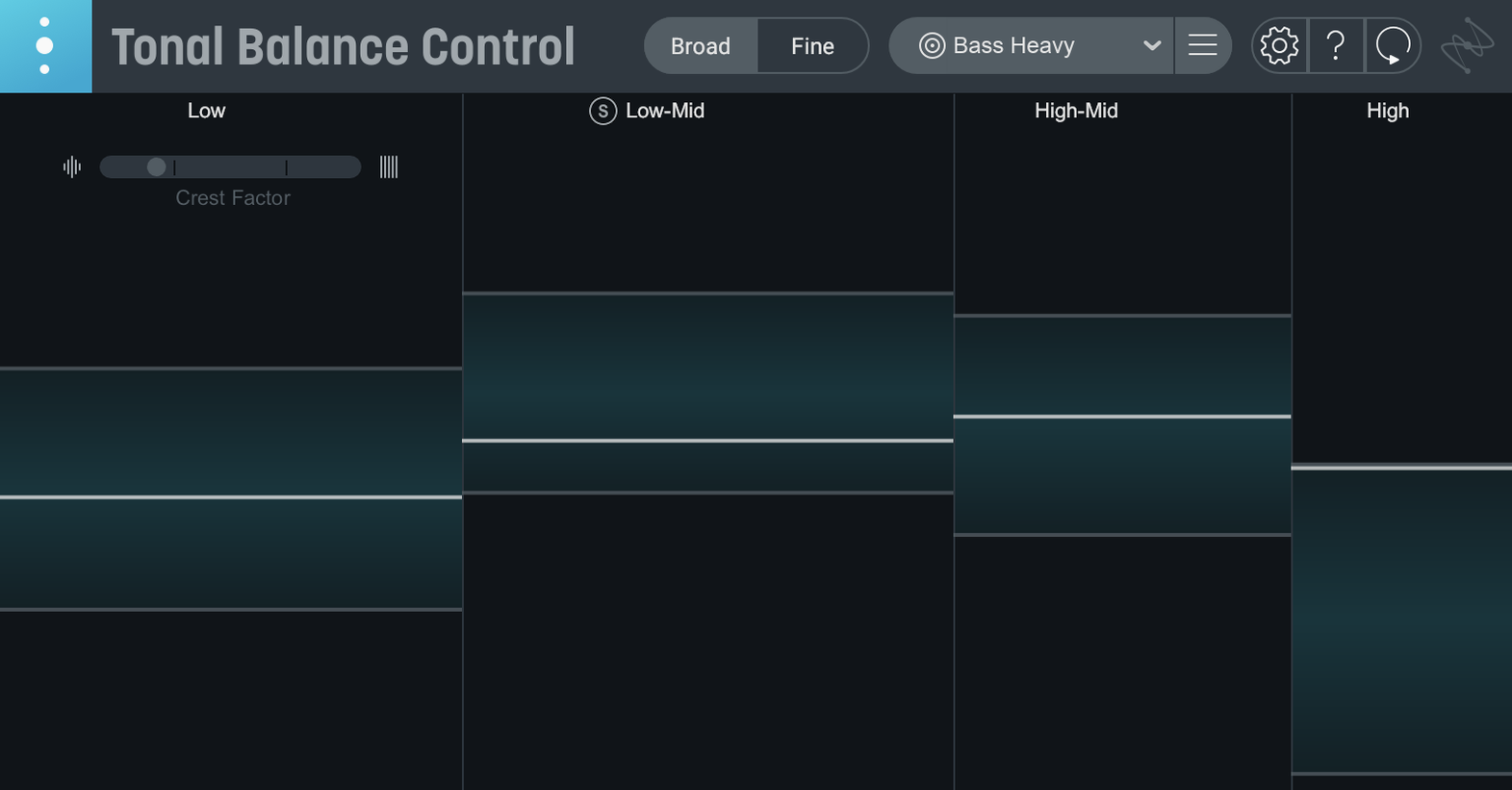
A mastering engineer opens a dense rock mix that sounds full in the studio but falls apart on a phone speaker. They drop Tonal Balance Control 3 on the master bus, select the Rock target curve, and immediately see that the low end is running 3 dB hotter than the reference while the presence region is undercooked. A few adjustments in the linked Ozone Equalizer bring the trace closer to the line.
- Available as an AU, VST3, or AAX plug-in, plus a standalone desktop application introduced in version 3.
- Hosts must run on macOS Sonoma 14.7 or later; both Apple Silicon and Intel 64-bit architectures are supported.
- The interface language is English.
- Twelve target curves cover common genres, giving a visual benchmark for spectral balance.
- New meters in version 3 add vocal balance, dynamics, and stereo width readouts alongside the main broadband curve.
- The built-in hybrid EQ can make broad tonal corrections without leaving the plug-in window.
The plug-in reads audio from the host and overlays a real-time spectrum against a shaded reference zone. When an iZotope Ozone or Neutron equalizer is inserted downstream, Tonal Balance Control can talk to it directly, letting you adjust bands from inside its own interface. The included Relay plug-in acts as a low-CPU intermediary for tracks that do not already carry an iZotope module. Version 3 marks the first iteration with a standalone app, so you can load a static mix file for analysis outside a DAW session.
Performance under normal mix conditions stays unobtrusive. On a Mac Studio with an M1 Max, the plug-in idles below one percent CPU in Logic Pro when the analyser is running but no linked EQs are open. Opening the hybrid EQ view nudges the meter a little, and chaining three or four Relay instances across a busy session adds a cumulative draw that is still modest enough to leave room for heavier processing further down the chain. Latency is negligible in the metering-only path, though engaging the hybrid EQ introduces a small buffer worth noting if you track through it; most users leave it on the mix bus where that does not matter.
Stability has been steady in the early 3.0.0 build. A session with forty-odd tracks, Ozone 11 on the master, and Tonal Balance Control inserted before it ran without a single drop-out across a six-hour day. The standalone app launched quickly and pulled in a reference file without fuss. One area that still needs a careful hand is inter‑plug-in communication: if you reorder Ozone and Tonal Balance Control after linking them, the connection sometimes breaks and the EQ controls grey out. Removing and re‑inserting both plug‑ins restores the link.
A few snags crop up often enough to mention. The target curves work from broadband averages and cannot flag a narrow resonance that pokes through a mix, so a secondary spectrum analyser still earns its place. People coming from tonal balance control 2 torrent builds sometimes find that custom curves saved in the older format do not migrate automatically, though the quick‑import function added in version 3 handles the transfer once you locate the file. On Apple Silicon machines running the plug‑in natively, a handful of older Intel‑only DAWs have refused to scan the VST3 until the host is restarted in Rosetta mode, which is a DAW‑side limitation rather than a bug in the plug‑in itself.
The plug‑in fits neatly into a workflow that already uses Ozone or Neutron, but it is not entirely walled off from other tools. You can drop it after a third‑party EQ and use the broadband readout as a sanity check; the linked‑EQ shortcuts just remain grey until an iZotope equalizer appears downstream. Relay bridges the gap on individual tracks, sending a lightweight spectral snapshot without the overhead of a full Ozone instance. Some mixers who found tonal balance control mac through the usual channels end up using Relay more than they expected, simply because it is quick to insert and does not tempt them into second‑guessing every band.
macOS integration is straightforward. The standalone app behaves like any other audio application under Sonoma and Sequoia, respecting the system audio device selection and sample rate. Drag‑and‑drop of audio files into the custom curve slot works from Finder, and the window scales cleanly on Retina displays. What is missing is AppleScript or Shortcuts support, so you cannot automate reference loading or screenshot captures from outside the application. The plug‑in follows the host’s colour scheme where the DAW supports it, but there is no independent light‑or‑dark toggle in the standalone app.
Drop a bounced mix into the standalone app for an instant read
The jump from 2 to 3 brings three practical shifts. First, the standalone app means you can check a bounced mix without launching a full DAW project; drop the file in, pick a curve, and you have a read within seconds. Second, the vocal balance meter adds a dimension that the broadband curve alone could not give, and it has already changed how some engineers set relative levels between lead vocals and the instrumental bed. Third, the hybrid EQ, while not a replacement for a full Ozone module, handles the broad strokes quickly: a gentle tilt or a low‑shelf cut that brings a mix into the target zone without leaving the analysis window. For people who previously relied on tonal balance control crack versions of the older release, the import path into version 3 preserves their saved curves and Relay settings, so the transition feels more like an equipment upgrade than a reset.