Aspecten
 Download (175 MB)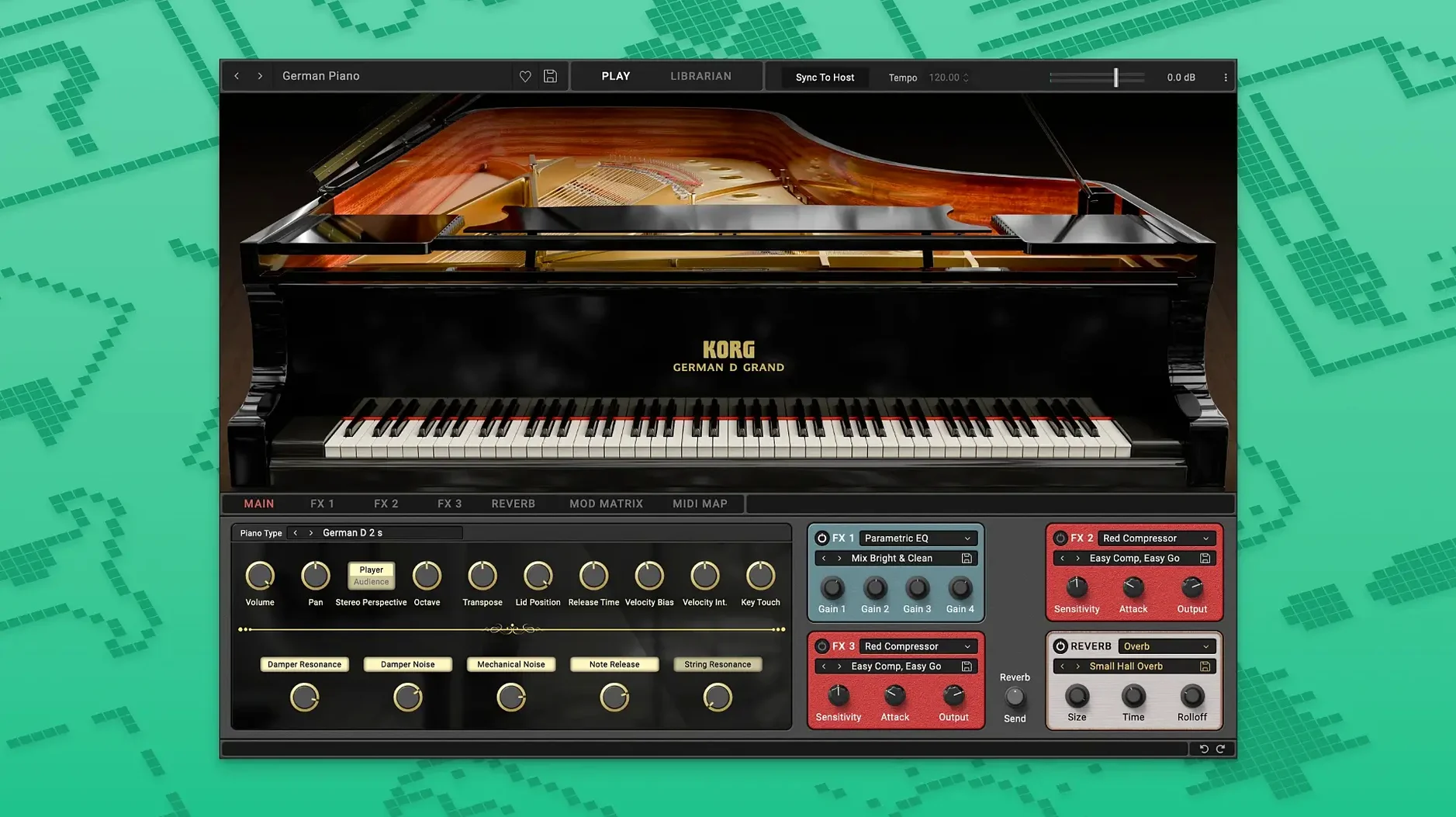
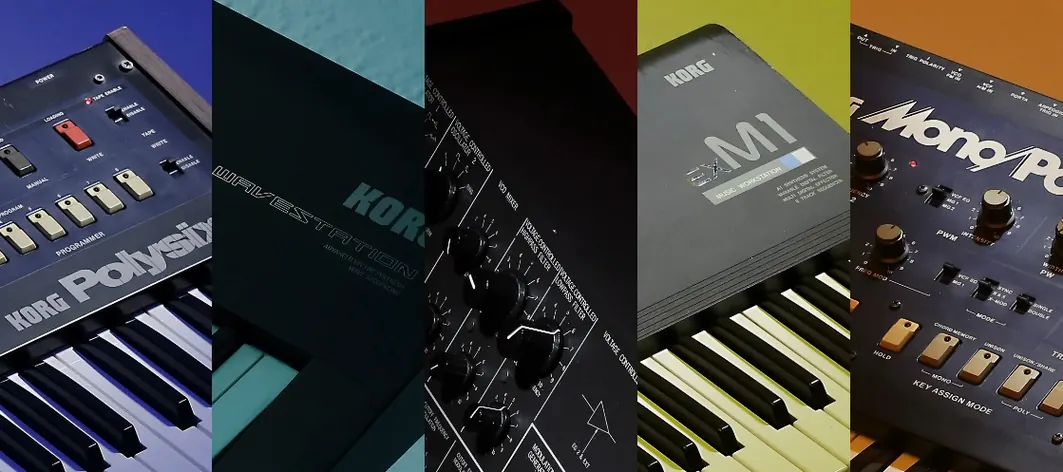
If you already reach for a software EQ or compressor shaped like a classic studio unit, the same thinking applies to instruments. The KORG Collection brings that approach to synthesis and piano, packaging several hardware-derived instruments in one suite. On a Mac it shows up as AU, VST3 and AAX plug-ins inside a DAW, so it slots into an existing project without a separate standalone launcher.
AU, VST3 and AAX with native Apple Silicon code
- Audio Units (AU), VST3 and AAX — the three main plug-in formats on macOS
- Tested against current Logic Pro, Ableton Live and Pro Tools environments
- Native ARM code for Apple Silicon, plus 64-bit Intel support — no Rosetta dependency
Modelled oscillator character and filter response from KORG hardware
The suite covers two distinct territories: modelled analogue synthesis and a sampled concert grand. The synth side recreates the oscillator character and filter response of KORG hardware, with controls for brightness, softness, reverb and keyboard response that let you push patches beyond the original circuits. The SGX-2 piano engine, included in the 2026 update, uses velocity-layered samples and damper resonance to deliver the weight of a concert grand inside a plug-in window. The result is practical rather than nostalgic — patches sit in a mix without constant EQ correction, and the piano responds to half-pedalling without glitching.
Start with a blank MIDI track in Logic Pro. Load an instance of the SGX-2 from the instrument slot — it appears under AU Instruments > KORG. The plug-in window opens showing a straightforward front panel: lid position, reverb amount, brilliance, a three-band EQ and a velocity curve graph. Before playing a note, pull the velocity curve down a touch at the low end. The default mapping can feel a little eager around mezzo-forte; a gentle dip there stops chords from jumping out when you lean into a phrase.
Record a simple piano part — left-hand octaves in the bass, a mid-range melody, maybe a few upper-register accents. Open the plug-in again and set the lid to half-open. The full-open setting brings out too much hammer attack for a pop track; half-open keeps the body without the clatter. Add a small amount of the built-in reverb — early reflection type, mix around 20%. Anything wetter and the piano starts to swim, which fights a vocal that sits in the same frequency range.
Now layer a pad from the Polysix plug-in on a second track. Set the filter cutoff low, around 400 Hz, and bring in the ensemble effect at about 30% depth. The pad fills the space either side of the piano without masking the transient. Bounce both tracks together and listen back on smaller speakers: the piano's lower-mid weight carries through, and the pad's analogue warble gives the chorus movement without needing automation. The whole thing took under ten minutes because neither plug-in requires menu-diving for basic sweetening.
Velocity curve and output gain on the main panel
A handful of adjustments make an immediate difference across the suite. These are not buried in preference files; they sit on the main panel of each instrument.
- Velocity curve (SGX-2). The default linear mapping suits a weighted controller, but semi-weighted keys produce a narrower dynamic range. Pull the mid-point down about 15% on the curve graph — the soft pedal then triggers at a more natural threshold.
- Noise level (synth plug-ins). Most models in the collection include a subtle noise component that mimics the original hardware's signal path. At unity gain it adds a pleasant grit, but when stacking three or four instances that noise compounds. Drop it to 20-30% per instance and the cumulative hiss disappears.
- Voice assignment. The mono and unison modes default to last-note priority. For bass lines, switch to low-note priority so the lowest held key always sounds — cleaner legato phrasing without retriggered attacks.
- Reverb send (global). Several synths have onboard ambience that defaults to 40% wet. For a drier, more forward sound that takes external reverb well, pull it back to 15% and compensate with a send to your DAW's room reverb. The internal algorithm is usable but lacks the tail modulation of a dedicated convolution reverb.
A narrower, screen-filling instrument focus
Three other suites occupy roughly the same space on a producer's drive: Arturia V Collection, Native Instruments Komplete and Roland Cloud. They all collect hardware-derived instruments, and they all run as AU/VST3/AAX on Apple Silicon. The KORG Collection takes a narrower but deeper approach.
Arturia V Collection casts a wider net — organs, electric pianos, a Mellotron, plus a larger synth count. Arturia's instruments often add modulation options the originals never had, which suits sound designers. The trade-off is a busier interface and longer preset-load times on older Macs. KORG keeps the panels closer to the hardware layout, with fewer secondary tabs. For someone who wants a Wavestation or an M1 sound without distraction, the KORG version feels more immediate. Arturia's modelled grand pianos, however, do not reach the same low-register solidity as the SGX-2 — the damper resonance and string decay on the KORG piano hold together better when exposed in a sparse arrangement.
Native Instruments Komplete bundles sample libraries, synthesizers and effects at a scale that dwarfs both. The pianos in Komplete — The Gentleman, The Maverick, The Grandeur — are deeply sampled and offer extensive microphone blending. They reward detailed mixing but also demand it; a flat preset rarely sits in a track without adjustment. The SGX-2 is more self-contained. Its three-band EQ and single reverb control give you enough to place the piano in a mix without scrolling through microphone perspectives. On the synth side, NI's Massive X and FM8 cover digital synthesis broadly, but they lack the specific character of the MS-20 or Polysix filters. If the goal is a recognisable KORG texture, the Collection delivers it with less assembly.
Roland Cloud offers authentic recreations of Roland's analogue and digital back catalogue, including the Jupiter-8 and D-50. The subscription model keeps the library growing, but not every producer wants a continual connection. The KORG Collection 6 update added TRINITY, PS-3300 and Filter Ark alongside the SGX-2, expanding the synth palette without changing the delivery method. Roland's instruments tend toward a polished, stage-ready tone; KORG's retain a raw edge that suits electronic and experimental material. For a producer working across pop and soundtrack cues, having both suites covers complementary ground — Roland for lush pads and arpeggios, KORG for cutting leads and piano weight.
MIDI passes through region transpose before reaching the instrument
The KORG Collection plug-ins sit inside a DAW, so they inherit the host's routing, automation and latency compensation. In Logic Pro, MIDI input from a controller passes through the region inspector's transpose and velocity offset before reaching the instrument — useful for pushing the SGX-2 into softer territory without editing the plug-in's internal curve. Audio from the instrument can be sent to a bus with a third-party channel strip, and because the plug-in reports its latency correctly, the DAW keeps everything sample-aligned.
Audio Units also work inside MainStage, which means the Collection can form the core of a live keyboard rig. Patch changes via program change messages load quickly enough for setlist use — the SGX-2 switches between a bright pop preset and a felt-muted variant in under half a second on an M1 Mac. Mapping the Collection's macro controls to a MIDI controller's knobs via Logic's Smart Controls or Ableton's device mapping lets a performer adjust filter cutoff or reverb send without touching the plug-in window.
macOS's Audio MIDI Setup utility recognises a connected KORG hardware synth as a MIDI device, which creates a tidy hybrid workflow: the software Collection handles polyphonic pads and piano, while a physical Minilogue or Prologue provides the lead tactile control. Both feed into the same DAW project, and because the Collection's preset management uses standard .fxp and .aupreset files, presets can be backed up via Time Machine or synced across machines with iCloud Drive — just copy the preset folder into the cloud-synced directory.
For sound design outside a DAW, the AU version loads into Hosting AU or Blue Cat's PatchWork, which run as standalone apps. This sidesteps the lack of a dedicated standalone launcher. Set up a chain with the MS-20 plug-in feeding a delay and a convolution reverb, save the PatchWork session, and it opens like any other app — no sequencer track needed.
Output level sits close to original hardware line-out
A few patterns show up repeatedly when someone new to the Collection opens it for the first time.
- Ignoring the output gain staging. The synth plug-ins output at a level close to the original hardware's line-out, which can be hotter than a typical soft synth. A preset that peaks at -3 dB in isolation clips when layered with a drum bus. Pull the plug-in's master volume back 6 dB before mixing; the headroom makes gain-staging the channel strip simpler later.
- Leaving the built-in effects on by default. The chorus on the Polysix and the delay on the M1 are part of the instrument's identity, but they are printed into the audio when you freeze or bounce. Beginners sometimes freeze a track with heavy internal delay and then try to align it with a dry track — the offset is baked in. Switch internal effects off, bounce dry, and add time-based effects in the DAW for easier editing.
- Using the SGX-2's full damper resonance on every patch. The resonance modelling is realistic, but at 100% it sustains low-mid frequencies that conflict with a bass guitar or synth bass. For a busy arrangement, set damper resonance to around 60% and use a high-pass filter on the piano channel at 80 Hz. The weight stays, the mud clears.
- Overlooking the Filter Ark routing. The Filter Ark is not a standalone instrument but a processing plug-in that sits on an audio or instrument track. Beginners sometimes load it as an instrument and wonder why no sound passes. It needs an audio input — place it after a synth instance or on a bus with an audio feed. The drive stage then reacts to the incoming signal level, and small adjustments to input gain produce dramatic timbral shifts.
- Assuming all presets are mix-ready. The factory presets demonstrate the instruments' range, often with wide stereo spread and long reverb tails. In a dense production, narrow the stereo width of pads slightly and shorten the reverb decay. A few minutes of tailoring per preset saves a lot of corrective EQ later.