Aspecten
 Download (785 MB)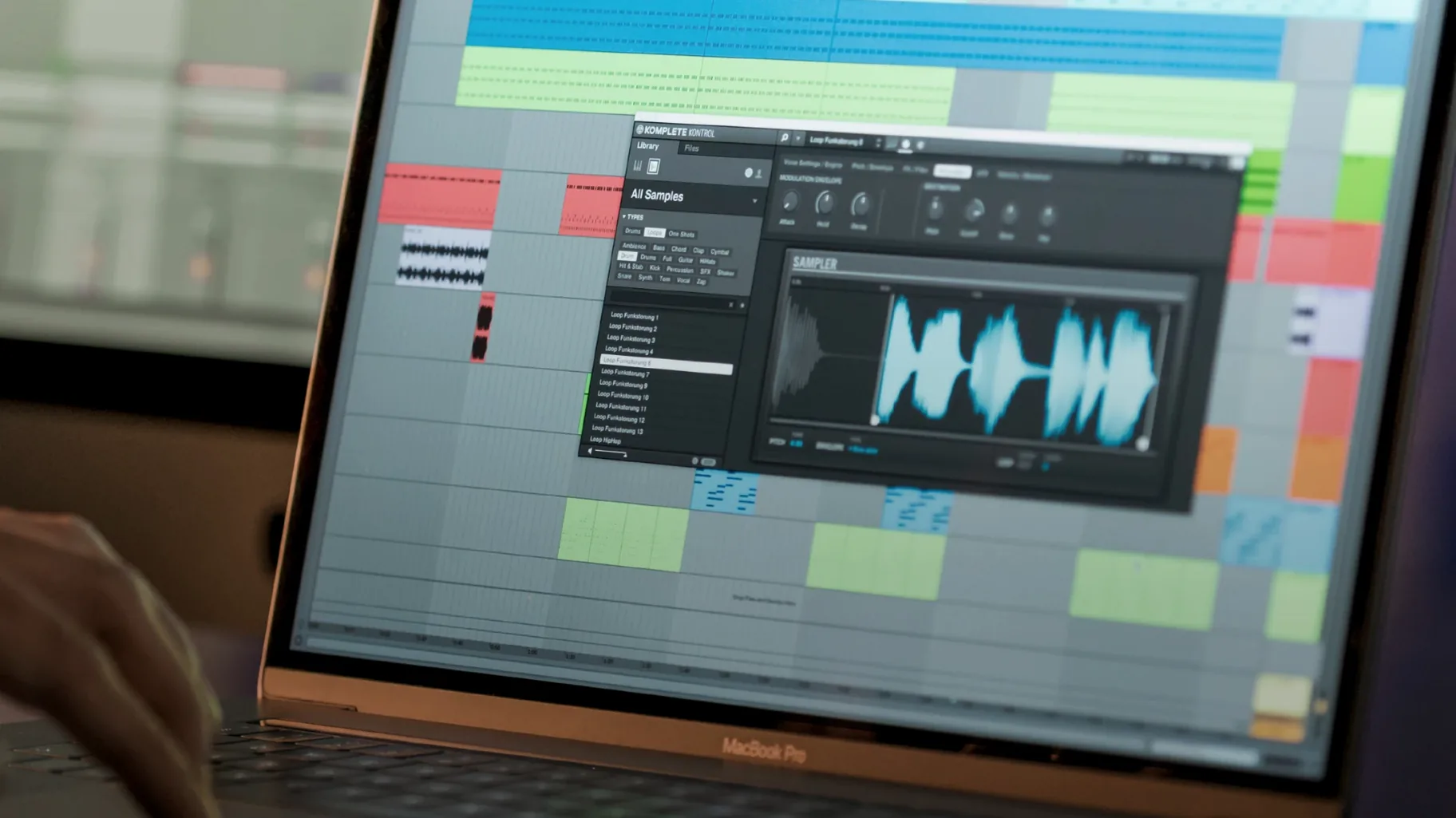
Scrolling through long plug-in menus breaks the flow of a session. Komplete Kontrol gathers instruments, effects, presets, loops and samples into one searchable place, so the next sound is a few keystrokes away rather than a folder dive.
Finding a patch on a synth track
Type a few characters into the browser and the list narrows to matching presets across all installed libraries. Tagging via NKS means you can also filter by instrument type, character or sound category without opening a single plug-in window.
Layering a pad on a bus
Load two instruments into the same instance and blend them with independent volume, pan and tuning controls. The built-in sampler lets you drag in a loop or one-shot and play it polyphonically from a keyboard or the on-screen keys.
Controlling an effect chain from hardware
Map the eight macro knobs to any parameters across the loaded instruments and effects. With an S-Series keyboard the Light Guide colours keys for key switches and zones, giving visual feedback that helps when you are editing a part rather than performing it.
Browse and play without NI hardware
People ask whether the software works without NI hardware. It does — mouse, keyboard and any MIDI controller will get you going. The browsing, tagging and Smart Play features are all available in standalone mode and inside a DAW. What the S-Series keyboards add is the Light Guide, touch strips and tighter knob mapping, none of which block the core experience.
Another common question is whether Komplete Kontrol scans third-party plug-ins automatically. It scans standard system folders on first launch and picks up everything from AU and VST locations. You can add custom folders later from preferences. About 750 plug-ins from 90 developers are tagged for NKS browsing, and the ones that are not still appear under a user content section with basic parameter mapping.
A third worry is duplication: if you already own Kontakt or Reaktor, does Komplete Kontrol create a second set of presets? It does not. The database indexes what is already installed, so the same patch shows up once. The advantage is that you can search across Kontakt, Massive, Battery and third-party libraries in one list instead of loading each engine separately.
Apple Silicon launches in under five seconds
Launch time on Apple Silicon is quick — the plug-in appears in a DAW scan within two or three seconds, and the standalone application is ready in under five. Preset browsing stays responsive even with a few hundred libraries indexed. The preview engine loads a light version of each patch, so you can audition sounds without waiting for a full instrument to initialise. Switching from a piano to a multi-layered synth patch takes about a second on a modern machine.
Memory use depends on what you load. A single instance with a basic Kontakt library sits around 300 MB of RAM. Two instruments in a layer plus effects raise that to roughly 600 MB. The application itself adds little overhead beyond what the hosted plug-in would use on its own. CPU spikes are rare during normal browsing; they appear only when changing parameters rapidly on a complex patch, and version 3.5.4 specifically addressed performance issues with parameter changes from Kontrol S-Series MK3 hardware.
Standalone mode is useful for sound design away from a DAW, though it will occasionally lose the audio interface connection if the device is unplugged mid-session. Restarting the application brings it back. As a plug-in, stability is good across Logic Pro, Ableton Live and Cubase. Crashes are infrequent and usually trace back to a specific third-party plug-in rather than the host software itself.
Add your non-standard plug-in folders here
Open preferences and check the plug-in scan paths. Add any non-standard folders where you keep instruments or effects, then trigger a rescan. The library updates in the background while you work.
Turn on Preview Playback if it is not already active. This lets you hear a short sample of each preset just by hovering or arrowing through the list, which speeds up browsing considerably. Set the preview volume to match your monitoring level so you are not startled when auditioning patches at different gains.
In the Audio and MIDI tab, choose your audio interface and buffer size for standalone use. A buffer of 128 samples gives a playable response without taxing the processor on most machines. If you use an S-Series MK2 keyboard, check that the Level Meter option is enabled; version 3.5.4 fixed a Cubase-on-Windows bug that could cause those meters to stop, and keeping the setting on avoids surprises.
Under Library, uncheck any factory content you do not own. The browser still shows entries for uninstalled expansions by default, and removing them cleans up the search results.
Missing plug-in appears after a manual rescan
A frequent complaint is that a freshly installed plug-in does not show up in the browser. The fix is a manual rescan from the preferences pane. If that fails, quit the application, remove the plug-in database file from ~/Library/Application Support/Native Instruments/Komplete Kontrol/ and relaunch. The software rebuilds the index from scratch and usually catches the missing item.
Users sometimes find that dragging loops or one-shots to the DAW timeline does nothing. Check that the DAW track you are dragging to accepts audio; dragging a WAV clip onto a MIDI-only track will fail silently. Also, dragging works from the loop browser panel, not from the main instrument view.
Smart Play chord mode can feel unpredictable if the scale setting has drifted. Before recording, click the scale name and confirm it matches the key of your project. The one-finger chord voicings follow the selected scale, so a mismatch between C major and C minor produces notes that sound out of place even though the hardware display looks correct.
If an S-Series keyboard shows no Light Guide feedback, open the controller editor and verify that the keyboard is assigned to the correct instance of Komplete Kontrol. Multiple instances running at once — one on a synth track and one on a sampler track — can confuse the hardware assignment. Closing the unused instance restores the Light Guide to the active one.