Aspecten
 Download (2.1 GB)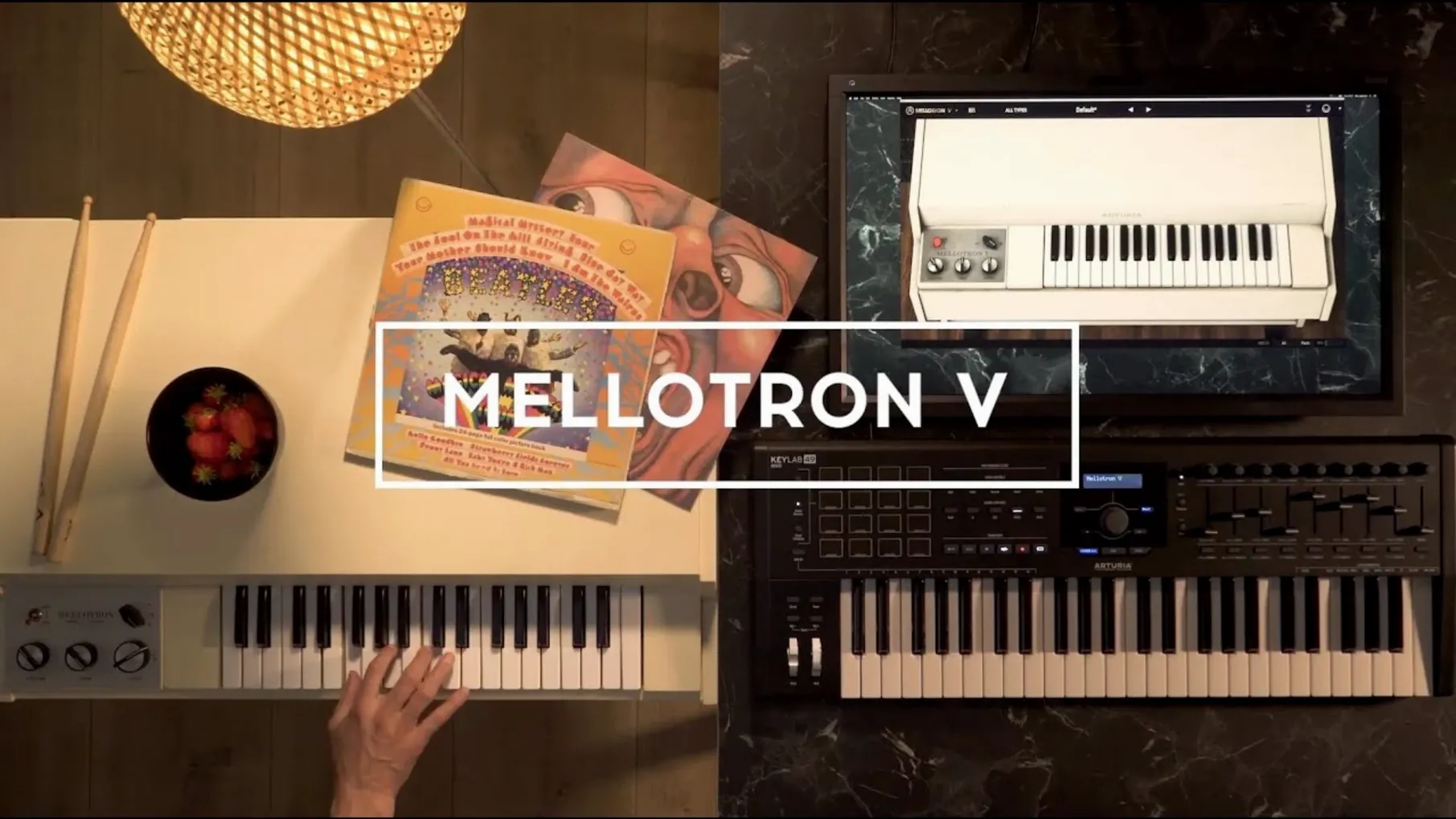
Sound designers and producers who need the Mellotron’s particular wavering texture — but not the maintenance of a fifty-year-old tape mechanism — reach for this modelled instrument. It loads as a plugin in most DAWs or as a standalone application on a Mac.
Check the host and file formats
The plugin presents itself as a VST, Audio Unit and AAX instrument, so it fits into Logic, Pro Tools, Ableton Live and similar hosts. It brings its own factory tape library and also lets you load WAV, AIFF or FLAC user samples — up to eight per track in a recent session layout that mixes two factory tapes with six of your own recordings.
Shape the tape character
Separate controls for mechanical noise, tape artefacts and an ADSR envelope sit alongside the sample slots. A track can hold a blend of factory and user sounds, and the playback behaviour stays editable whether you tweak the flutter or tighten the attack.
Manage presets and playlists
Version 1.9.3 improves preset search and favourite management. Playlists remain visible when you recall a project or reinstall the instrument, and favourites now sort correctly even with shuffle enabled.
Offline activation and how user samples coexist with factory tapes
One recurring question is whether the instrument needs a constant internet connection after setup. It does not — once activated, it runs offline without phoning home. Another is whether user samples replace the factory tapes or sit alongside them. You keep the full 65 tape banks, and any samples you load into a track live on separate slots that you can blend or crossfade.
People also ask if loading their own WAV or FLAC files turns this into a generic sampler. It does not. The tape-modeling engine remains in the signal path: flutter, wow, mechanical noise and the band-limited character still colour whatever you feed it. A clean vocal sample run through a track with the tape age pushed high emerges with a distinct period weariness that a standard sampler does not produce.
The plugin works on Apple Silicon natively, so no Rosetta translation layer is needed on recent Macs. Those running older Intel machines are covered by the same installer. And if you wonder whether the standalone application behaves differently from the plugin — it does not. The same audio engine, same preset browser, same latency handling apply in both contexts.
Auditioning brass, then shaping a string bed for a bridge
Imagine a producer opening a Logic project that needs a melancholic string bed for a bridge section. She inserts Mellotron V on an instrument track and the plugin window opens to the last state she used — a muted brass tape with a slow attack.
She opens the preset browser, types "strings" into the search field, and scrolls past the obvious chamber string choices. A preset named "Tape Strings Aged" catches her attention. She loads it and plays a few chords. The tuning drifts slightly across the stereo field, and a faint hiss rides beneath the notes — exactly the texture the bridge needed.
She opens the tape controls and nudges the flutter depth from its preset value to something a fraction more unstable. Then she pulls the mechanical noise fader down a touch — the noise was competing with a brushed snare in the arrangement. She sets the ADSR release a little longer so the last chord of each phrase bleeds naturally into the next bar rather than cutting off. The whole adjustment takes under two minutes. She saves the tweaked state as a new user preset named "Bridge Strings – aged" and moves on.
Later, when she reopens the project the next morning, the playlist still shows the preset in the correct slot. No re-browsing, no lost favourites.
Tagging a dozen go-to tapes that keep their sort order
Spend the first hour going through the factory tape banks not to compose, but to tag favourites. The favourite system in version 1.9.3 holds its sort order properly, so marking a dozen go-to tapes — a flute, a cello, a male choir, a few string sections — builds a shortlist you can recall instantly. Shuffle works as expected, which is useful when you want to stumble across forgotten textures during a sound design session.
Load a few of your own samples early, even if they are rough field recordings. Hearing how a familiar sound behaves when run through the tape engine teaches you more about the controls than any manual. A short piano phrase fed through a track with heavy tape age and a narrow bandwidth reveals exactly where the mechanism starts to bite.
If you work across multiple DAWs, save your first user presets in the standalone application. The same preset file is then available no matter which host you open the plugin inside later. And if a preset crashes when you rename it — a bug some users hit on earlier builds — version 1.9.3 has addressed that, so naming and renaming should proceed without issue.
A specialized tape instrument, not a general-purpose sampler
Mellotron V does not try to be a general-purpose sampler, and that restraint helps it find a clear role in a larger setup. It sits alongside something like Kontakt or Logic's Sampler not as a competitor but as a specialized colour source. You might sketch an arrangement with a clean string library, then swap the part to Mellotron V late in the process to give the track a period feel that EQ alone cannot create.
The plugin also pairs naturally with macOS's built-in Audio MIDI Setup. If you use an aggregate device to route audio between applications, the standalone version can feed its output into a separate recording app without a DAW host. Some sound designers run it this way, capturing long improvised passages straight into a wave editor like Audacity or Twisted Wave, applying the tape degradation in real time as they perform.
For effects processing, the instrument's internal reverb and delay cover basic needs, but sending its output to a separate bus with a dedicated convolution reverb opens things up further. A Mellotron flute through a realistic room impulse response gains a sense of space that the onboard effects, competent as they are, do not aim to replicate. The tape noise, meanwhile, responds well to gentle low-pass filtering after the plugin — taming the hiss without losing the flutter character underneath.
Those who occasionally search for terms like arturia mellotron v crack or mellotron v vst free download are often trying to test whether the tape engine genuinely differs from a sampler with a lo-fi EQ curve. It does. The intermodulation between the tape artefacts and the transient response is not something a static EQ profile reproduces — and that becomes clear the first time you run a sharp attack sound through a track set to an aged, worn tape model. A mellotron v crack is one way to verify this, and the instrument's offline activation means the full experience does not depend on a persistent connection or a subscription check.