Aspecten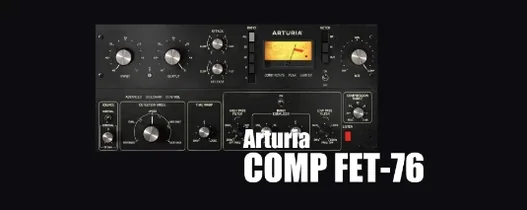
 Download (450 MB)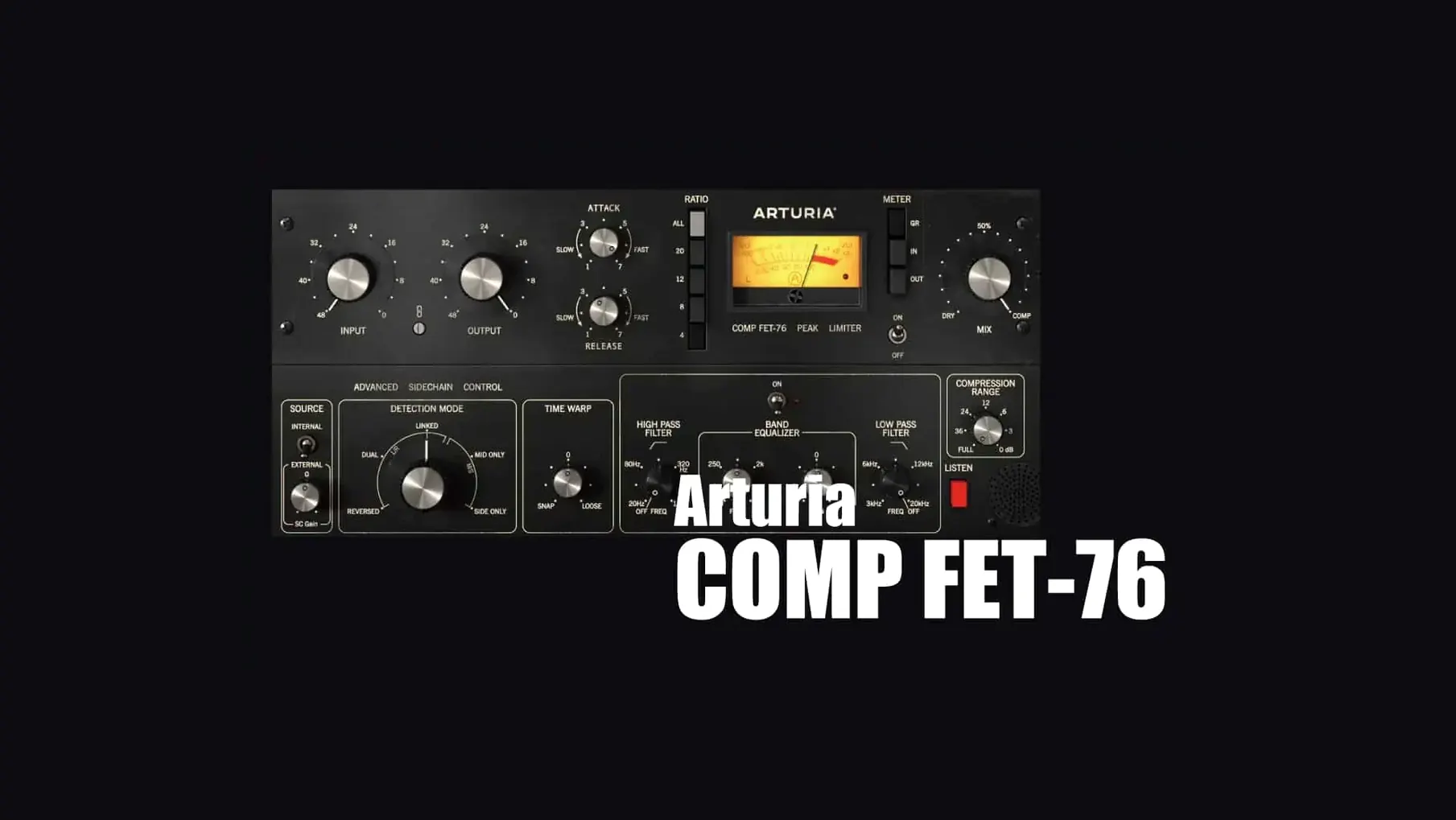
The All button, set in a row of ratio values on Comp FET-76's front panel, does something the original hardware was never strictly designed to do. Pressing it engages every ratio mode at once, and the compressor immediately reacts with a more urgent, slightly distorted grip. It is one of those controls that turns a clean emulation into something you play rather than just set.
Classic black faceplate with labelled ratio buttons
Arturia keep the layout literal: black faceplate, analogue VU meter, and chunky knobs for Input and Output. The Ratio section offers a strip of labelled buttons from 4:1 up to 20:1, with the All button sitting to one side. Attack and Release are shown as numbered values from 1 to 7 rather than millisecond readouts, which makes recall a matter of noting digits instead of timing. A side chain section with selectable filter options sits to the right of the main controls, tidy but not in the way.
Commit by ear using numbered attack and release controls
Setting the plugin up is a process of listening rather than looking. The Input knob drives the gain reduction hard, and the numbered Attack and Release controls force you to commit by ear — 1 is fast, 7 is slow, and the steps between have distinct shoulders. The All-button mode is the wildcard. It saturates and clamps in a way that suits a drum room mic pushed too far or a vocal that needs to cut without sounding compressed. The plug-in runs in VST2, VST3, AU, and AAX formats on Apple Silicon and Intel Macs.
Common queries before installing
One question that turns up repeatedly is whether Comp FET-76 loads correctly in a DAW that already runs other Arturia effects. The plug-in shares no dependencies with instruments like Analog Lab, so there is no conflict. Another point people check is side chain behaviour in Logic Pro: the AU version exposes the side chain input through Logic's standard plug-in header, and a quick track-routing step in the mixer brings it up. The architecture support means both Intel and Apple Silicon machines open the plug-in natively, without a wrapper, on macOS 11.0 and later.
First snags and how to clear them
A missing plug-in after installation is usually down to the DAW scanning only one format folder. Comp FET-76 installs AU, VST2, VST3 and AAX in one pass, and a custom VST folder setting in Ableton Live or Reaper can hide the VST3 version. Rescanning with the correct path in the DAW preferences sorts it. The other early hitch is an apparently frozen Input knob. With the Link switch engaged, Output moves in lockstep with Input, so pushing one and seeing the other follow is normal, not a fault.
Blend the all-button mode on a parallel drum bus first
Try the All-button mode on a parallel bus before you put it on an insert. Blend a lightly filtered send of a drum kit in, with Attack at 2 and Release at 5, then bring the fader up until the room tone tightens. On a lead vocal, set Ratio to 4:1 and drive Input until gain reduction bounces around 7 dB; back off Output to match the dry level, then switch to All mode just to hear the harmonic shift. The side chain high-pass filter lands in the 60-to-120 Hz area and cleans up bass-heavy material without extra plug-ins. Noting down the Attack and Release digits per source saves time when you revisit a mix a week later.