Aspecten
 Download (64 MB)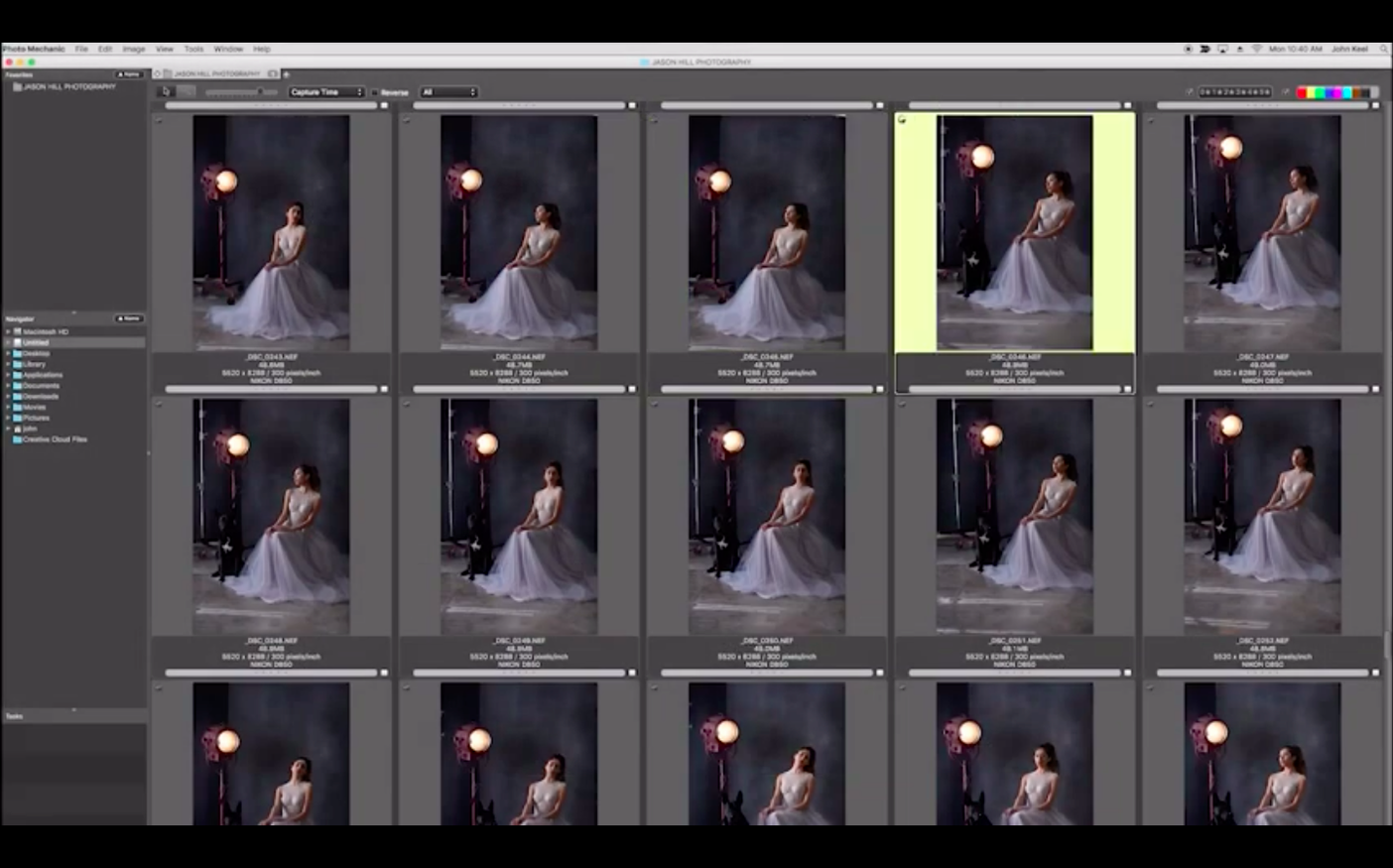
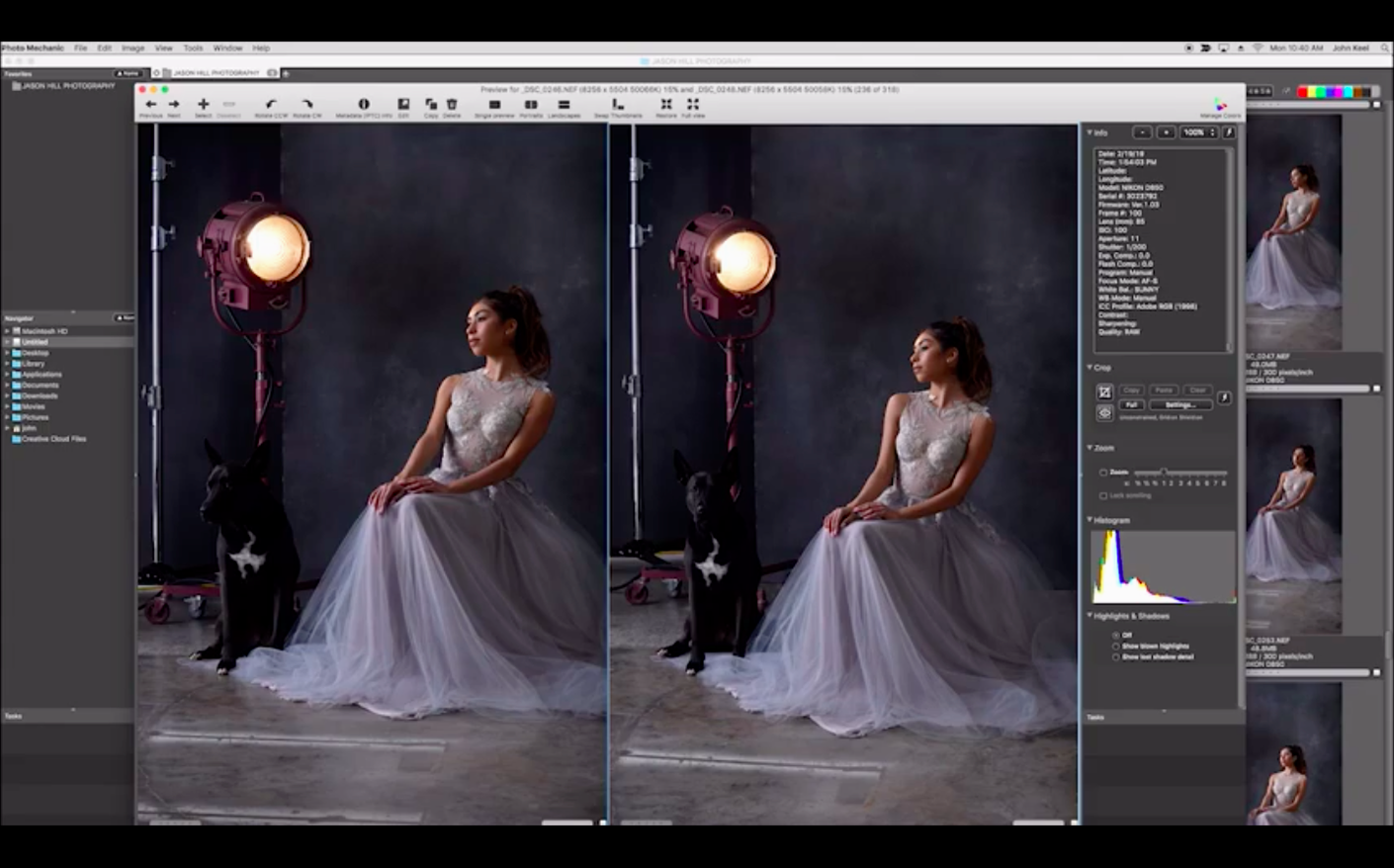
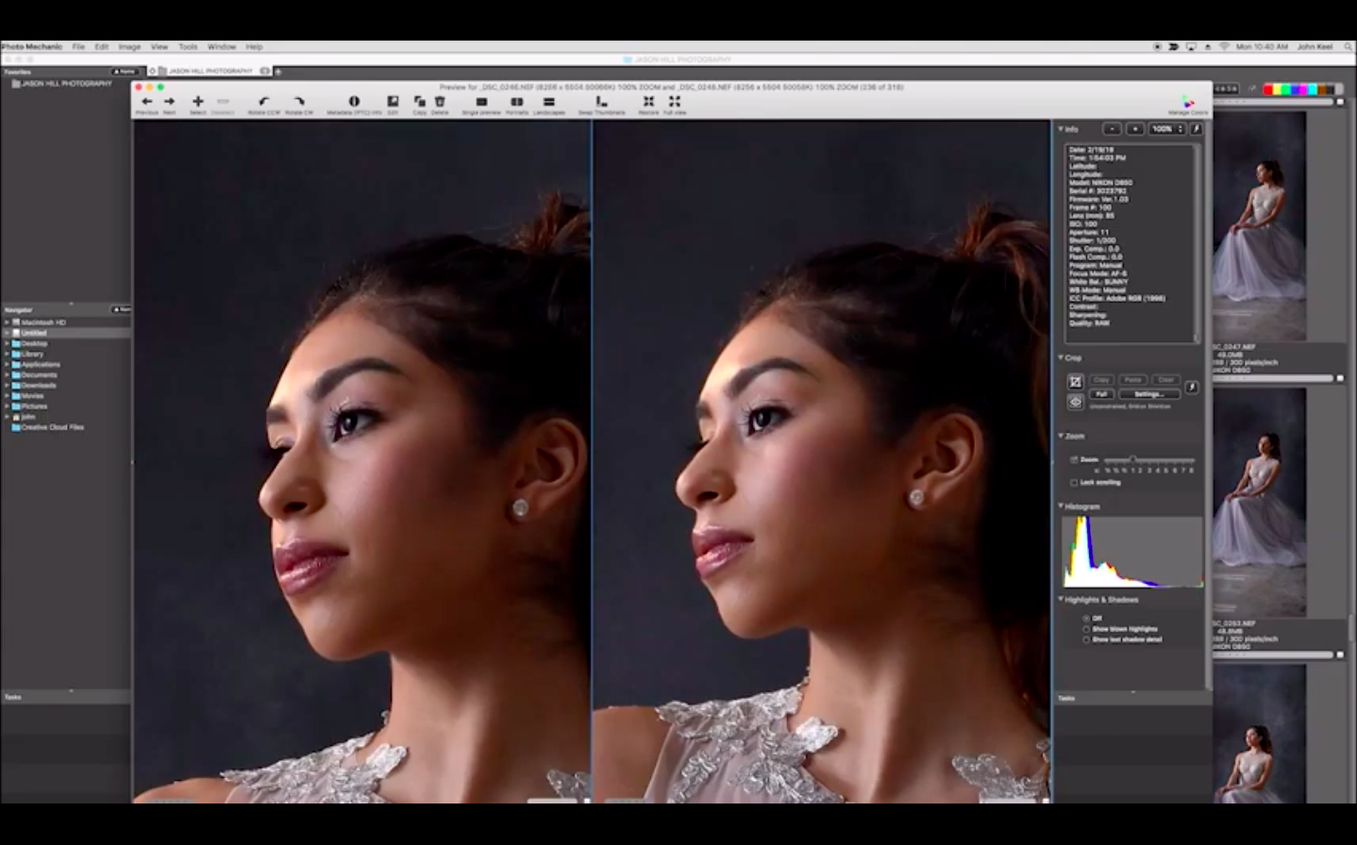
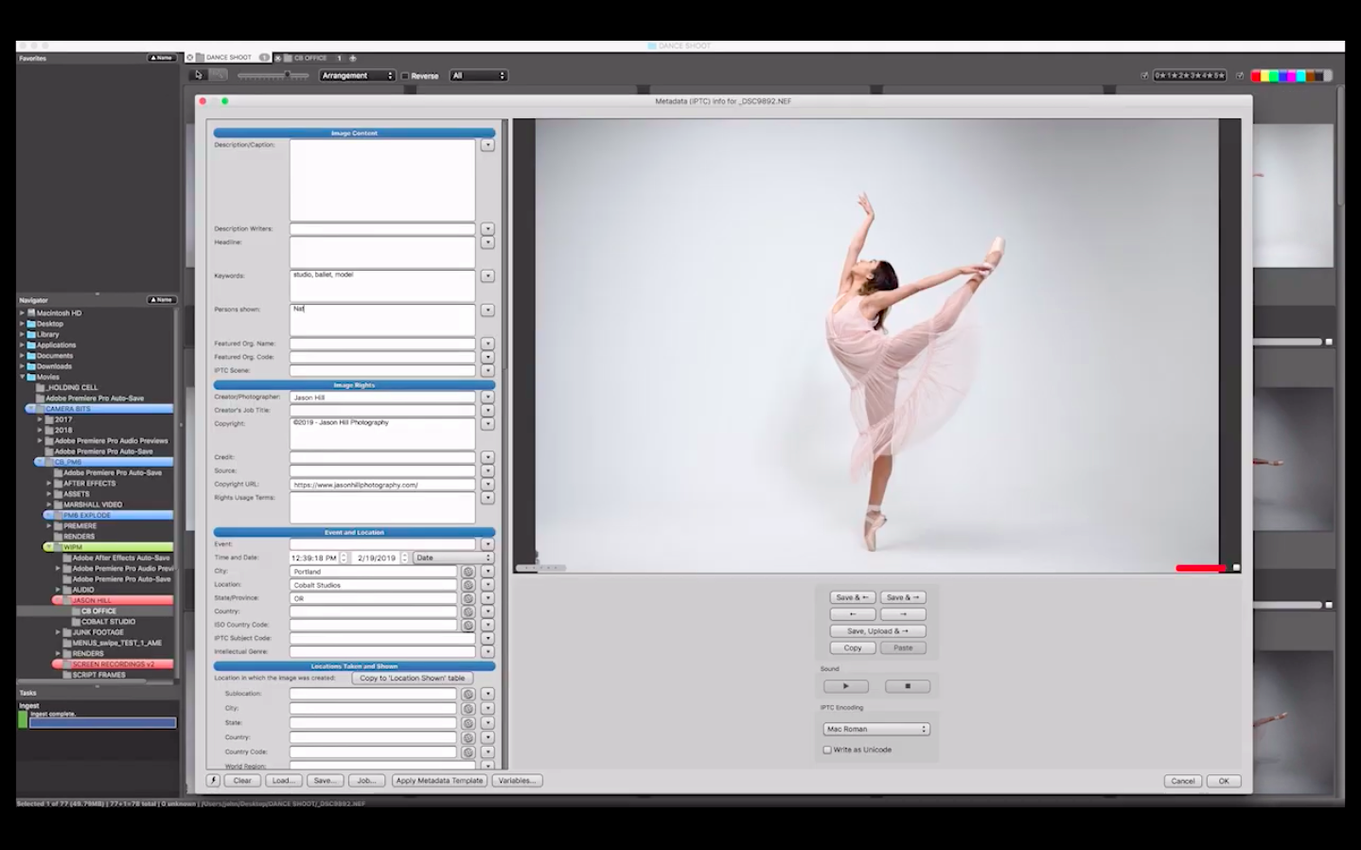
Photo Mechanic relates to a conventional image editor the way a proper index relates to a single page: it orients you before you commit to detailed work. These are a few aspects a newcomer can explore first.
Definition-style lines
Metadata editing — the IPTC fields for description, title, keywords, event and shooting location, directly editable in a side panel before you open a raw file elsewhere.
Colour marking — a system of coloured labels applied to thumbnails for sorting keepers from rejects, with no delay between marking and the next frame.
Full-screen review — a viewing mode that fills the display with a single image, letting you check focus and composition without the interface getting in the way.
Batch date adjustment — the ability to correct the capture time across a set of images, useful when a camera body was set to the wrong time zone.
Sorting and search — filtering by any combination of the metadata you have entered, so a shoot of two thousand frames reduces to a specific lens or keyword in seconds.
Caption a dozen images at once during ingest
The first practical exercise is to ingest a memory card, apply a colour class to a dozen images, then type a caption that populates all selected thumbnails at once. The app writes this data into the file or a sidecar, depending on your preference. From there, the subset of marked frames can be sent to an editor or uploaded directly via the built-in FTP function. The sequence feels linear because each step completes without waiting for a progress bar.
Runs native on Apple Silicon, reads your camera's JPEG preview
The current build runs natively on Apple Silicon under macOS 13 or later. It reads the file formats most working photographers rely on, though it does not render raw files with the same engine a dedicated raw developer uses; its job is to read the embedded preview quickly.
Scrolling an unfiltered card is the first misstep
Opening the app and scrolling through a full memory card without applying any filter first is the most common misstep. The thumbnail grid loads quickly, but the human eye doesn't. Tagging without a system means you re-evaluate the same frames twice.
Another early habit is editing IPTC fields on single images before realising the IPTC Stationery Pad exists. Beginners type a caption, copy it, paste it onto the next frame, and repeat. The Stationery Pad applies metadata to selected images in one operation — a distinction that saves an hour on a wedding shoot.
Leaving the ingest destination set to the desktop is a quieter mistake. After three assignments the desktop becomes a parking lot of folders named DCIM_2025 with no further structure. The ingest dialog accepts folder-name tokens such as {datesort} and {jobname}, and skipping those fields means you sort manually later.
Some users assume the colour labels sync into Lightroom or Capture One automatically. They don't — not unless the receiving application is configured to read the label field Photo Mechanic writes. The fix is a one-time preference adjustment, but missing it causes confusion when a set of green-labelled keepers appears unmarked in the external editor.
Ingesting 1,400 frames over coffee after a protest
A press photographer covers a local demonstration that runs from 09:00 to 11:30. She returns to a café table, attaches a Thunderbolt card reader, and ingests 1,400 frames into a folder structured as CityHall_2025-05-14. The card is a 128 GB CFexpress unit that the app reads at the interface's full bandwidth.
She sets the IPTC Stationery Pad with the event name, city, and a boilerplate credit line, then selects all ingested thumbnails and applies the pad. A three-second write. She runs a quick pass with the arrow keys, tapping 1 for red tags on images that show the speaker gesturing, 3 for green on crowd reactions that might work as secondary images. One frame every half-second. After nine minutes she has 34 red-tagged selects and 12 green alternates.
She filters the grid to show only red-tagged images, types individual captions for the first six — the ones she knows the desk will want — and uses the FTP uploader to send those six JPEGs directly to the picture editor's server. The remaining selects get a batch caption with a generic description and are uploaded as a second batch. The whole café stop, from card insertion to final upload, takes 22 minutes.
Soft previews are the camera's embedded JPEG, not your raw file
The preview looks soft, but the raw file is sharp. Photo Mechanic displays the embedded JPEG preview written by the camera, not a raw rendering. If the camera embeds a low-resolution preview, the display reflects that. The solution is to pull the raw into a developer for final sharpness checks, not to adjust the browser. You can increase the quality setting in the camera body for future shoots if you rely heavily on in-browser culling.
GPS data doesn't appear after a reverse-geocode attempt. The app imports GPS coordinates from a tracklog file, but it needs a time match between the tracklog and the image timestamp. If the camera clock was off by even a few minutes, the coordinates won't assign. Correcting the capture time first — using the batch date adjustment tool — then re-importing the tracklog usually resolves it.
FTP uploads stall on large batches. Some FTP servers impose a connection timeout or a rate limit that the app's default settings don't anticipate. Switching the uploader from passive to active mode, or reducing the concurrent connection count to one, often gets the transfer moving again. The upload template also lets you resize images before sending, which reduces the payload on slower café Wi‑Fi.
Colour labels vanish after a catalog sync. This happens when the receiving application maps the label field differently. In preferences, the IPTC/XMP section lets you embed the colour class into a metadata field that other apps can read. Ticking that box and re-saving the affected images fixes the hand-off for future imports.
It sits in front of Lightroom, not instead of it
Does it replace Lightroom or Capture One? It doesn't — it sits in front of them. You use it to ingest, cull, tag, and rename, then hand a clean set of selects to the raw developer for adjustments. People who keep both gain speed on the front end; people who expect raw editing inside Photo Mechanic miss the point.
Will it slow down with a large catalogue? The app itself doesn't maintain a catalogue in the way Lightroom does. It reads folder contents from disk, so performance depends more on drive speed than on the total number of images. A folder with 10,000 thumbnails loads faster from an internal SSD than from a spinning external drive, but the browser remains responsive in both cases.
Does the Apple Silicon build run cooler than the old Intel version? Camera Bits ships a native ARM binary, and in practice the app draws less power during long ingest-and-cull sessions than the Rosetta-translated version did. The fan stays quiet on a MacBook Air even when scrolling a full-screen grid of raw thumbnails from a 45-megapixel body.
Can it handle video clips mixed into a stills folder? It shows thumbnails for common video formats and plays them back internally, though without frame‑accurate scrubbing. The metadata panel doesn't offer the full IPTC field set for video files, but basic tagging and renaming work the same way they do for stills.