Aspecten
 Download (43 MB)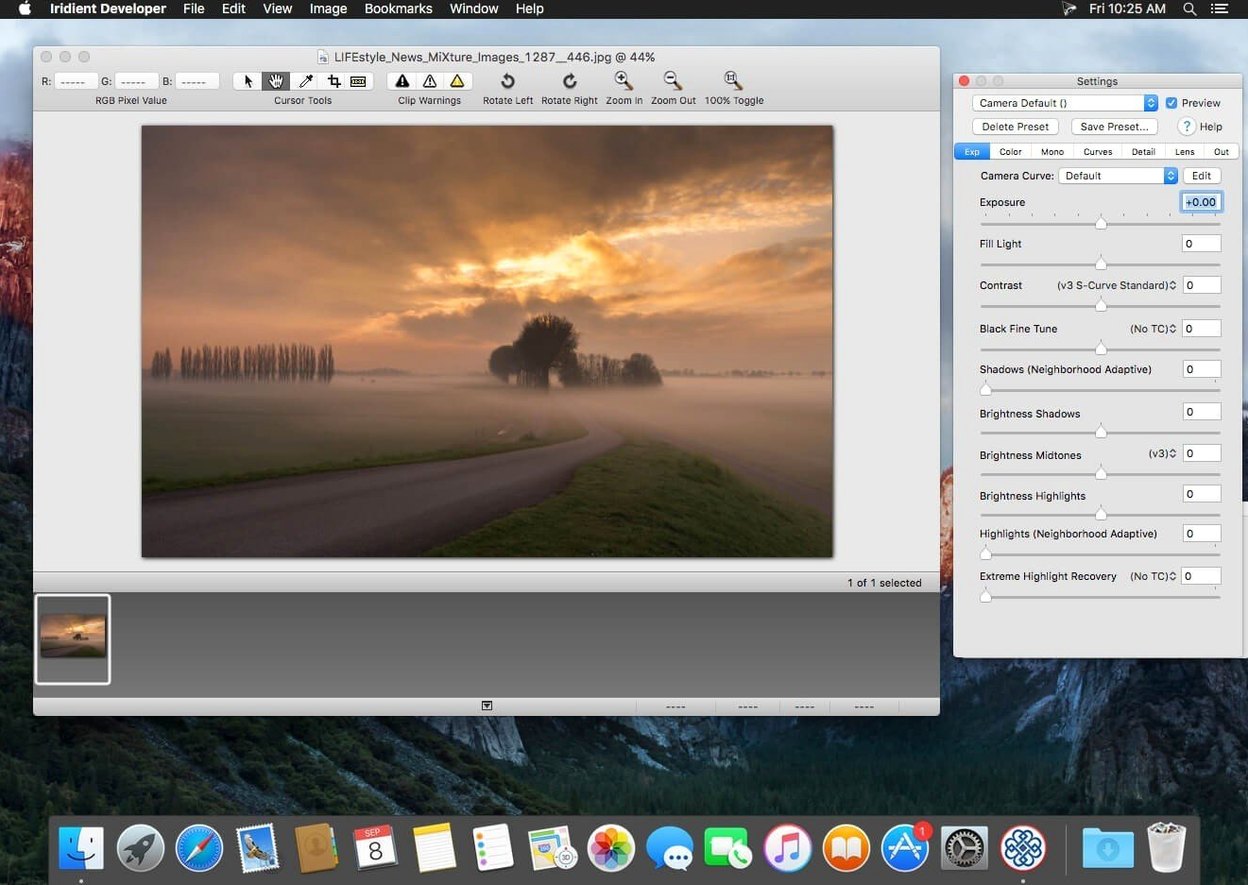
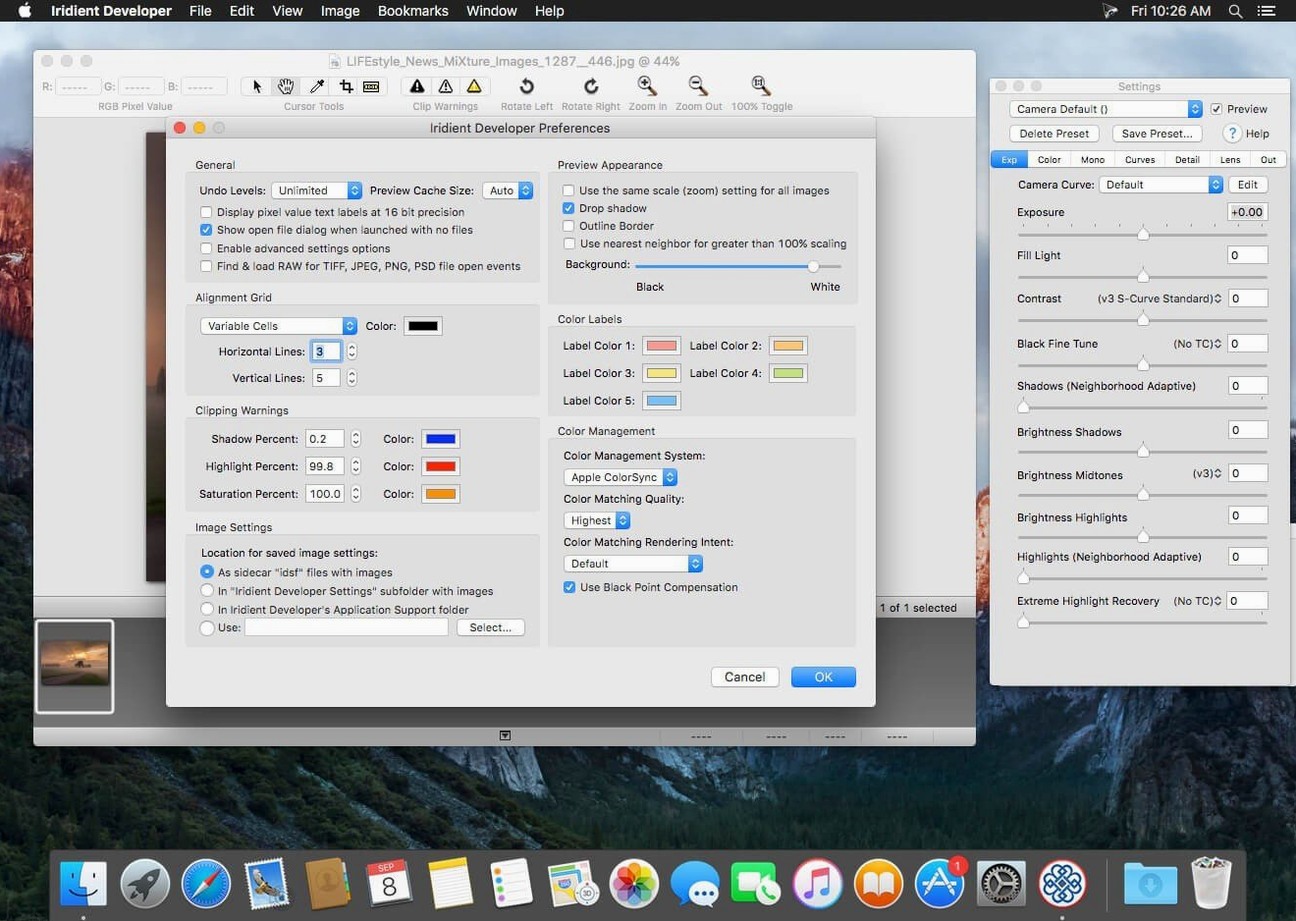
A RAW image processor for photographers who want fine-grained control over demosaicing, colour and output without a library-based workflow.
RAW processing — converts files from most digital cameras using detailed demosaicing algorithms and adjustable sharpening. Processing runs at 16 or 32 bits per channel for smooth tonal transitions.
Colour control — tone curves work in RAW, RGB and LAB colour spaces, with full colour management and ICC profile support. An output mode that skips colour matching is available when you need a completely unadjusted file.
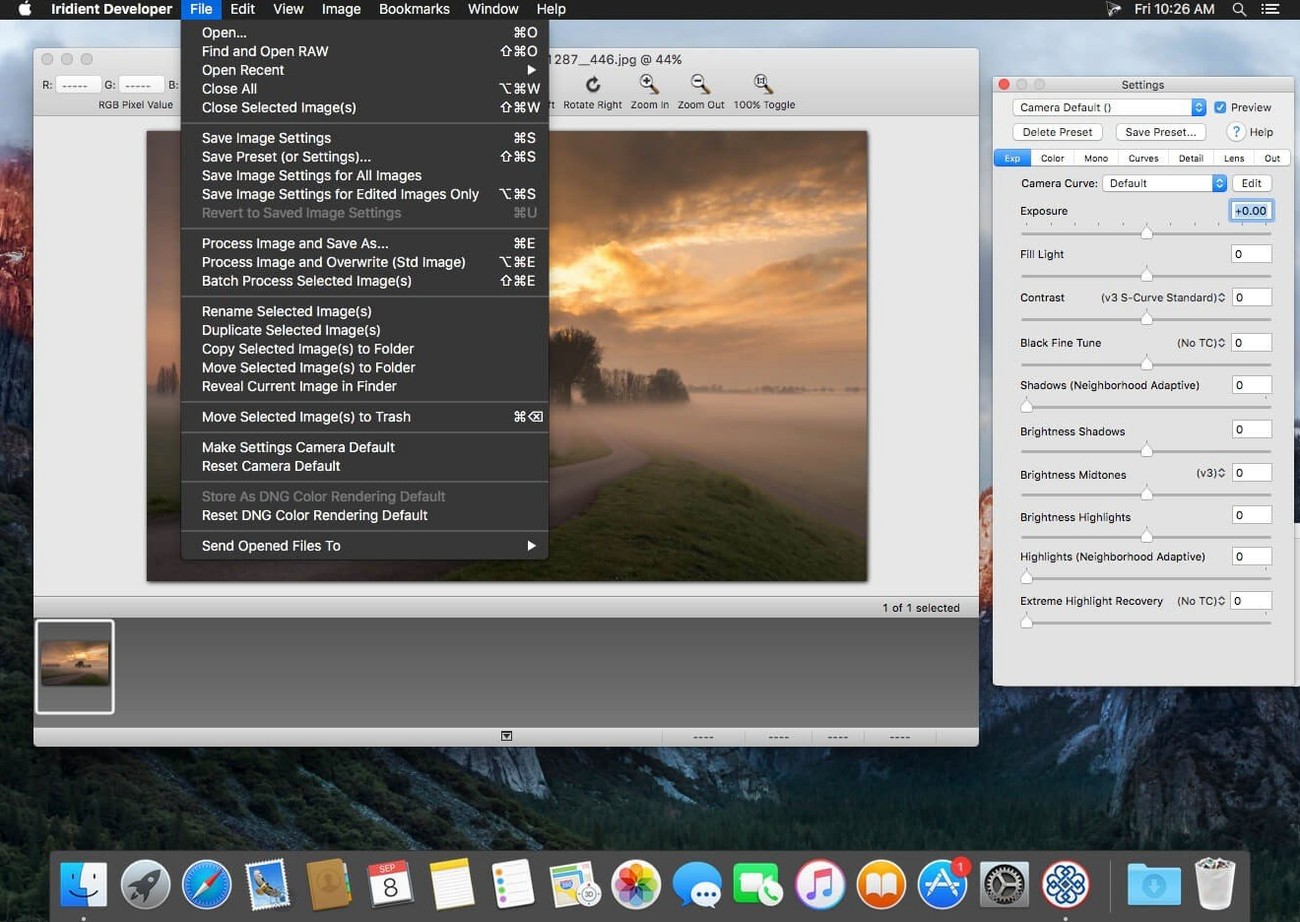
File support — reads and writes JPEG, TIFF, PNG, JPEG2000, OpenEXR and Radiance formats alongside RAW. Non-RAW images can also be processed through the same editing tools.
Batch and export — drag-and-drop conversion lets you queue multiple images at once. Resizing is built into the export stage, and the recent JPEGLI compression update produces noticeably smaller JPEG files at the same quality settings.
Who it suits — photographers who prefer a focused, single-image editor over a catalogue system. The interface is technical rather than decorative, making it a practical choice for monochrome conversions, high-detail landscape work and archival exports to OpenEXR or TIFF.
Fine-tune sliders with the Option key
Iridient Developer keeps several shortcuts out of the way that speed up repetitive adjustments. Holding the Option key while dragging a slider switches to fine mode, giving you roughly ten times the precision. This matters when you nudge the demosaicing detail slider or the luminance noise reduction threshold by half a percent.
The histogram panel itself is interactive. Clicking and dragging horizontally inside it sets the black and white points directly, which is faster than typing numbers into the tone-curve controls. Right-clicking the histogram lets you switch between 256, 512 and 1024 levels of granularity — the 1024 setting reveals banding that a coarser view would hide.
In the batch queue, you can save a set of adjustments as a processing preset by holding the Option key while clicking the preset menu. The preset stores everything except the crop rectangle, making it practical to apply your sharpening and colour-curve choices to a whole shoot without reopening each file. Dragging a folder onto the application icon processes every supported image inside it, not only the ones at the top level.
Preview resolution hides demosaicing artefacts
A common early mistake is assuming the preview shows what the exported file will look like. Iridient Developer renders the preview at screen resolution by default, and some demosaicing artefacts only become visible at 100 percent. Switching the preview to full resolution — a small toggle in the preview panel — reveals the true pixel-level detail before you commit to an export.
Another pitfall involves the output mode that disables colour matching. It is useful when you want completely unadjusted sensor data, but leaving it on by accident produces files that look flat and desaturated in any other application. Beginners sometimes toggle it while troubleshooting a colour cast and forget to switch it off.
Sharpening defaults are tuned for low-ISO landscape images. Applying the same settings to a high-ISO portrait exaggerates luminance noise. Backing off the detail threshold slider and raising the radius slightly gives a more forgiving result, but new users often reach for the noise-reduction panel instead and end up with a plastic-looking compromise.
Tone curves are closer than in RawTherapee
RawTherapee covers a similar technical-demosaicing territory and runs cross-platform, but its interface spreads across more panels and feels less Mac-native. Iridient Developer keeps colour-space switching and tone-curve editing closer to hand, while RawTherapee offers wavelet-based sharpening that Iridient does not. For a photographer who values a compact, single-window layout, the Mac-only design of Iridient Developer has a practical edge.
Darktable is a library-based RAW processor with a broader editing toolset, including masking and retouching. It suits photographers who want a free, open-source alternative to Lightroom. Iridient Developer does not attempt catalogue management or local adjustments; it focuses on a single image at a time with demosaicing algorithms that some users prefer for fine detail on sensors without an anti-aliasing filter. The trade-off is scope versus depth.
Capture One Pro offers sessions, tethering and extensive colour-grading tools. Its noise reduction and sharpening are polished, but the demosaicing choices are less exposed to the user. Iridient Developer surfaces algorithm variants — such as the three-pixel-radius detail setting — that Capture One handles automatically. The choice between them depends on whether you want a deliberate, parameter-driven conversion or a streamlined, session-oriented workflow.