Aspecten
 Download (370 MB)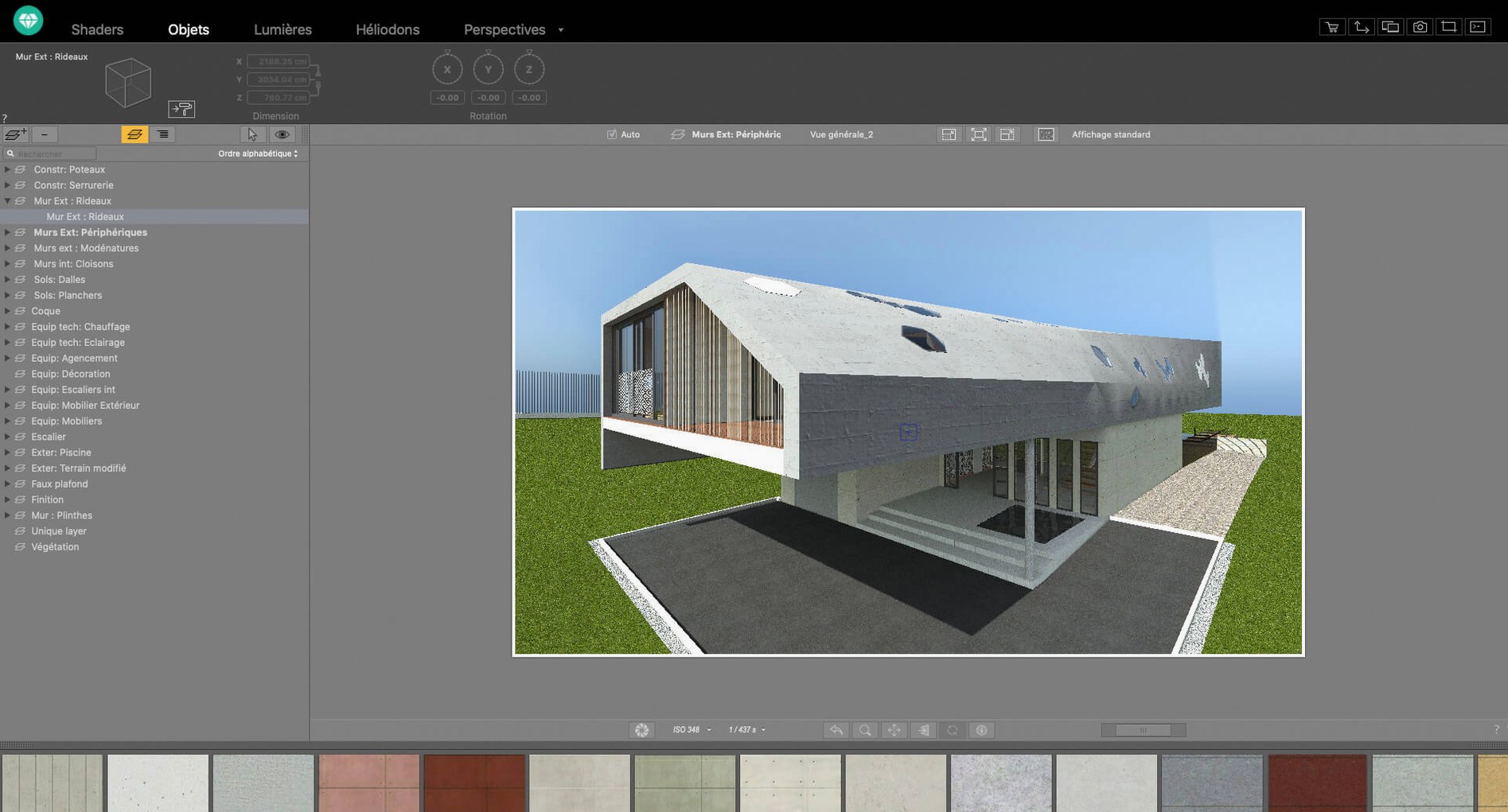
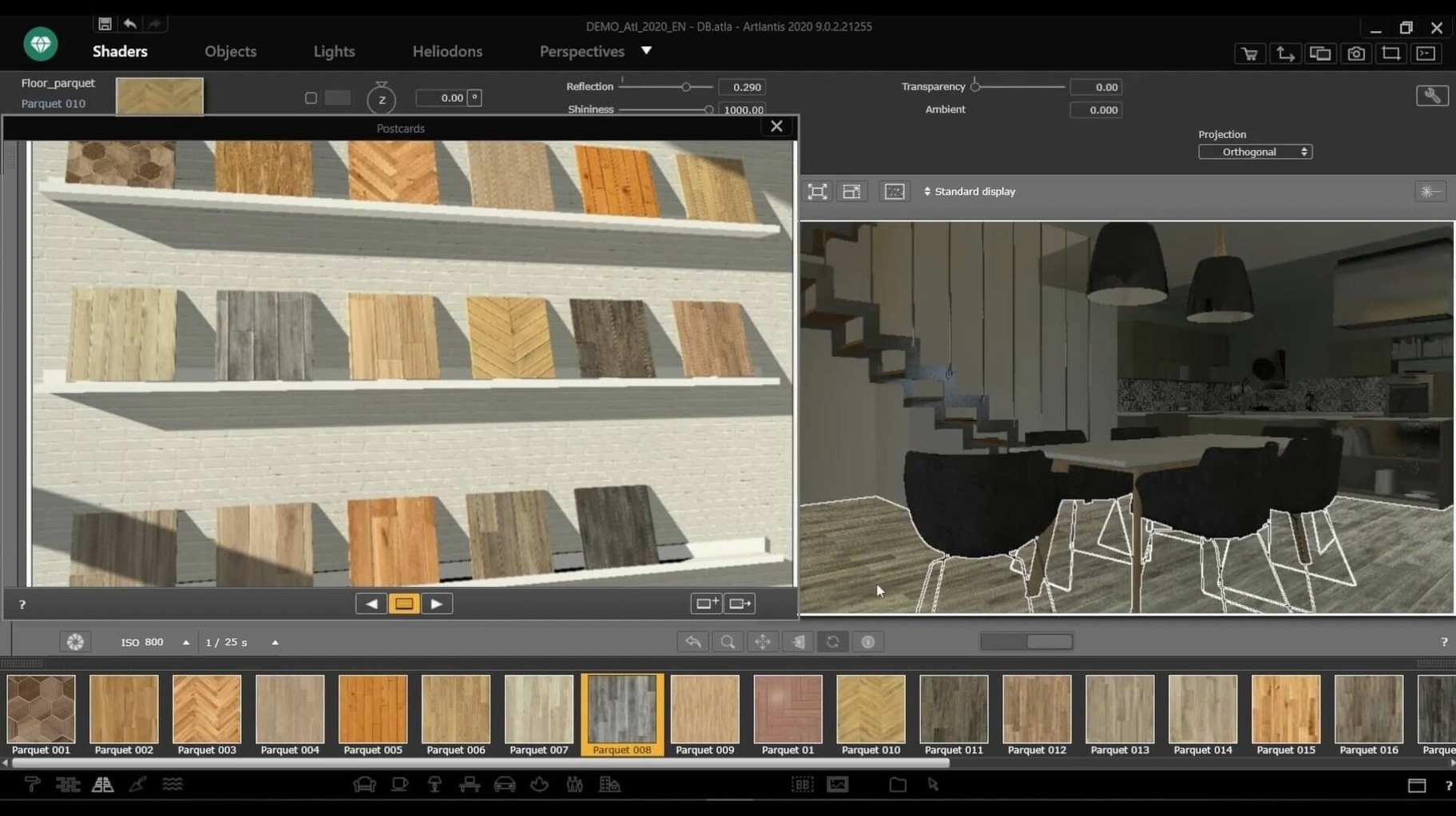
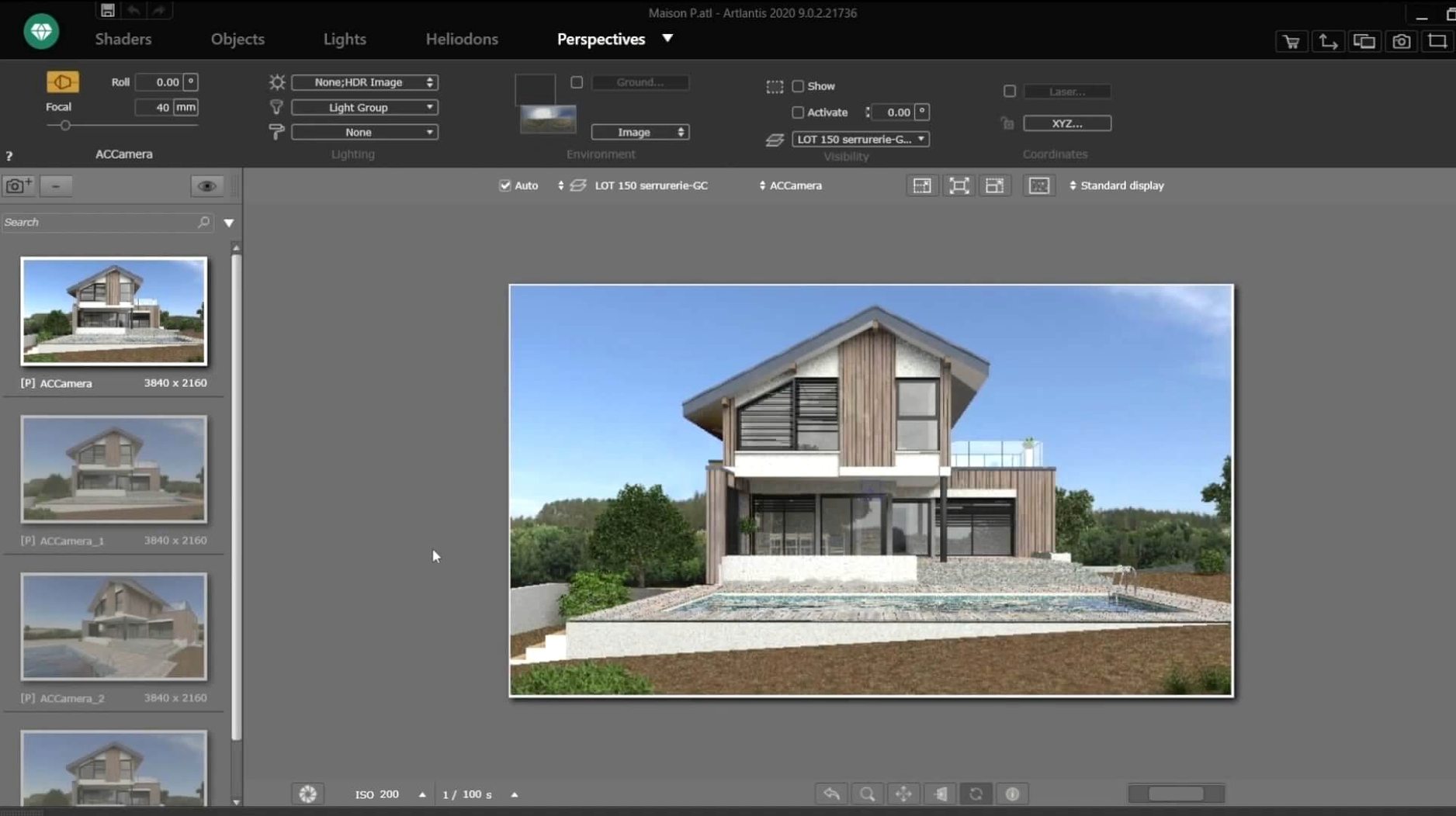
Artlantis is a 3D rendering application for producing images, animations and VR panoramas from architectural models.
Check your Mac setup
The current version runs as a 64-bit Intel application on macOS 10.13 or later. It does not include a native Apple Silicon build, so Macs with M-series chips run it through Rosetta 2 translation.
Work with a scene
Once a model is imported, you can modify objects, surfaces and lighting directly in the viewport. A bundled material and object collection, along with shader tools for custom textures, helps you build up the look of a space before rendering.
Export the result
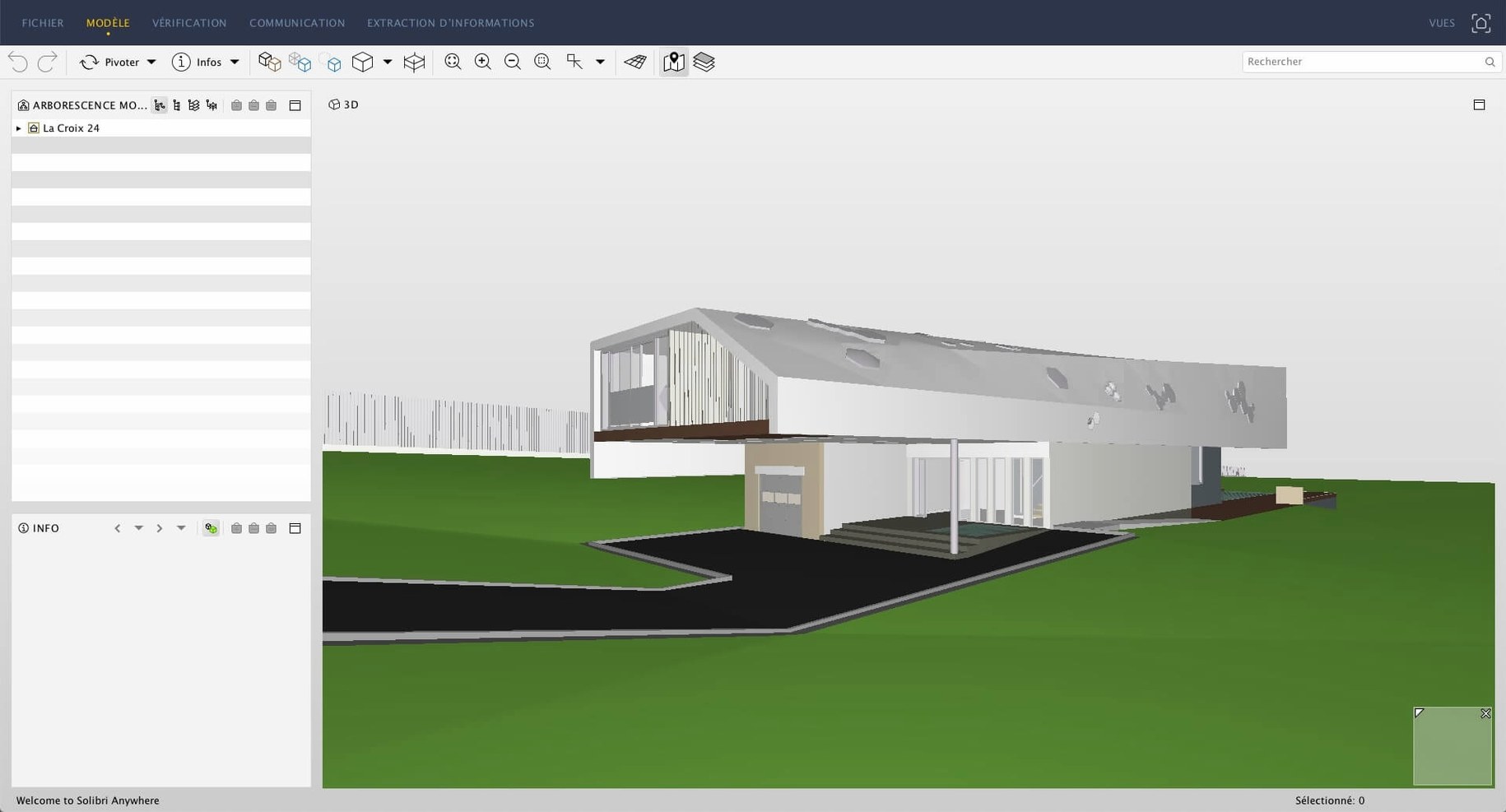
Artlantis generates still images, animations and interactive VR panoramas. The Studio edition is geared toward final presentation output, and the application exchanges data directly with ArchiCAD, VectorWorks, SketchUp, AutoCAD and Arc+.
Rosetta 2 reliance on Apple Silicon
A common question is whether Artlantis still functions on current Mac hardware. The answer is yes, with a caveat. The application is built for Intel processors, so Apple Silicon Macs run it under Rosetta 2. In practice that means a short initial launch delay and a modest performance overhead compared to native code, but the software remains stable and usable for rendering work.
Another frequent concern is file compatibility. Artlantis imports DXF, DWG and 3DS files natively, and exchanges data directly with ArchiCAD, VectorWorks, SketchUp, AutoCAD and Arc+. If your workflow involves one of those packages, the connection is straightforward. For other modellers, the generic 3D formats usually suffice, though complex material assignments sometimes need adjustment after import.
People also ask about the rendering engine's demands. Artlantis uses CPU-based rendering, not GPU acceleration. A multi-core Intel Mac handles larger scenes more comfortably; on an entry-level machine, high-resolution image renders can take a while. Animation sequences naturally multiply that wait, so it is worth testing a few frames first to gauge the time commitment.
Given that official distribution ceased after the closure of Abvent R&D, users occasionally wonder about the legal standing of downloads found elsewhere. There are copies labelled Artlantis Mac torrent or Artlantis torrent circulating online. Some older versions also appear under terms like Artlantis 2021 download. Perpetual licence holders can continue using the software, and that is the context in which the application remains in circulation.
Quick client updates with drag-and-drop materials
Architects who present work-in-progress to clients tend to extract the most value from the application. The material catalog and drag-and-drop assignment make it quick to dress a bare model with plausible textures, and the lighting tools help convey the atmosphere of a space without days of setup. A designer who needs to show a room under three different lighting schemes by midday will find the workflow accommodating.
Interior designers working from SketchUp or ArchiCAD models also get a smooth ride. The direct data exchange preserves layer structure and material IDs, cutting down the rework that often plagues round-trip rendering pipelines. Post-processing controls for brightness, contrast and colour tables mean you can fine-tune an image inside the application instead of bouncing between a renderer and an image editor.
3D visualisation generalists who already maintain a library of 3DS or DWG assets may appreciate Artlantis as a dependable still-image and panorama generator. The QuickTime VR output, though a format of its era, still plays in compatible viewers and can be embedded in project documentation. Motion-path editing for animation videos serves those who need fly-throughs without a separate animation package.
Users on the latest Apple Silicon Macs will notice the Rosetta layer, but for still-image work the difference is rarely a dealbreaker. If your days involve batch-rendering multiple camera angles at high resolution, an older Intel workstation might actually complete the queue faster, simply because there is no translation overhead.
Deliberate view setup versus Twinmotion's real time
Next to Twinmotion, the difference is speed and interactivity. Twinmotion uses Unreal Engine under the hood, so scene navigation, material swapping and lighting changes happen in near real time. Artlantis is a more deliberate tool: you set up a view, adjust surfaces, and let the CPU work through the image. For a designer who prioritises fast iterations over final-image subtlety, Twinmotion often feels more responsive. For someone who wants precise control over shaders and post-processing in one window, Artlantis still holds its ground.
Compared with Enscape, the gap is in live integration. Enscape plugs directly into ArchiCAD, SketchUp and VectorWorks and updates the render view as you model. Artlantis requires an export step, which makes it less suited to design-exploration sessions where the model is constantly changing. On the other hand, Artlantis offers more granular material editing and an offline rendering path that can push image quality higher than Enscape's real-time engine on complex lighting setups.
KeyShot shares Artlantis's CPU-based approach and its emphasis on material accuracy, but it targets a broader product-design audience. KeyShot imports a wider range of CAD formats and its material graph is deeper. Architects who render buildings as well as furniture prototypes may prefer KeyShot; those who only need architectural visuals often find Artlantis's focused toolset quicker to learn and less cluttered.
Faster save and load cycles in recent refinements
Version 9.5 brought refinements rather than a rebuilt engine. The viewport navigation grew more fluid, and material previews updated with fewer redraw glitches on high-resolution displays. For everyday use, the most noticeable change was a faster save and load cycle for project files, which trimmed the waiting time when switching between scenes.
Post-processing adjustments became more responsive in the 9.x cycle. Sliders for brightness and contrast now preview without a full re-render, which makes it practical to fine-tune the mood of an image after the main render completes. The colour-table presets also gained a few neutral grading options that suit architectural presentation better than the earlier, more stylised defaults.
The shader tools received small but useful updates. The texture editor handles larger source images without crashing, and the bump-map preview gives a more accurate indication of depth in the final render. These changes reduce the trial-and-error loop when you are matching a real-world material sample.
One limitation that persisted through the final releases is the reliance on QuickTime for VR panoramas. On recent macOS versions, QuickTime support is limited, so exporting a panorama often means using a third-party viewer to open the file. Users who need VR output today sometimes export a high-resolution equirectangular image instead and convert it elsewhere.