Aspecten
 Download (334 MB)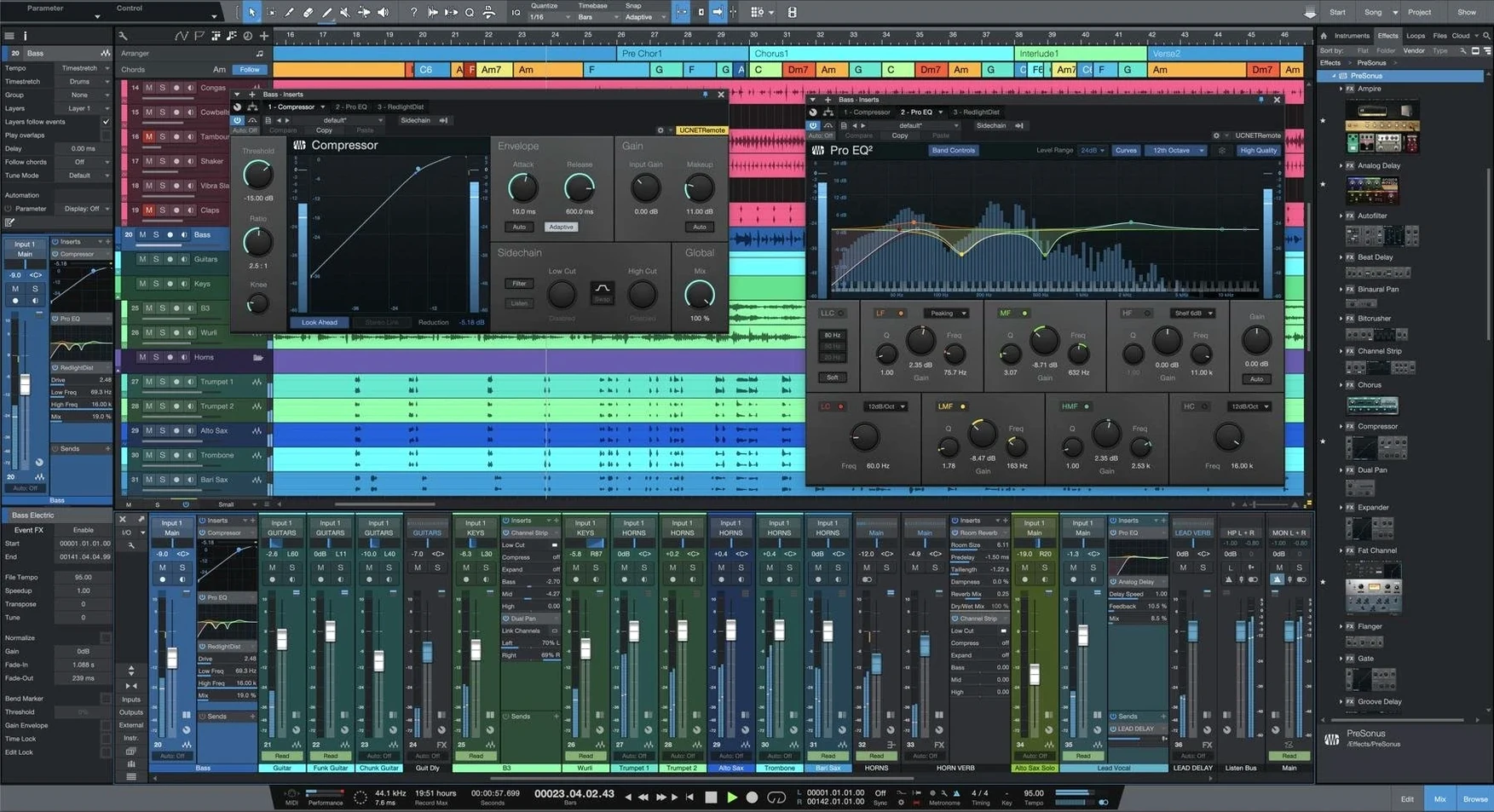
Version 7.0.0 introduces AI-powered Stem Separation and Advanced tempo detection, shifting what a first session can accomplish. For a newcomer, the sensible path is not to explore every menu, but to follow a few definition lines that name what each main area does.
Song page — the core workspace for recording and arranging, where you add unlimited tracks and buses. Start here by dragging in an audio file and right-clicking it to try Stem Separation, which splits a mixed track into isolated layers.
Smart Templates — pre-configured setups that load instruments, effects and routing for a task such as vocal recording or beat-making. A newcomer can pick one, press record, and hear a structured result without building a session from nothing.
Launcher — a grid for triggering cells of audio or MIDI, now with unlimited Scenes and Playlists in version 7. It works like a sketchpad for trying arrangement ideas before committing them to the timeline.
Project page — a dedicated mastering environment for assembling songs into a finished sequence, setting track levels, and applying final processing. Leave this for later.
From Smart Template to rough vocal-and-guitar mix
Open Studio One and the Smart Template picker appears. Choose Record and Mix for a vocal-and-guitar idea. The Song page fills with a click track, a stereo input for the acoustic guitar, a mono vocal channel, a basic reverb bus, and a light compressor on the master output — all routed and armed.
Plug in an audio interface that Studio One recognises immediately from the last macOS scan. The input labels update to show the two channels the interface provides. Tap the guitar channel's monitor button, strum once to check the level, and the meter jumps cleanly to –12 dB. No menu diving.
Press the record transport button. The click counts in for two bars, the guitar take rolls across the timeline, and the waveform draws in near-real time with no screen lag. Stop, drag the recorded clip to bar five so the intro has space, then arm the vocal track. Record a single verse and chorus. Two raw takes sit on the timeline.
Right-click the vocal clip and choose Stem Separation. A small dialogue offers four output layers: vocals, drums, bass, and other. The vocal recording contains no drums or bass, so the result is just isolated voice and silence on the other three tracks — but testing it here proves the process works offline and takes roughly twenty seconds on a modest Apple Silicon machine.
Drag a kick drum sample from the Browser onto a new track. Repeat for a snare and a closed hi-hat. Triple-click a two-bar section on the timeline, press Cmd+D twice, and a basic beat loops for eight bars. Open the Launcher grid, drag each drum part into its own cell, and trigger them in a different order — kick first, then kick and snare, then all three. The arrangement idea forms outside the timeline, with no commitment.
Add a stock compressor to the vocal from the Native Effects list. The drag lands on the track header; the plug-in window opens with the default setting. Turn the threshold knob while watching the gain-reduction meter until it nudges about 3 dB on the loud syllables. The change is audible but not squeezed. Save the song as Rough Idea 01 and the session file lands in the user songs folder, complete with the recorded audio, stem results, and Launcher state.
Point the Browser at your sample libraries early
The most useful early move is to point the Browser to your sample and loop libraries. Open the Files tab, right-click the empty space, and add a shortcut to your external drive. Studio One indexes the folder tree without copying audio, so the first search for a kick drum returns results in under a second.
Spend ten minutes with key commands. The default set covers most actions, but mapping Toggle Mixer to a single key — F3 works well — spares the mouse a lot of travel. The key-command editor lives under Studio One > Keyboard Shortcuts and shows conflicts as you type.
Ignore the Project page completely for the first week. Mixing and mastering inside the Song page teaches gain-staging, bus routing, and plug-in order without the extra layer of mastering meta-data. The Project page waits until you have at least three finished songs to sequence.
When a template feels almost right but not quite, save your own. Strip out the tracks you never arm, add a couple of buses for delay and saturation, and choose File > Save as Template. The next session starts from your actual workflow, not a generic studio picture.
Microphone permission vanished after a system update
No audio input showing. The most likely culprit is the macOS microphone permission, which resets after some system updates. Open System Settings > Privacy & Security > Microphone and check that Studio One is toggled on. Quit and relaunch the application afterwards. If the interface still shows no inputs, open Studio One > Options > Audio Setup and confirm the correct device is selected — aggregate devices sometimes drift after a reboot.
Stem Separation greyed out. The feature needs an audio clip selected on a track, not just highlighted in the Browser. Right-click the actual waveform on the arrangement; the option appears in the context menu. It also requires macOS 12.4 or later and an active internet connection only during the first activation of the feature, after which it runs offline.
Launcher cells out of sync with the timeline. Scenes in version 7 can hold unlimited cells, but they follow the global tempo. If a recorded cell drifts, check that the tempo track matches the audio. Use the new Advanced tempo detection — right-click the clip, select Detect Tempo, and the algorithm calculates the average tempo and places tempo markers. Dragging the cell to the grid then snaps it correctly.
Plug-in scan hangs on startup. A single misbehaving plug-in can block the scan. Hold the Shift key while launching Studio One to skip the scan entirely, then open Options > Locations > VST Plug-ins and remove suspect paths one by one. Re-enable them after identifying the faulty component.
High CPU on an Intel Mac during mixing. The hybrid architecture support is solid, but Intel machines feel the weight of AI features more. Increase the Dropout Protection setting in Audio Setup > Processing to medium or high. The latency rises slightly, but playback stays clean even with several instances of the new Stem Separation running offline.
40-track session idles at 30% CPU on Apple Silicon
On an Apple Silicon Mac with 16 GB of RAM, a session with forty audio tracks, ten buses, and two virtual instruments idles at about 30% CPU in playback. The fans stay quiet. The same session on an Intel i7 machine from 2020 pushes closer to 55%, though the audio engine does not drop out with Dropout Protection set to medium.
Offline Stem Separation is the heaviest single task. Splitting a four-minute stereo track into four stems takes between eighteen and thirty seconds, depending on the machine, and spikes the CPU briefly. The processing runs on a background thread, so you can continue editing other tracks while it works. The separated files appear as new tracks, each cleanly labelled with the source clip name and stem type.
Memory use grows predictably. Studio One 7.0.0 occupies roughly 1.2 GB of RAM at launch with an empty song. Each virtual instrument adds between 200 and 600 MB, depending on the sample library. The application releases memory when you close a song, which keeps long sessions from creeping into swap territory.
Stability over a four-hour tracking and editing session is uneventful. No kernel panics, no silent crashes, no corrupted save files. The auto-save function writes a backup every five minutes by default and timestamps each file, so even a rare hang leaves a recent copy. One observation: quitting the application with the Launcher open occasionally adds three or four seconds to the shutdown time. Closing the Launcher first avoids the pause.
Who finds their workflow in Studio One 7
The producer who builds tracks from loops and samples gains the most immediate benefit. The combination of the Launcher grid, drag-and-drop Browser, and stem separation means a rough arrangement can start from a single stereo reference track — split it, extract the drums, and build a new pattern around the isolated groove. For someone exploring a studio one mac full setup for the first time, this path from raw audio to playable cells feels direct rather than technical.
Recording musicians who track live instruments value the Smart Templates for reducing setup time. A singer-songwriter can open a template, arm two channels, and capture an idea before the thought fades. The same person might later dip into the Project page for mastering, but the Song page alone handles writing, arranging and mixing without sending audio elsewhere.
Mix engineers working on multi-track projects from other studios appreciate the unlimited buses and the native plug-in set, which covers EQ, dynamics, modulation and reverb without third-party additions. Sessions from older Studio One versions open transparently, and the removal of ReWire in version 6 carries forward — something to note if an older workflow relied on it. Those searching for Studio One 7 crack or a Studio One 7.2 Mac build can confirm that session compatibility is fully intact, as the current build 7.0.0 handles earlier project files without conversion wizards.
Live performers who trigger backing tracks and loops find the unlimited Scenes and Playlists a practical upgrade. A single Launcher window can hold dozens of cells grouped by song section — intro, verse, chorus, bridge — and switching between them during a set follows the global tempo without audible gaps. The grid responds to MIDI commands, so a foot controller can advance scenes while both hands are busy with an instrument.
Users coming from other DAWs because they need a download studio one mac option that runs natively on Apple Silicon will notice the application feels built for the hardware rather than ported. The interface draws at 60 frames per second, track zoom is smooth, and the audio engine handles low buffer sizes without crackling. The learning curve sits in the middle ground — less immediate than simple two-track recorders, but shallower than environments where every function lives behind a right-click. Someone who remembers the studio one 6 free download for windows 11 era and moves to version 7 on a Mac will recognise the same drag-and-drop logic, now extended with the AI separation and tempo tools that define this release.