Aspecten
 Download (1 GB)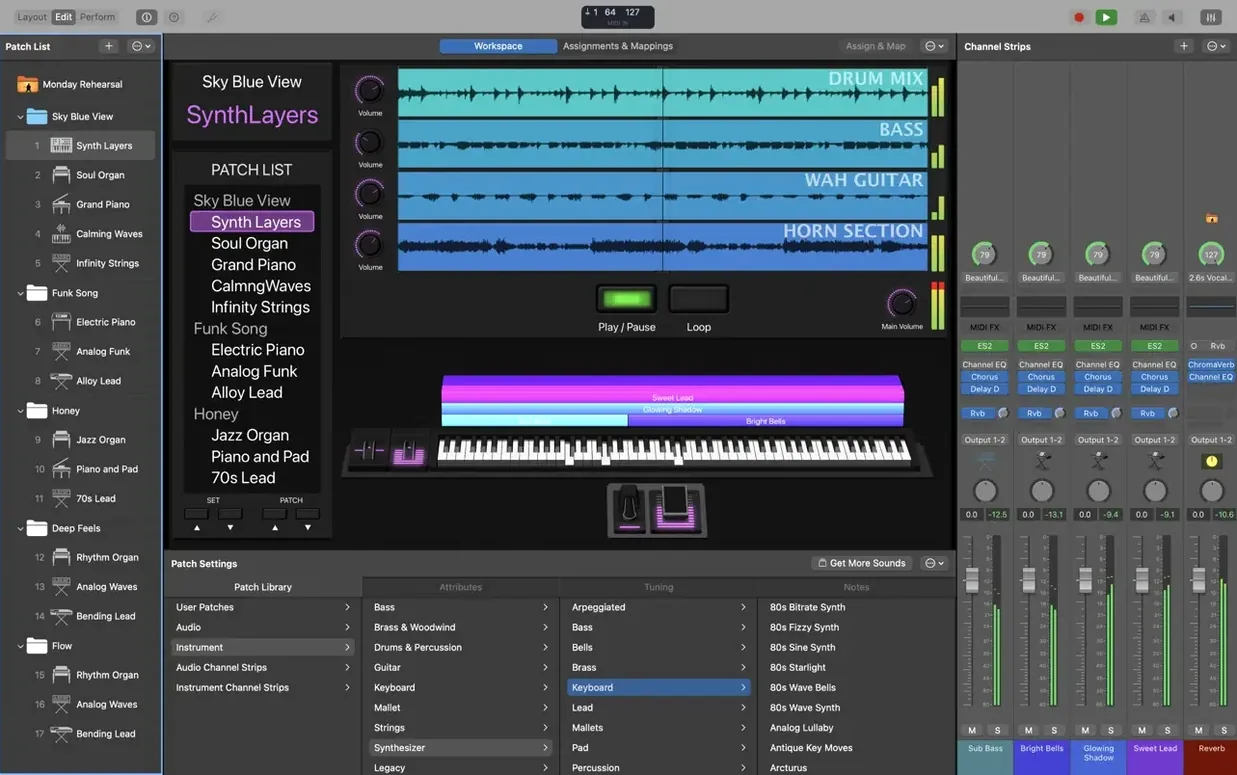
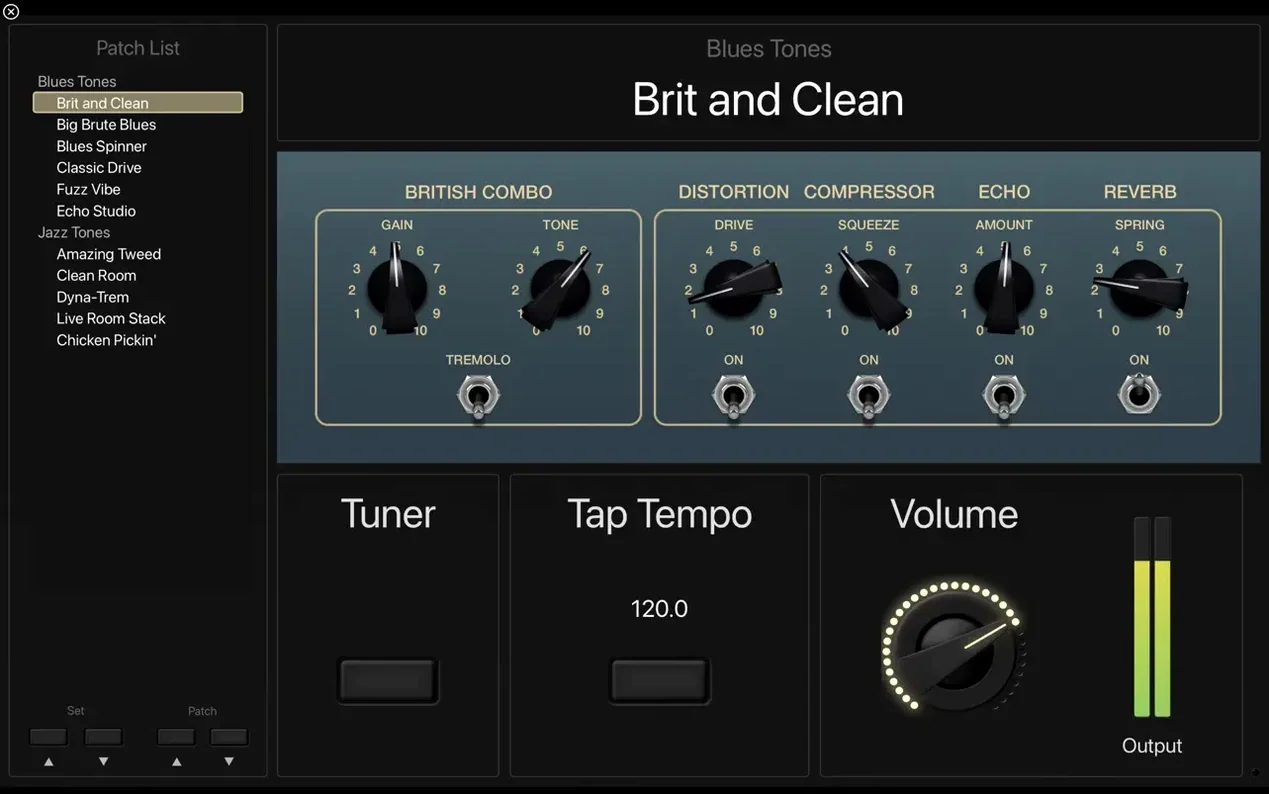
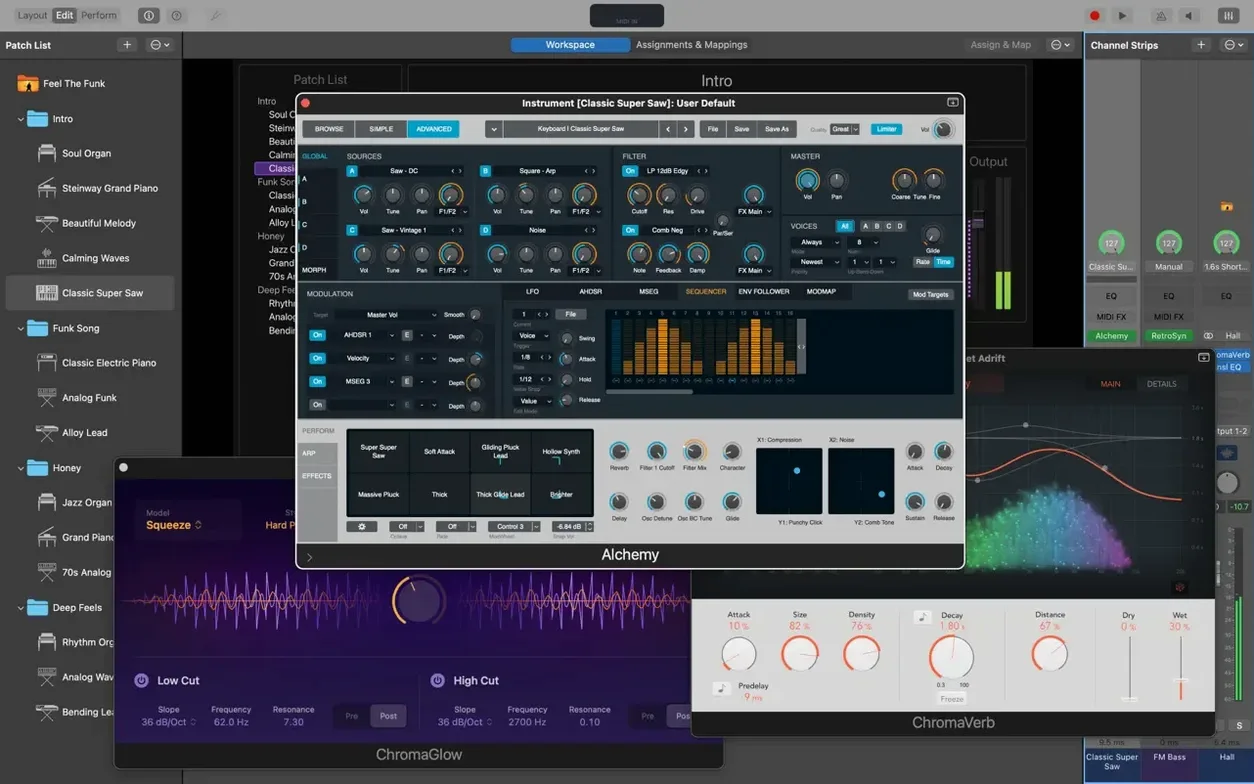
6 GB of free disk space is the minimum, but a full Sound Library installation wants 57 GB. MainStage 4.3.1 runs on Apple Silicon Macs with macOS 15.6 and expects 64-bit Audio Unit plug-ins. That hardware requirement narrows the field to recent machines, which suits an app designed to sit at the centre of a live performance setup.
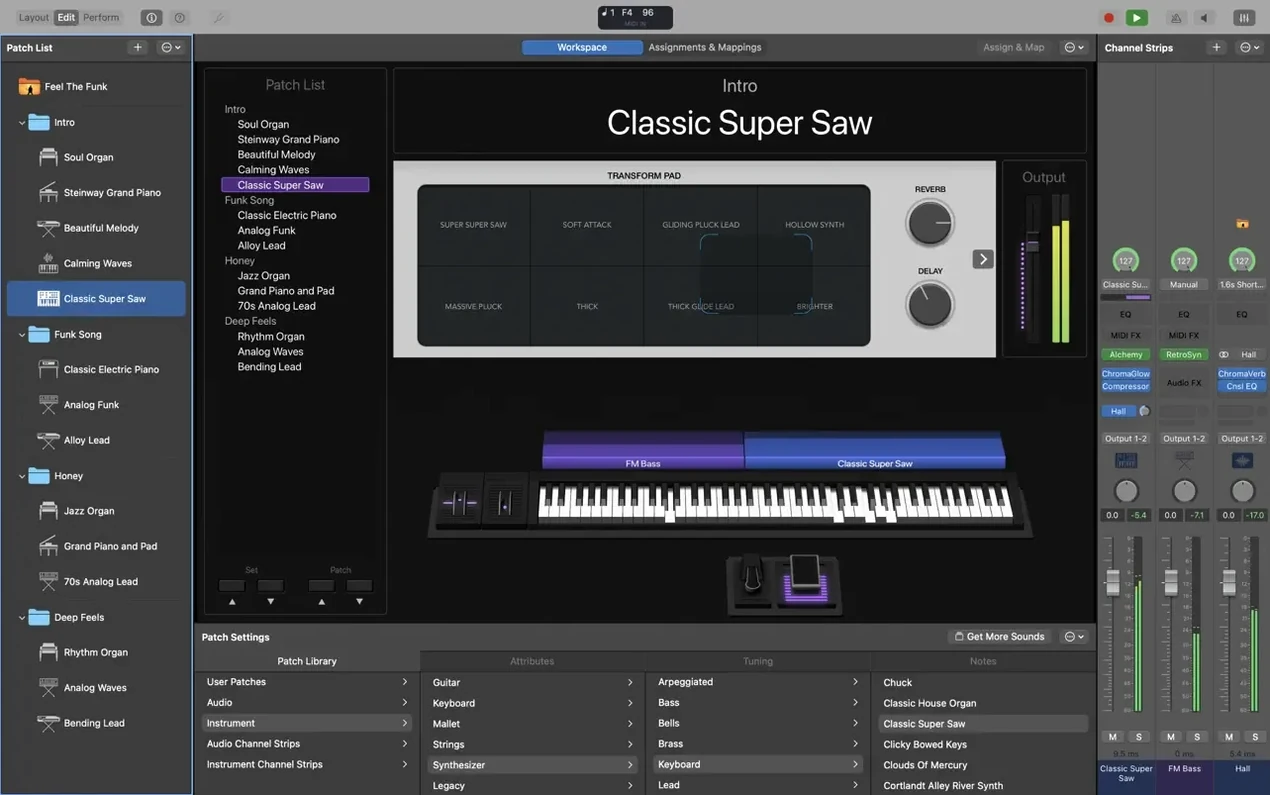
The package arrives as a full-screen host for instrument and effect plug-ins. More than 80 are included: Retro Synth, Vintage B3, Vintage Electric Piano, Vintage Clav, plus a spread of effects and MIDI processors. The sound set also draws from Logic Pro and GarageBand libraries, so patches and channel strips carry over between the three apps. For quick building blocks, 4,600 Apple Loops in dance and electronic genres sit ready in the loop browser.
Hardware control is flexible. MIDI controllers, pedalboards and drum pads map to on-screen controls without much friction, and the interface stays out of the way during a set. The current release tidies a few rough edges: Sampler instruments load the correct sounds again, and the Add Channel Strip window once more accepts typed numbers. Incoming MIDI SysEx messages are no longer blocked, which matters for setups that rely on older or specialist MIDI gear.
Interface languages cover English, German, Spanish, Simplified Chinese, French and Japanese. The minimal install leaves room for a lean stage laptop; the full library turns the same machine into a deep sound design tool.
Building a Rhodes-and-pad split from scratch
Building a layered keyboard patch from scratch shows how MainStage turns a set of plug-ins into something playable within a few minutes. The goal here is a split: Rhodes in the left hand, a soft pad in the right, with a touch of reverb across both.
Open a new concert and delete the default electric piano patch so the workspace is empty. Click the plus button at the top of the Patch List and name the patch Rhodes Pad Split. The channel strip area now shows two empty instrument slots. From the instrument plug-in menu, load Vintage Electric Piano into the first channel strip. The interface opens with a tine-based model already dialled in, but the key range needs restricting. Open the Layer Editor in the workspace — a horizontal keyboard graphic appears across the middle of the screen. Drag the left handle of the Vintage Electric Piano layer to C1 and the right handle to B3. The left hand now covers the lower four octaves.
Add a second channel strip and insert Retro Synth. Switch its oscillator type to wavetable and pull back the filter cutoff until the tone softens into pad territory. In the Layer Editor, drag this layer’s range from C4 up to C7. The split is now in place: Rhodes below middle C, warm pad above.
Send both channel strips to the same bus. On that bus, insert Space Designer and load a medium hall impulse response. Set the wet/dry mix to around 30 percent. The reverb glues the two sounds without blurring the attack of the Rhodes.
Assign a hardware knob to the pad’s filter cutoff. Click the pad channel strip, open Smart Controls, and map a physical knob on a connected MIDI controller to the on-screen cutoff dial. During a song, that knob lets the pad breathe — closed for verses, opened for a swelling chorus. Save the concert. The whole process takes under five minutes once the muscle memory is there, and the patch switches cleanly from any other patch in the set without a gap in sound.
Standalone app, no Logic Pro required
Does it work as a standalone app, or do I need Logic Pro? MainStage is a self-contained application. It does not require Logic Pro to run, and its instruments, effects and Sound Library function independently. The overlap comes from shared content: if Logic Pro or GarageBand is installed, MainStage can access their additional sounds and channel strip settings. Without them, the built-in collection of more than 80 plug-ins and 1,800 patches is already available.
Will my third-party Audio Unit plug-ins show up? Yes, as long as they are 64-bit Audio Units. Instruments and effects that pass Apple’s AU validation appear in the plug-in menus alongside the stock Apple ones. Plug-ins that rely on older 32-bit architectures will not load, which is consistent with macOS behaviour since Catalina. Most actively maintained plug-ins from the past five years meet the requirement.
Can I run backing tracks while playing live? The Playback plug-in handles stereo and multichannel backing tracks. Load it onto a channel strip, point it to an audio file, and trigger playback via a mapped MIDI control or a Play button in the workspace. It syncs to the concert tempo and can loop. Multichannel setups let you send a click track to the drummer’s monitor while the audience hears only the mix.
How much disk space do I really need? A minimal install occupies 6 GB and still includes the core plug-ins and a subset of patches. The full Sound Library — sampled instruments, Apple Loops, impulse responses and all 1,800 patches — demands 57 GB. Many performers install the full library on a studio Mac and keep a leaner version on a stage laptop.
Does it handle guitar and bass, or is it only for keyboards? Guitar and bass tools are built in. Amp Designer offers 25 amp models, Pedalboard provides a drag-and-drop chain of stompbox effects, and the tuner works in full-screen mode — readable from a stage floor. A guitarist can plug into an audio interface, load a patch with Amp Designer and a delay, and switch between clean and driven sounds with a foot controller.
Patch switching with zero silence
MainStage loads a concert file in four to eight seconds on an Apple Silicon Mac — perceptible but brief. Once loaded, patch switching is the standout metric: there is no silence between patches. A keyboard player moving from a piano to a synth lead during a song hears the change as instantaneous, which is what separates a stage host from a DAW. The audio engine holds sustained notes and decay tails from the previous patch while the new one activates, so a held chord does not cut off.
CPU usage stays modest with stock plug-ins. A concert with six channel strips — two instruments, two effects returns, a Playback instance and a bus reverb — hovers around 15 to 20 percent on an M1 or M2 processor at a 128-sample buffer. Third-party sample libraries and convolution reverbs raise the figure, but the app’s multi-threading spreads the load across performance and efficiency cores without obvious spikes. Fan noise is rare during a set.
Stability in version 4.3.1 is improved in small but practical ways. Sampler instruments now reliably recall the correct sounds, which was a frustration in earlier builds where a patch might load with a silent or wrong sample set. The fix for incoming MIDI SysEx messages means hardware synthesizers that send patch dumps or parameter data no longer cause the app to ignore those messages. For setups that combine software and vintage MIDI gear, that is a meaningful correction. Typing numbers into the Add Channel Strip window works again, and the Patch List no longer jumps unexpectedly when entering values with the keyboard — two interface bugs that interrupted the flow of building a concert.
Memory usage scales with the Sound Library content loaded. A minimal concert with a few EXS24-based sampler instruments sits at around 1.2 GB of RAM. Loading large multi-gigabyte sampled pianos pushes that higher, but the app does not unload inactive patches aggressively. Performers who run many sampled instruments in a single concert often benefit from 16 GB of unified memory or more.
Fifteen patch changes a night on a theatre gig
Consider a pit musician playing keyboards for a musical theatre production. The show runs eight performances a week, and the book calls for fifteen distinct sounds: grand piano, celeste, strings, a synth lead for the Act I closer, harpsichord, layered brass, and others. The musician arrives with a MacBook Air, a single 88-key MIDI controller and a small audio interface.
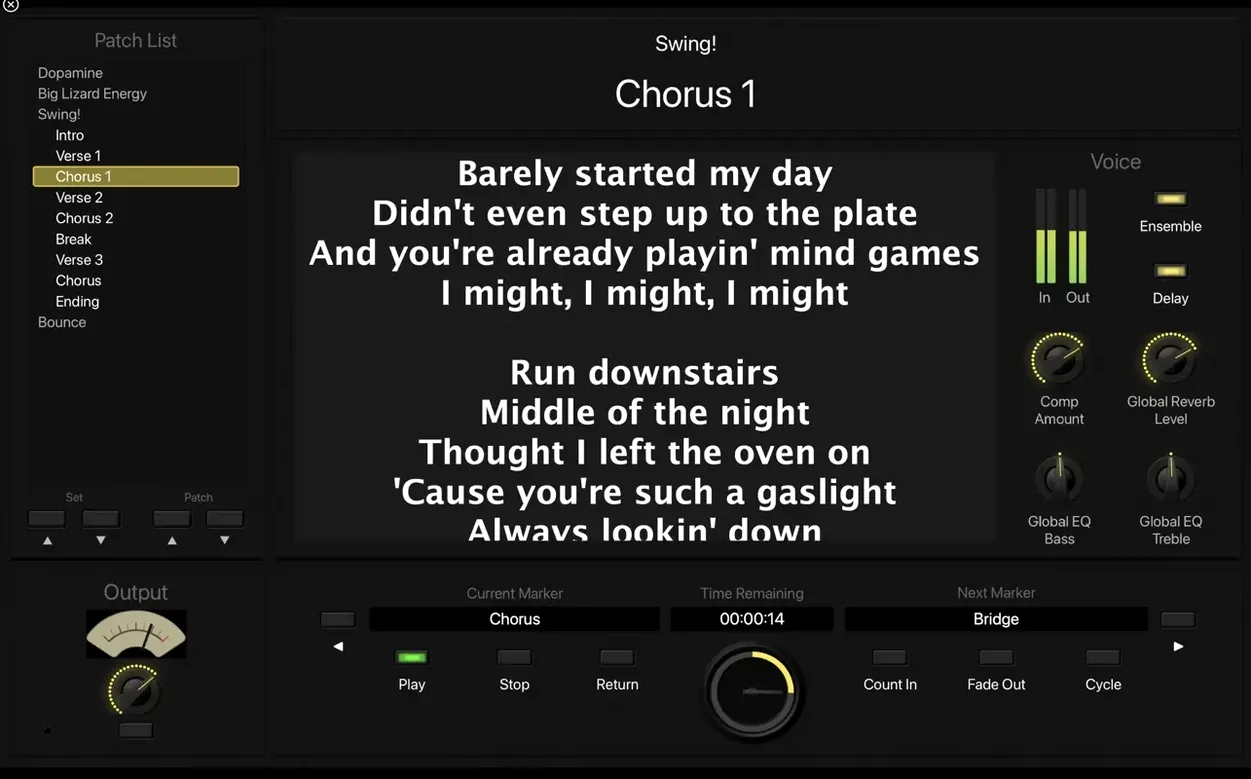
MainStage holds the entire show in one concert file. Each patch corresponds to a cue in the score, named by song and bar number. The Patch List sits on the left side of the screen, large enough to read from a music stand. A foot switch is mapped to advance to the next patch, so both hands stay on the keys. Between numbers, a quick tap of the foot moves from the closing strings of one scene to the opening piano of the next.
During the Act I closer, the musician plays a layered patch: Vintage B3 with a slow rotary on the lower manual, a Retro Synth lead on the upper octaves, and the Playback plug-in providing a pre-recorded percussion stem. The stem was bounced from a Logic Pro session during rehearsals and imported into the concert. The Playback instance starts on a MIDI note trigger, so the musician fires it with the lowest key on the controller — out of the way of the musical range — and the track runs in perfect sync with the live band. After the final chord, the patch holds its reverb tail while the foot switch advances to the curtain call patch.
The whole setup fits in a backpack. The MacBook Air runs cool through a three-hour show with the display dimmed to half brightness. The concert file, with all fifteen patches and the backing stem, occupies just under 300 MB on disk. The musician built it across two afternoons in a rehearsal room, tested it at sound check, and has not touched the patch list since opening night.
Guitarist prepping a four-switch set for a club show
It is late morning, and a guitarist is preparing a set for an evening gig at a small club. The MacBook Pro is on the desk, connected to an audio interface and a MIDI foot controller with four switches. MainStage opens to the last concert, a template with three patches: clean, crunch and lead. The guitarist wants to add a fourth patch for a song that needs a dotted-eighth delay and a touch of spring reverb.
The first step is duplicating the clean patch. A right-click on the patch name and Duplicate creates an identical copy, which gets renamed Dotted Delay. The channel strip already has Amp Designer loaded with a blackface-style model. The guitarist clicks an empty insert slot below the amp, browses to the delay category, and drops in a stereo tape delay. The delay time is set to a dotted eighth note, synced to the concert tempo of 120 bpm. Feedback sits at 35 percent — enough for rhythmic repeats without cluttering the band mix. A second insert loads a spring reverb from Pedalboard, with the dwell knob pushed just past noon for a splashy, surf-influenced tail.
Now the foot controller. The guitarist opens the Assignments pane and maps foot switch one to patch advance, foot switch two to the delay bypass, and foot switch three to a boost in Amp Designer’s output level — a 3 dB lift for solos. The mapping is drag-and-drop: click the on-screen control, tap the physical switch, and the assignment sticks. The full-screen tuner gets mapped to foot switch four for quick checks between songs.
With the patch built, the guitarist plays through the setlist order. The Patch List is rearranged by dragging patches into the correct sequence. A quick run-through confirms that switching from Crunch to Dotted Delay carries the reverb tail from the previous chord — no cutoff, no glitch. The CPU meter in the toolbar stays below a quarter. Satisfied, the concert is saved, the MacBook goes to sleep, and the whole rig is ready to load into a bag for the evening.
The session took twenty minutes. Most of that time was spent playing and adjusting, not navigating menus. That ratio — more playing, less clicking — is what the full-screen, hardware-mapped design aims for, and on a focused task like building a single patch for a specific song, it holds up.