Aspecten
 Download (145 MB)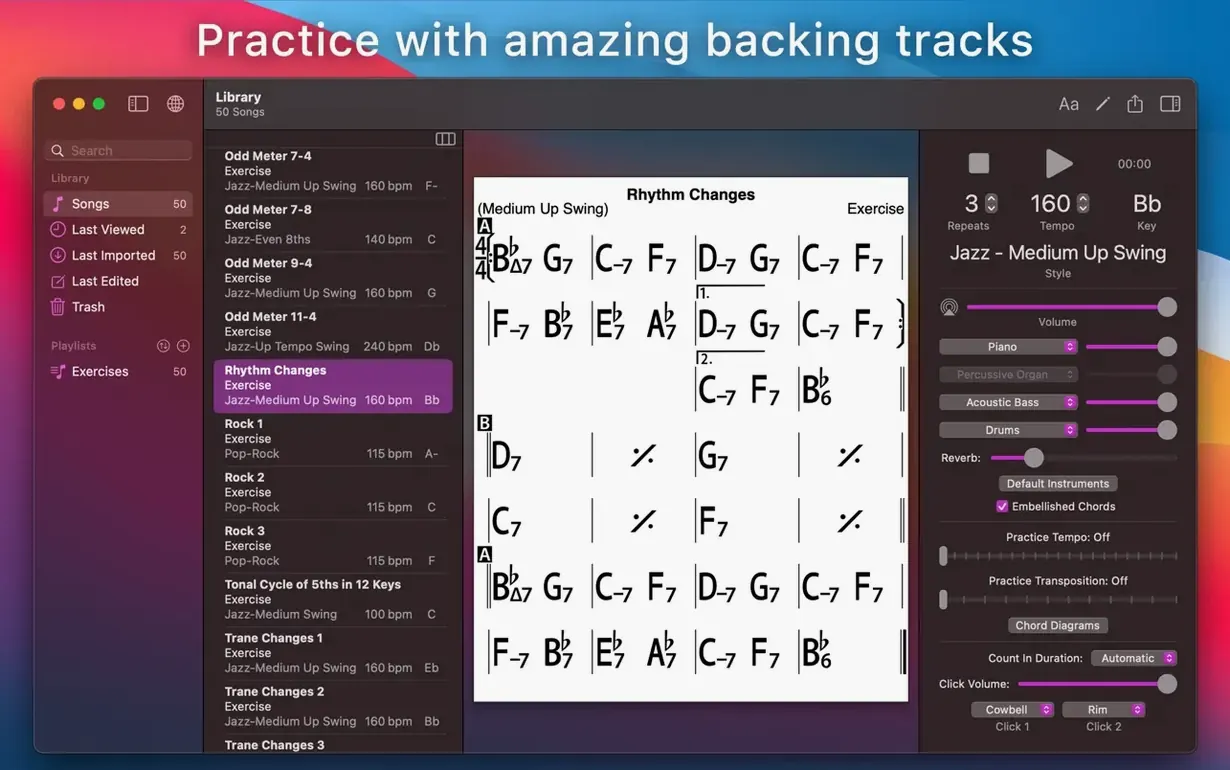
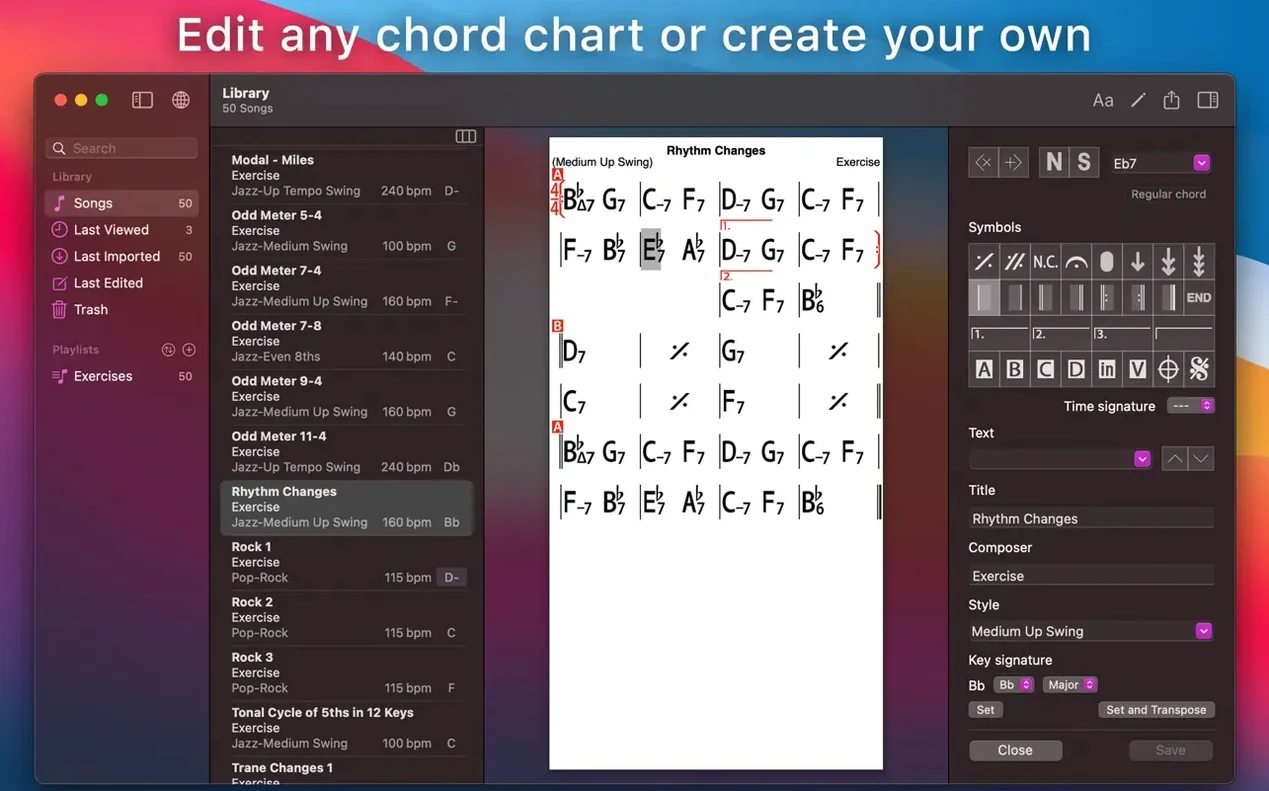
You open the lead sheet for a standard you have not played in months. The chords sit on the screen, clean and certain. You set a bossa nova feel, tap the spacebar, and a piano trio starts playing from your Mac — bass walking, drums feathering the hi-hat. You follow the chart, the page turning in time, and the tune comes back to you by the second chorus.
Load a song from the built-in collection
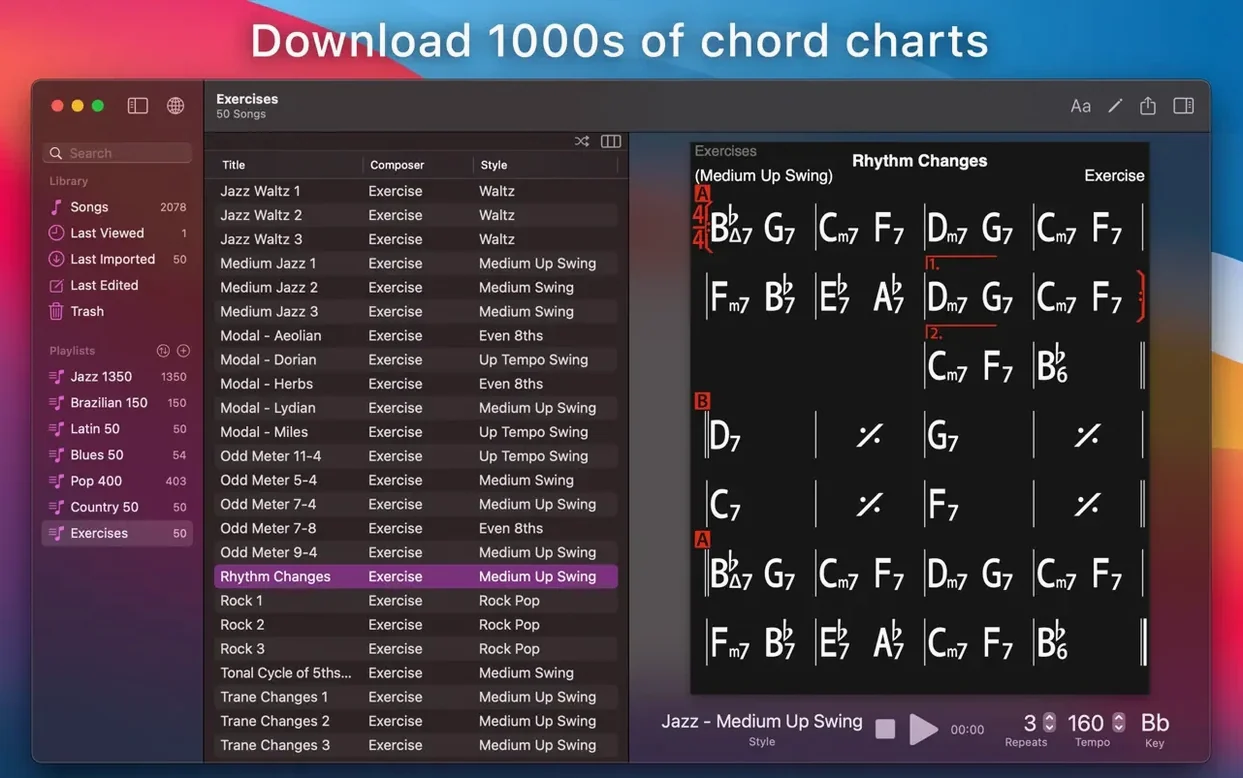
Start in the Song Library. The app ships with dozens of chord charts, from jazz and latin to pop and blues. Pick one, watch how the chart is laid out, and let the backing band play it back so you hear how the rhythm section interprets the changes.
Run through a chord-progression exercise
Open the Exercises section and call up one of the 50 common progression workouts. In a few taps you have a ii-V-I loop in any key, with your choice of piano, guitar, bass and drums driving it along. A good way to warm up fingers and ears before you work on repertoire.
Look up scale suggestions and fingerings
Select any chord symbol in a chart. The app can show a short list of scale choices that fit over that harmony, plus guitar tab, ukulele tab or piano fingerings for the chord shape. It is a quick reference point when you are sketching a solo or learning a new voicing.
How iReal Pro fits into a larger music setup
iReal Pro does not try to be a full-featured DAW, and that is exactly why it slots neatly into a working musician's day. A common pattern: build a setlist in iReal Pro, run the backing tracks for woodshedding, then export the chord chart as a PDF to open in ForScore or a similar reader on a tablet during the gig. The MusicXML export lets you pull a chart into Dorico, MuseScore or Sibelius when you need proper notation — lead sheets, horn parts, the works. The MIDI export is the quiet bridge: drag a MIDI file into Logic or Ableton and the chordal information is there, ready to be assigned to better-sounding instruments or sliced into a production.
iOS-to-Mac iCloud sync means a playlist assembled on an iPad during a rehearsal appears on the desktop version within seconds. AirDrop a WAV export to Voice Memos and you have a quick mix to send a bandmate. The app also works with macOS system-wide audio routing, so you can pipe its output through BlackHole or Loopback and record the accompaniment straight into a DAW while monitoring the chart on screen. No rewire, no plugin bridge — just audio, available to any app that sees a sound source.
What the 2026.3 release cycle changed in daily use
Version 2026.3.2 tightened a handful of things that matter most when you are working fast. Chord-entry responsiveness on Apple Silicon machines improved noticeably — previously, tapping through chord symbols in rapid succession on an M-series Mac could lag a fraction behind, enough to break concentration when charting a dense tune. That lag is gone. The mixer panel gained finer volume increments: holding Option while dragging a fader now moves it in half-decibel steps, useful for balancing a quiet bass against a bright piano without jumping from too-soft to too-loud.
On the playback side, the Brazilian styles — bossa, samba, partido alto — received a refresh in the rhythm-section phrasing. Drum patterns are less rigidly quantised; the ghost notes on the snare in a samba feel more conversational. The mixer now remembers whether you had the drums panned slightly left and the piano panned right from session to session, a small change that saves a few clicks every time you open a song. The setlist view also gained a compact mode that fits more tunes on screen without losing the key and tempo columns.
Cold launch in two seconds, 200 MB memory
The app launches cold in roughly two seconds on an M1 or M2 Mac, faster on M3 and M4 machines. Once open, it sits quietly. Memory usage hovers around 180–220 MB with a medium-sized song library loaded and a backing track playing, which leaves plenty of room for a notation app, a browser tab open to a fake book, and a recording tool all running at once. CPU load during playback is low single digits on Apple Silicon; even on an older Intel MacBook Air, the fan rarely spins up unless you are exporting a long WAV file while the band plays at full tilt.
Stability is uneventful in the best sense. Crashes are rare in everyday use, and the auto-save function means a lost chart is almost never a problem. The most common friction point is first launch after a Gatekeeper-style installation, where macOS may balk until you approve the app in System Settings. After that, it behaves like any native macOS application — full-screen support, standard keyboard shortcuts, Mission Control compatibility.
Audio export takes about real time or slightly faster for a three-minute WAV; MIDI export is instant. The app does not bog down with large libraries. Users with over a thousand songs report smooth scrolling and quick search filtering, though the initial iCloud sync of a large library can take a minute or two on first setup.
Shift-space restarts from the top
- Right-click any chord in a chart and choose Play from Here — the band starts mid-song without needing to set a loop point first.
- Hold the Shift key while pressing the spacebar and playback starts from the beginning of the current section rather than from the start of the chart.
- In the chord-entry editor, typing
Gm7and pressing Tab jumps to the next bar; pressing Shift-Tab moves backward. You can chart a 32-bar tune without touching the mouse. - Double-click the tempo marking in the transport bar and type a number — no need to drag the slider when you know the exact BPM you want.
- The mixer's solo and mute buttons have keyboard shortcuts: S and M for the selected channel. With the mixer collapsed, they still work.
- Dragging a song from the library onto a playlist in the sidebar copies it rather than moving it, so your master library stays intact.
- In the scale-suggestion popover, clicking a scale name plays it as a quick ascending run — useful for hearing the colour of a Lydian dominant before committing it to a solo.
Dial reverb back to 20% for a tighter band
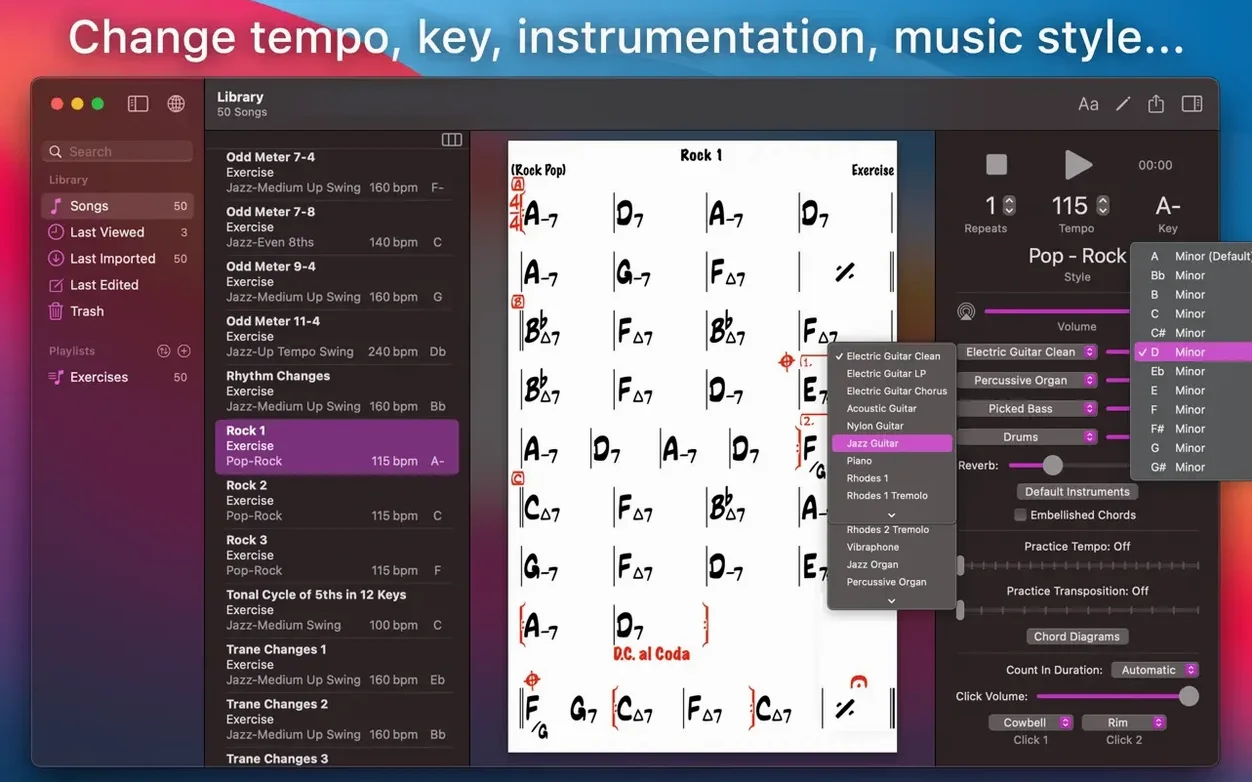
Open Preferences and look at the Playback pane. The default reverb sends everything through a medium-room preset that can make fast tempos feel muddy. Pull the reverb level down to about 20% and the band tightens up immediately. Switch the drum kit from Standard to Brushed for ballads; the touch is lighter and sits better under a vocal or a horn.
In Display, turn on Show bar numbers on every line. Rehearsals move faster when you can call out bar 47 without counting from the top. Enable Highlight current bar in a colour that contrasts with your chart background — the default yellow washes out against a white page. If you read charts on a laptop during a gig, bump the font size for chord symbols by a point or two. The extra clarity at arm's length is worth the slight reflow.
The Sync tab controls iCloud behaviour. If you use iReal Pro on multiple devices, set sync to automatic and let it run. If you only use the Mac version, switch it off — the app launches slightly faster and you avoid the occasional sync-conflict dialog when a chart gets edited on two machines at once. Under Audio Export, set the default format to WAV 16-bit for sharing with other musicians; the file size stays manageable and the quality is more than adequate for practice takes and quick demos.
For those who find iReal Pro through an ireal free download search, the settings above make the first hour with the app feel far more musical. The same adjustments help whether you arrived via an ireal pro mac torrent or a direct installation — the mixer panning, the reverb cut, and the brushed drums all make the backing band sound less like a machine and more like players in a room. An ireal pro torrent may come with the same version number, so checking that the mixer presets recall correctly and that the Brazilian styles have the looser phrasing is a quick way to confirm you are running the 2026.3 build rather than an older snapshot. The ireal pro mac crack route sometimes includes a sandbox configuration that resets preferences on relaunch; if that happens, the reverb setting is the first thing to check, because the default wet mix is the main reason a first-time user might find the band harsh or distant. A working ireal pro crack that retains preferences between sessions lets you dial in the sound once and forget about it, which is how the app is meant to work.