Aspecten
 Download (951 MB)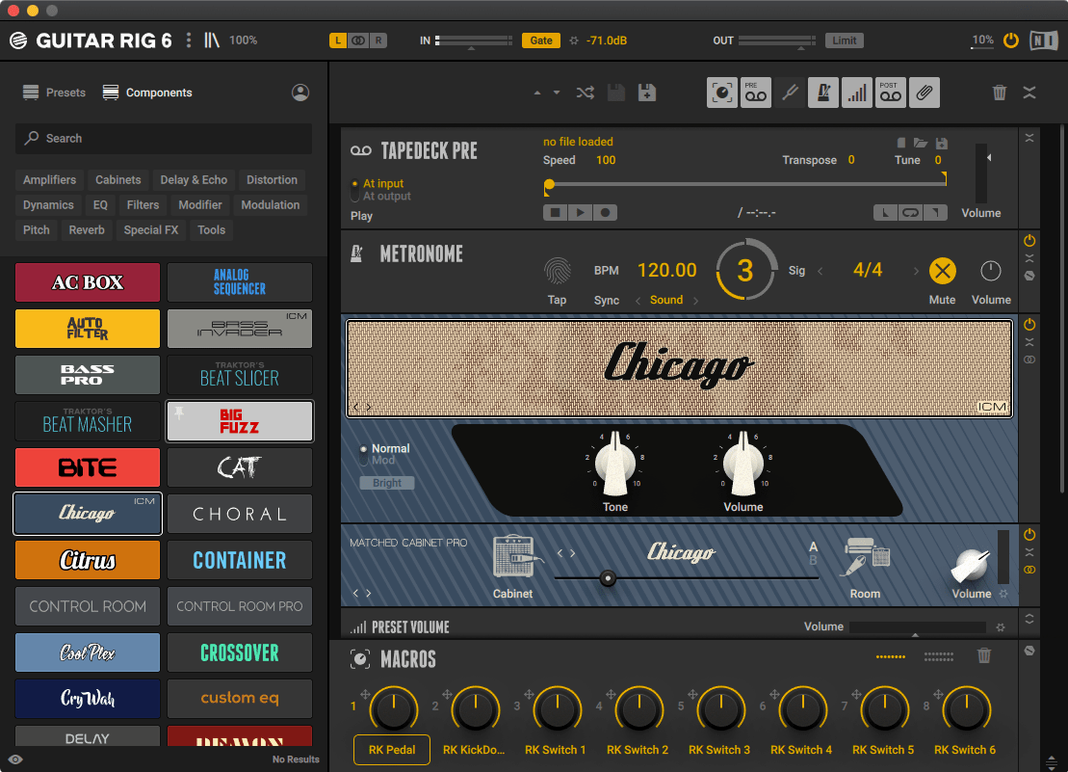
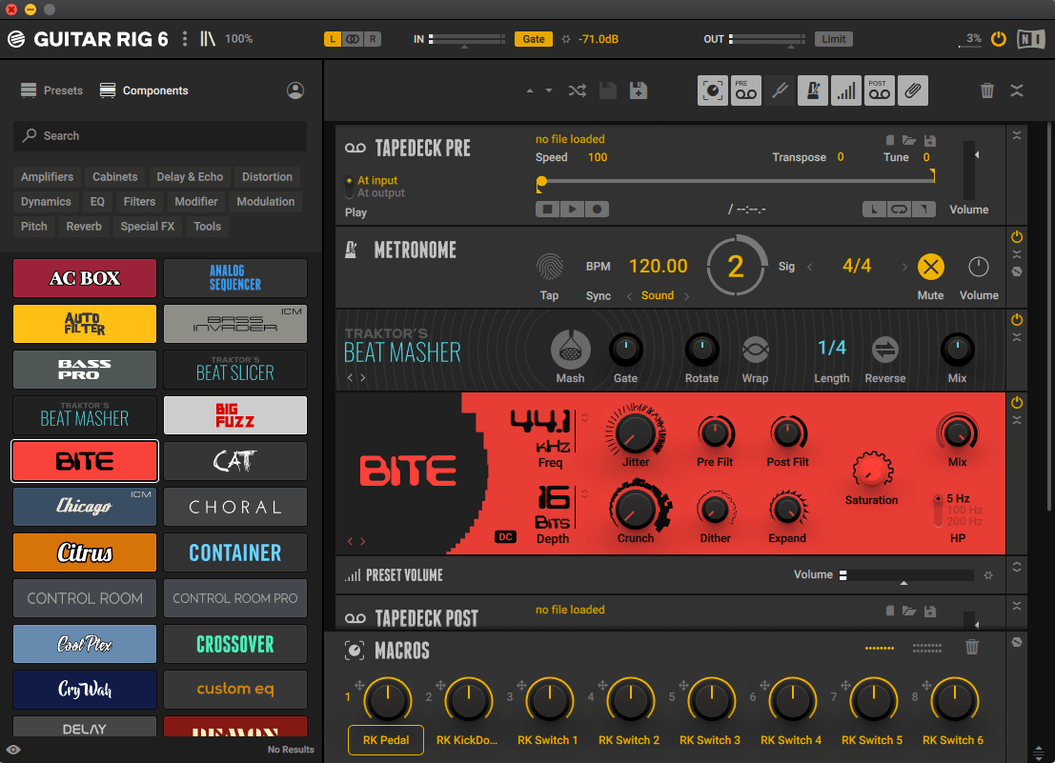
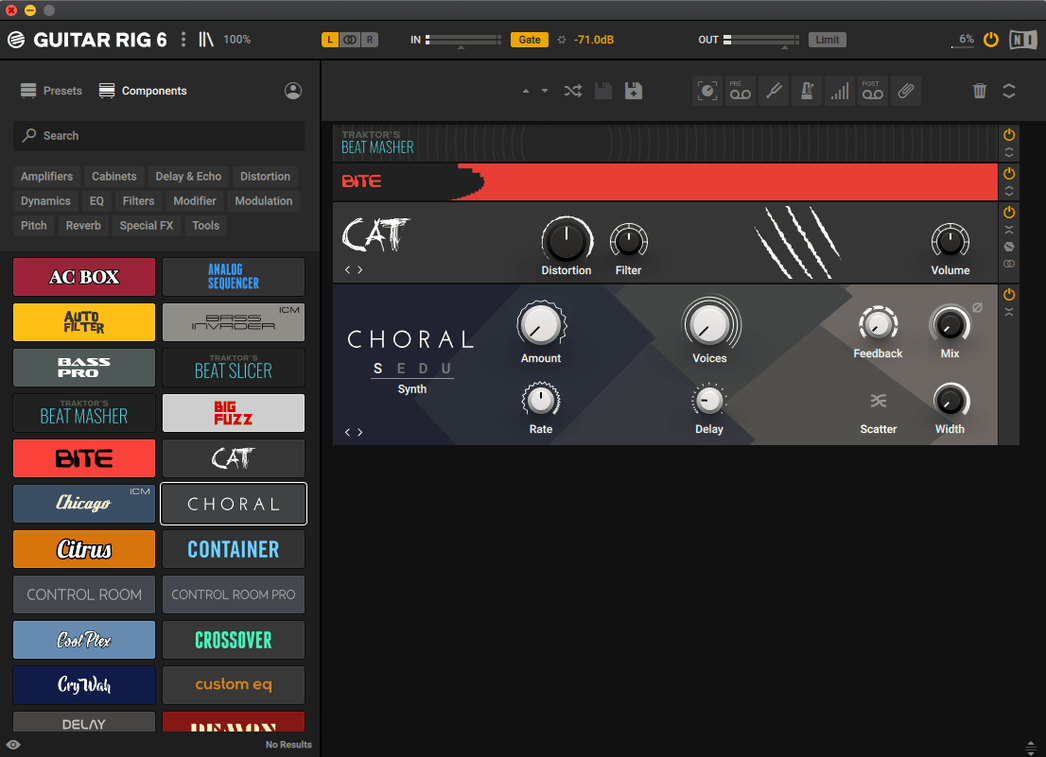
You finish tracking a clean guitar part and open Guitar Rig as an insert on the channel. The rack loads with a preset chain — a modelled amplifier, a cabinet, and a handful of studio effects you can re-order by dragging. You swap the amp model, adjust the microphone placement on the cabinet, and add a touch of reverb from the component list. Within a few clicks, the tone shifts from dry and direct to something that sits properly in the mix.
Guitar Rig 7 Pro is Native Instruments' software rack for guitar and bass processing. It bundles a collection of modelled amplifiers, cabinets, and effects into a single interface that works as a stand-alone application or as a plug-in. The included tools cover the basics: a tuner for quick intonation checks and a metronome with sync settings for practice or session work.
On a Mac, the software loads as a VST3, AU, or AAX plug-in, which means it slots into most recording setups without extra bridging. The interface is in English, and Native Instruments states it runs on macOS 11 and later, across both Intel and Apple Silicon Macs. Setting it up involves mounting the disk image and running the standard installer — no extra authorisation steps are needed during installation.
People often ask whether the software works on a modern Mac without compatibility issues. Given the official support for current plug-in formats and recent versions of macOS, it integrates without the kind of workaround that older, unmaintained audio software can demand.
Using Guitar Rig as a practice amp without opening a DAW
The stand-alone application opens without a DAW, so you can treat it like a practice amp. Plug your interface into the Mac, set the audio input in preferences, and you have a processed guitar signal through headphones or monitors. Latency depends entirely on your interface and buffer settings — the software itself adds no perceptible delay at sensible buffer sizes.
Another common question is whether older presets and third-party impulse responses carry over. Guitar Rig 7 reads its own preset format from previous versions, so a collection of carefully built chains does not disappear. Custom cabinet impulse responses load via the cabinet module's file browser, which accepts standard WAV impulse files.
People also worry about CPU load with multiple instances. Amp modelling and convolution reverb are the heavier modules; a chain of overdrive pedals, modulation and delay uses noticeably less. On an Apple Silicon Mac, you can run several instances at mixing buffer sizes before the session becomes sluggish. Freezing or printing tracks is still sensible if you stack many amp-and-cabinet chains in a dense arrangement.
Gain staging a weak DI signal so modelled amps don’t turn fizzy
The most frequent misstep is ignoring the input gain staging. Guitar Rig expects a healthy instrument-level signal, not a whisper-quiet DI. If your interface input is set too low, the modelled amps behave oddly — thin, fizzy distortion instead of the expected sag and compression. Set the interface gain so the loudest strums peak around –12 dB on the input meter inside the rack, then fine-tune from there.
Beginners also tend to stack too many effects in series without listening to the cumulative tonal damage. A chain of boost, overdrive, amp, cabinet, EQ, compressor, chorus, delay and reverb might look impressive, but the low end muddies and the transients vanish. A better starting habit is to build a chain of three or four elements — amp, cabinet, one modulation or delay, and perhaps a touch of room reverb — and only add more when the core tone sounds right in the mix.
Another error is leaving the cabinet module on a default setting that does not match the material. The microphone choice, position and room blend inside the cabinet component shift the tone more than swapping amp models in many cases. Pulling the virtual microphone back a few centimetres often clears up a congested midrange faster than reaching for an EQ.
Re-amping a dry DI rhythm track through the plug-in rack
You open a session with a rhythm guitar track already recorded — a plain DI signal tracked through a clean preamp. The track plays back and you insert Guitar Rig on the channel as an AU plug-in. The rack window opens showing the last preset you used; you clear it and start from an empty rack.
Step one is adding an amp module. You drag the modelled British-style head into the rack space and listen. The default cabinet pairing loads automatically. You play a few bars of the track and flick through cabinet models while listening to how the low-end punch changes. One cabinet sounds boxy; another opens up the lower mids. You settle on one and move the virtual microphone toward the edge of the speaker cone to soften the treble bite.
Step two is subtle compression before the amp — an optical-style pedal module placed in the pre-amp slot. A gentle ratio with a slow release smooths the pick attack without squashing it. You leave the makeup gain at unity; the amp's own character handles the sustain.
Step three is a room reverb tucked in the post-cabinet slot. You dial the mix down to around twenty percent and shorten the decay so the tail does not clutter the space the drums will occupy later. The preset browser lets you tag this chain as "rhythm crunch" so it appears alongside other rhythm tones you have saved.
Step four is checking the tuner. You click the tuner component, play each open string, and find the low E has drifted a few cents flat. A quick adjustment at the headstock and the readout settles on pitch. The metronome sits unused this time, but it is there, synced to the session tempo via the plug-in host transport.
By the end of twenty minutes, you have a rhythm tone that sits in the track without additional EQ on the channel strip. You save the rack preset and move on to the lead part.
Fixing a silent rack by checking input routing and monitor settings
A silent rack is usually an input routing problem. In the stand-alone application, check the Audio and MIDI Settings pane and confirm the correct interface input is selected. Inside a DAW, make sure the track's input monitor is active and that Guitar Rig is not accidentally bypassed on the insert slot. The input meter inside the rack should twitch when you play; if it does not, trace the signal upstream.
Noise and ground hum often stem from the guitar itself, not the software. Single-coil pickups near a computer monitor induce buzz that the high-gain amp models amplify. Guitar Rig includes a noise gate module — placing it first in the chain, with a fast attack and a threshold set just above the noise floor, silences the hum between phrases without choking note decays.
Preset browsing can feel sluggish if the database has not finished indexing. The tag-based browser rebuilds its index after installation; a large collection of user presets might take a minute to settle. If you install custom preset packs, give the browser a moment to refresh before scrolling.
Occasionally, a DAW fails to find the plug-in after installation. Rescanning the plug-in folders from your host's plug-in manager resolves this. On a Mac, the components (AU), VST3 and AAX files land in their standard system folders, and a rescan typically picks them up straight away. If you are looking for a guitar rig for mac setup that loads reliably in Logic or Ableton, the AU and VST3 versions are the ones to scan first.
Tracking bass without an amp in an untreated room
Consider someone who writes songs at a desk with a small audio interface, a single condenser microphone and a bass guitar leaning against the wall. They do not own a bass amplifier, and the room is untreated. Tracking bass through Guitar Rig solves two problems at once: it gives the DI signal the weight and texture of a miked cabinet, and it keeps the monitoring volume low enough to work at night without disturbing neighbours.
The songwriter opens a blank rack and adds a bass-friendly amp model — one of the solid-state-style heads with a clean, round voice. The cabinet module pairs it with a large speaker enclosure, mic placed slightly off-axis. A touch of optical compression after the cabinet tightens the low end. The DI track, which on its own sounds sterile and plucky, now has the kind of woolly presence that anchors a chorus. The whole chain runs at under ten percent CPU on a MacBook Air, leaving plenty of headroom for vocal processing and a drum sampler later in the arrangement.
Later, the same songwriter revisits the lead guitar hook. They load the "crunch lead" preset they tagged last week, swap the delay module for a shorter slapback, and record a double-tracked part panned left and right. The preset browser's tags mean they spend less time scrolling and more time playing — a practical benefit when a melody idea needs to be captured before it evaporates. For someone who works fast and values a compact setup, this kind of workflow quietly becomes the norm rather than a special occasion.