Aspecten
 Download (820 MB)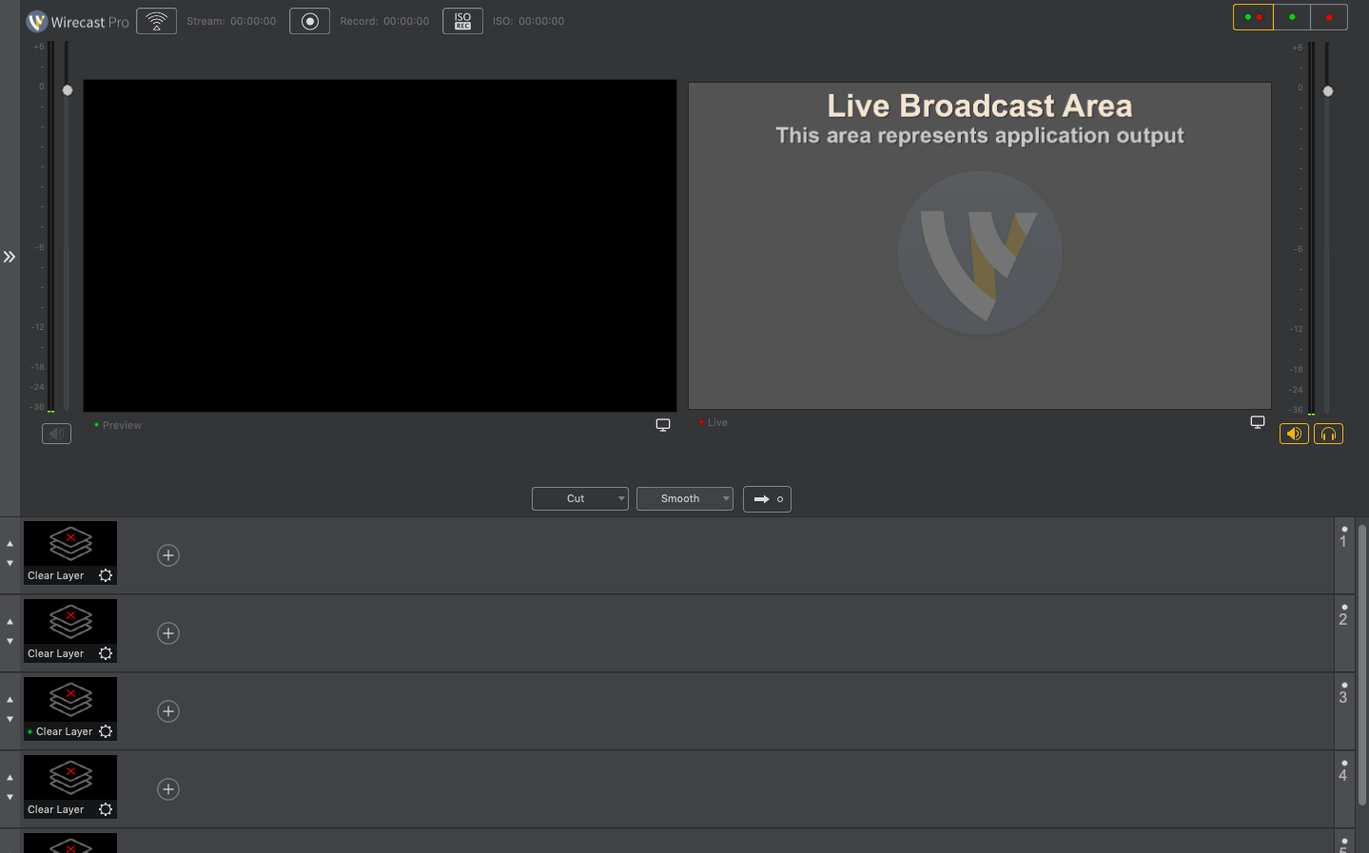
Live broadcasts often demand changes on the fly — a misspelt lower-third, a sports score that needs updating while the camera is still rolling, or an overlay that must appear at exactly the right moment. Wirecast Pro addresses that pressure by putting text editing, graphic elements and source switching within reach during a live stream, rather than locked away in pre-production.
Live graphics for sports, ceremonies, and PTZ NDI cameras
- Sports events, ceremonies, conferences, and concerts where on-screen graphics need to reflect what is happening right now.
- Productions that use PTZ NDI cameras, with recent fixes improving detection and source flagging on macOS.
- Users who need a wide set of interface languages, including Dutch, Korean, and Czech alongside the expected English, German, and Japanese.
Virtual camera blocked by corporate IT and macOS 11 minimum
- The virtual camera can run into trouble if a corporate IT policy blocks the virtual microphone driver.
- It runs on macOS 11 and later, so older systems are left behind.
PTZ NDI sources not showing up after launch
One of the first things you notice after launching Wirecast Pro is that certain NDI sources refuse to appear. This crops up most often with PTZ cameras that rely on NDI discovery across the local network. The 16.5.4 release specifically addressed detection of some PTZ NDI models on macOS, so updating to the current build is the sensible first step. If the camera still does not show, check that Bonjour is not being filtered by your firewall — Wirecast depends on mDNS to locate NDI devices, and a misconfigured firewall or VPN can block those packets silently. Toggling the camera's NDI output off and back on, then restarting Wirecast, often forces a rediscovery.
Another recurring headache involves the virtual camera output. On Macs managed by corporate IT, the virtual microphone driver that ships alongside Wirecast can be blocked by security policy. When this happens, apps that expect to see the Wirecast virtual camera may show a black frame or refuse to connect entirely. The fix in 16.5.4 decouples the virtual camera from the microphone driver in these environments, but you may still need to grant screen recording permission explicitly in System Settings > Privacy & Security > Screen Recording. Without that permission, the virtual camera simply has no pixels to send.
Performance hiccups during a stream often trace back to the encoder preset. Wirecast defaults tend to be conservative, but a machine with Apple Silicon or a discrete GPU can usually handle the "High" or "Ultra" x264 presets without frame drops. If you see stuttering on an Intel Mac with integrated graphics, dropping the preset to "Faster" or using the hardware encoder (VideoToolbox) lightens the load considerably. Also worth checking: the canvas resolution. A 1080p canvas with several 4K sources being scaled down in real time can overwhelm the GPU pipeline. Set your sources to match the canvas resolution upstream — in the camera settings or NDI output configuration — and let Wirecast do less heavy lifting.
Audio drift is a less frequent but maddening issue that tends to appear in longer streams. If lip sync gradually slips over the course of an hour, the culprit is usually a sample rate mismatch. Make sure every audio input device runs at the same sample rate — 48 kHz is the safe standard for video production — and that no application is requesting a different rate from the same interface. The Audio MIDI Setup utility on macOS reveals the current rate of each device. A quick re-selection of the source within Wirecast's audio mixer after correcting the rate resets the internal clock.
NDI sources appear without an extra licence
Does it need an NDI licence to receive NDI sources? No. Wirecast Pro includes NDI receiving capability without any additional licence or plug-in. NDI sources discovered on the network appear in the source list just like a connected capture card. Sending NDI output from Wirecast to another application on the same network is also built in.
Will it run smoothly on an Apple Silicon Mac? The application is a universal binary, so it runs natively on both Apple Silicon and Intel processors. In day-to-day use, M1 and M2 machines handle multi-camera setups with overlays quite comfortably, and Rosetta is not involved. The difference is most noticeable in encoding speed and the responsiveness of the preview pane when several animated graphics are active.
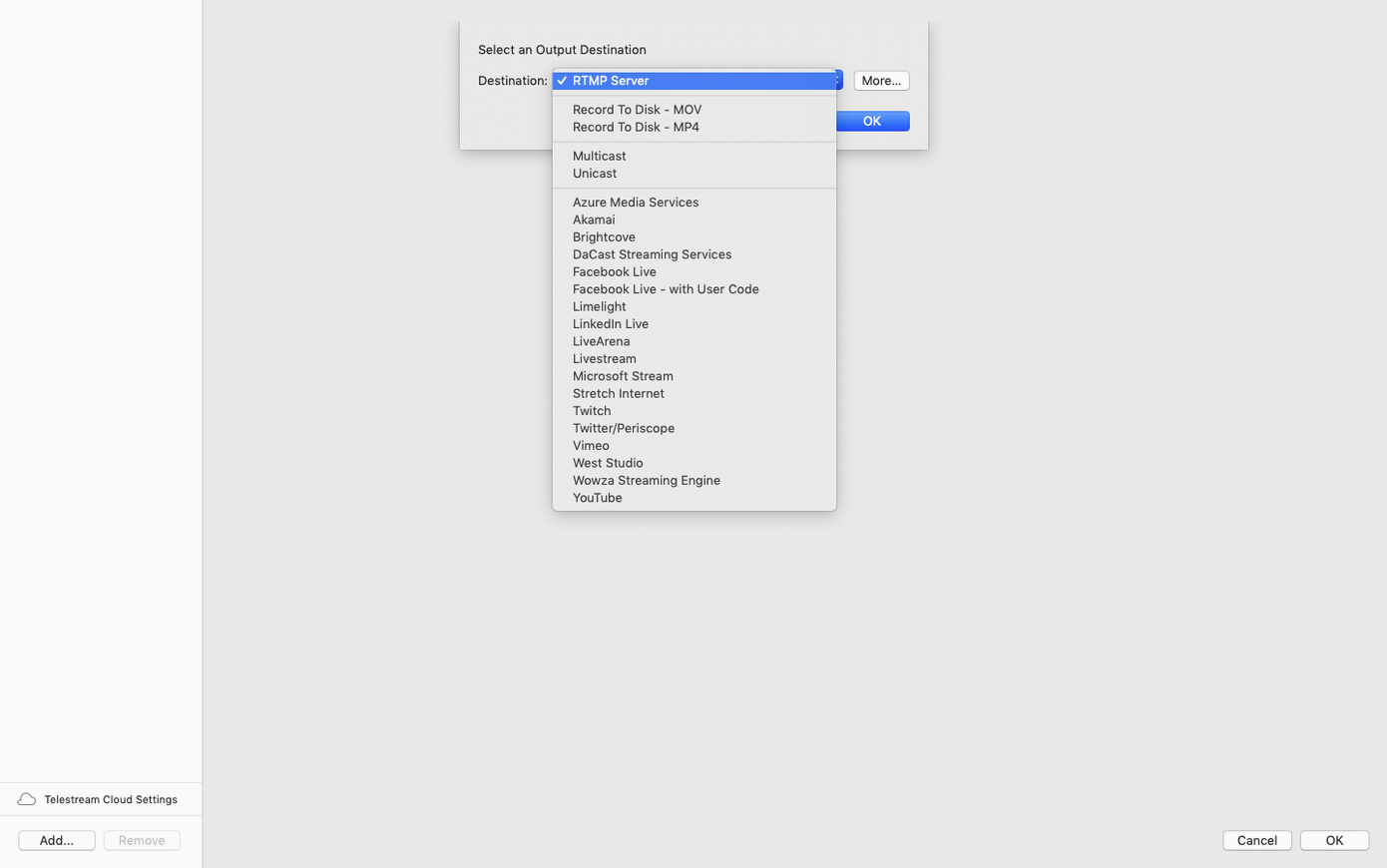
Can you use it only for recording, without streaming? Yes. The "Record to Disk" option works independently of any streaming destination. You can capture a full ISO recording of the programme output, or record individual sources as separate files if you later want to edit a multi-camera cut. Many users treat Wirecast as a multi-source recorder first and a streaming encoder second.
Does the 16.5.4 update require a clean install? Usually not. Installing over an existing 16.x version preserves your document settings, shot lists, and asset libraries. If you are coming from a 15.x release or earlier, keeping a backup of your ~/Movies/Wirecast folder and any custom templates is wise, since the file format has evolved between major versions.
What about the Wirecast torrent or a Wirecast Mac torrent that circulates online? Some people search for a Wirecast torrent or a Wirecast pro download outside the usual channels, and a Wirecast 16.5 or Wirecast 16.4.1 torrent does occasionally appear on file-sharing sites.
Memory use jumps past 1.5 GB at launch before adding sources
Wirecast Pro is not a lightweight app. At launch it reserves a substantial chunk of memory — often north of 1.5 GB before a single source is added — because it pre-loads the graphics engine, the NDI discovery service, and the audio mixer infrastructure. Adding three 1080p NDI sources and a couple of title overlays pushes the working set closer to 3 GB. On a Mac with 16 GB of RAM, that leaves comfortable headroom for other applications; on an 8 GB machine, you will want to close browsers and anything else that competes for memory during a live stream.
Stability in version 16.5.4 is notably better than the early 16.x releases. Crashes during source switching, which some users reported when rapidly flicking between NDI feeds, are far less common now. The discontinuous-frame flag for NDI sources, added in this build, helps the decoder recover cleanly when a camera drops frames or reconnects mid-stream. In practice, that means a brief glitch instead of a frozen frame or an unexpected stop.
CPU usage depends almost entirely on the encoder and the canvas complexity. A straightforward 1080p30 stream using the VideoToolbox hardware encoder on an M1 machine sits at around 20–25% total CPU. Switch to the x264 software encoder on the "Medium" preset and the same stream climbs to 50–60%. GPU usage is harder to measure precisely on macOS, but the fans tell the story: with several animated overlays and a 60 fps canvas, even Apple Silicon machines will spin up their fans after twenty minutes. That is not a fault — it is the system doing its job — but it is worth knowing if you record voice-over in the same room.
Pre-packaged pro features versus OBS community extensibility
Wirecast Pro and OBS Studio occupy overlapping territory but feel quite different in daily use. OBS Studio is open-source, highly extensible through community plug-ins, and runs on a leaner memory footprint. Wirecast Pro leans in the opposite direction: it arrives with a polished set of built-in graphics, title templates, and a shot management system that OBS simply does not replicate without half a dozen third-party additions. For a sports broadcast where someone needs to update scores on the fly, Wirecast's integrated scoreboard templates save real minutes during production. OBS can achieve the same result, but the path is longer and more manual.
vMix is often mentioned in the same breath as Wirecast, but it is Windows-only, so the comparison is theoretical for Mac users. On feature breadth — replay, instant replay, call-ins, virtual sets — vMix extends further than Wirecast Pro in several directions, yet none of that matters if your studio runs macOS. Wirecast remains the more mature native Mac option for multi-camera live production with NDI, whereas vMix users who need similar capabilities on a Mac end up running it inside a virtual machine, which introduces its own latency and GPU pass-through complications.
Ecamm Live is closer to Wirecast in spirit: a Mac-native live production tool aimed at streamers and small studios. Ecamm Live feels friendlier at first launch. Its interface is simpler, and it integrates tightly with macOS features like the iPhone continuity camera. Wirecast Pro, by contrast, reveals its broadcast heritage in the sheer number of panels, settings, and routing options. For a solo streamer doing talking-head interviews with a few screen shares, Ecamm Live gets out of the way faster. For a multi-operator production with PTZ cameras, NDI feeds from other machines, and a dedicated graphics operator, Wirecast Pro offers the depth that Ecamm Live does not attempt to reach.
NDI signals flow in from PowerPoint and other apps
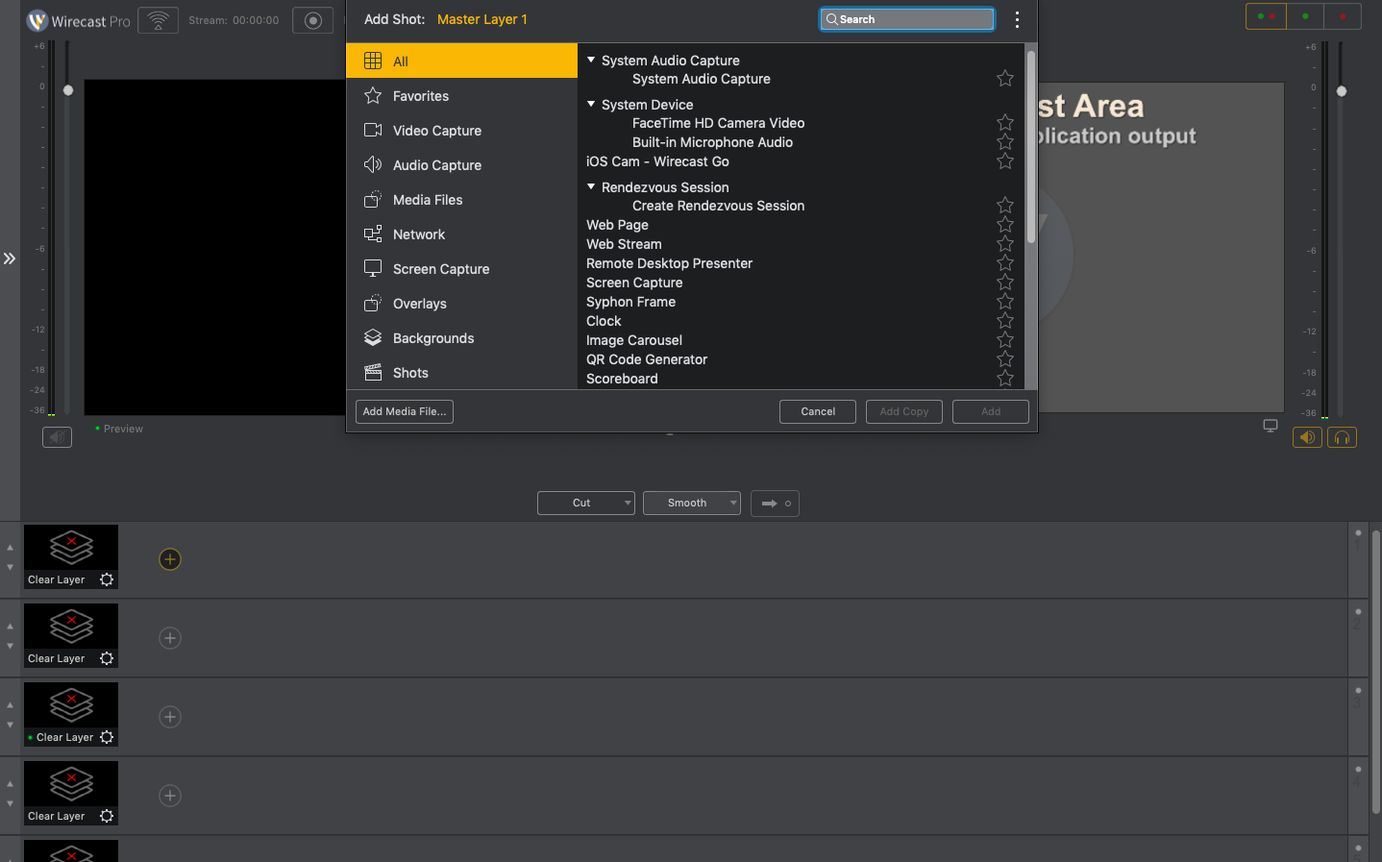
Wirecast Pro does not live in isolation. It talks to the rest of a production workflow through several well-worn paths. The most direct is NDI: any application that can send an NDI signal — a PowerPoint presentation on a Windows laptop, a media playback tool like Mitti on another Mac, a Resolume Arena output — appears as a source in Wirecast without a capture card. In the other direction, Wirecast's NDI output can feed a dedicated recording station, a confidence monitor, or a streaming backup machine running a different application.
Audio routing benefits from the virtual audio device that Wirecast installs. Applications like Logic Pro, Ableton Live, or even a simple audio player can send their output into Wirecast via this virtual device, which means you can mix a full audio bed — sound effects, music stingers, processed microphone feeds — before it reaches the stream. The caveat about corporate IT policy and the virtual microphone driver, mentioned earlier, applies here: if that driver is blocked, the audio loopback path disappears until the policy is adjusted.
For post-production, Wirecast's ISO recording feature is the bridge. Individual source recordings land as separate video files, which can be handed off to Final Cut Pro, DaVinci Resolve, or Premiere Pro for a multi-camera edit. There is no proprietary wrapper to worry about; the files are standard MOV or MP4 containers with H.264 or ProRes encoding, depending on the recording settings. A common workflow is to stream live with compressed H.264 while simultaneously recording ISOs in ProRes for later editing — Wirecast handles both encoding paths in parallel without much complaint, provided the storage is fast enough.
macOS features like Focus modes and Do Not Disturb are worth a mention. Wirecast respects them, but you do not want it to. If a Focus mode suppresses notifications, great — but if it accidentally routes system audio or mute settings in an unexpected way, you might lose an audio source mid-stream. Most seasoned operators create a dedicated macOS user account for live production with all notifications, screensavers, and automatic updates disabled. It is a small precaution that prevents the kind of surprise nobody wants on air.