Aspecten
 Download (7 MB)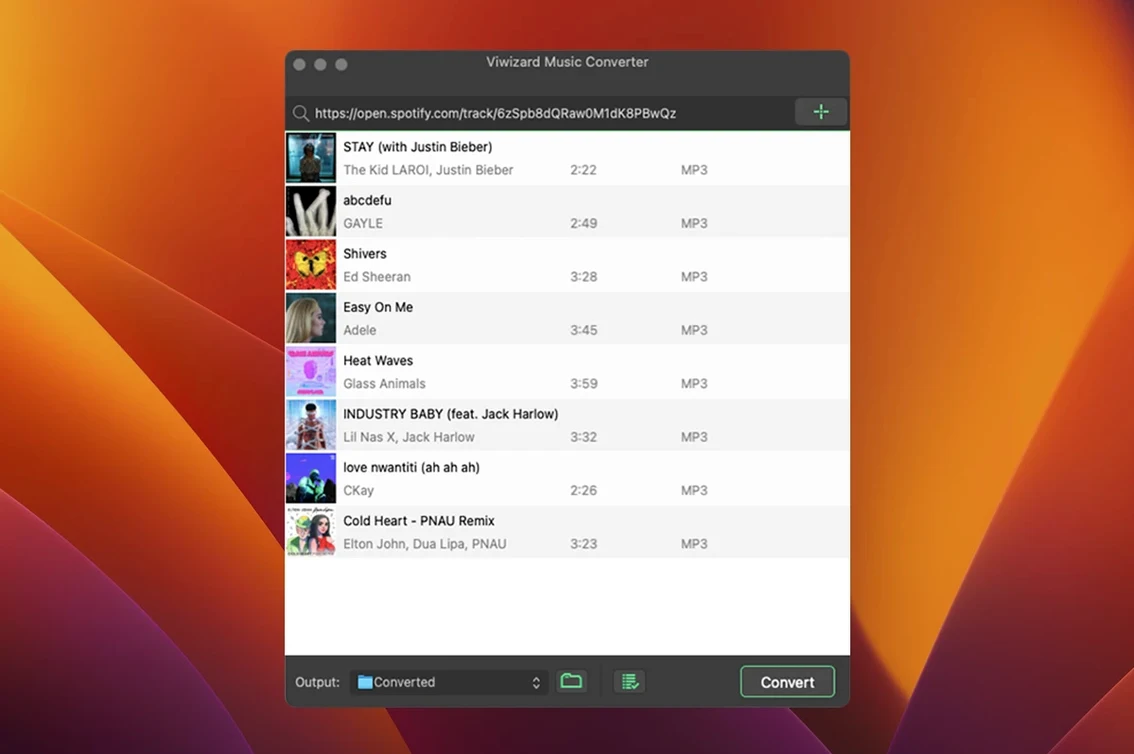
Which Macs will it run on?
ViWizard Spotify Music Converter needs OS X 10.10 or later. It runs on Intel Macs; there is no native Apple Silicon build listed, so M-series machines run it through Rosetta 2.
How does it get the music?
The app works through Spotify’s Web Player. You log in, pick tracks or playlists, and the converter captures and encodes them locally — no separate audio capture driver is needed.
What file formats do you get?
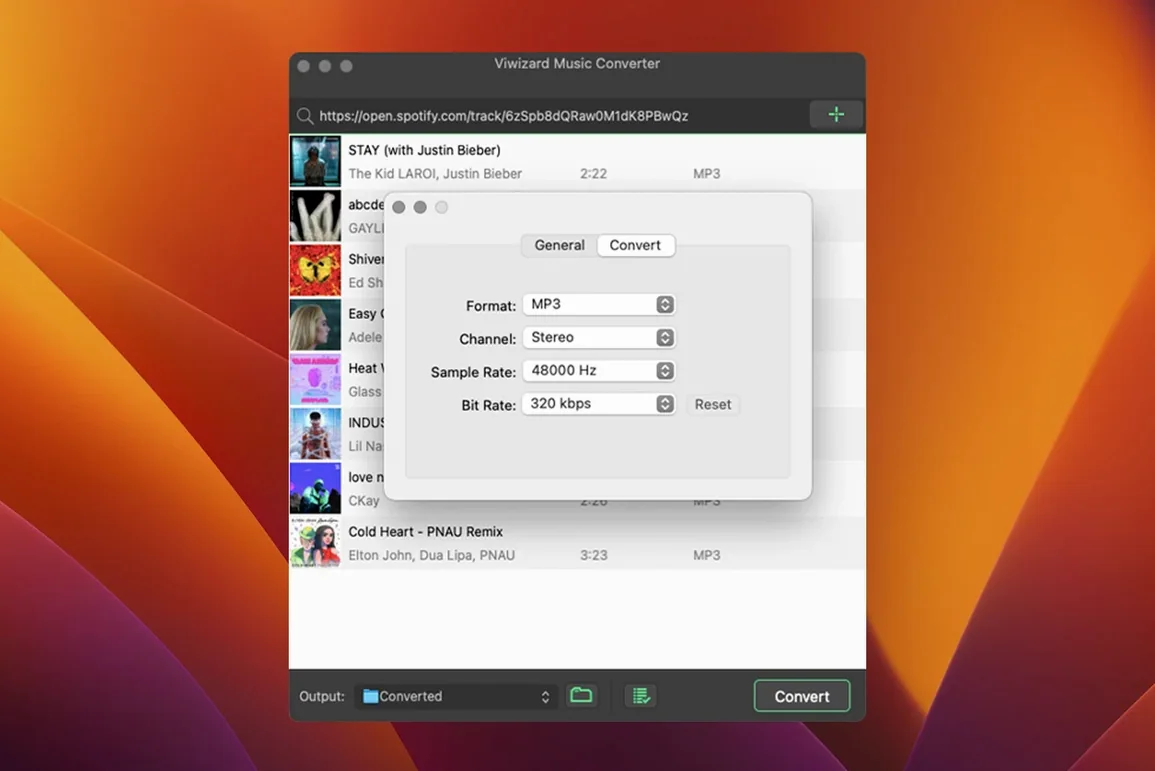
Conversions arrive as MP3, AAC, WAV, FLAC, M4A or M4B. You can set the output channel, bitrate and sample rate, and convert several tracks at once via batch processing.
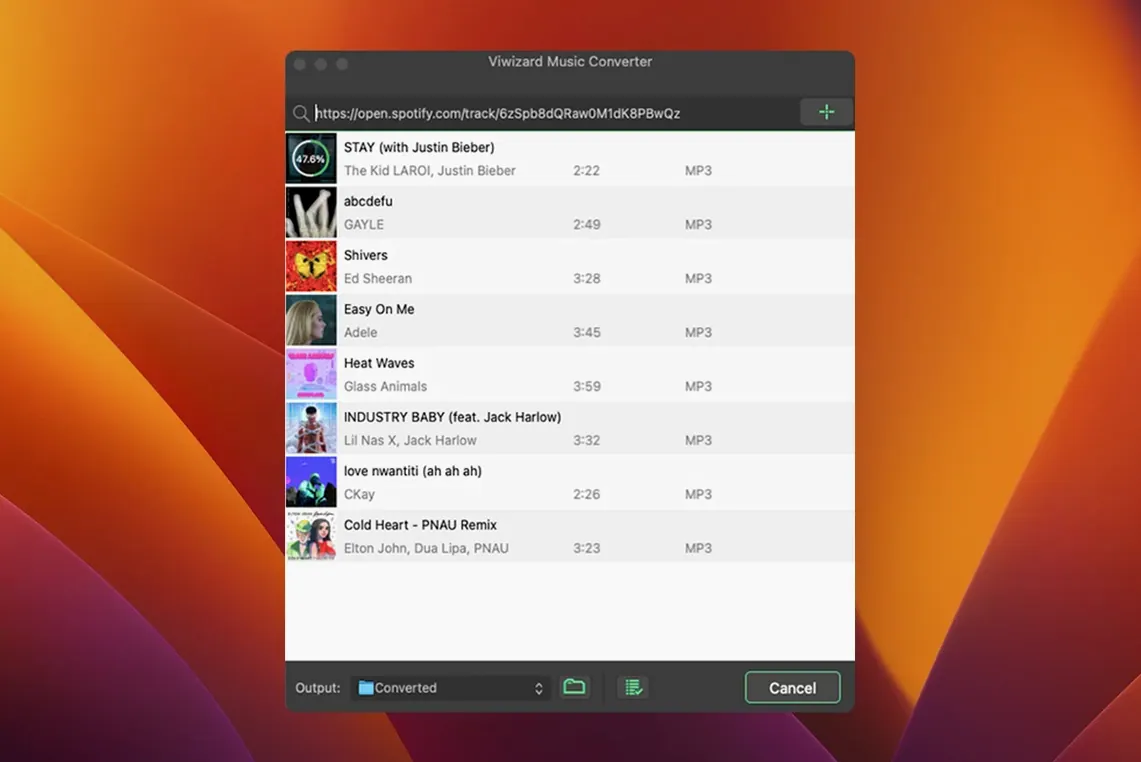
What about the interface?
Keeping an iPod classic fed on the Hamburg run
Marco runs a small haulage firm and spends four days a week on the road between Utrecht and Hamburg. Cab internet is patchy, and streaming eats into his mobile data. He keeps a battered iPod classic plugged into the lorry’s aux socket — no Bluetooth, no apps, just a 160 GB hard disk. On Sunday evening he sat down with ViWizard, queued up three Spotify playlists — one for early-morning autobahn stretches, one for stuck-at-the-border waits, and a Dutch folk playlist his father sent him — and set the converter to MP3 at 256 kbps. By the time he’d made tea the batch had finished, metadata intact, files sorted into artist folders. He dragged them onto the iPod and zipped his jacket over it. For Marco the appeal isn’t about owning music; it is about a cabin that doesn’t go silent when the signal drops.
Alongside other Mac audio converters
Three tools tend to come up when people look at a viwizard spotify music converter for the Mac: NoteBurner Spotify Music Converter, Sidify Music Converter, and TuneFab Spotify Music Converter. They all aim at the same basic task, yet the differences matter once you sit down with a large library.
NoteBurner shares a similar workflow — it also uses the Spotify web player — and it supports roughly the same output formats. Its interface feels slightly busier, and it leans harder on organising output by playlist folder rather than by artist and album. Users who prefer flat folder structures often find NoteBurner quicker to set up; those who want the artist/album tree intact tend to stick with ViWizard.
Sidify adds a built-in CD-burning module and an ID3 editor, which makes it attractive if you still produce physical discs or need to fix tagging quirks after conversion. The trade-off is a heavier application that pulls in more dependencies on macOS. ViWizard keeps a narrower scope — convert, tag, sort — and loads faster on older Intel machines as a result.
TuneFab offers a near-identical feature list but sometimes lags behind on macOS point-release support. At the time of writing ViWizard still runs back to OS X 10.10, which keeps it viable on Macs that the other two have quietly dropped. For anyone nursing a 2012 MacBook Pro or a Mac mini stashed in a hi-fi cabinet, that backward compatibility tips the scales.
Caching podcasts and audiobooks without burning mobile data
Three groups get the clearest return from ViWizard. The first is people with capped or costly mobile data — caravan travellers, offshore workers, field researchers — who need a local cache of spoken-word content. Podcasts and audiobooks convert to M4B with chapter markers, so a single file can hold an entire series without chewing through a data plan.
The second group is DJs and dance teachers who still rely on portable media players or USB sticks plugged into older mixing desks. The ability to set sample rate and channel output before conversion means a WAV file lands ready for a CDJ-2000 without further transcoding. Batch processing a hundred-track playlist in one go saves an evening of real-time recording.
The third group is less obvious: people caring for relatives with dementia who respond well to familiar music but cannot operate a streaming app. A local library on a simple MP3 player bypasses interface confusion entirely. The metadata preservation means a carer can still see what is playing and build a routine around it.
Clearing up the account-type question before you download
Free Spotify account streams straight into the converter
No. The app works with a free Spotify account because the web player handles playback, and the converter captures the audio stream locally. A premium account gets you higher source quality, which feeds into cleaner output files, but the converter itself does not check your subscription tier.
Will it keep working after a Spotify update?
Because ViWizard relies on the Spotify web player rather than the desktop client, Spotify’s desktop app updates usually leave it untouched. The web player interface changes more slowly, and the converter’s capture mechanism is tied to browser-level playback, not to a specific desktop build. That said, any web-player redesign can require a converter update, so keeping an eye on the developer’s release notes is sensible.
Is the conversion lossless?
No conversion from a streaming source can be truly lossless. Spotify streams use lossy compression, and any converter captures that already-compressed signal. Choosing FLAC or WAV as the output format preserves the captured audio without further compression loss, but it does not recover data that was never there. For most ears a 320 kbps MP3 output is indistinguishable from the stream, and the file sizes stay manageable.
Can it handle very large libraries?
Batch conversion handles thousands of tracks, though the practical limit depends on Mac memory and patience. The app does not throttle itself after a certain track count, but a playlist with 3,000 songs will take hours. Organising output by artist and album folders keeps the result navigable afterwards.
The app is available in English, German, French and Japanese. The controls are fairly direct: choose a playlist, pick a format, and start the batch.