Aspecten
 Download (91 MB)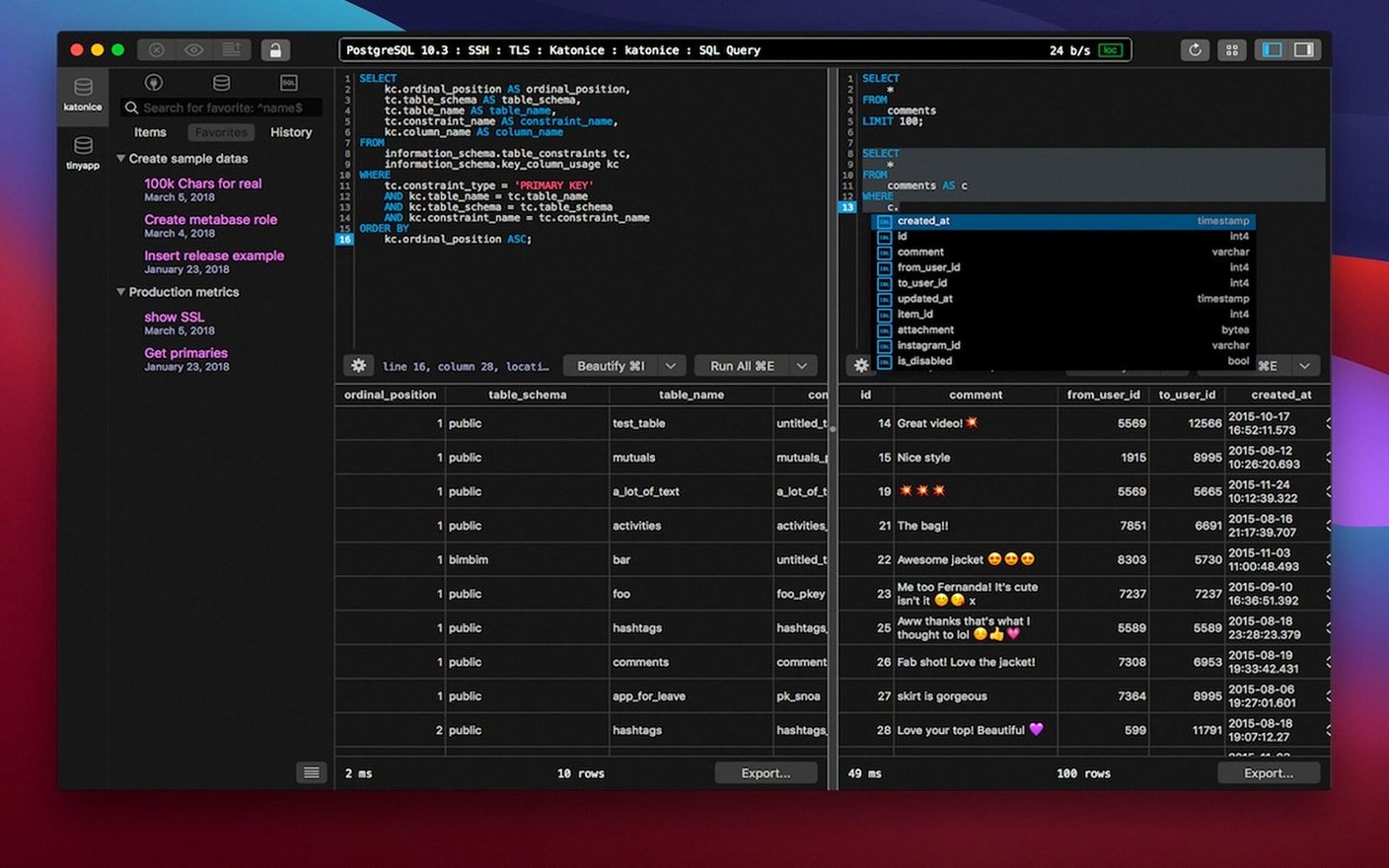
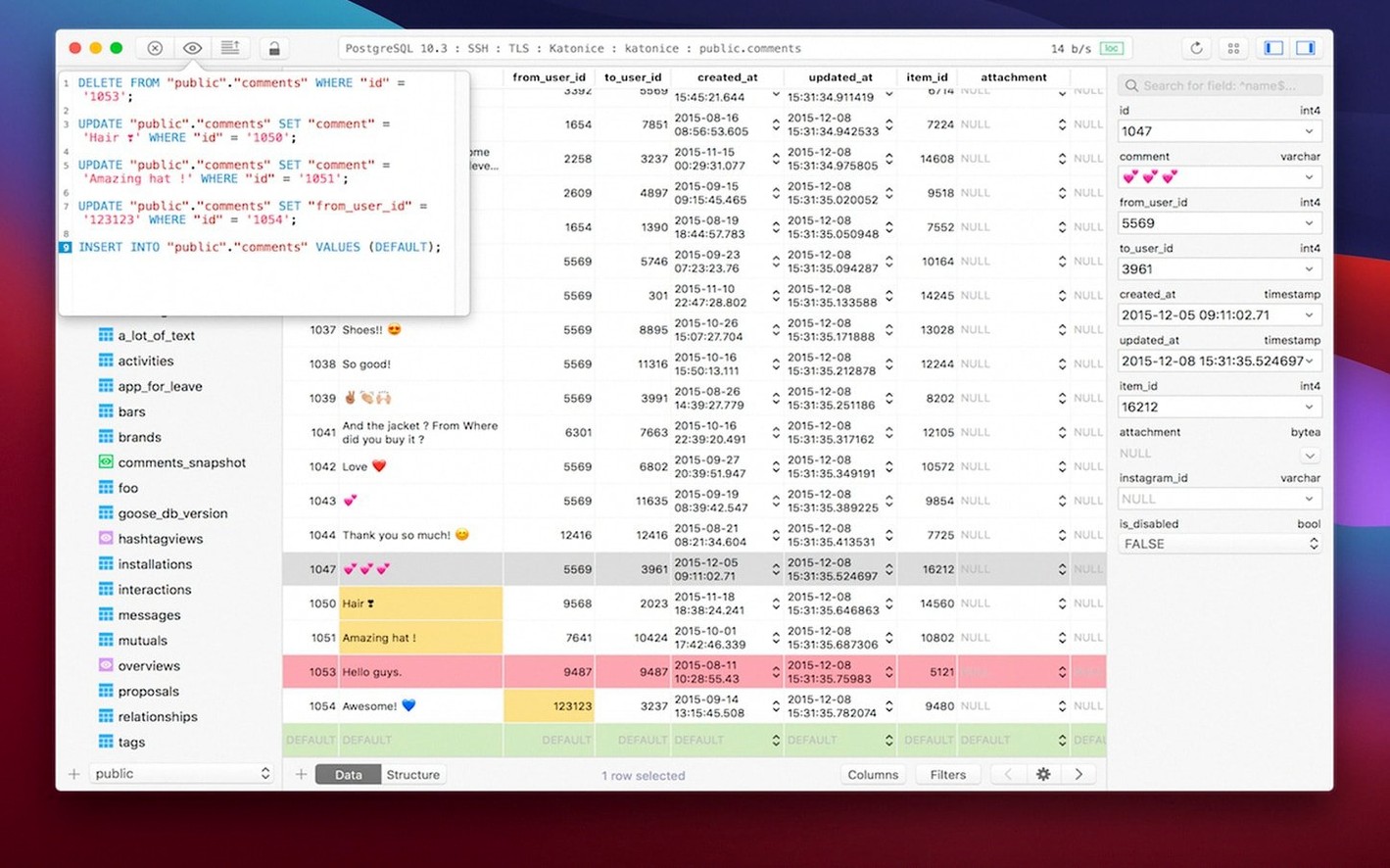
The Quick Look feature in the structure view lets you inspect a table’s columns and indexes with a single keystroke, which sets the tone for how the rest of the tool behaves. A TablePlus torrent search often comes with a few practical questions about what the application actually supports and how it runs locally. Here are the things people tend to check before installing.
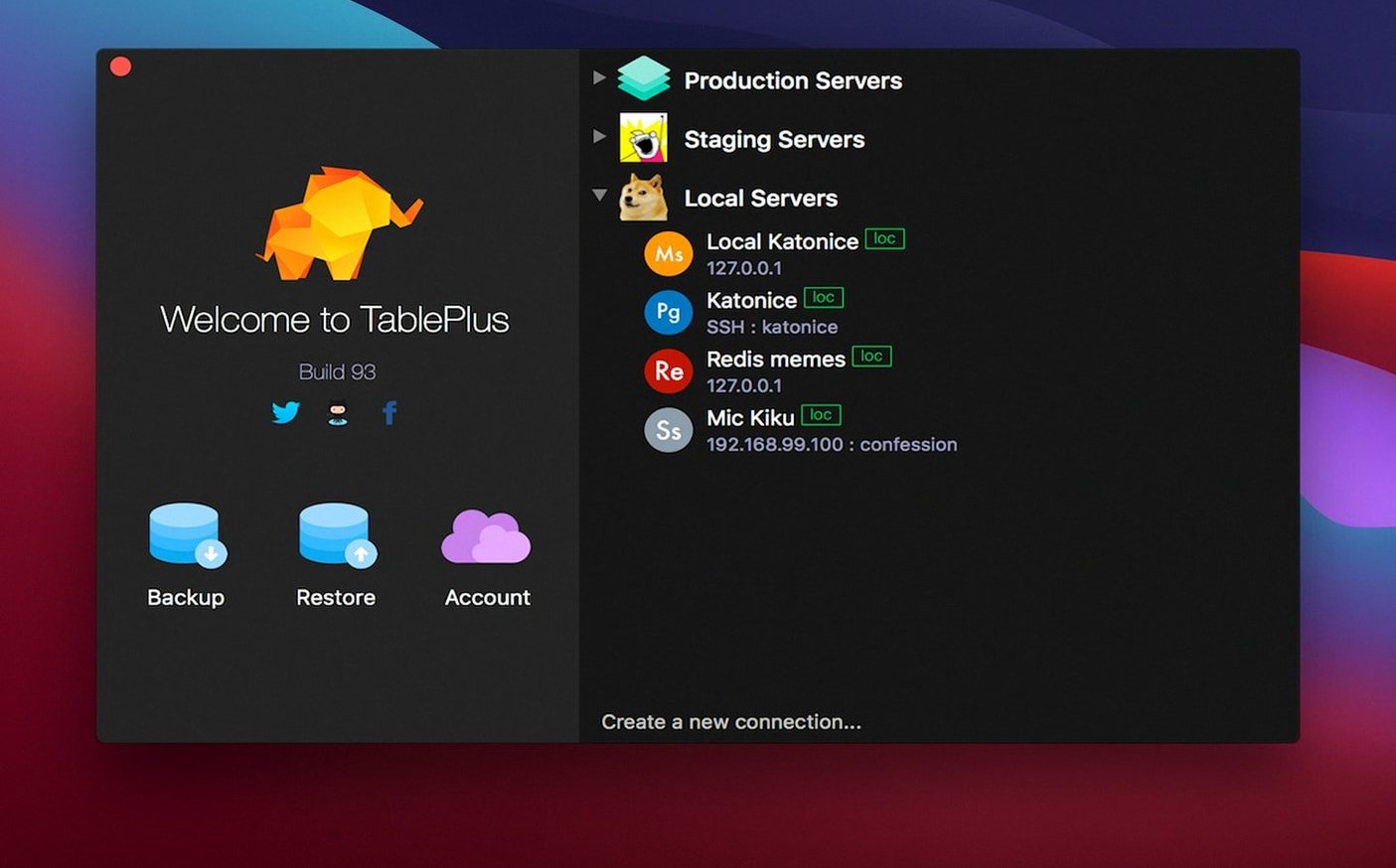
- Which database engines are covered out of the box. PostgreSQL, MySQL and SQLite are the core three. The connection screen lets you pick one and configure it with the usual host, port, user and database fields.
- Whether the script editor gives useful feedback. It highlights syntax by language and reports errors when a query fails, so you are not left guessing which line broke the statement.
- How connections are secured. The app uses native libss and TLS for encryption, matching what the database servers expect for a protected session.
- What the interface concessions are. Dark mode is optional, and navigation relies on keyboard shortcuts rather than deep menus, suiting people who prefer to keep their hands on the keyboard.
- Whether it runs on Apple Silicon. The build is universal, so it opens natively on both Intel and Apple Silicon Macs without Rosetta overhead.
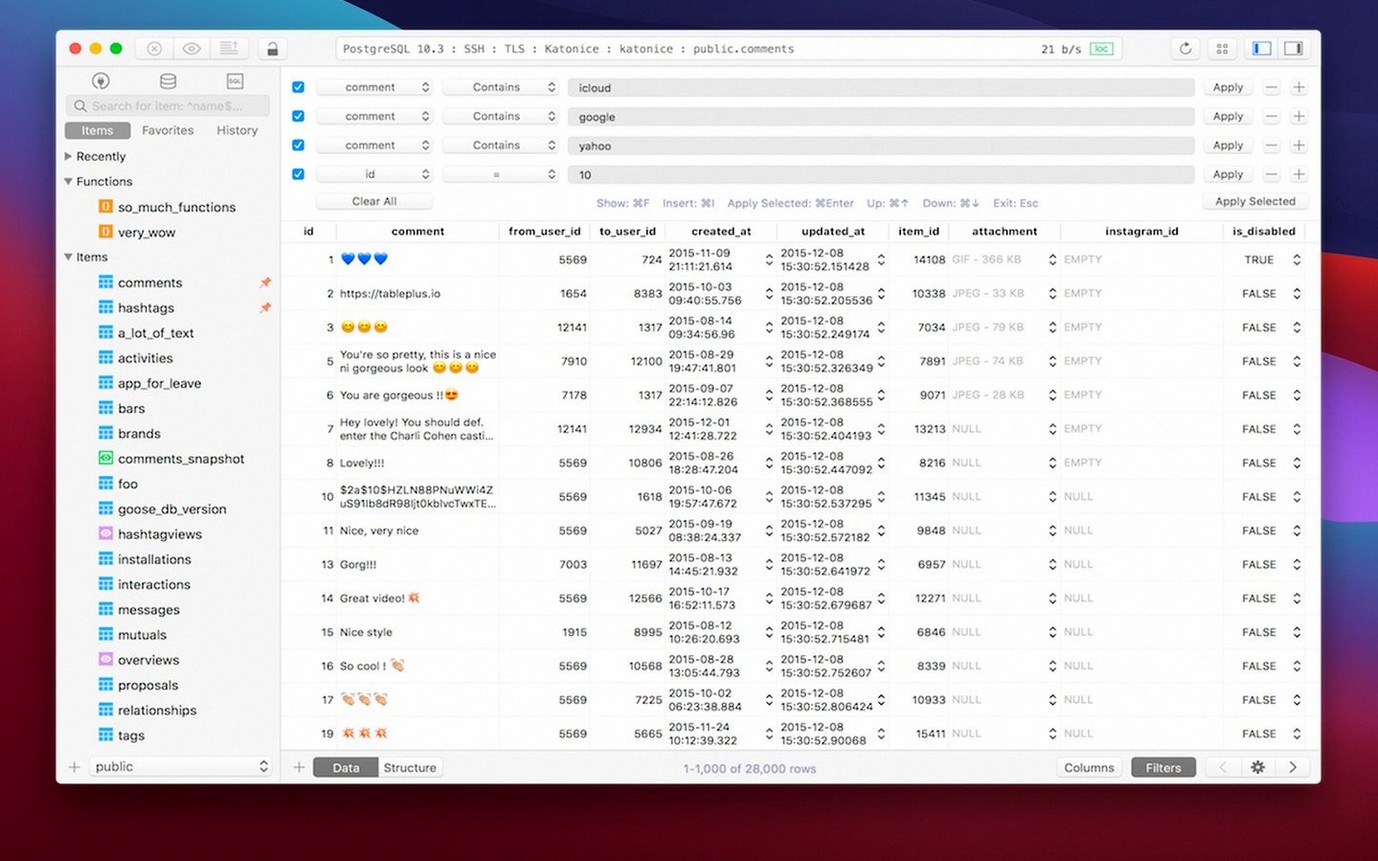
The setup is a single disk image with a drag-to-Applications step, and once launched it presents a straightforward browser for tables, rows and saved queries. The feature list does not stretch beyond relational work, but within that scope the tool stays focused on editing and inspecting data without splitting attention across unrelated formats.
Port conflicts and connection-screen silence
A few friction points come up often enough to be worth addressing directly. The connection screen accepts a port number but does not warn you when the default port for a database engine clashes with a local service already using it. If PostgreSQL refuses the handshake, check whether port 5432 is already bound by a Homebrew instance or a Docker container, then either stop the conflicting service or assign a different port in the TablePlus connection dialog.
Another recurring issue involves the SSH tunnel setup. The tunnel configuration fields are tucked behind a small disclosure arrow in the connection editor, and people occasionally overlook them entirely when connecting to a remote database behind a bastion host. You need to fill in the SSH host, user and key path before the database credentials, otherwise the connection will time out with a generic error that does not explicitly mention the missing tunnel.
The safe mode toggle is useful but sometimes surprises new users. When safe mode is active, any query that would modify data — an UPDATE, DELETE or DROP — gets blocked with a prompt. The prompt itself is brief and does not explain that you can disable safe mode per session from the connection settings gear icon. If you run a migration script and see every statement rejected, that toggle is the first thing to check.
Plugin and driver loading follows a manual pattern. The app ships with the three core database drivers, and adding support for Microsoft SQL Server or others requires downloading the driver file and placing it in the ~/Library/Application Support/TablePlus/Plugins folder. The folder is not created automatically, so you may need to make it yourself before the driver becomes available in the connection type dropdown.
MySQL depth vs. multi-engine breadth
Sequel Ace is the direct descendant of the old Sequel Pro codebase and handles MySQL and MariaDB exclusively. Where TablePlus trades depth in one engine for a multi-database approach, Sequel Ace goes further into MySQL-specific administration tasks such as user privilege management and server variable inspection. The cost is that PostgreSQL and SQLite users cannot use Sequel Ace at all, while TablePlus treats all three engines as first-class connections with the same interface conventions.
DBeaver is the closest match in database coverage, supporting an enormous list of engines through JDBC drivers. The Mac version runs on Java and feels heavier in daily use — the interface carries more panels, more configuration dialogs and a longer startup time. TablePlus keeps the window structure simpler and starts faster, but DBeaver includes schema diagrams and ERD visualisation that TablePlus leaves to external tools. If you need a diagram alongside your query editor, DBeaver has the edge; if you want a lighter, native Cocoa window that opens in two seconds, TablePlus fits better.
Another point of difference is the handling of large result sets. Both Sequel Ace and DBeaver paginate results or offer a fetch-size control. TablePlus streams rows into the data grid and can slow down noticeably when a query returns hundreds of thousands of rows without a LIMIT clause. Adding a limit in the query editor avoids the bottleneck, but the tool does not enforce one automatically.
Near-instant launch, engine-dependent connection lag
Startup is near-instant on both Apple Silicon and Intel Macs, with the main window appearing within two seconds of clicking the dock icon. Connection establishment varies by engine — PostgreSQL and SQLite connections resolve almost immediately, while MySQL connections occasionally pause for a second or two during the TLS handshake, particularly against remote servers with slower network paths.
Memory use stays modest for a database GUI. With four connections open — one PostgreSQL, two MySQL and one SQLite — the process sits around 180–220 MB of RAM. That figure climbs when working with large result sets, as the data grid holds rows in memory for sorting and filtering. Closing a tab releases the memory promptly, which is not something every Electron-based alternative manages cleanly.
Stability over long sessions holds up well. Leaving the app open for a full working day with periodic queries across multiple connections rarely triggers a crash. The connection keep-alive mechanism sends a lightweight ping to each database at an interval you can adjust in preferences, preventing the server from dropping an idle session. The one scenario that does produce occasional instability is rapidly switching between a dozen or more tabs while queries are still running — the interface can briefly freeze as it waits for background threads to finish. Quitting and relaunching clears the state, and no data is lost because open tabs restore automatically on restart.
CPU usage is negligible at idle, fluctuating between 0.1% and 0.5% on a modern Apple Silicon machine. Query execution shifts the load to the database server, so the app itself rarely pushes the CPU past single-digit percentages unless you are running a local database engine on the same machine. The combination of native compilation and a restrained feature scope means the tool never feels like it is competing for system resources.