Aspecten
 Download (12 MB)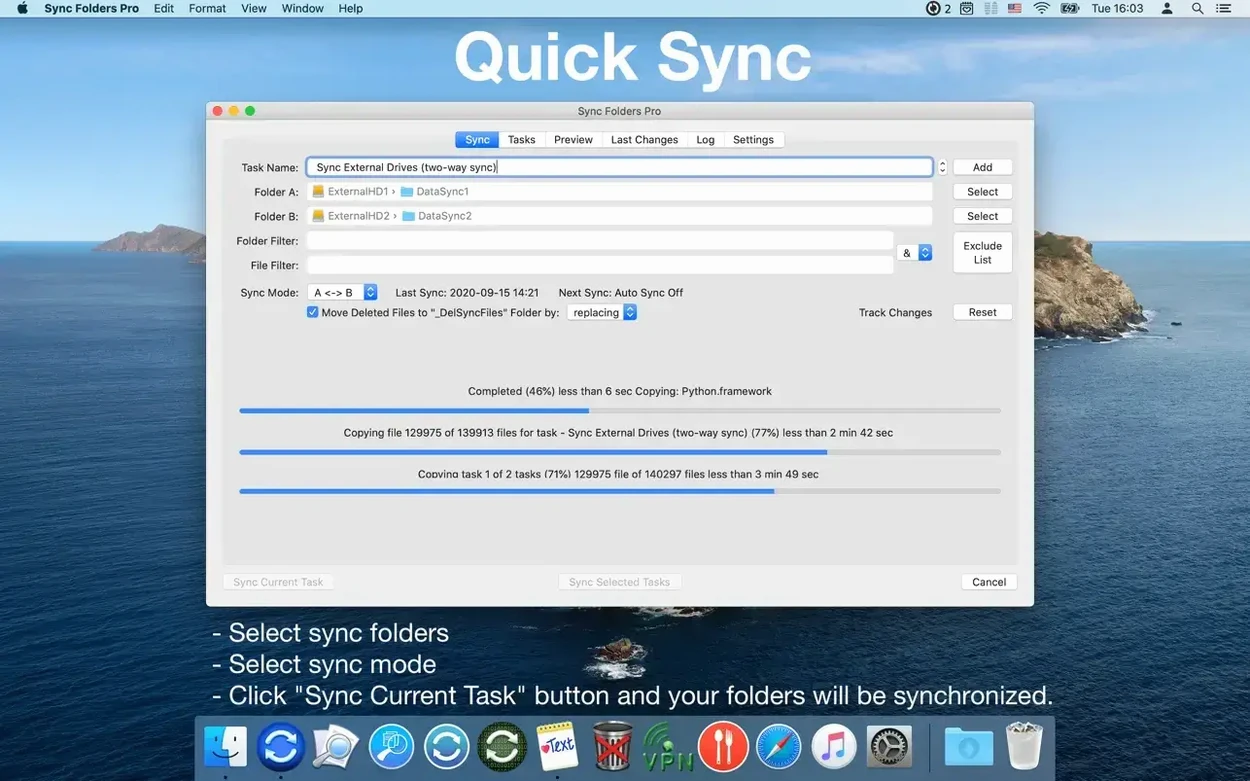
Anyone who has watched macOS Finder stall during a large copy will recognise the problem Sync Folders Pro addresses. Where the system’s built-in tools grow hesitant with tens of thousands of files, this utility is tuned specifically for bulk operations.
A table of source, destination, and last-activity columns
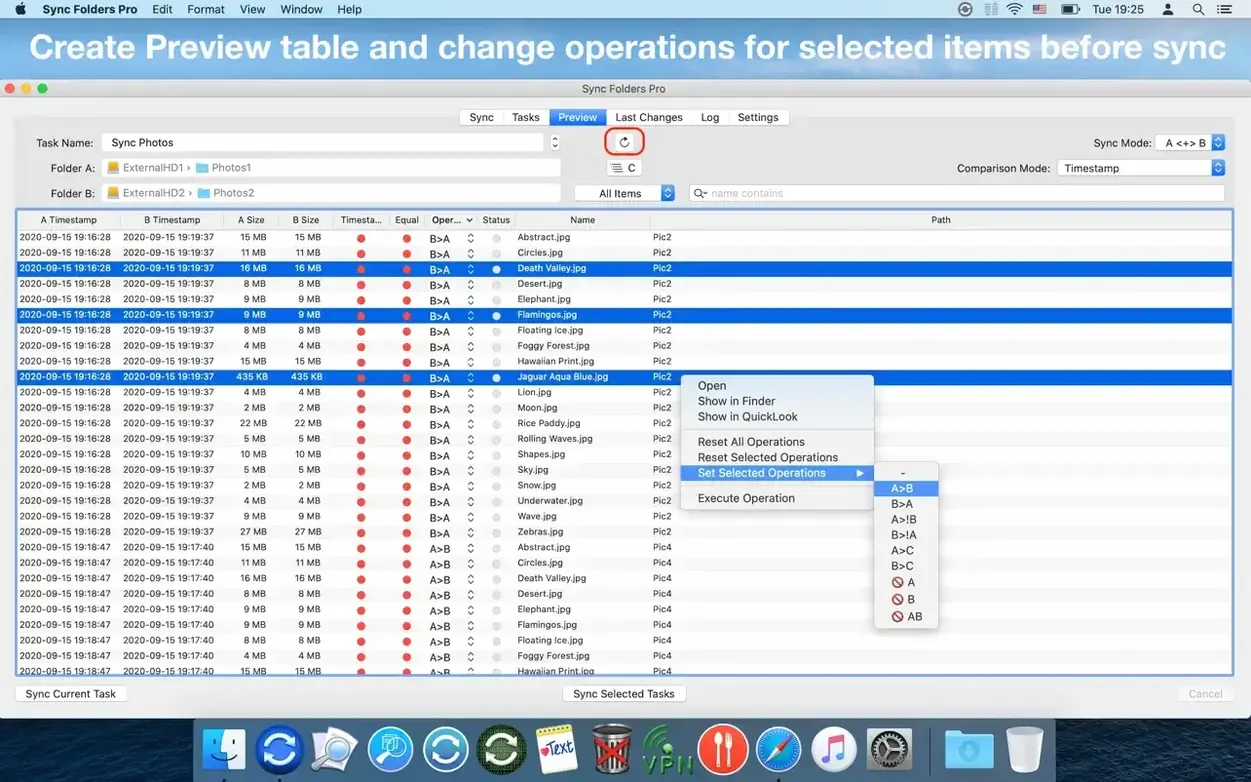
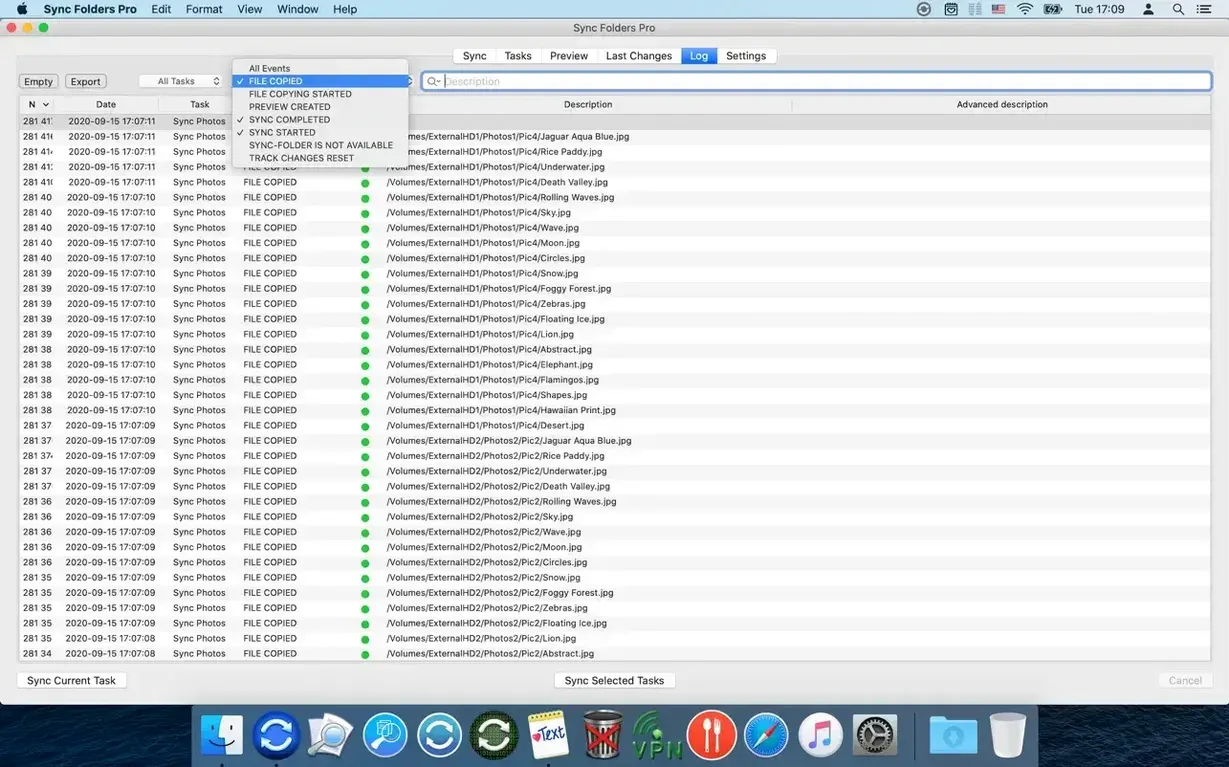
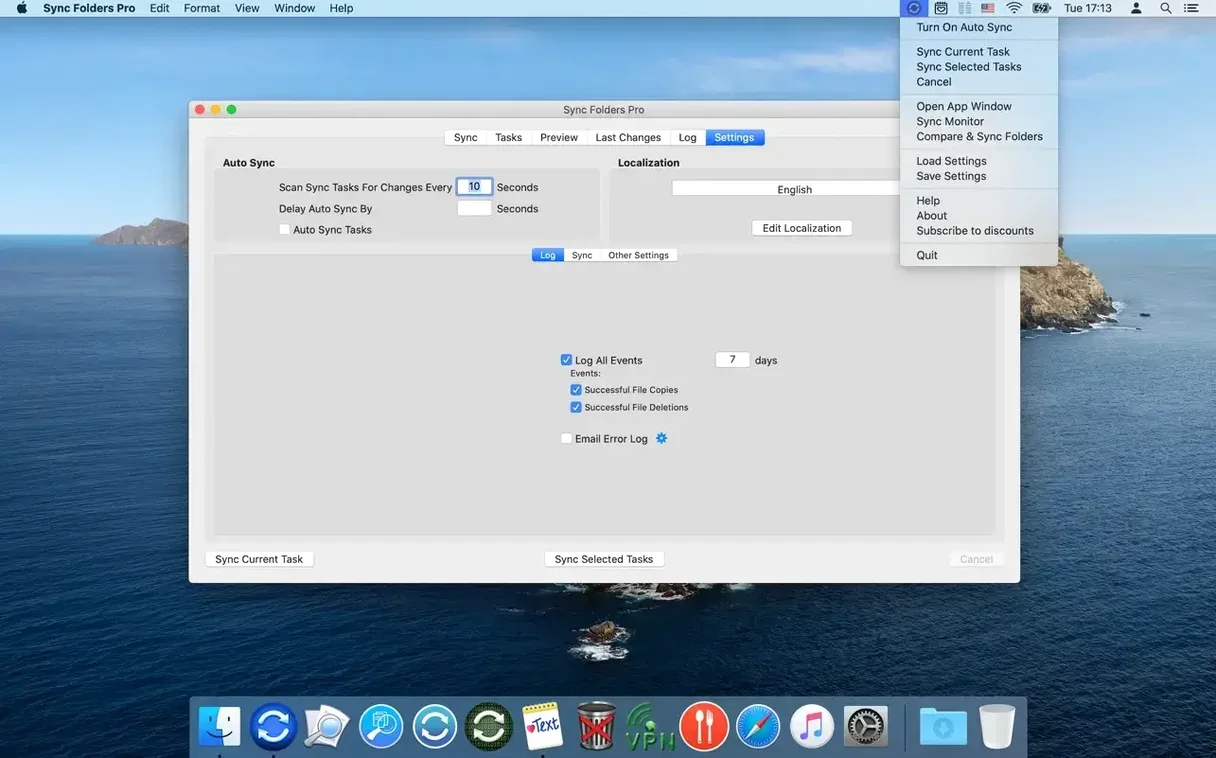
The main window lists sync pairings in a straightforward table, each row showing source, destination and last activity. Setting up a task — say, mirroring a 200 GB image library to a network-attached storage volume — begins with selecting the folders and choosing a sync direction. Additional options appear in a drawer: preserve folder attributes, disconnect the network share automatically once the job finishes, or retain previous file versions in a hidden archive instead of overwriting them. A log pane tracks events as they happen, and errors can be configured to trigger an email alert.
Bidirectional mirroring keeps a working drive and NAS in step
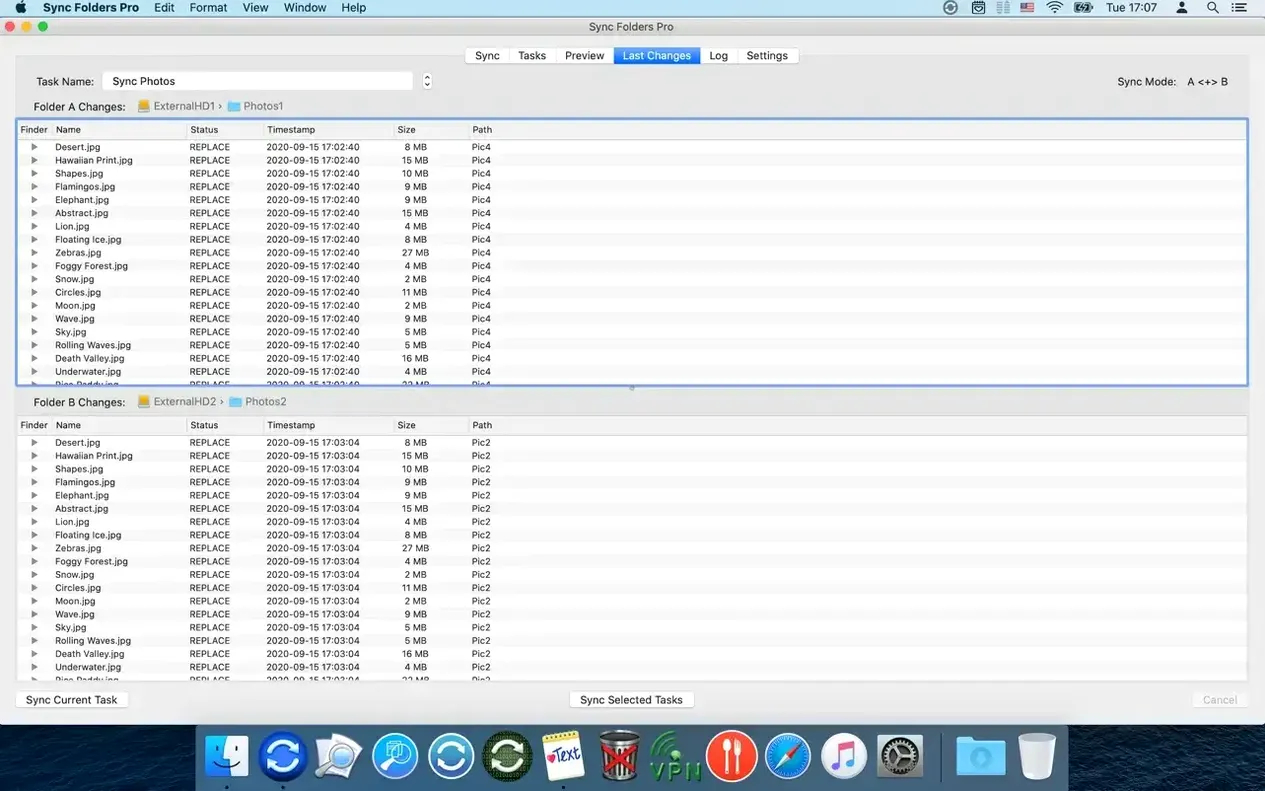
Execution is the quiet part. Multiple folder pairs synchronise concurrently, and the app does not bog down as the file count climbs. For the image library example, a bidirectional sync keeps the working drive and the NAS in step, while the versioning option holds onto replaced files for a safety net. After the run, the “Recent Changes” list shows exactly what moved, letting you confirm the operation before disconnecting. It is a deliberate, audit-friendly rhythm rather than a set-and-forget black box.
Show Recent Changes after sync lists every file touched
A few defaults deserve attention before you trust the app with a morning's work. Head to the preferences and switch on Show Recent Changes after sync — this summary sits quietly in the background until a job finishes, then lists every addition, deletion and modification. Without it, you are relying on the log pane alone to verify what happened, and that log can scroll fast during a large mirror job.
Next, decide what to do with deleted files. The versioning panel offers two paths: keep only the last overwritten version, or accumulate every historical copy. For media folders where accidental deletions are rare but consequential, the lighter “last version” setting keeps the archive folder from ballooning. For project directories where a file might be mistakenly saved over three times before you notice, “all versions” is the safer — if hungrier — choice.
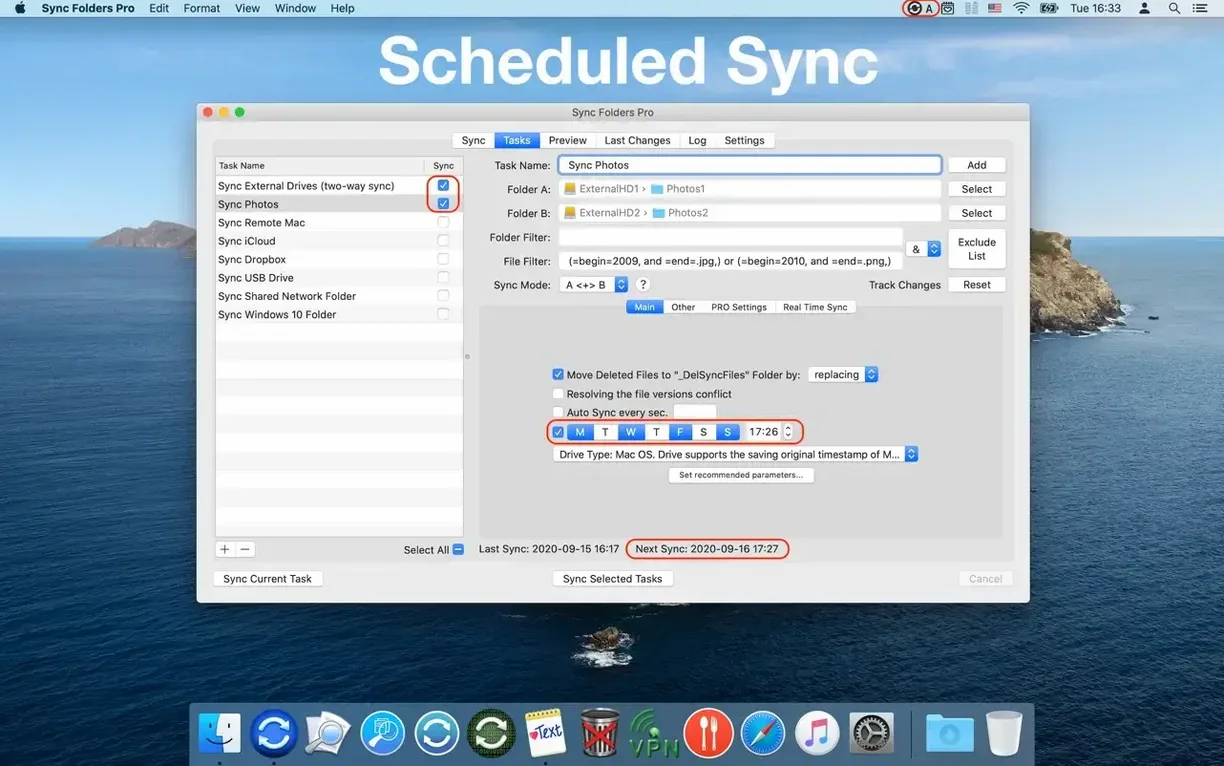
Finally, check the network behaviour. If a sync pair points at a share on a NAS that sleeps during idle hours, enable Automatically connect before sync and its matching disconnect option. Without them, the scheduled run simply fails and logs an error you only see hours later. The connection attempt happens silently, mounting the share under its stored credentials, and the disconnect tidies up once the job clears.
Silent failures when a network share sits unmounted
A handful of friction points recur in support queries, most tied to permissions and naming.
- Silent failures on network folders. A scheduled sync runs, the log says “error,” and the share sits unmounted. The usual cause is a changed password on the NAS or a volume name that no longer matches the saved path. Re-select the destination folder from a freshly mounted share; the stored credentials update with it.
- Version archive filling the drive. The hidden archive folder — located at the root of the destination volume by default — can grow unnoticed over weeks of bidirectional syncs. If you chose “all versions,” a single frequently-edited Photoshop file might leave dozens of copies. Switch to “last version only” for that pair, or periodically prune the archive manually. The app does not auto-expire old versions.
- Sync stalls on a single locked file. A file left open in another application, or one with mangled permissions, can halt the entire pair. The log identifies the culprit by name and path. Close it in the host app, then re-run the task. If the file is genuinely corrupt, the filtering tools let you exclude it by extension or name pattern so the rest of the job proceeds.
- Bidirectional confusion after a crash. If the machine loses power mid-sync, the internal state tracking which side is newer can drift. Manually run the pair once with “Overwrite destination” set, then switch back to bidirectional. This resets the baseline without hunting through timestamps.
On the subject of cracked distributions — searches like sync folders pro for mac cracked occasionally surface modified builds that disable version checks. These often ship without the internal helper that handles network mounting, so the symptom is a cryptic “helper not running” error. To get things working smoothly, regardless of provenance, install the companion launch daemon manually and grant it Full Disk Access in System Settings.
Concurrent sync pairs so SSD jobs don’t queue behind network ones
Version 4.7.x brought a handful of practical adjustments rather than a visual overhaul. The most noticeable is the concurrency handling: earlier releases queued sync pairs sequentially by default, which meant a fast SSD-to-SSD copy waited behind a sluggish network job. Now, multiple pairs run in parallel out of the box, and the progress indicators update per-task rather than showing a single merged percentage. For someone syncing a local working folder, a Dropbox-synced directory and a remote backup share simultaneously, this cuts total sync time noticeably.
Event log export gained a filter-aware export function — previously, exporting the log dumped everything regardless of the current filter view. You can now export only the errors from a specific task or only the successful transfers from the last hour. When a client asks for a delivery confirmation, grabbing a filtered CSV of the relevant folder pair takes a few clicks.
The attribute sync option received a quieter refinement: it now handles extended attributes more reliably on APFS volumes, particularly Finder tags and quarantine flags that earlier builds sometimes dropped. If you rely on colour-coded tags to organise research materials, the tags now survive a round-trip sync between two Macs without vanishing.