Aspecten
 Download (121 MB)
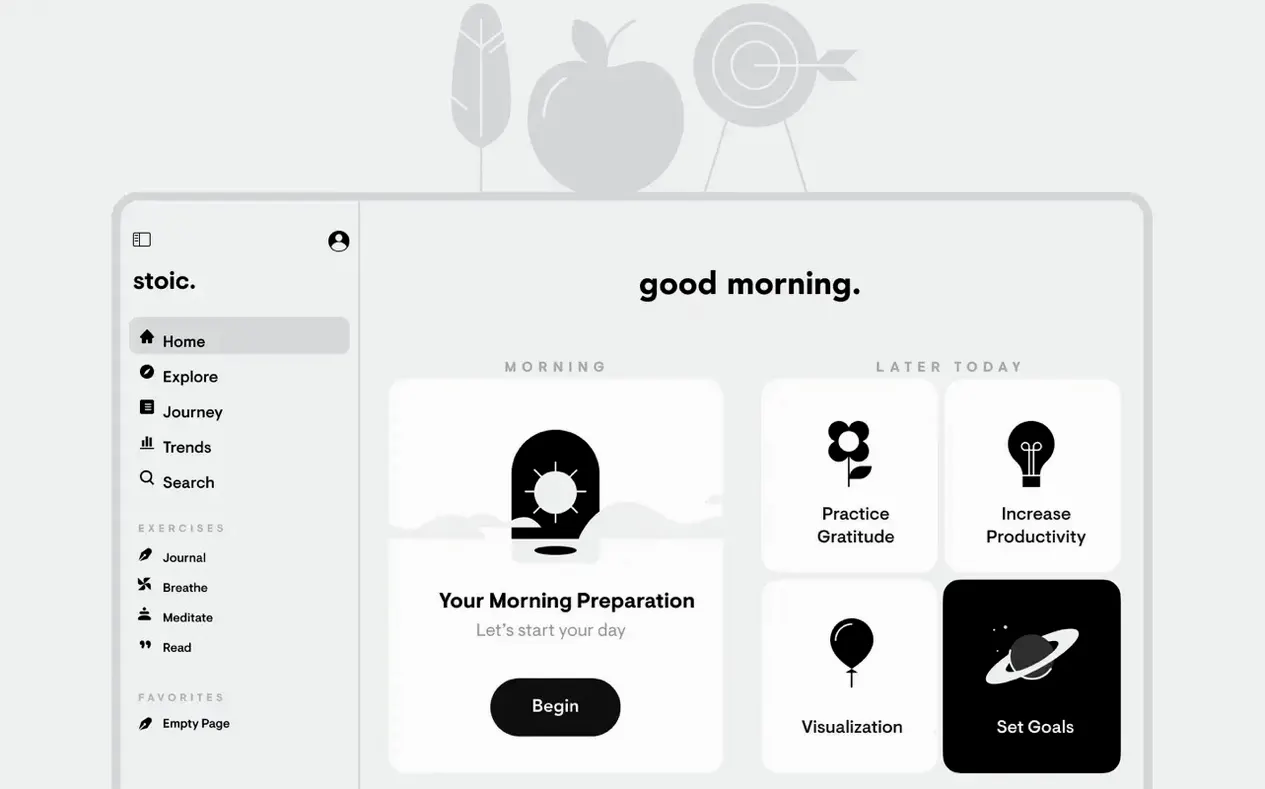
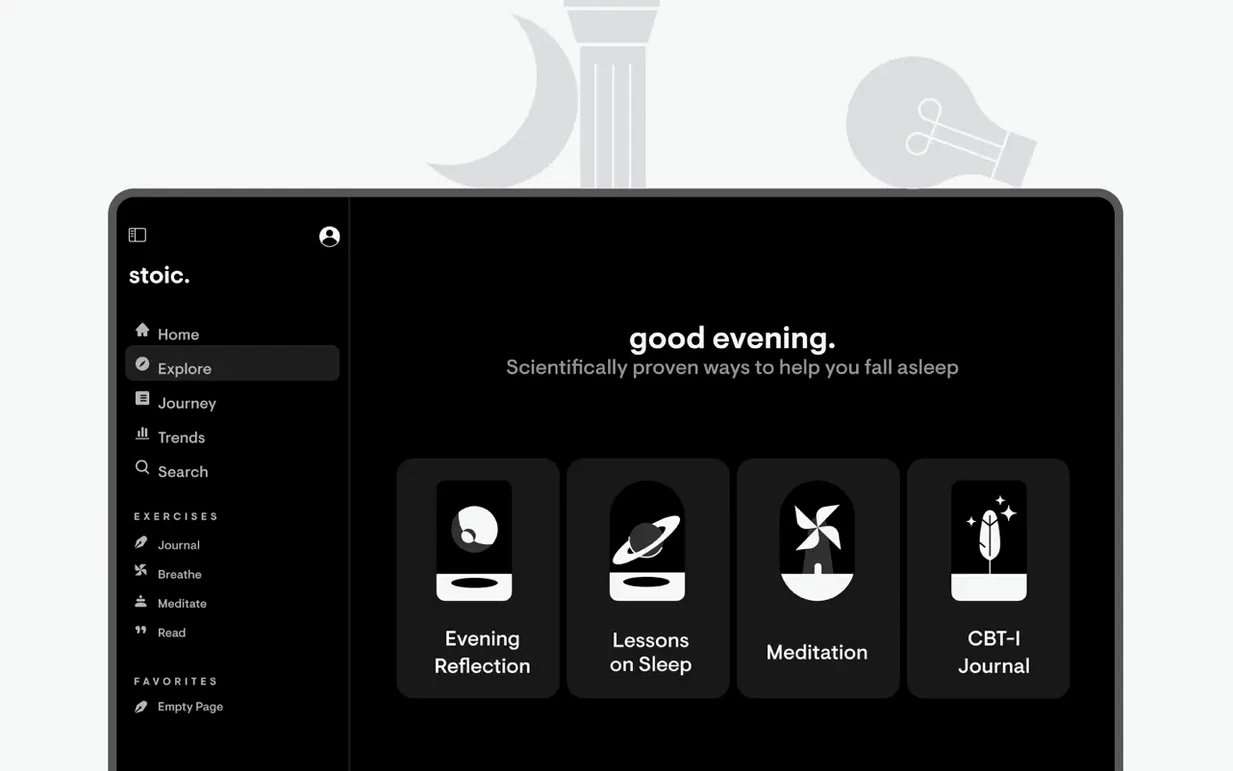
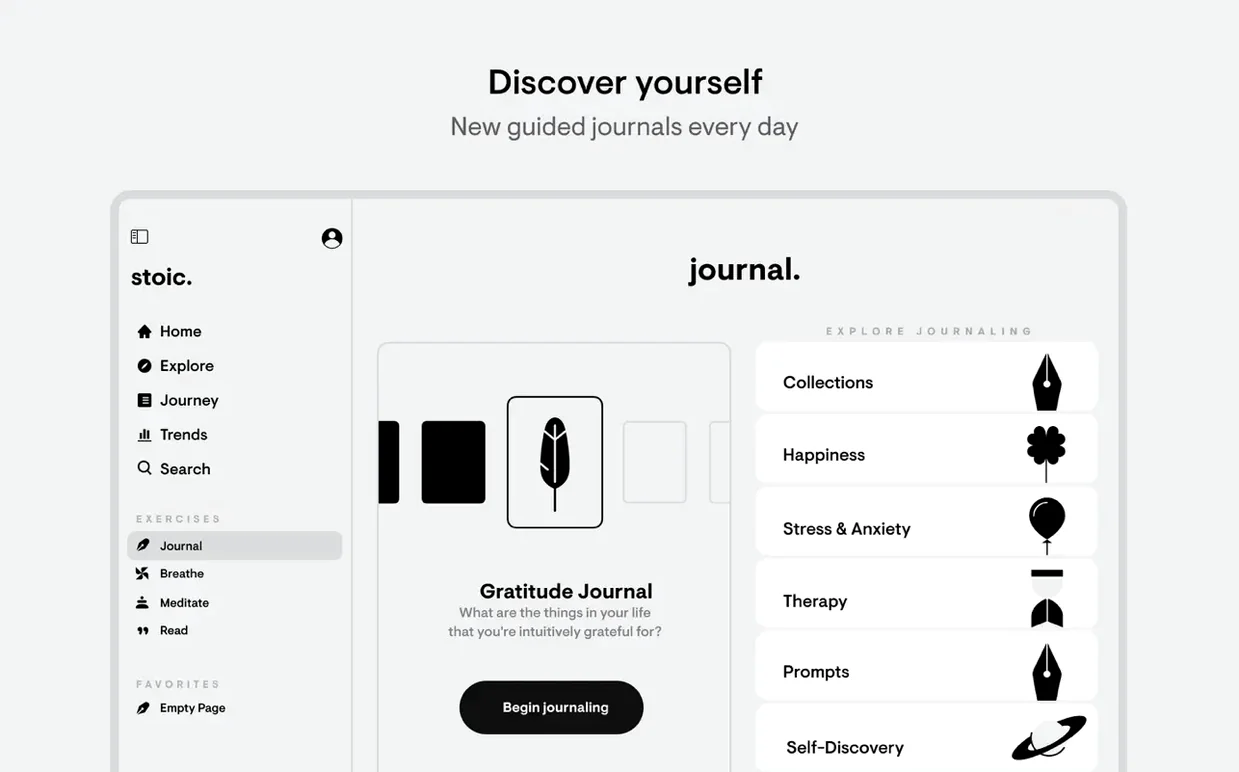


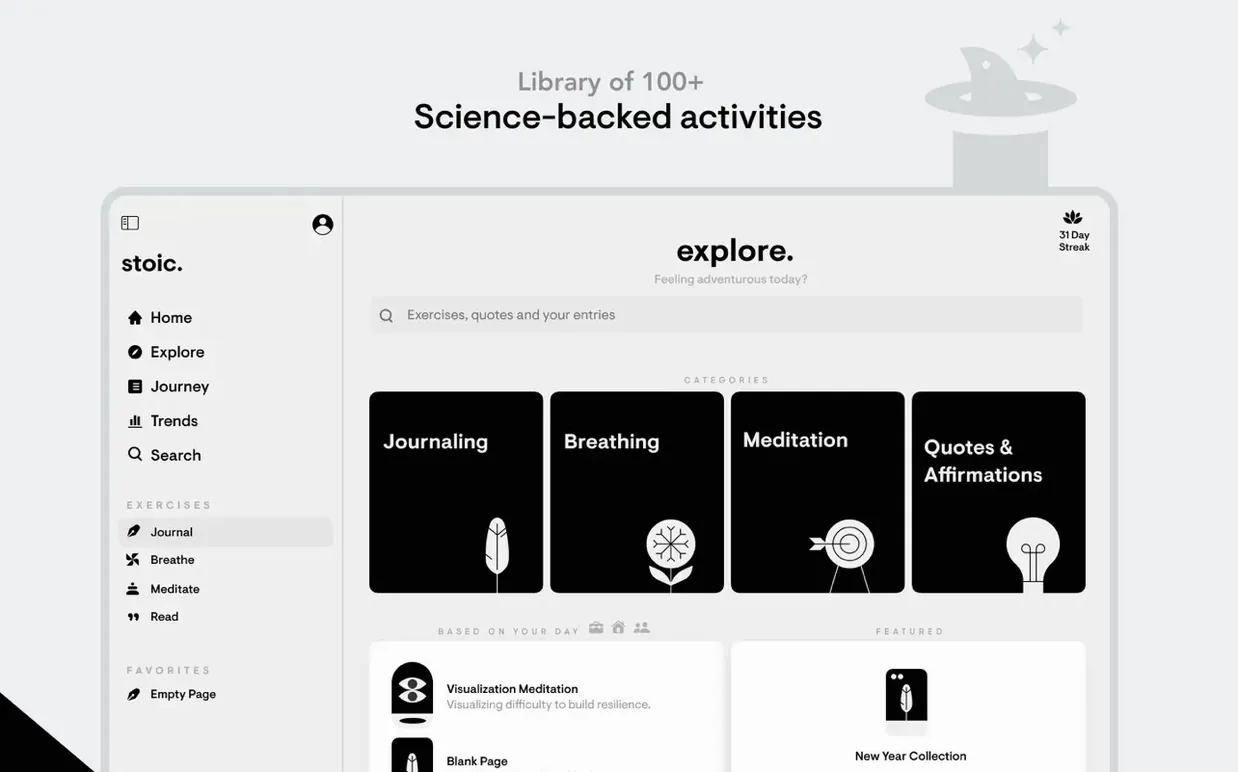
Stoic is for people who want a bit of daily structure around reflection without the blank-page pressure of a traditional journal. It guides you through a morning routine to set your intentions and an evening one to review what happened, while letting you log your mood at points during the day.
Guided prompts, streak badges, and quick mood checks
- A guided alternative to free-form journaling, with prompts that keep you moving.
- Building consistency through streak tracking and small-reward badges.
- Quick mood check-ins that take a few seconds rather than a paragraph.
- Seeing patterns over time in the progress statistics.
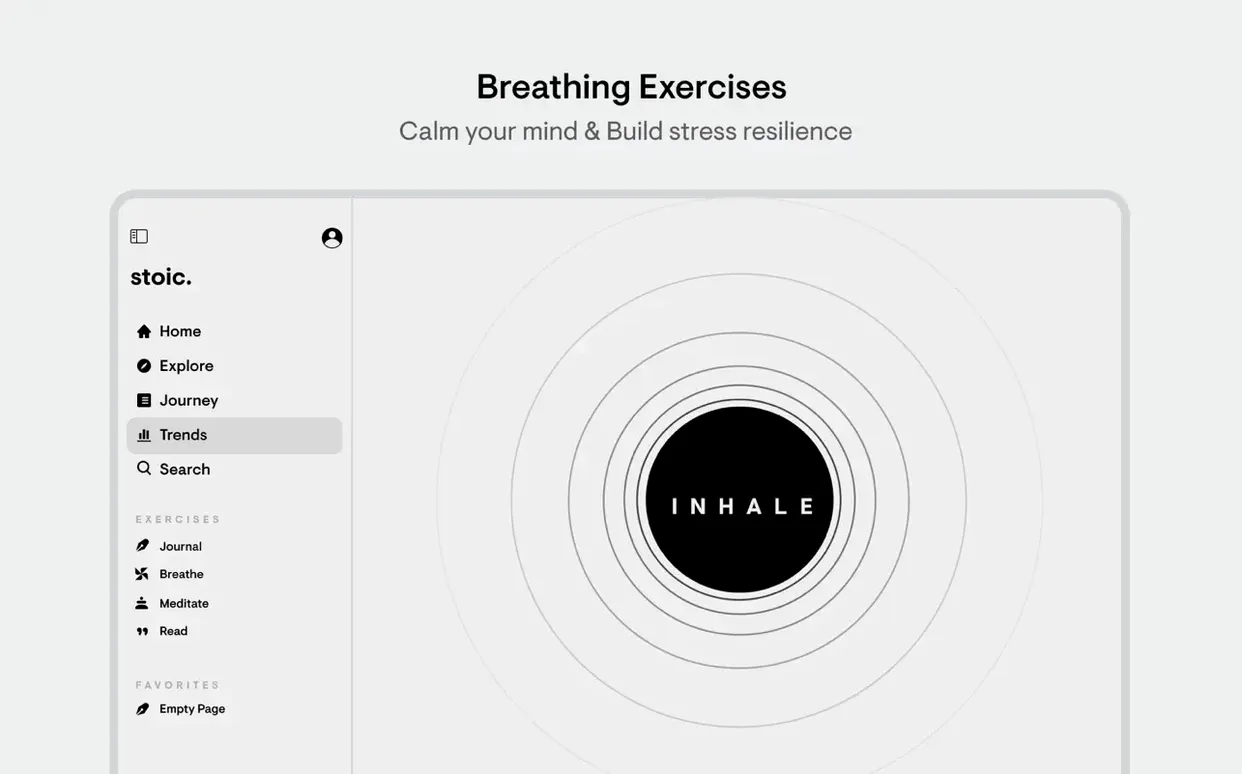
- Short breathing exercises built into the app for moments of stress.
Runs on Apple Silicon and Intel with macOS 15 or later
- The app works across Apple platforms, so your data stays with you on iPhone, iPad, Mac, Apple Watch and the web.
- Requires macOS 15 or later; it runs on both Apple Silicon and Intel Macs.
- The interface is available in English, German, Spanish, Italian, Polish, French and Swedish.
Does Stoic work without an iPhone?
Does Stoic work without an iPhone? It does. The Mac app stands on its own — you can install it, set up your morning and evening routines, and track your mood entirely from the desktop. What you lose without an iPhone or iPad is the mid-day nudge: the app is designed around quick check-ins during the day, and those feel more natural on a device you carry with you. But if your routine already keeps you at the Mac for most of the day, that is less of a gap than it sounds.
Is all the journaling guided, or can I write freely? Both. The morning and evening routines use prompts tied to a weekly theme, and they give you a few sentences of direction before you type. You can ignore the prompt and write whatever you want — the text field does not force you to answer the question on screen. During the day, the mood log works more like a lightweight entry: tap a mood, optionally note what influenced it, and move on.
What does the app do with my journal entries? Stoic stores everything on-device and syncs it across your own Apple devices through iCloud. The developer does not have access to your writing. There is no account to create beyond what your Apple ID already provides. If you stop using the app, your entries stay in iCloud as part of its data.
Can I export my journal if I want to leave later? The app includes an export option that bundles your entries into a readable format. It is a straightforward safeguard, and it means years of reflection do not get locked inside the app should you decide to move on.
How Stoic fits with other apps and macOS
Stoic does not try to plug into a dozen other services, and that turns out to be part of its appeal. It works with what Apple already provides: iCloud sync keeps your journal consistent across Mac, iPhone, iPad and Apple Watch without any setup beyond being signed in with the same Apple ID. Notifications from the Mac app use the standard macOS alert system, so they respect your Focus modes and scheduled summaries. If you have Do Not Disturb turned on during a work block, Stoic will not interrupt you with a mood check-in until the block ends.
The breathing exercises and short meditations live entirely inside the app. They do not write data to Apple Health or try to integrate with a fitness tracker. For some people that is a limitation; for others, it keeps the mental-health side of things separate from the step-counting and workout-tracking world, which feels right for a journaling companion. The badge and streak system is also self-contained — you will not see Stoic achievements popping up in Game Center or anywhere else outside the app.
If you already keep a more detailed journal in something like Day One or a plain-text folder, Stoic works alongside it rather than replacing it. Many people use Stoic for the quick daily pulse — mood, a few lines of reflection, a morning intention — and keep longer-form writing in another app for days when there is more to unpack.
iCloud sync not catching up between devices
iCloud sync not catching up between devices. This is the most frequent hiccup. If your Mac shows an older streak count or missing entries that are visible on your iPhone, the fix is usually simple: open Stoic on the device that has the latest data, wait a moment for it to finish any background sync, then open the app on the Mac. If that does not resolve it, signing out of iCloud and back in on the affected Mac — just for the system, not for the app — tends to force a fresh sync. Your data stays safe in iCloud throughout.
Notifications not appearing on the Mac. Stoic requests notification permission on first launch. If you denied it by accident, open System Settings, go to Notifications, find Stoic in the list, and toggle on the alert style you prefer. The app sends fewer notifications than the iPhone version by design — it assumes you are at a desk and do not need as many reminders — but if you see none at all, the permission is almost always the culprit.
Breathing exercise audio not playing. The short meditations and breathing guides use system audio output. If you hear nothing, check that the Mac is not sending sound to a disconnected Bluetooth device. Switching the output to Internal Speakers in the menu bar or System Settings resolves it in most cases. The exercises themselves are silent visually guided routines if audio is not critical for you, so the feature is still usable without sound.
Badges not unlocking when expected. Streak badges and consistency achievements rely on local calendar tracking. If you cross the International Date Line or change your system clock manually, the app can temporarily miscount a day. Letting the Mac sync its time automatically through Date & Time settings prevents this. For a badge that seems stuck, continuing your regular routine for another day or two usually nudges the app to recalculate correctly.