Aspecten
 Download (6 MB)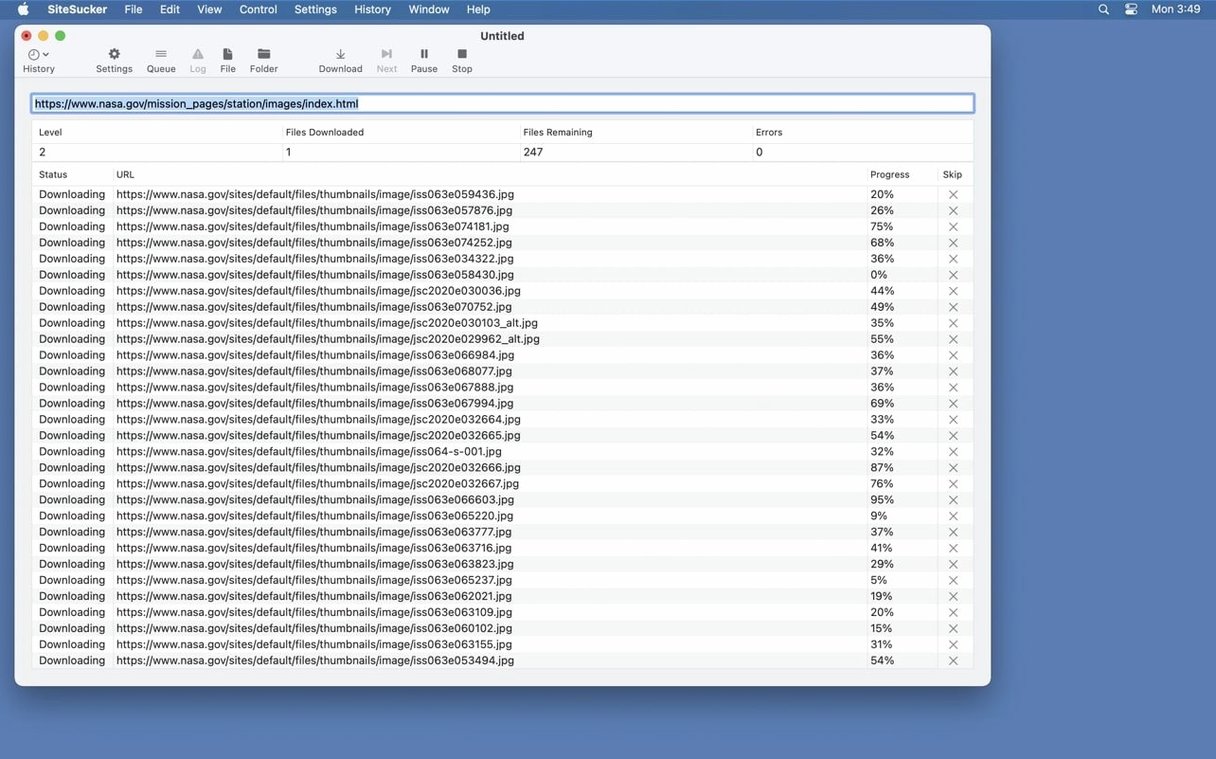
Fewer PDF bugs and a Format HTML switch
Version 6.2.2 fixes bugs around PDF creation and adds a Format HTML option to Webpage settings, giving you cleaner source code when a page lands on your disk.
Mirror full sites or cherry-pick specific links
- Full-site mirroring — copies pages, images, PDFs, stylesheets and other files while duplicating the site’s directory structure locally.
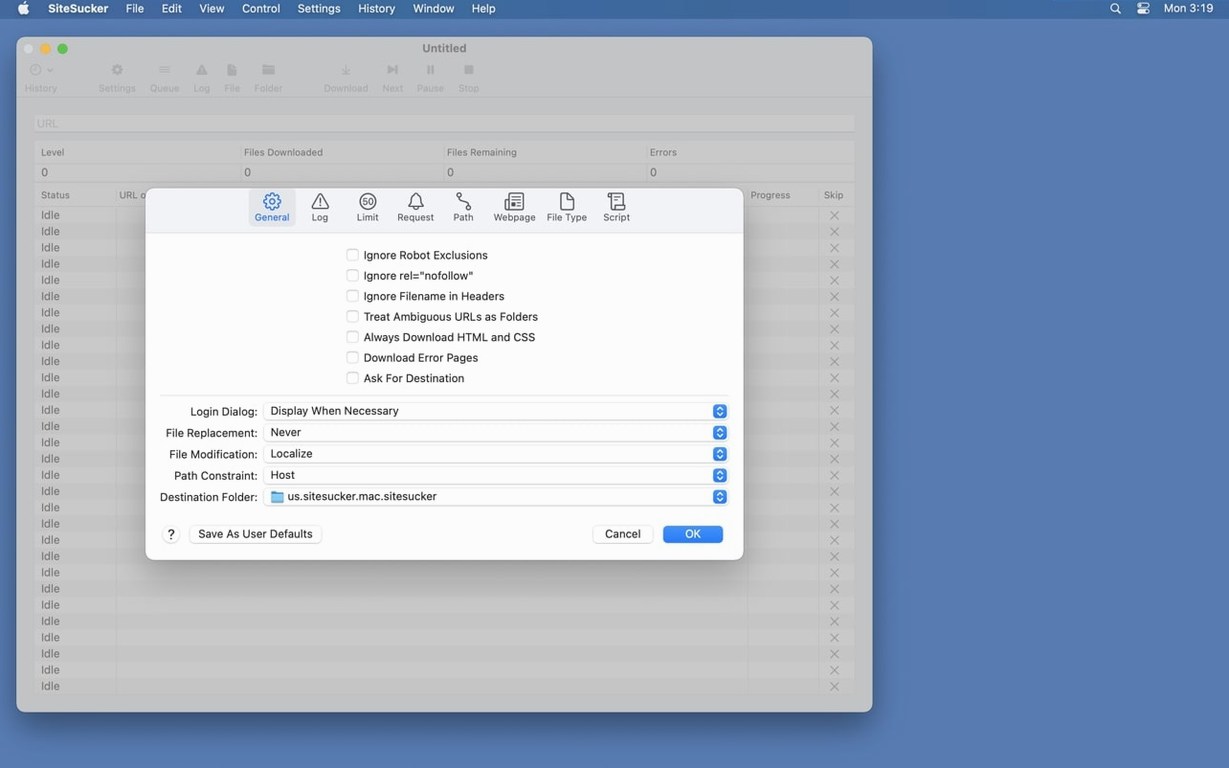
- Selective downloads — the Paths section can force specific file or page links to be downloaded or skipped, so you grab only what you need.
- Video grabbing (Pro) — downloads embedded YouTube and Vimeo videos alongside the page.
- Download boundaries — the Limits section controls link depth, total file count, and minimum and maximum file sizes to prevent runaway crawls.
- Browser identity — the Advanced section holds a user-agent setting that can imitate Safari or Firefox, which helps with sites that block generic downloaders.
Requires macOS 14 and lets you inspect the log in Console
- The app requires macOS 14.0 or later.
- The log view, reachable from the toolbar with Open Log, can be opened in Console for closer inspection.
Archiving 400 pages of 1990s web design essays
A PhD student in media history needs to capture a university archive of 1990s web design essays before the faculty server is decommissioned. The site holds around 400 pages, heavy with inline screenshots and a handful of linked PDFs. She sets SiteSucker Pro to a link depth of 4, ticks PDF and Images in File Types, and restricts file size to 8 MB maximum so she does not waste time on a stray high-res faculty portrait. The crawl finishes in twelve minutes. On her local disk, the directory tree mirrors the original — navigating it feels like browsing the live site. When she spots that the embedded Vimeo lecture on the homepage is missing from a standard copy, she remembers to enable video downloading and re-runs just that page. The video lands as an MP4 in the site’s local folder, ready for citation in her thesis.
Choose a download folder and set a naming scheme early
The app does plenty out of the box, but a handful of adjustments early on save time later. Here is what to check before your first real crawl.
- Set a sensible download folder. The default location may be fine for a test, but creating a dedicated folder for each project keeps archives tidy — especially when you run multiple crawls a day.
- Glance at the Paths section. If you already know the parts of a site worth skipping (comment feeds, forum threads, paginated lists), add a skip rule before you start. It prevents a three-minute job becoming a thirty-minute one.
- Test the user-agent early. Some sites serve a pared-back version to generic downloaders. Switch the Advanced user-agent to Safari and re-test the first few pages before committing to a full crawl.
- Check the log after one page. Run a single-page download, open the log with the toolbar button, and scan for redirects or 403 errors. A small preview reveals problems without eating bandwidth.
- Leave robots.txt on — for now. The setting is tempting to disable, but many sites list their real content traps there. Turn it off only once you are sure you need what it blocks.
Grabbing a reference site for an offline flight
Imagine a quiet weekday morning. You have bookmarked a reference site for a design project and want it available offline on a long flight.
You launch SiteSucker Pro and paste the URL into the address field. Before hitting download, you open the Limits section. The site is deep — tutorials nested inside sections — so you set link depth to 5 and cap the total file count at 800. The File Types section stays on All because you want stylesheets and fonts alongside the articles. In Paths, you add one skip rule for /tag/ URLs; the tag index pages would duplicate content you already have in the category view.
You click download. The main window shows a running count of files as they land. A thumbnail of the site structure builds in the sidebar. About half an hour in, the count stalls. A quick look at the log reveals a redirect loop on a legacy news section. You pause the crawl, add that path to the skip list, and resume. The rest finishes cleanly.
When the status bar reads Finished, you open the local folder. The homepage loads in your browser exactly as it does online, but faster. You browse through the tutorial section, confirm the embedded images appear, and close the lid of the laptop — ready for the flight.
Conveniences easy to overlook
A handful of small features sit quietly in the interface and repay attention.
- Format HTML option. New in 6.2.2, this tidies the source of downloaded pages. If you later open a page in a code editor, the markup is indented and readable rather than a single compressed line.
- Open Log in Console. The toolbar button opens the log quickly, but sending it to Console gives you proper filtering. Useful when a crawl runs long and you want to isolate warnings only.
- Minimum file size filter. Often overlooked, this Limit setting can weed out tracking pixels and empty placeholder images that clutter the local mirror without adding value.
- Pause and resume. You can pause a crawl, adjust Paths or File Types, and resume — no need to start over. Handy when you notice midway that a dynamic gallery URL is pulling in too much.
- Video handling in Pro. YouTube and Vimeo embeds download as standalone MP4 files placed next to the page, not buried in a subfolder. The naming keeps the original video title, which makes searching the local folder straightforward.
A user exploring sitesucker pro for the first time often discovers these only after a few sessions. Taking five minutes to browse through every settings tab before a large download tends to pay off faster than fixing an overgrown mirror afterwards.