Aspecten
 Download (28 MB)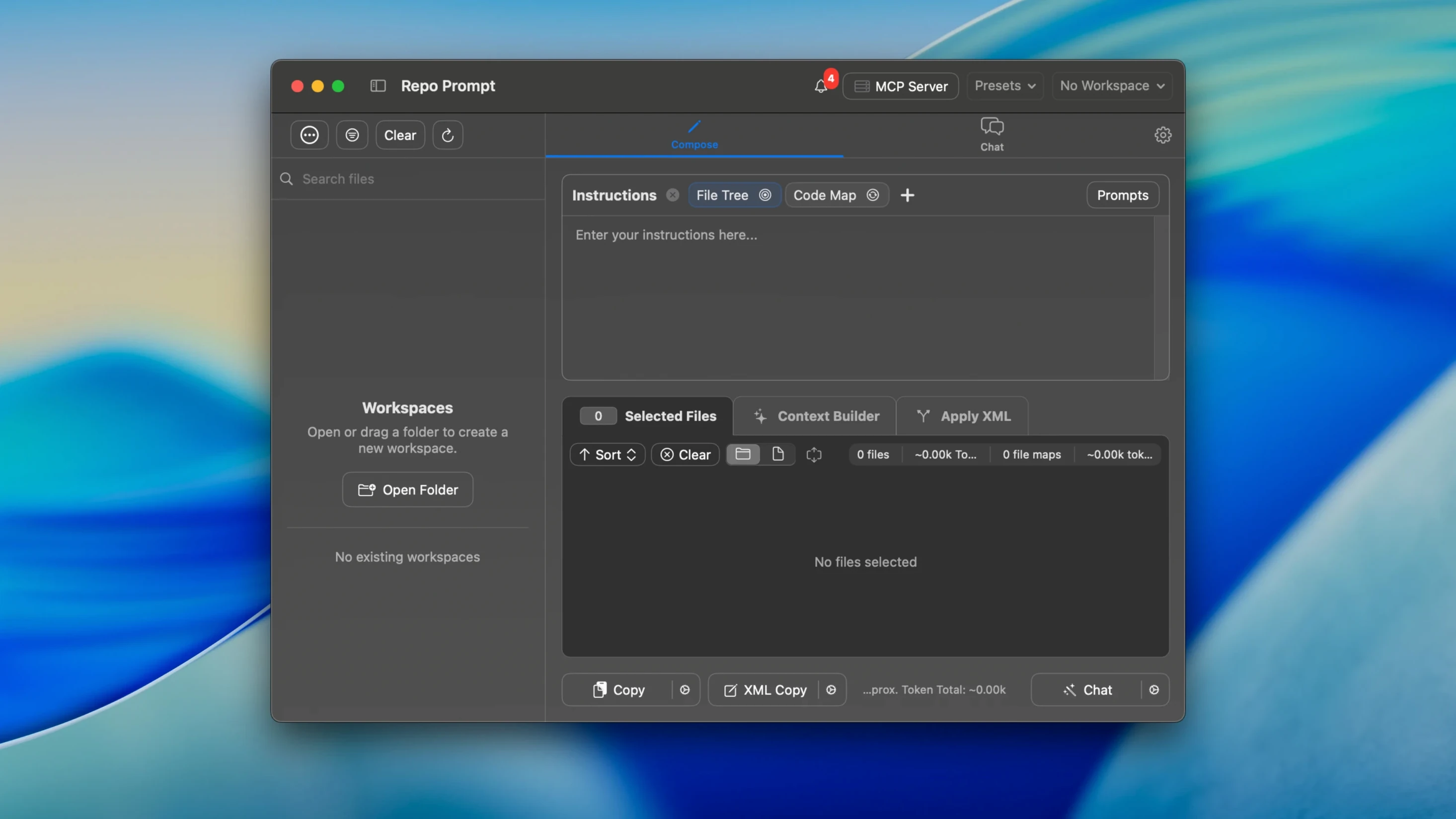
If you have used an AI coding assistant inside a text editor, you know the friction of hand-copying file paths or pasting snippets to build context. Repo Prompt separates that task into its own workspace. It is a macOS app built specifically to gather, organise and feed project context to AI models, whether they run on your machine or via an API.
- Open a repository folder. The app displays a visual file tree with checkboxes. Tick the files and directories you want the model to see.
- Write or select a prompt from the library. The prompt and the selected file contents are combined into a single context payload.
- Connect a model by entering your API key. The app talks to both local and cloud providers and shows token consumption as the context is built.
- Refine the payload using the token optimisation tools. You can see exactly how many tokens each file contributes before sending.
- Send the context. The model responds, and you can work across multiple repositories from the same interface.
Repo Prompt positions itself as a tool for context engineering rather than an all-in-one coding agent. It does not embed itself in your editor. Instead, it gives you a dedicated surface for curating what a model knows about your project, with visual browsing, search, and a prompt library that saves repeated setups.
Build your own prompt library right away
A fresh install of Repo Prompt ships with sensible defaults, but a handful of adjustments make the workspace noticeably more comfortable. The first stop is the prompt library. The app includes a few starter prompts, yet populating it with your own — short, task-specific instructions for code review, refactoring or explanation — saves the effort of retyping them later. Grouping prompts by project or task type keeps the list manageable once it grows beyond a dozen entries.
Next, check the token display preferences. By default the app shows aggregate token counts, but enabling per-file breakdowns helps you spot which large file is inflating the payload. If you regularly work with models that have strict context windows, this view makes trimming selections faster.
If you connect to a local model, verify the MCP integration settings early. The app respects the standard Model Context Protocol configuration, but the connection behaviour under long-running agent-mode sessions benefits from a reduced polling interval — particularly when crawling large repositories. The adjustment lives under the connection panel and prevents stale context when the file tree changes during an active run.
Finally, turn off the automatic expansion of tool cards if you find the interface jarring during transcription-heavy sessions. The option sits in the general preferences and stops the view from jumping each time a tool result arrives, which the 2.1.33 update already mitigated on the rendering side.
It reads files, doesn’t replace your editor
Does Repo Prompt replace my editor or terminal? It does not. The app runs alongside your existing tools. It has no built-in editor, no terminal pane and no file-system operations beyond reading selected files. Its job is to gather and send context, not to write code directly. You still write and edit in whatever environment you prefer.
Which models can I use? Anything that accepts a chat-completion API call or sits behind a compatible MCP server. That covers the major cloud providers and a growing list of local inference engines. You supply the API key or endpoint; the app does not bundle or restrict models.
What happens to my code once I send it? The selected file contents leave your machine only when you explicitly send a prompt to a cloud model. If you connect to a local model, nothing travels over the network. The app itself does not log or store your prompts or file contents beyond what you save in the prompt library.
Can I use it across multiple projects at once? Yes. Each repository gets its own tab, and you can switch between them without losing selections. The token counter and context payload update to reflect whichever tab is active.
Is there a community build or direct download? The current release version is available from the project releases on GitHub. Searching for repo prompt mac download typically surfaces that page as the first result.
Auditing six files with one prompt
A developer maintaining a medium-sized Python web application needs to update a data-access layer across six files. She opens the repository in Repo Prompt, ticks the six files in the tree, and types a prompt: “Check these modules for inconsistent transaction handling. Flag any place where a commit is called without a preceding rollback check. Show me the affected lines first, then suggest a fix.”
She connects her API key for a cloud model and glances at the token breakdown. Two of the files are larger than expected, pushing the payload near 80 percent of the model’s context window. She unticks the test fixtures subdirectory — irrelevant to the review — and the count drops comfortably. She sends the prompt.
The response arrives in sections. The model lists three locations with missing rollback guards and proposes code changes. She steps through each suggestion using the app’s review mechanism, accepting two outright and marking the third for manual editing later because it touches a caching path she wants to handle separately. The whole cycle — from selecting files to approving changes — takes under four minutes, and she never left the Repo Prompt window to copy a file path or manage a clipboard.