Aspecten
 Download (169 MB)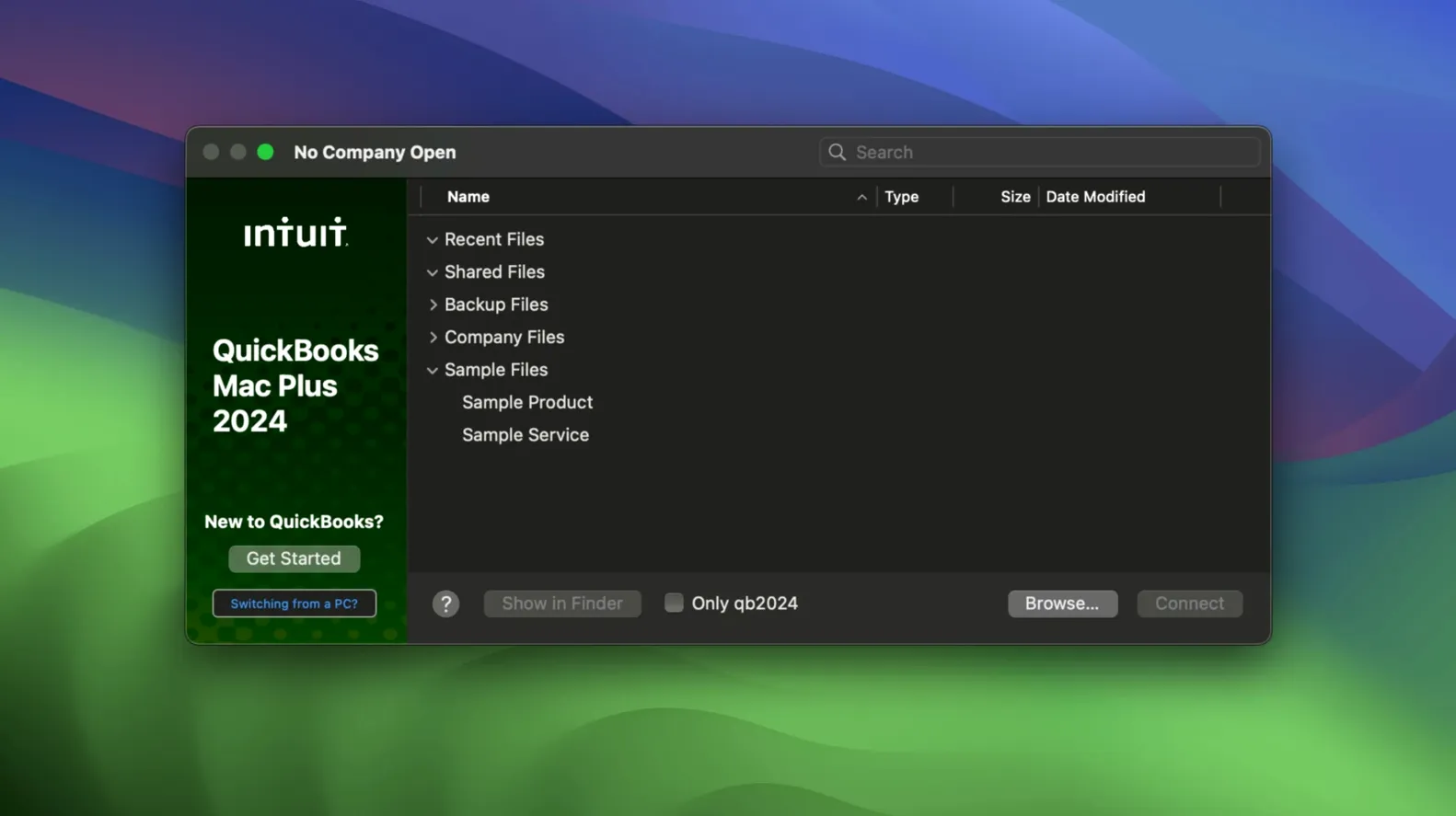
A small bakery receives its weekly flour delivery and the owner snaps a photo of the invoice on her iPhone. Later, at her desk, she drags the receipt into QuickBooks Mac Plus, matches it to the supplier entry, and approves the payment — all while the app tracks her ingredient inventory in the background.
What the software covers
- Income and expense tracking with receipt upload and storage
- Inventory tracking tied to purchase and sale transactions
- Payroll processing for employee wages and deductions
- Company file management with manual Backup Save As and per-company backup locations
- Data import from Excel and Xero tables for migrating existing records
For Mac-first businesses avoiding a browser tab
QuickBooks Mac Plus is a practical fit for small business owners who want a native Mac application rather than a web-based accounting tool. It runs on both Apple Silicon and Intel Macs, requires macOS 12 Monterey or later, and the interface is in English. The current R10 update adds a Backup Save As option and the ability to set company-specific backup folders — small but useful refinements for anyone who keeps separate backup routines for different businesses. The software handles the core accounting tasks a small operation needs without pushing into enterprise territory.
Set per-company backup folders before your first transaction
A few defaults in QuickBooks Mac Plus are worth adjusting before you enter your first transaction. Open Preferences and check the Backup pane. The R10 update added per-company backup locations, so set a dedicated folder for each company file rather than letting everything pile into a single directory. That keeps archives tidy when you switch between businesses.
Next, head to the Company settings and review the fiscal year start date. The app defaults to January, but if your business runs on a different cycle, changing it now prevents reporting headaches later. While you are there, enable the option to show account numbers in lists and registers. It is off by default, and having those codes visible makes reconciliation faster.
In the Sales Tax pane, set your default tax rate and choose whether prices on forms include or exclude tax. The automatic tax calculation works reliably, but only if it knows your baseline. For businesses that deal with multiple tax jurisdictions, take ten minutes to enter each rate and assign it to the correct customers. The app remembers the assignments, so you do it once.
Lastly, if you plan to use inventory tracking, open the Items & Inventory settings and switch on the quantity-on-hand warnings. Set a low-stock threshold for each product. The dashboard will then surface alerts before you run short, which is more useful than discovering the problem mid-order.
Day-to-day bookkeeping runs without internet access
Does it need an internet connection to work? No, the application runs locally on your Mac. Bank account connection and automatic transaction downloads need occasional internet access, but day-to-day bookkeeping — entering invoices, running reports, adjusting inventory — works offline. Company files sit on your own drive, not on a remote server.
Can I open a Windows QuickBooks file on the Mac version? Not directly. The file formats differ. You can import data from Excel and Xero tables, which covers many migration paths, but a Windows company file requires conversion through Intuit's migration service rather than a simple drag-and-drop.
Will it handle multiple businesses? Yes, through separate company files. Each file maintains its own chart of accounts, customer list, inventory items, and backup location. Switching between them means closing one file and opening another — there is no unified multi-company dashboard, but the separation keeps records clean.
What happens to payroll tax tables? The payroll feature calculates federal and state withholdings, but tax table updates arrive through application updates rather than a live subscription feed. If payroll compliance is critical, check that your version includes the current tax year's tables before running the first pay period.
Does it integrate with my bank's online banking? It connects to most major North American banks for transaction downloads and reconciliation. Smaller credit unions sometimes do not appear in the connection list, in which case you can import downloaded transaction files manually.
Retailers tracking every sale against live stock levels
Retailers and product-based businesses gain the most from the inventory module. The real-time tracking ties stock levels to every invoice and purchase order, so a shop owner sees exactly how many units remain after each sale. The low-stock warnings turn inventory from a guessing game into something you trust.
Freelancers and sole proprietors with growing transaction volumes often outgrow spreadsheet tracking around the point where they have thirty or more monthly invoices. QuickBooks Mac Plus handles that volume without slowing down, and the receipt upload feature means shoeboxes full of paper disappear. The 90-day income and expense projections help with quarterly tax planning in a way a spreadsheet rarely does.
Bookkeepers managing multiple small clients benefit from the company file structure. Each client gets a self-contained file with its own backup location. The absence of a subscription model per company file makes multi-client work simpler to organise than with some cloud-based alternatives.
Mac-first offices that prefer native software over browser tabs find the app fits their environment naturally. It respects macOS conventions — standard keyboard shortcuts, drag-and-drop for receipts, proper window restoration after quitting. Users who dislike web-based accounting interfaces often settle here comfortably.
Users who need extensive third-party integrations or real-time multi-user collaboration may find the desktop-focused design limiting. The app works best when one person handles the books at a time, and it connects to fewer external services than some cloud platforms.
Drag receipts straight from Photos into your books
QuickBooks Mac Plus plays reasonably well with the rest of the Mac ecosystem, though it is not an integration powerhouse. Receipt capture happens through drag-and-drop from Finder or by pulling images from the Photos app — snap a receipt with your phone, let iCloud sync it to the Mac, and drop it onto the transaction. No dedicated mobile receipt app is needed.
For reporting, the app exports to CSV and Excel formats. Many users round-trip data through Numbers or Excel for custom charts and presentations that go beyond the built-in report templates. The Excel import path also works in reverse — you can export a report, tweak it in a spreadsheet, and keep the formatted version alongside the app's own records.
Payroll data flows out to tax filing services through standard export formats, though you will likely open those files in a separate tax preparation application rather than filing directly from QuickBooks. The same applies to year-end accountant copies — export the company file, hand it to your accountant, and they open it on their own Mac.
macOS Time Machine backs up company files automatically if they sit in a location Time Machine watches, but the app's own Backup Save As feature gives tighter control — you can create a manual backup right before a big reconciliation or year-end close, stored wherever you choose. AppleScript support is minimal, so power users who automate workflows will find fewer hooks than in some older Mac accounting packages.