Aspecten
 Download (186 MB)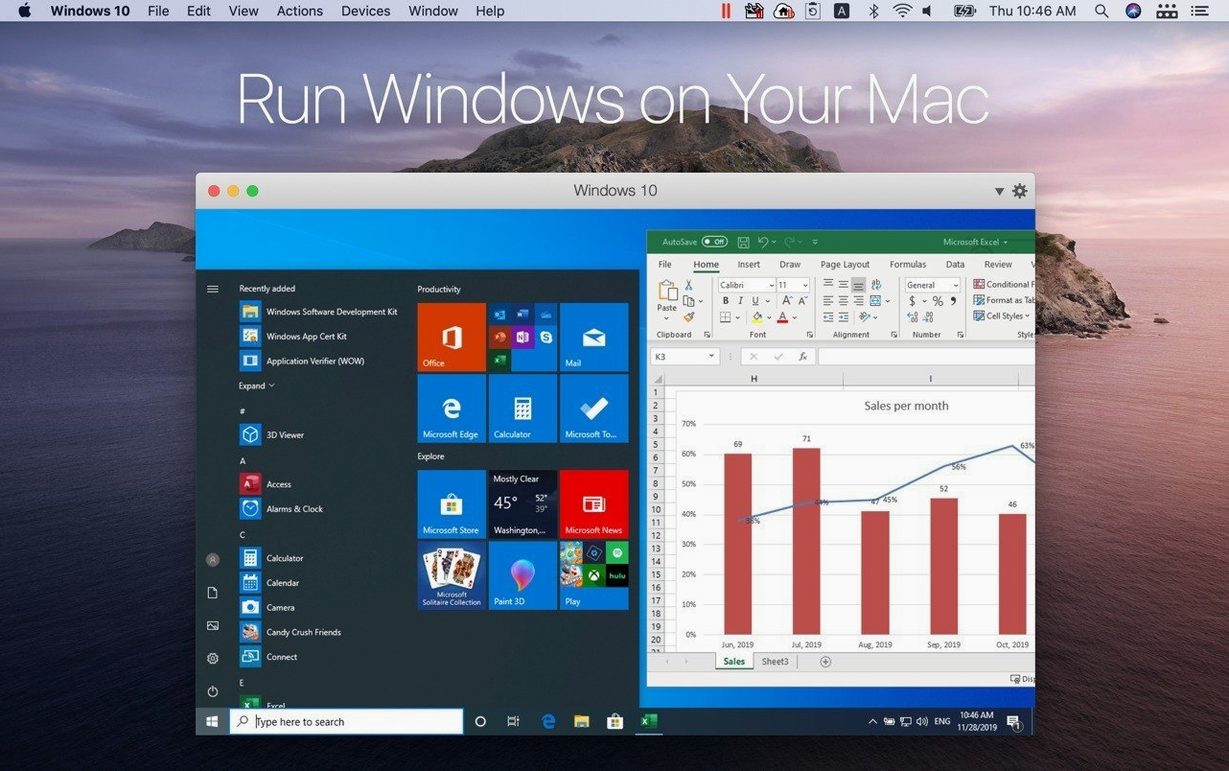
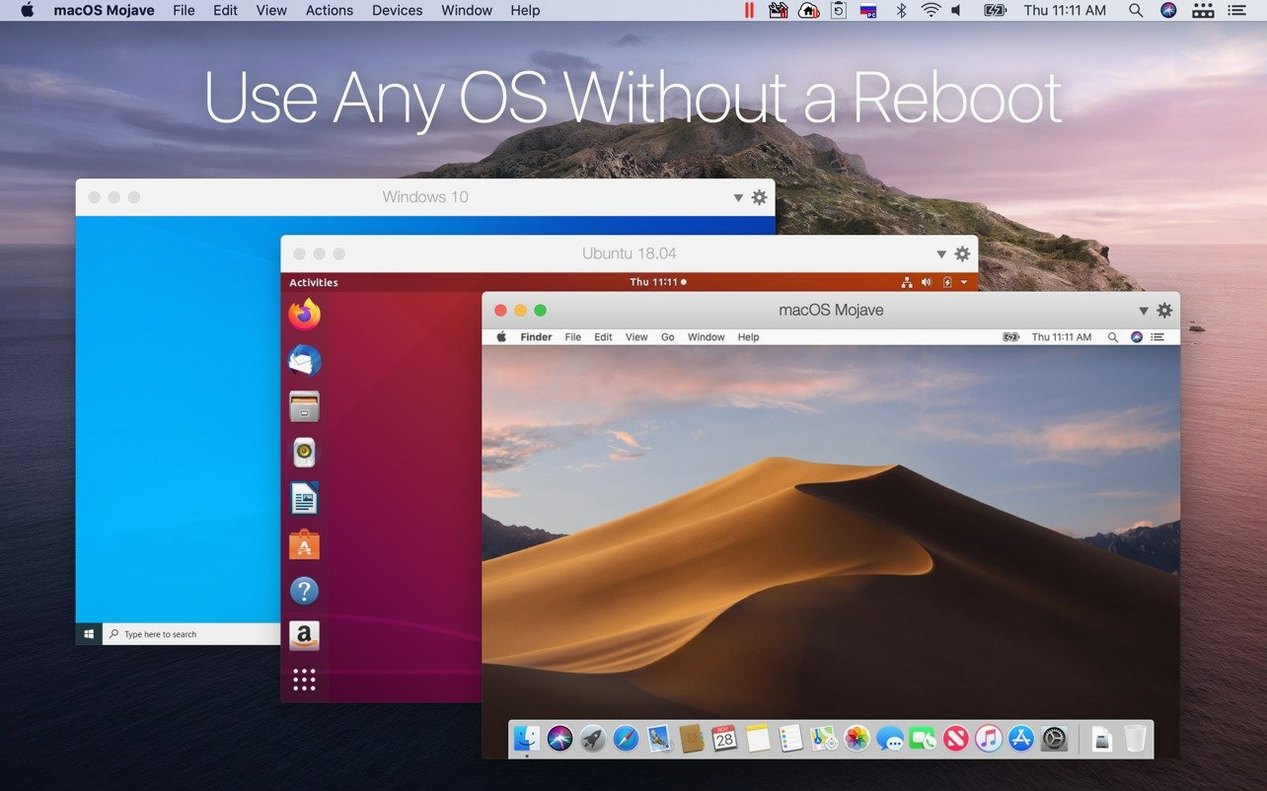
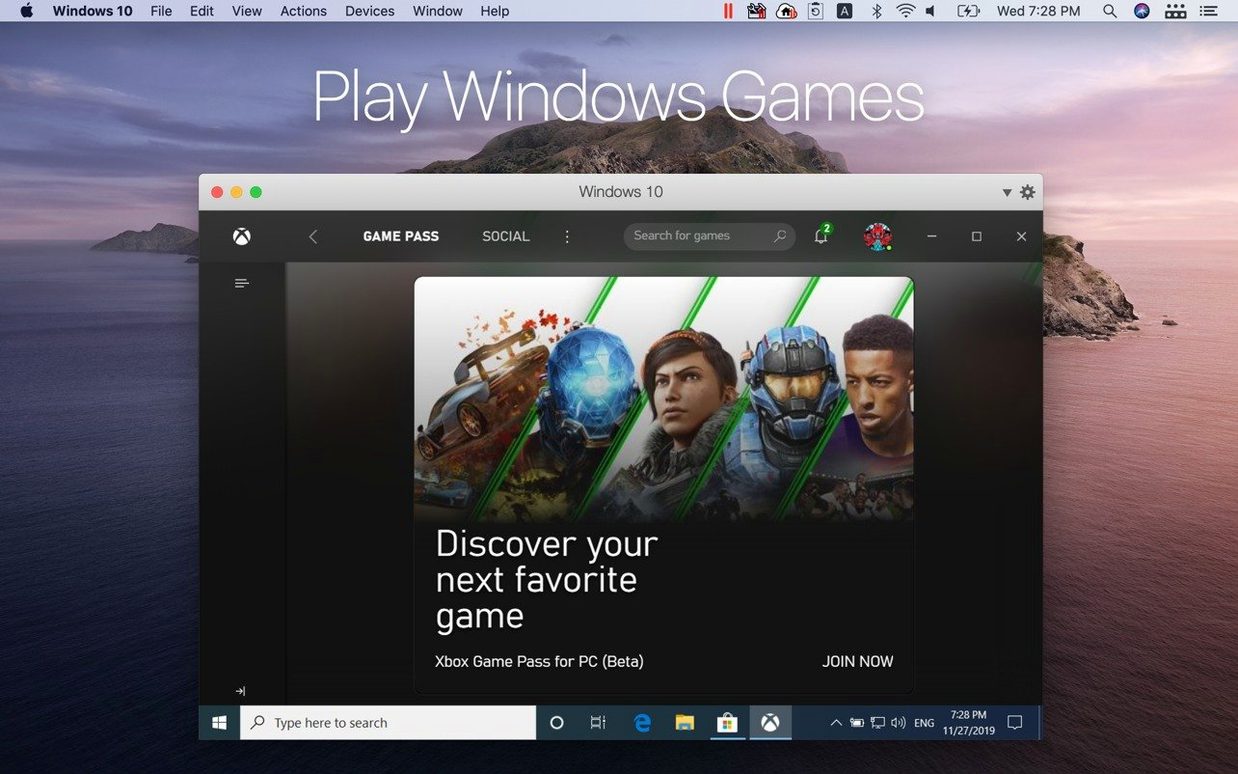
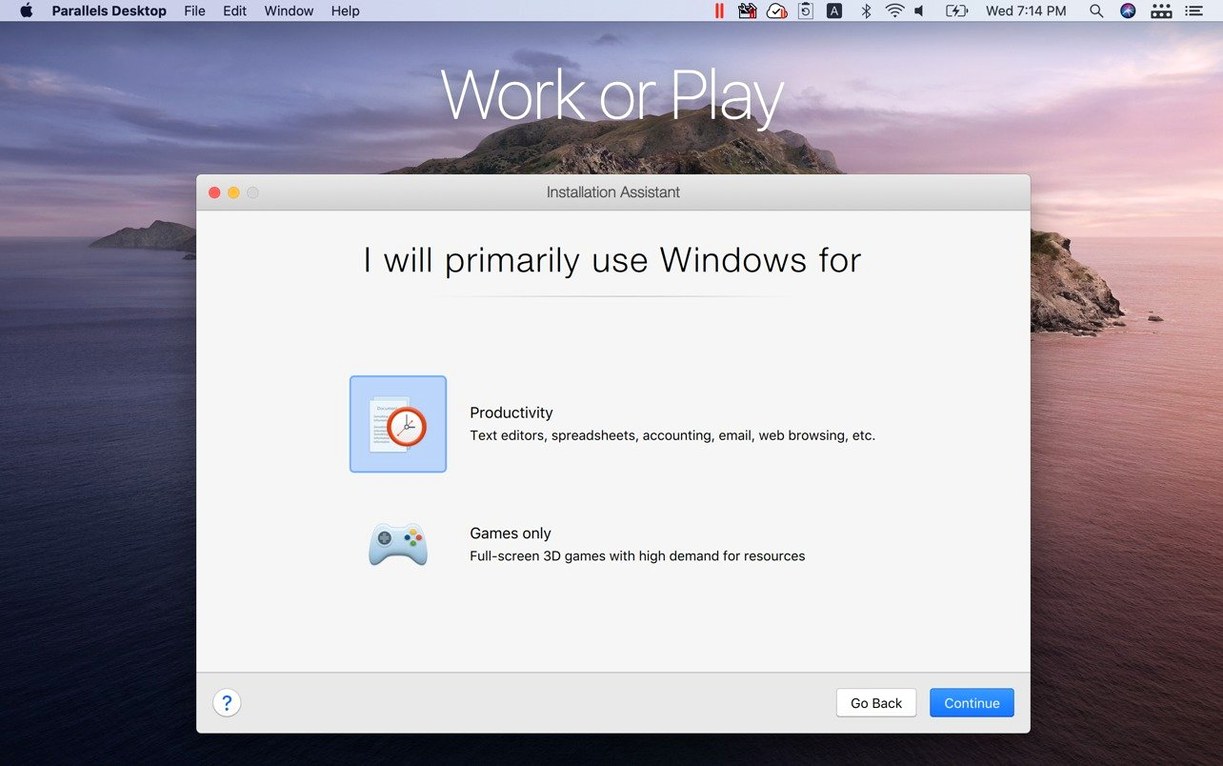
A Mac can run macOS applications without trouble. The difficulty starts when a document, a tool, or a test environment requires Windows or a particular Linux distribution. Parallels Desktop exists for that situation: it creates a virtual machine on the Mac and runs a second operating system inside it.
Run Windows applications
Set up Windows as a guest system and open its applications next to native Mac apps. Coherence mode hides the Windows desktop, so each program appears in its own window.
Work with Linux distributions
Ubuntu, Fedora, Debian, and Kali Linux are among the supported guest systems. Version 27.0.2 adds out-of-the-box support for several recent releases, including Ubuntu 26.04 LTS.
Share files between systems
Option-key shortcuts that tuck useful actions behind menus
Some of the most useful features in Parallels Desktop sit tucked behind modifier keys and secondary menus. A single tap of Cmd+W closes a Windows app the same way it closes a Mac one, but holding Option while clicking the green traffic-light button snaps the virtual machine window into a size that matches the guest resolution exactly — no black bars, no fractional scaling. In Coherence mode, right-clicking a Windows app in the Dock and holding Option reveals a "Show in Finder" equivalent that opens the corresponding .exe location inside the virtual disk, handy when you need to check where an installer actually placed itself.
Clipboard synchronisation goes further than plain text and still images. Formatted rich text retains its styling when pasted from Word for Mac into Word for Windows, and the shared clipboard even carries small file references. Select a handful of images in the macOS Finder, copy, and paste them straight into a Windows folder — the files transfer through the clipboard without an explicit shared-folder setup. The reverse direction works equally well. Security-minded users can toggle the clipboard sharing off per virtual machine in the Security tab of the configuration panel, which matters when the guest runs untrusted software.
Drag-and-drop behaviour is similarly granular. Dragging a file from the Mac desktop onto a Windows application drops it into the guest's temporary folder, but holding Option during the drag creates a permanent copy inside the virtual machine's designated shared location. Without the modifier, the file vanishes when the virtual machine shuts down. The distinction is easy to miss yet becomes important the first time you reboot Windows and wonder where a document went.
Resource allocation shortcuts also reward exploration. The Control Centre menu — accessed from the Parallels icon in the menu bar — lets you pause a virtual machine without opening its full window, freeing CPU cycles instantly while keeping RAM allocated. Right-clicking that same menu bar icon reveals a list of recently opened guest applications; selecting one launches it directly, bypassing the virtual machine's desktop entirely. For users who live mostly in one Windows app, this means never seeing the guest OS at all.
Running AutoCAD on a MacBook Pro at a small engineering firm
Consider a structural engineer working at a small firm that runs AutoCAD on Windows. The engineer's personal machine is a MacBook Pro, chosen for its build quality, battery life, and the screen's colour accuracy when reviewing renders. The firm's IT policy mandates Windows-only analysis tools that have no macOS equivalent. Parallels Desktop 27 becomes the bridge.
The morning begins with a model received from an architect. The engineer double-clicks a .dwg file stored in the macOS Documents folder, which the system has been configured to open in AutoCAD for Windows via Coherence mode. The application launches in its own window, sitting alongside Mail and Safari. Cross-checking a dimension in the drawing against a specification in a PDF on the Mac side involves no window switching — both are visible on the same desktop. Copying a measurement string from AutoCAD and pasting it into an email preserves the formatting, and the email sends through the Mac's native Mail app.
Mid-afternoon, a colleague sends a revised model. The engineer drags the file from a Finder window and drops it directly onto the AutoCAD icon in the Dock. Parallels routes the file into the Windows environment without a shared-folder dialog. A quick Cmd+S inside AutoCAD saves back to the same location, and the updated file appears instantly in the Mac's file system because the Documents folder was added as a permanent shared volume during the virtual machine's initial setup. No duplication, no version confusion.
Later, the engineer needs to run a structural analysis script that consumes considerable memory. A glance at the Control Centre confirms the virtual machine is using 12 GB of the allocated 16 GB. The engineer pauses a dormant Linux VM that was idling in the background — two clicks in the menu bar, and those resources return to the host. The Windows VM now has less contention for memory bandwidth, and the analysis completes without swapping.
By evening, the engineer exports a PDF report from Windows, drags it to the Mac desktop, and opens it in Preview for a final check before forwarding. The guest operating system never revealed its Start menu, taskbar, or desktop wallpaper. The entire day's work happened through individual application windows that felt native to macOS.
Three Apple Silicon alternatives and where their approaches split
Three other virtualization tools occupy a similar space on Apple Silicon Macs: VMware Fusion, UTM, and VirtualBox. Each addresses the same fundamental need — running a second operating system — but their approaches diverge in the details.
VMware Fusion shares the closest feature set. It offers a Unity mode analogous to Coherence, supports Windows 11 on ARM, and handles Linux guests well. However, VMware's development pace on Apple Silicon has been steadier than spectacular. Parallels Desktop 27 arrived with day-one support for Ubuntu 26.04 LTS and ARM SystemReady SR 3.1 certification; Fusion users often wait longer for equivalent guest OS compatibility. For someone who needs the newest Linux distribution immediately, Parallels pulls ahead. Fusion's interface is functional but less integrated with macOS window management — its full-screen transitions feel heavier, and it lacks the fine-grained per-app Dock integration that Coherence provides.
UTM takes a different path entirely. Built on QEMU, it is open-source and free of charge. It can emulate x86_64 guests on Apple Silicon, something Parallels cannot do at the system level — Parallels virtualizes ARM guests only. A user who absolutely must run an old x86-only Linux distribution or a vintage Windows version may find UTM the only viable option. The trade-off is performance: UTM's emulation is noticeably slower than native ARM virtualization, and its graphics acceleration is minimal. There is no equivalent to Coherence, no shared clipboard that handles formatted text reliably, and the configuration interface assumes a willingness to read QEMU documentation. UTM suits experimentation; it does not suit daily professional use.
VirtualBox remains a familiar name from the Intel Mac era, but on Apple Silicon its status is limited. Oracle provides a developer preview that runs ARM guests, yet it lacks a stable release with full feature parity. Graphics acceleration is absent, shared folders require manual configuration, and the performance ceiling is lower. For most Mac users with Apple Silicon hardware, VirtualBox currently sits on the sidelines — useful for testing in a pinch, but not comparable to the polished experience Parallels or Fusion offers.
Where Parallels distinguishes itself is in the frictionlessness. The installation wizard detects an ARM Windows ISO and configures the virtual machine with sensible defaults — TPM chip enabled, Secure Boot on, RAM and CPU cores set appropriately — without asking the user to understand what those things mean. The shared-printing feature maps macOS printers into Windows automatically. The microphone, camera, and Bluetooth sharing toggles are accessible from a single menu. None of the three alternatives bundles all of these into a setup that a non-technical user can complete in under ten minutes.
Why a virtual machine’s disk image demands backup attention
Parallels Desktop 27 does not operate in isolation. It interacts with the Mac's file system, backup routines, input methods, and accessibility features in ways that reward a deliberate setup.
Time Machine backups require attention. A virtual machine's disk image is a single large file that changes every time the guest boots. Time Machine will dutifully back up that multi-gigabyte file after each session, filling backup drives quickly. The practical workaround is to exclude the virtual machine folder from Time Machine and instead rely on snapshots taken from within the Parallels Control Centre. Those snapshots capture the guest's state incrementally and can be restored from the Parallels interface. Combining the two approaches — Time Machine for the host, Parallels snapshots for the guest — keeps both systems recoverable without ballooning backup sizes.
Spotlight integration is limited by design. Windows files inside a virtual machine are not indexed by macOS Spotlight, which prevents duplicate results but also means the engineer from the earlier scenario cannot search for a .dwg file's contents from the Mac side. The solution is to keep active project files on a Mac volume shared into Windows. Those files are Spotlight-indexed on the host, and Windows accesses them through the shared folder. For archive material that lives exclusively inside the virtual machine, Windows Search handles indexing within the guest.
Shortcuts and Automator can interact with Parallels through AppleScript. A Shortcut that triggers a shell script can call the prlctl command-line tool to start, stop, or pause a virtual machine. An engineer might set an Automator workflow that pauses the Windows VM when the Mac disconnects from AC power, preserving battery without manually intervening. The prlctl tool also exposes guest application launching, so a Shortcut pinned to the menu bar can open a specific Windows application in a single click — no virtual machine window, no desktop, just the app.
Continuity features work in one direction. Universal Clipboard lets you copy on an iPad and paste on the Mac, and that content then passes into Windows through the shared clipboard. Handoff does not extend to Windows applications — a document open in Word for Windows will not appear in the Mac's Dock on an iPhone — but the shared file system means the document itself is accessible from any device that can reach the Mac's storage.
Accessibility settings on the host propagate partially. VoiceOver can describe guest application windows in Coherence mode, though the level of detail depends on the guest OS's own accessibility support. Zoom and display scaling respect the Mac's settings when the virtual machine runs in windowed mode; full-screen mode applies the guest's internal scaling instead. Users who rely on reduced motion will find that Coherence window transitions respect the macOS preference, while the virtual machine's own animations remain unaffected.
Cross-platform testing when Windows is an occasional need
Parallels Desktop serves distinct groups well, but its value concentrates among users who need Windows or Linux as an occasional necessity rather than a primary environment.
Developers testing cross-platform software gain a fast feedback loop. A web developer can open Internet Explorer or Edge for Windows alongside Safari and Firefox on the Mac, inspecting the same local development server from three browsers across two operating systems without leaving the chair. The ability to clone a virtual machine — creating an exact duplicate of a configured Windows environment — means testing a fresh build against a clean OS state takes seconds. The ARM SystemReady SR 3.1 certification in version 27 matters here: it signals that the virtual platform conforms to Arm's hardware standards, which reduces the chance of an OS-level quirk skewing test results.
Engineers and architects who rely on Windows-only CAD, analysis, or simulation tools fit the profile described in the scenario above. The Coherence mode transforms Windows applications into Mac-like windows, which lowers the cognitive overhead of switching between environments. Shared folders keep project directories unified. The resource pausing feature helps when a simulation demands all available memory.
Students and researchers who need access to Windows or Linux for a single course or a specific data-analysis tool benefit from the simplicity. Setting up a virtual machine with Ubuntu 26.04 LTS requires no partitioning knowledge, no terminal commands, no BIOS configuration. A student following a lab handout can install the guest OS by clicking through a guided setup, run the required software for the semester, and suspend the virtual machine when the course ends.
Less well-served are users who live primarily in Windows and treat the Mac as a secondary machine. Parallels virtualizes Windows; it does not turn a Mac into a Windows PC. Applications that demand direct GPU access — modern AAA games, GPU-accelerated rendering engines — will run, but they will not match the performance of dedicated hardware. Similarly, users who need x86_64-only operating systems or software will find no support, because Parallels Desktop 27 virtualizes ARM guests exclusively. Boot Camp is no longer an option, having been removed with this version, and Intel Macs are unsupported entirely. For these requirements, a dedicated Windows machine or UTM's emulation may be the more practical path.
The sweet spot remains the professional, developer, or student who works mostly in macOS but encounters a handful of tasks that demand a second operating system. For that user, the small conveniences — clipboard sharing that handles formatted text, drag-and-drop with modifier-key behaviour, snapshot-based backup exclusion, AppleScript control — accumulate into a workflow that feels less like managing two computers and more like extending one.
Folders and files can be shared between macOS and the virtual machine, which keeps documents accessible from both sides without duplication.