Aspecten
 Download (33 MB)
A capable reader should do more than open a file. It needs to handle a mix of formats, give you ways to move through long texts efficiently, and let you reshape content for other devices. OmniReader Pro builds its toolset for precisely that kind of use.
| Capability | Detail |
|---|---|
| Search scope | Page search plus full-text search across a book |
| Export formats | EPUB and PDF |
| Navigation | Forward/back reading history, page turning, zoom |
Reading history works like a browser’s back button, letting you retrace your steps through a long document without bookmarking every turn. The dual search system is the quiet workhorse here: page search for quick jumps, full-text search when you need to gather every occurrence of a term. Combined with EPUB and PDF export, the app shifts from reader to a light conversion tool, useful for pushing a chapter onto an e-reader or archiving a clean PDF. The sidebar collapses to give the text room, image scaling happens automatically, and printing stays available for the times a paper copy still matters.
Not everything goes smoothly the first time you open a book. A handful of friction points come up often enough to be worth addressing directly.
Fixing garbled characters in old CHM files
Garbled text in CHM files. CHM documents compiled with older toolchains sometimes display as a mess of random characters. OmniReader Pro includes a file encoding handler for this. Switch the encoding from the menu — UTF-8, GBK and Windows Latin-1 cover most problem files. If the text still looks wrong, try GB18030. One of these almost always resolves it.
Kindle files that won't open. The app reads Kindle format, but it cannot strip DRM. A file purchased from Amazon and still wrapped in its usual protection simply will not load. Files converted from other sources or DRM-free .mobi and .azw3 titles work as expected.
Sidebar vanishing unexpectedly. Dragging the divider left until it snaps shut collapses the sidebar fully. Dragging it right again restores it. The collapse is intentional, not a bug, but it catches people off guard when they are mid-flow and nudge the divider by mistake.
Exported EPUBs missing images. Image extraction behaves differently when exporting a whole book versus pulling images separately. If an exported EPUB looks bare, use the dedicated image-extraction option first, then check the source file. Some CHM files bundle images in non-standard ways that the extractor cannot reach. In those cases, a screen capture is the practical fallback.
Opening a fresh EPUB to its chapter sidebar
You have just downloaded an EPUB of a technical reference. The file sits in your Downloads folder. You double-click it and OmniReader Pro opens to the cover page, with the sidebar listing chapters down the left edge.
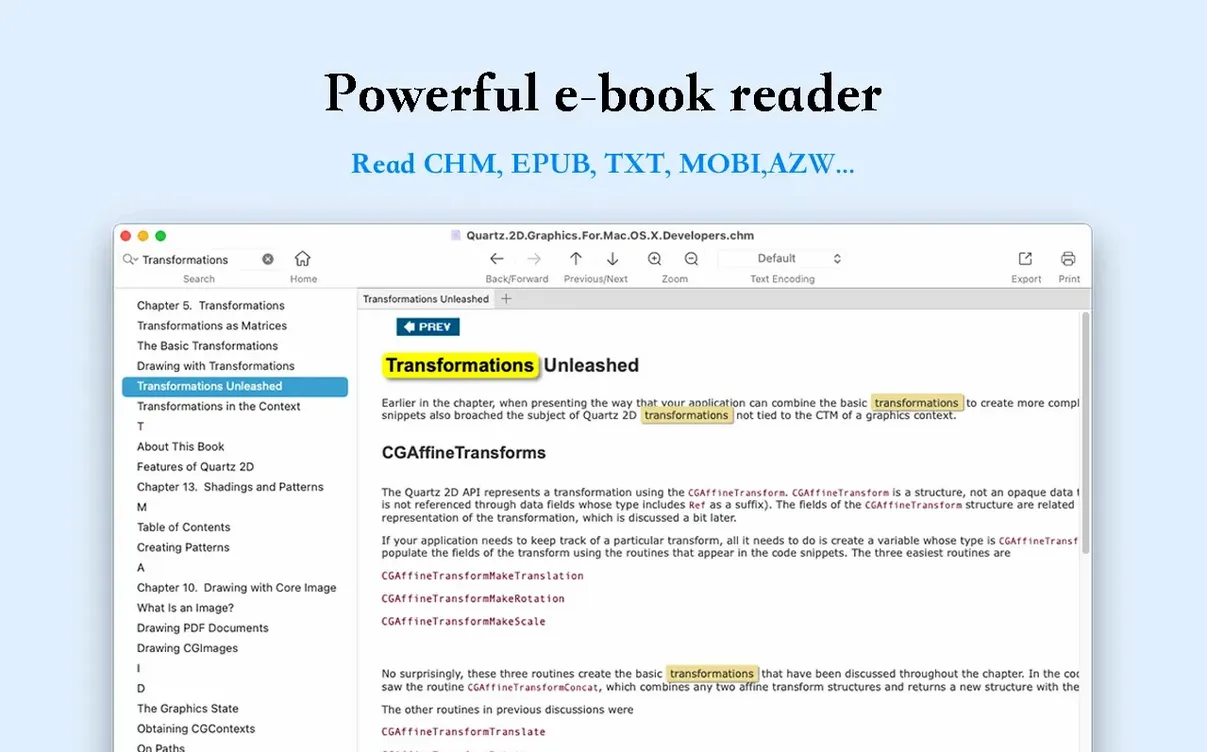
You start on the contents page, then tap the right arrow key a few times to reach the introduction. Halfway through, a term you half-remember appears. You type it into the full-text search field at the top. The sidebar switches to a results list, every match highlighted in yellow and sorted by chapter. Clicking the third result jumps you straight to the relevant paragraph.
You read that section, then hit the back button in the toolbar to return to the introduction. A few pages later you need a wider view of a dense table, so you collapse the sidebar and zoom in. When you finish the chapter, you decide to carry it on your e-reader. You choose Export to EPUB, name the file, and save it. The whole session — open, search, jump, read, export — stays inside one window, and you never once reach for a menu you cannot find.
A thousand-page EPUB opens just as fast
Does it handle large files without slowing down? A thousand-page EPUB opens in roughly the same time as a hundred-page one. Search across a full novel or textbook stays responsive. OmniReader Pro builds its text index on first search, so the initial full-text lookup takes an extra second or two. After that, subsequent searches return near-instantly.
Can I read two books side by side? The app does not split its own window, but nothing stops you from opening a second window with a different book. Both windows keep independent reading histories and zoom levels.
Will my highlights and notes carry over to the exported PDF? The export writes the text content into a new file; it does not transfer annotations made inside the reader. Treat the export as a clean copy for reading elsewhere, not a replica of your marked-up working version.
Is the interface only in Chinese or English? Those are the two interface languages included. The app automatically follows your system language setting if it matches one of them. Otherwise it defaults to English. Books in any language open fine regardless.
Assembling a literature review from EPUB, CHM and Kindle files
A graduate student is assembling a literature review. Her sources are scattered across formats: a dozen EPUB journal issues, three CHM programming manuals from an older documentation set, and a Kindle-formatted reference book she converted from a DRM-free file.
She opens the first CHM manual and hits full-text search for a specific algorithm name. The results list shows forty-two occurrences across six chapters. She works through each one, using the back button to hop between the search results and the sections she has already read. She prints two pages with the clearest pseudocode directly from the app and pins them to the corkboard above her desk.
The EPUBs she reads in sequence, pulling images of key diagrams into a folder via the image extractor so she can drop them into her own paper draft later. One CHM file arrives with garbled chapter titles. She switches the encoding, the text snaps into readable form, and she keeps going without a detour into a hex editor or a conversion website.
When she needs to share a chapter with her supervisor, she exports it as a PDF. The layout stays clean enough for markup. Over the course of an afternoon, she moves through four formats and roughly eight hundred pages without opening another application. That narrow focus — read, search, extract, export — is where OmniReader Pro makes the most sense.