Aspecten
 Download (70 MB)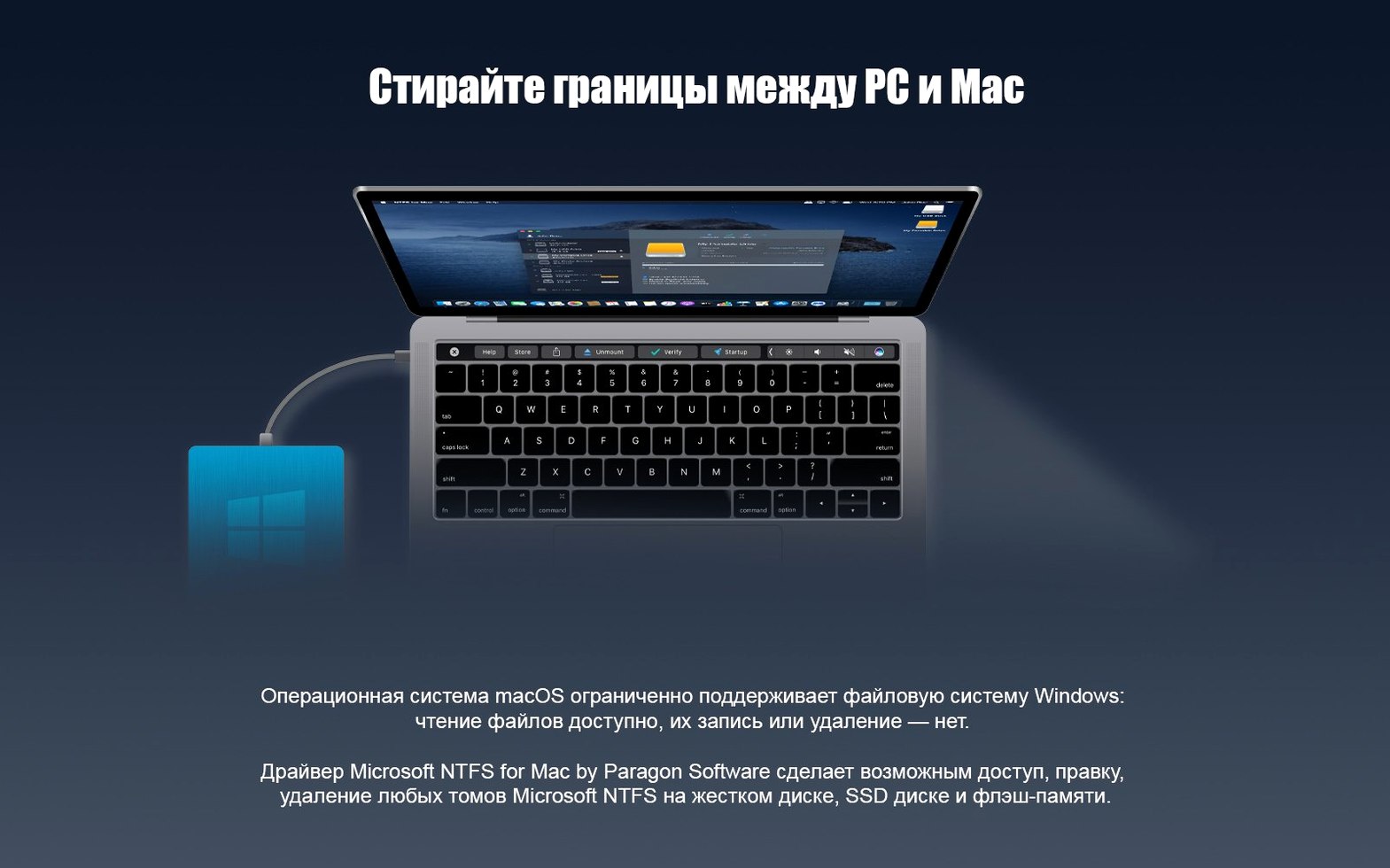
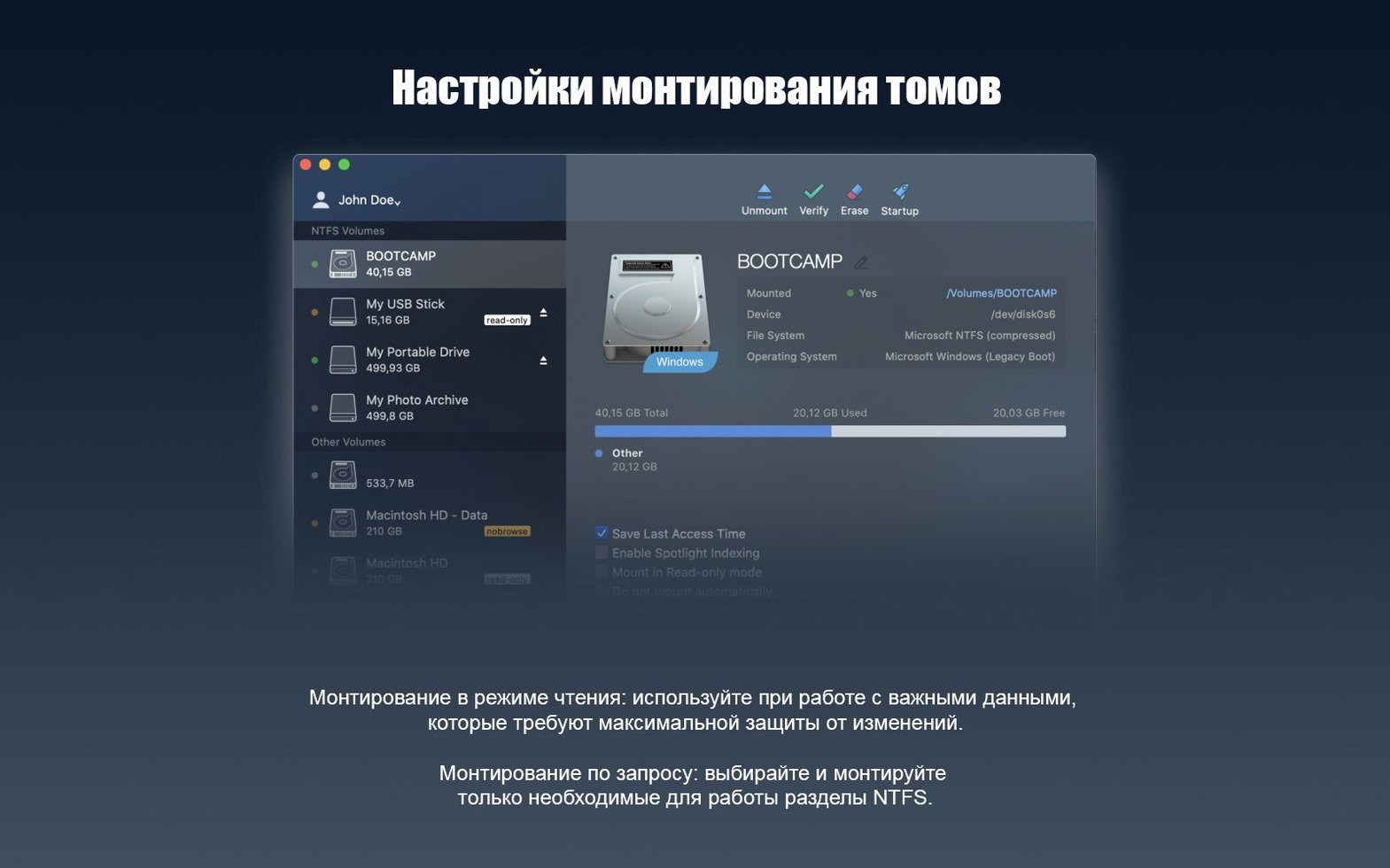
The Writable Volumes feature kicks in the moment you connect an NTFS-formatted external disk. Finder sees the drive straight away, and you can edit existing files, copy new folders across, or delete items without a second thought. It treats NTFS media as though it were native, which removes the usual read-only barrier built into macOS.
Version 15 runs on macOS 10.12 and later, and the installer covers both Intel and Apple Silicon Macs without separate packages. Earlier announcements from Paragon mention backward compatibility stretching as far back as OS X, but the current build draws a line at Sierra. If your machine sits below that, the software simply will not install. The interface ships in fifteen languages, among them German, Spanish, French, Korean and both Traditional and Simplified Chinese, so the utility fits into a fair range of working environments.
Under the hood, a rewritten driver core speeds up volume handling and adds support for Windows 10 system compression. Compressed files on a drive authored in Windows now open and save correctly on the Mac side, which closes a long-standing gap for anyone moving disks between operating systems regularly.
Portable drive users who work across Windows and Mac
People who shuttle external disks between a Mac and a Windows machine get the clearest return. A single portable SSD formatted as NTFS works on both sides without reformatting or splitting the drive into two partitions. Video editors who handle large project files on set often need to hand a disk to a Windows-based DIT station and then pick it up again on a MacBook Pro later. For them, Paragon NTFS removes a daily frustration.
Boot Camp users form another natural audience. The macOS side can read and write to the Windows partition directly, so pulling a document out of the Windows file system without rebooting becomes trivial. That same logic applies to anyone running Windows inside a virtual machine on a raw NTFS volume rather than a virtual disk image.
IT support staff who maintain mixed-office fleets tend to keep a copy installed on their main troubleshooting Mac. A technician can plug in a client's Windows-formatted backup drive, run a file recovery or virus scan from the Mac side, and hand the drive back without altering its file system. Archivists and researchers working with older external drives that were formatted on Windows years ago also avoid the extra step of copying everything to an intermediate disk just to browse the contents.
Casual users who only ever connect an NTFS drive once or twice a year may find the built-in read-only support adequate. The driver makes more sense when NTFS drives appear regularly in a workflow, especially when those drives carry live data that needs editing rather than just viewing.
Fitting in with other apps and macOS
Because Paragon NTFS works at the file-system level, any application that can open a file from Finder can open it from an NTFS volume. Lightroom reads a catalogue stored on a Windows-formatted external disk. Logic Pro plays back audio projects directly from the drive. A text editor saves changes to a readme file on a USB stick without the user ever noticing the translation layer underneath.
Time Machine does not back up to NTFS volumes, and the utility does not change that. The drive appears in the list of excluded disks by default, which is correct behaviour given that Time Machine requires HFS+ or APFS. Some users assume full write access means full system integration, but this is one spot where macOS draws its own line.
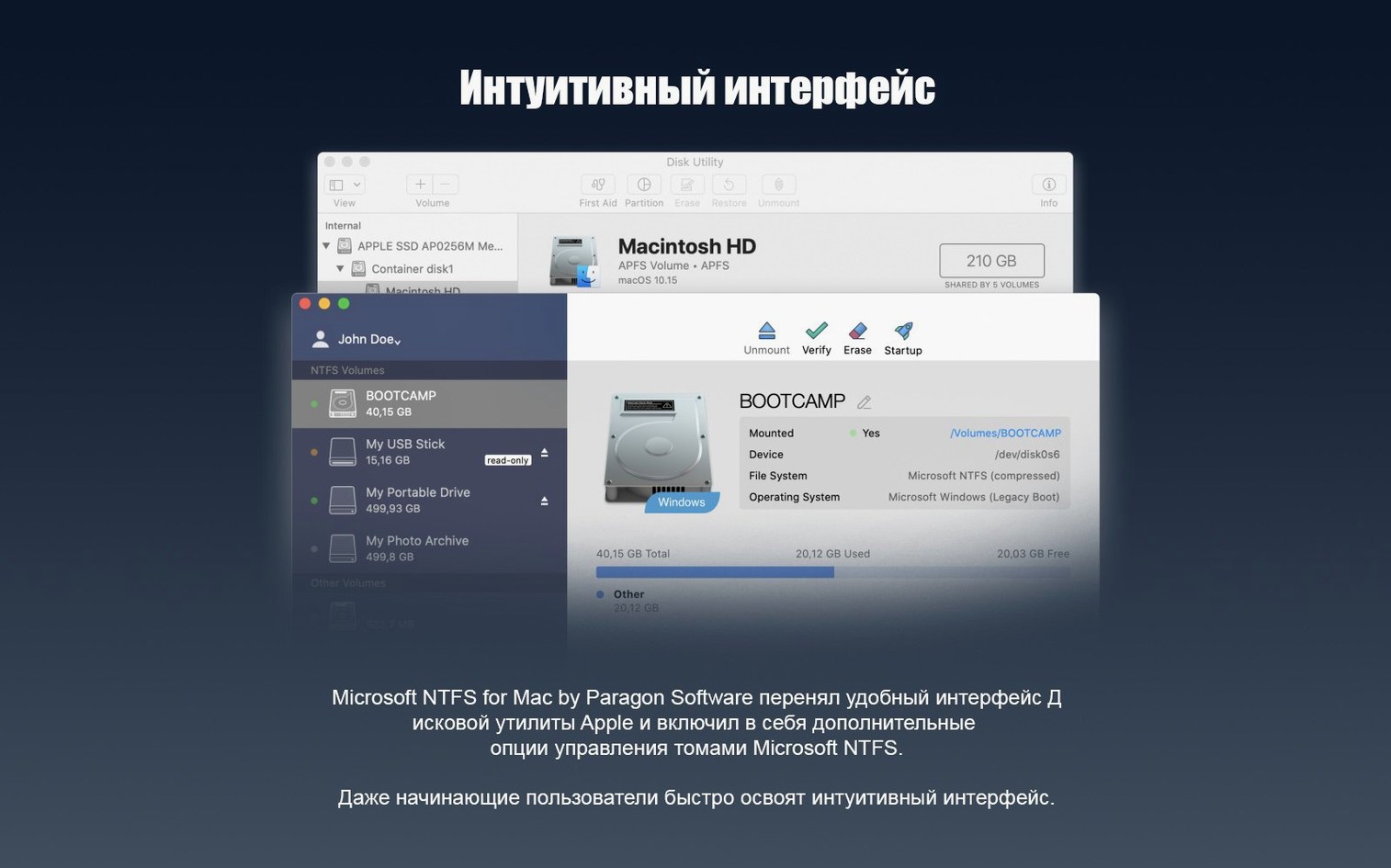
Disk Utility recognises NTFS volumes as mountable and unmountable, though it cannot repair them. The Paragon driver adds no repair tools of its own. A disk with file-system errors still needs a trip to Windows for chkdsk. In practice, ejecting the drive cleanly from Finder keeps the volume healthy enough that repairs are rarely needed.
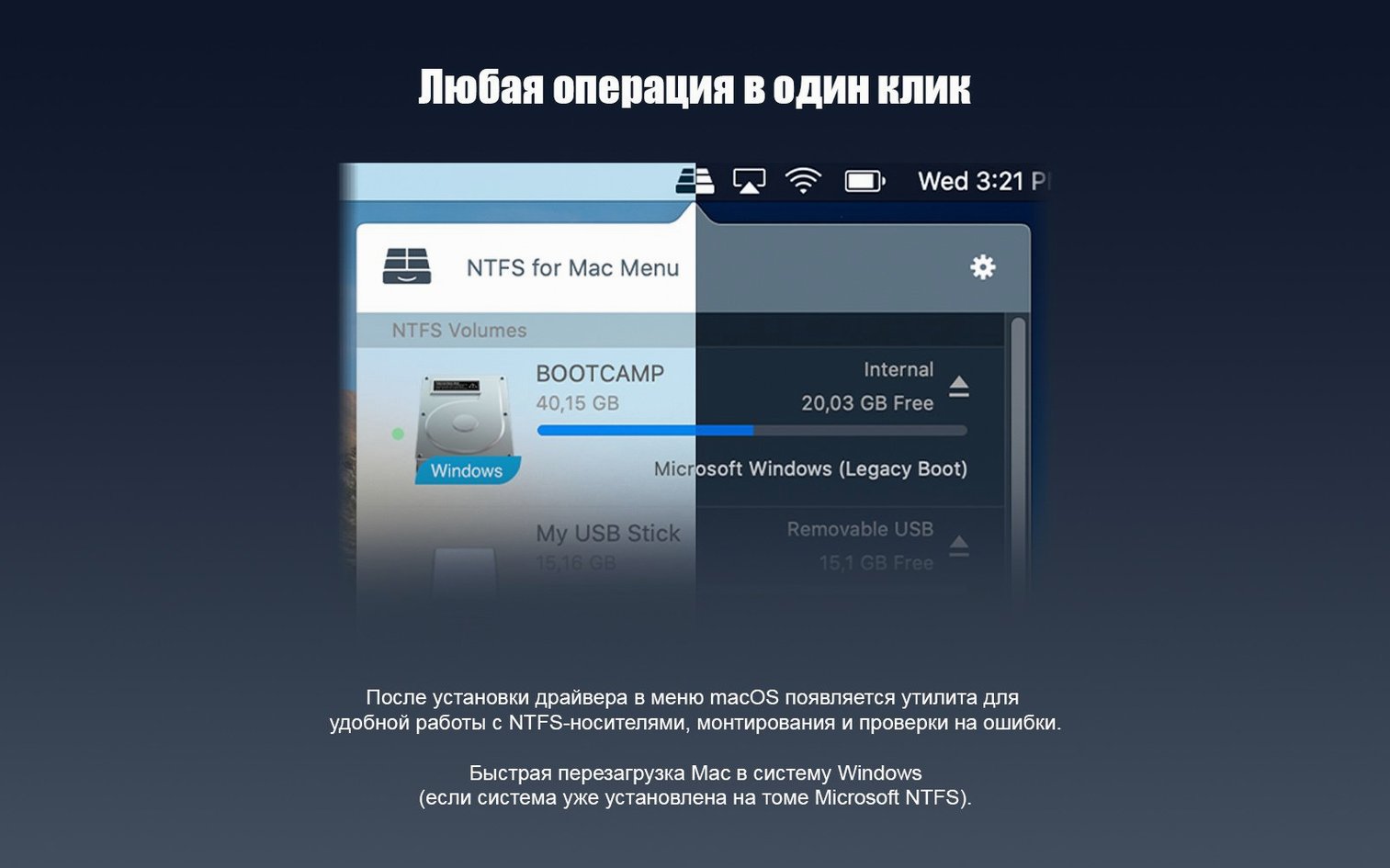
The driver sits quietly in System Preferences as a small pane where you can toggle automatic mounting or uninstall the software. It does not add menu bar icons, dock helpers or background processes that demand attention. File sharing over a network works as expected, provided the NTFS volume is connected locally to the Mac that is sharing it.
For those who search for paragon ntfs for mac free or paragon ntfs for mac torrent, the installation is straightforward: mount the disk image and run the installer. The software activates with the included patch and then stays out of the way. No serial numbers to enter, no online checks to satisfy.
NTFS drive from a Windows shoot appears instantly on the iMac
Imagine a photographer returning from a shoot with a portable drive formatted as NTFS on a Windows laptop. She plugs the drive into her iMac at the studio. Within a couple of seconds the drive icon appears on the desktop, exactly as any external disk would. Finder shows the full folder structure: dated shoot folders, raw files, a few sidecar XMP files.
She opens a raw file in Capture One by double-clicking it. The application reads the file from the NTFS drive and builds a preview. She makes a few adjustments, then exports a set of JPEGs back to a subfolder on the same drive. The export proceeds at the drive's native write speed. No dialogue warns about a read-only volume. No workaround folder on the Mac's internal SSD is needed.
Mid-session, a colleague hands her a USB stick with a single compressed PowerPoint file created on a Windows 10 machine. She drags the file from the stick to her desktop, opens it in Keynote, edits a couple of slides and saves it back to the stick. The compression layer that Windows applied is handled transparently by the driver core introduced in version 15. The file opens and saves without corruption.
At the end of the day she ejects both disks from the Finder sidebar, unplugs them and hands the portable drive back to the Windows user. Nothing was reformatted, no files were lost, and the Mac never presented a read-only roadblock.
Read-only mount because the system extension was blocked
Volume mounts as read-only after installation. This usually means the system extension was blocked. In System Preferences, open the Paragon NTFS pane and check whether the driver is enabled. On Apple Silicon Macs, a restart into recovery mode to adjust security settings is occasionally required if the extension was not approved during the initial installation.
Drive does not appear at all. A faulty cable or underpowered USB port is the most common cause. Try a different port, preferably one directly on the Mac rather than a hub. If the drive still does not appear, check it on a Windows machine to rule out physical damage.
Slow write speeds. The driver adds negligible overhead for sequential transfers, but lots of tiny files can feel slower than expected. This is a characteristic of NTFS metadata handling rather than a driver fault. Grouping small files into a compressed archive before transfer often speeds things up.
Windows complains about the drive after Mac use. If the Mac was put to sleep while the drive was connected, Windows may flag the volume as dirty. Running chkdsk on the Windows side clears the flag in a minute. To avoid the issue, eject the drive before sleeping the Mac.
Installation fails on an older macOS version. Version 15 requires macOS 10.12 or later. Systems running El Capitan or Yosemite need an older release of the software, which is not included in this build.
Rewritten driver core populates huge folders more promptly
The rewritten driver core is the headline change, and its effect is most visible when handling folders with thousands of items. Directory listings populate more promptly than in earlier builds, and copying large folder trees feels closer to working with a native HFS+ volume. The improvement is not dramatic for single-file transfers, but it adds up across a working day.
Windows 10 system compression support solves a specific but recurring annoyance. Before version 15, a compressed file copied from a Windows system drive to a Mac would either fail to open or arrive as an unreadable blob. Now those files behave like any other. The change matters most to people who regularly pull documents, spreadsheets or archived logs from a Windows boot drive onto a Mac for analysis or presentation.
Apple Silicon support arrived without fanfare. The installer bundles both architectures, so M1, M2 and M3 Macs run the driver natively rather than through Rosetta. In everyday use, the difference is invisible—the driver either works or it does not—but native execution avoids the memory overhead and occasional translation glitches that Rosetta can introduce.
For users who obtain the software through a paragon ntfs torrent or a paragon mac torrent, the activation process remains a matter of applying the supplied patch after installation. The patched driver behaves identically to the unmodified one, and no functionality is stripped away. Finder integration, compression support and the preference pane all work as described.