Aspecten
 Download (75 MB)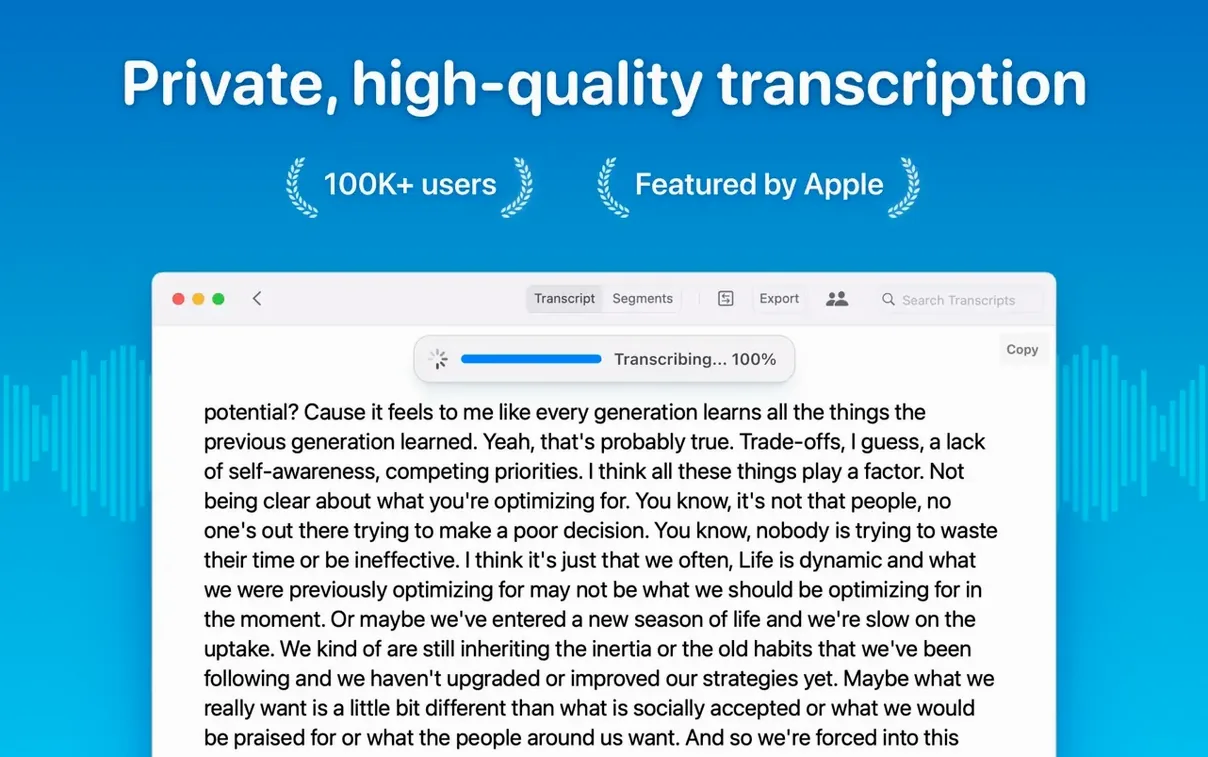
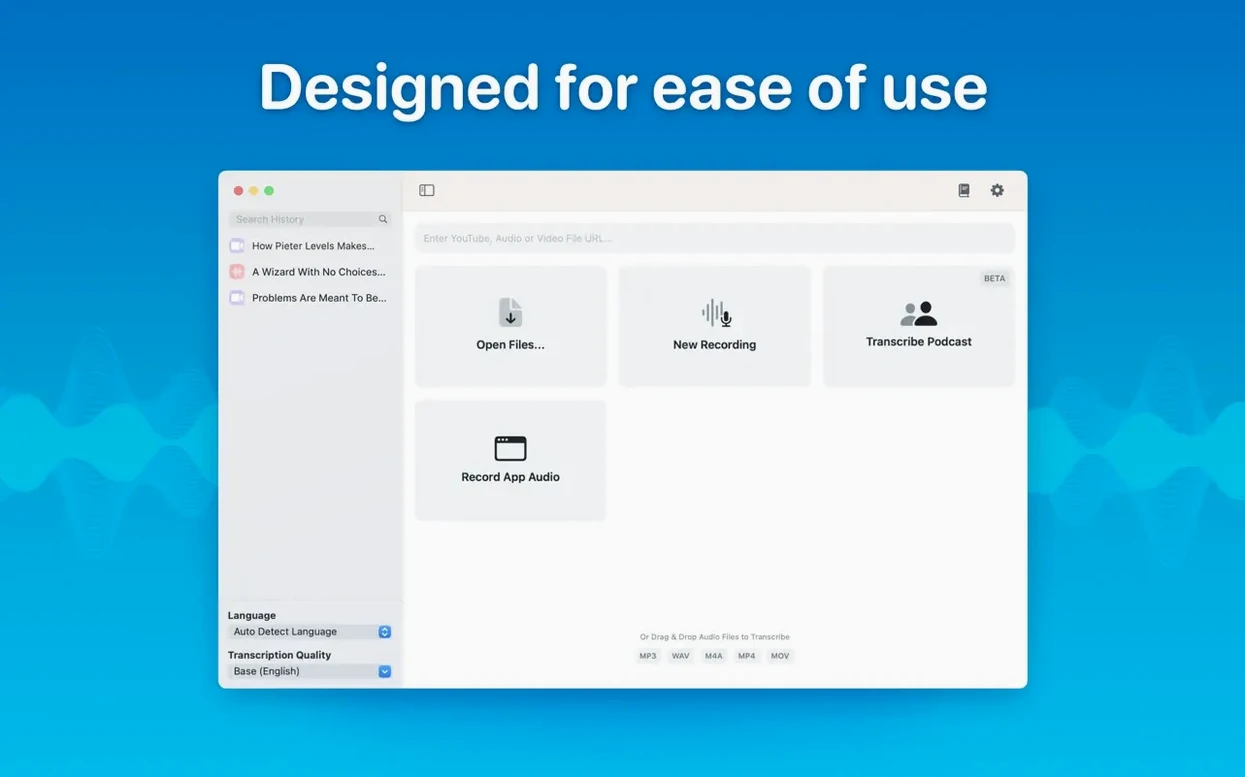
If you have ever waited for Adobe’s cloud-based transcription to process a long interview, you know the feeling. MacWhisper takes a different path. It runs speech recognition entirely on your Mac, using Whisper models that convert mp3, wav, m4a, mov, ogg and opus files into text without a network connection.
Three jobs it handles well
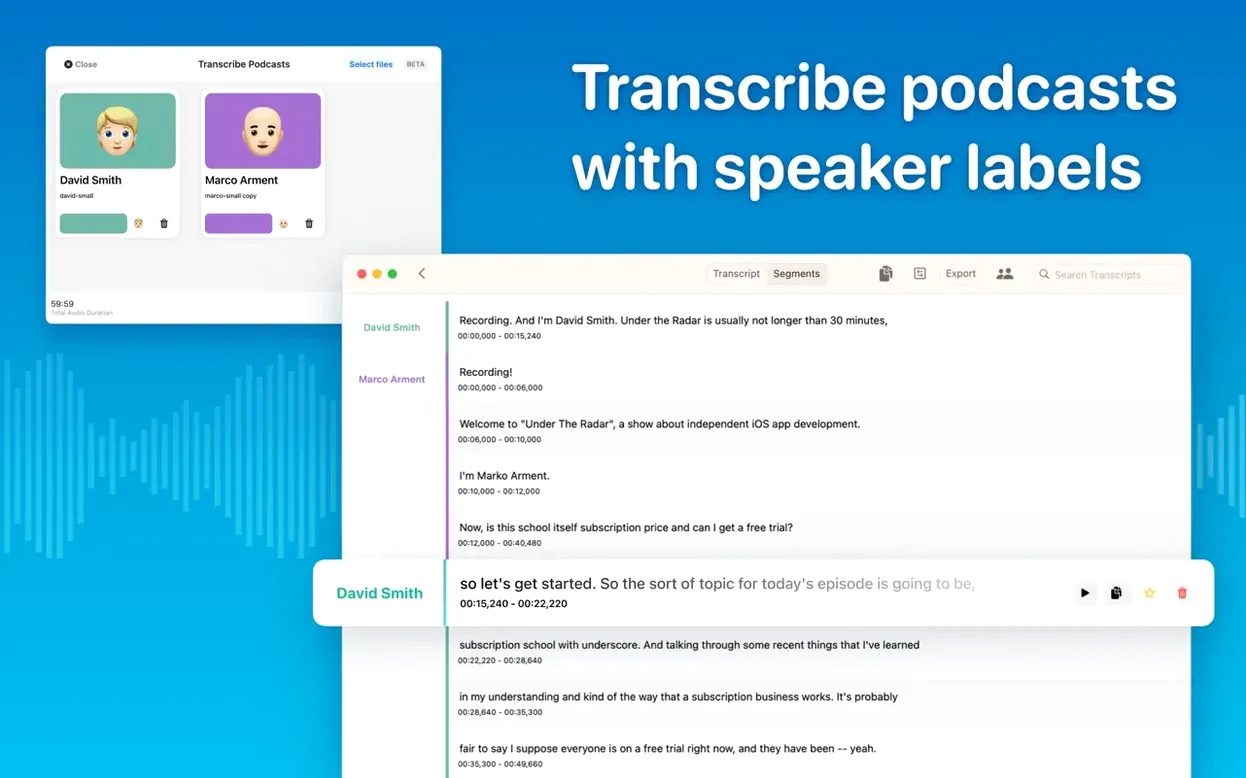
- Podcast transcription with speaker separation — the app identifies different voices and labels them, which saves a round of manual clean-up before publishing show notes.
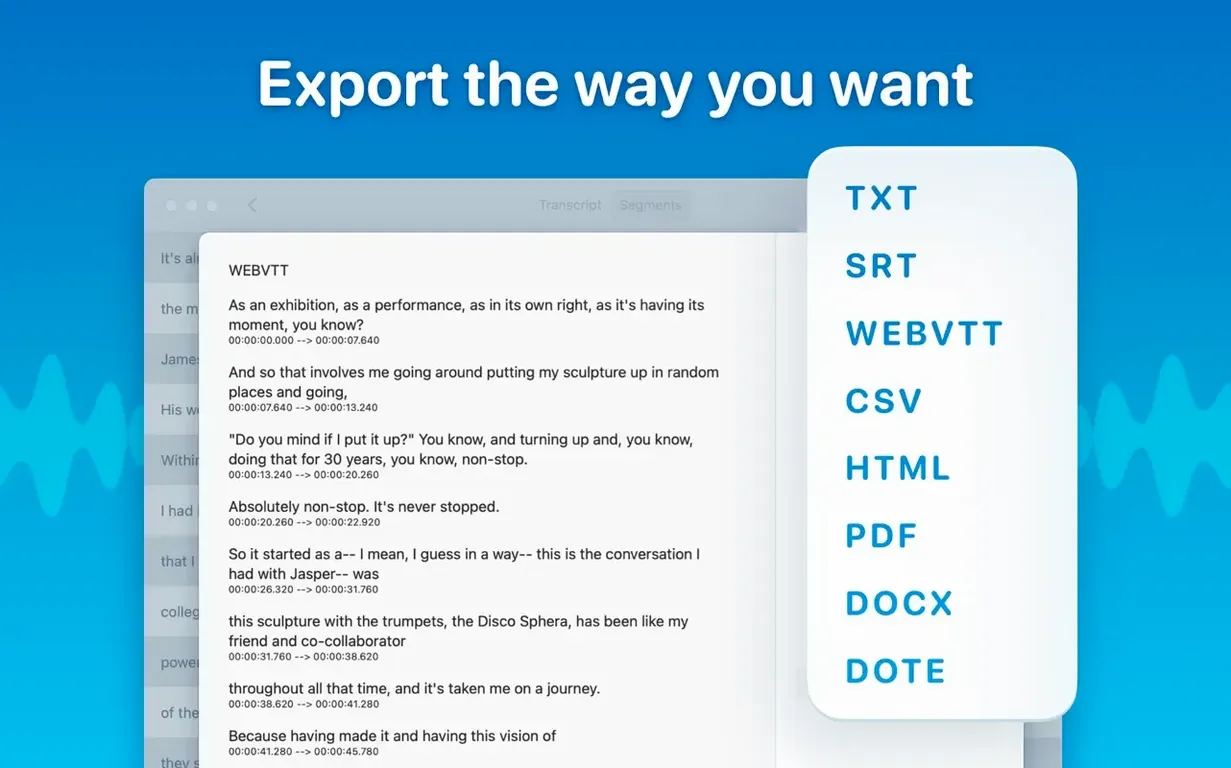
- Batch processing — you can queue multiple files and export them all to Word, PDF or HTML in one go, rather than repeating the same export step for each recording.
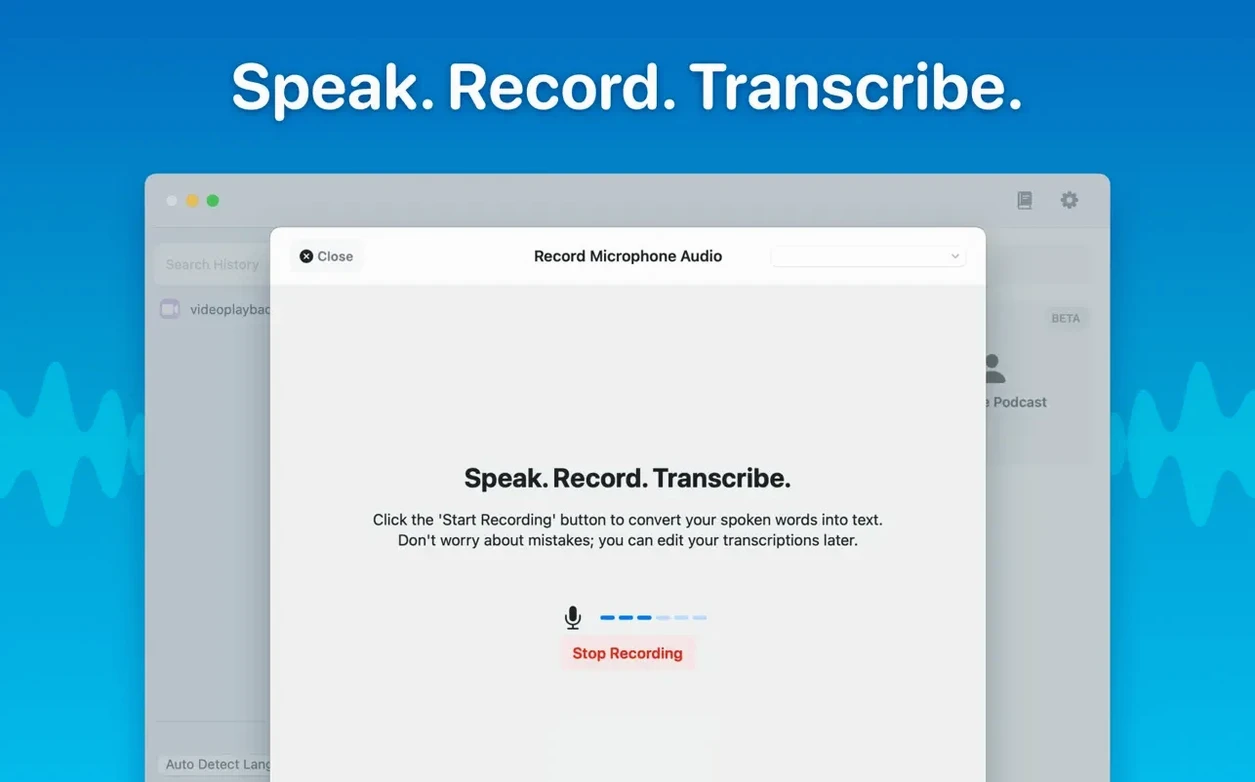
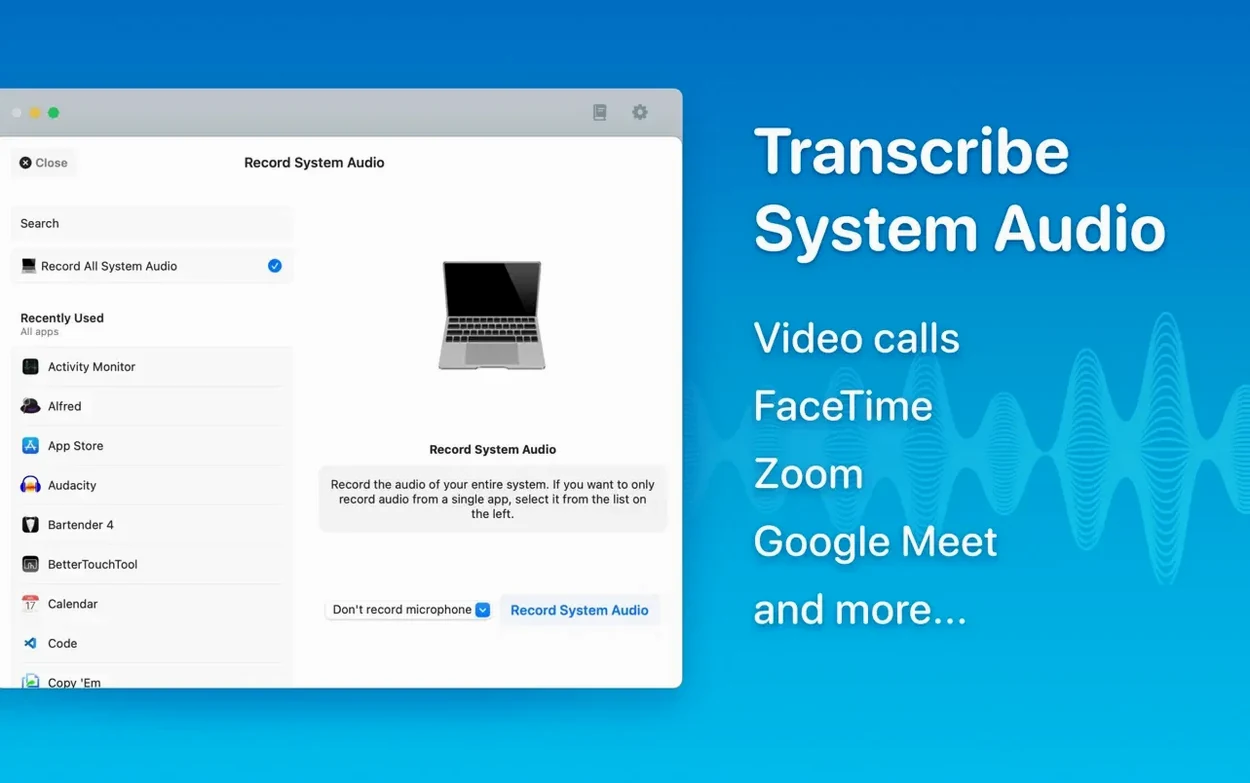
- Meeting transcripts — real-time transcription captures conversations as they happen, and the new folder system keeps project transcripts organised instead of scattered in a single list.
How the model choice shapes the result
MacWhisper offers six model sizes, from Tiny to Large-V3. The smaller models work fast on a MacBook Air; the larger ones demand more memory but produce cleaner punctuation and fewer misheard words. A reading mode lets you review the transcript as flowing text rather than raw blocks. Because everything stays on the device, audio files never leave your drive — a practical consideration when working with client recordings or sensitive material.
Where MacWhisper sits among similar Mac transcription tools
Three other Mac apps come up regularly in the same conversation. Whisper Transcription, also from Good Snooze, is the App Store sibling of MacWhisper and shares the same transcription engine. The difference is mostly packaging: the standalone version here tends to get new features a little earlier, and it supports system audio capture, which the App Store variant cannot touch because of sandboxing rules. If you need to transcribe a Zoom call playing through your Mac’s speakers, that tips the balance.
Buzz is an open-source alternative that also runs Whisper models locally. It offers a native Mac build and works well for straightforward file transcription, but it lacks the polish of MacWhisper’s export pipeline. You will not find batch export to Word and HTML, nor the reading mode. Buzz feels closer to a developer tool; MacWhisper feels closer to a finished product. People who search for a MacWhisper torrent often do so after trying Buzz and finding the interface a little bare.
Otter.ai is a different animal altogether. It is cloud-based, requires an account, and processes audio on remote servers. The transcript quality is strong, and Otter’s collaborative features suit teams who need shared notebooks. The trade-off is privacy: your audio leaves the machine. MacWhisper keeps everything local, which matters for legal depositions, medical notes or any recording you would rather not upload. The offline approach also means no recurring cloud bill, though that is a purchasing detail best left to the developer’s site.
Dragging three 45-minute voice memos straight into Large-V2
Consider someone who files two long-form articles a week and records every interview on an iPhone. She comes home with three 45-minute voice memos, drags the m4a files into MacWhisper, and selects the Large-V2 model. While the first file transcribes — about eight minutes on an M1 MacBook Pro — she answers emails. When all three are done, she switches to reading mode and skims the transcripts, highlighting quotes she might use. Speaker separation has already labelled her questions and the interviewee’s answers. She exports the selected sections as a Word document, pastes the quotes into her draft, and deletes the audio. The whole process, from kitchen table to finished notes, runs inside half an hour.
Transcribing a podcast episode: a start-to-finish workflow
- Prepare the audio. Export the episode from your DAW as a wav or m4a file. If the recording includes multiple speakers on a single track, leave it stereo; MacWhisper’s diarization model handles the separation better with a clean, uncompressed file.
- Drag the file onto the app window. Before hitting transcribe, open the language menu and confirm the detection. Automatic detection works well for widely spoken languages, but choosing manually avoids the occasional misclassification of a short clip.
- Select the model. For a published episode where accuracy matters, pick Large-V3. On an Apple Silicon Mac with 16 GB of RAM, expect roughly real-time processing speed — a 60-minute episode finishes in just over an hour.
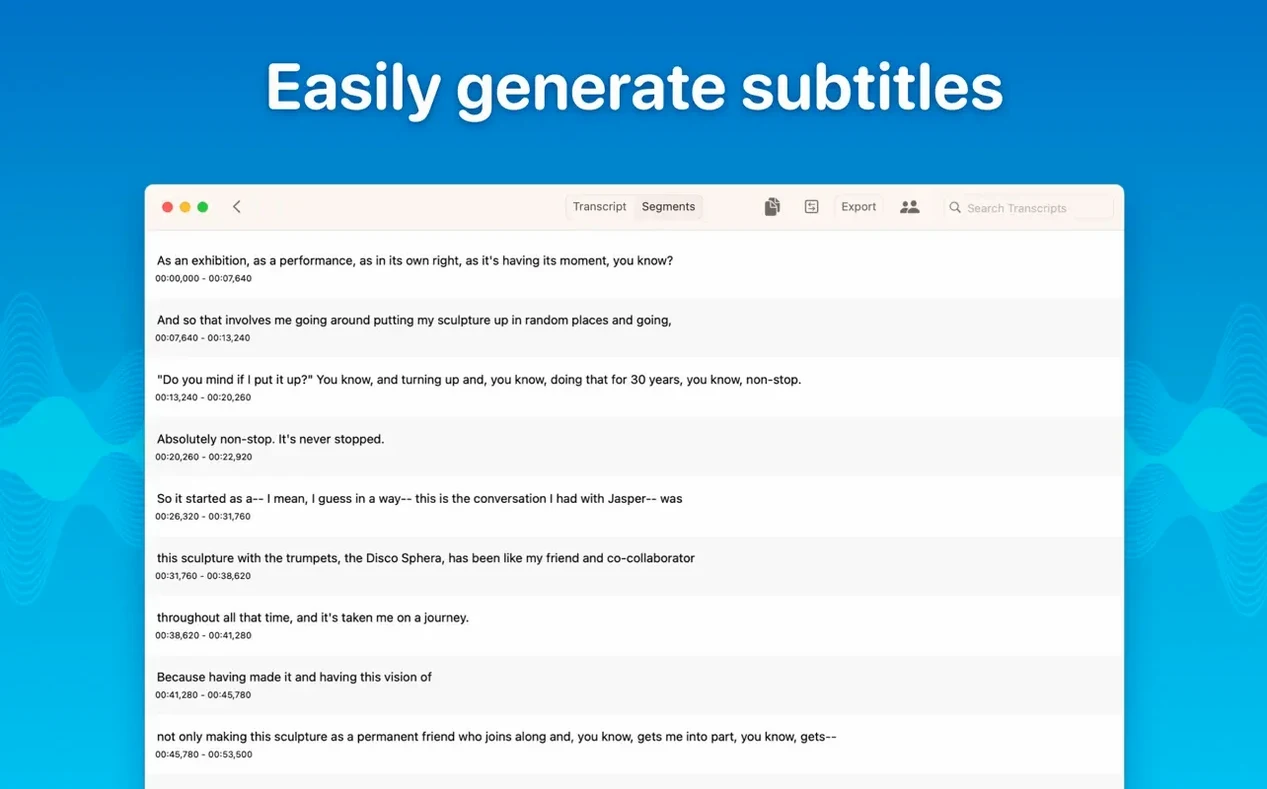
- Review with speaker labels. When transcription completes, the segments appear with colour-coded speaker tags. Click any segment to play back the corresponding audio — a fast way to verify names or technical terms the model might have fumbled.
- Edit on the spot. Correct a misheard word directly in the segment. Deleting a segment removes both text and the associated timestamp; the surrounding segments remain intact.
- Export in two formats at once. Tick SRT for the video version of the podcast and PDF for the show notes. The batch export dialogue handles both in a single pass, saving the files side by side in the folder you choose.
- Archive the project. Move the finished transcript into a subfolder named after the episode. The folder structure keeps a season’s worth of shows grouped and searchable without cluttering the main list.
Create project folders before your first transcript lands
- Set up folders immediately. Before transcribing anything, create two or three folders that match your actual projects — client work, personal notes, lecture recordings. Dragging transcripts into a folder later is easy to forget, and a flat list becomes unwieldy after a dozen items.
- Test the models on a short clip. Take a two-minute recording of your own voice and run it through Tiny, Medium and Large-V2. Compare the punctuation and the handling of any jargon you use regularly. The difference tells you which model is good enough for your daily work and which to reserve for polished output.
- Learn the segment shortcuts. Clicking a segment plays the audio; double-clicking lets you edit the text. The delete key removes a segment. These three actions cover most of the correction work, and committing them to muscle memory keeps you from reaching for the mouse as often.
- Keep an eye on free disk space. Large-V3 downloads weigh several gigabytes, and the app stores models in your Library folder. If you switch between models, the cache grows. A monthly tidy of unused models frees room that might otherwise vanish without explanation.
Transcription runs offline once you download the model
Does it need an internet connection at all? Only for the initial model download. Once the Whisper models sit on your drive, transcription runs offline. System audio capture and real-time meeting transcripts work without phoning home. Some people chasing a MacWhisper Pro torrent want to confirm the offline claim for themselves, and the app genuinely processes everything locally — disconnect your Wi‑Fi after setup and it hums along.
How does speaker separation actually work? The app analyses the audio for voice characteristics and assigns a label to each distinct speaker. It does not know names — you will see Speaker 1, Speaker 2 and so on — but the colour coding makes it easy to follow a conversation. The recent diarization model update improved accuracy when speakers overlap, though a quiet speaker who mumbles into their chest still trips it up.
Will it slow down my Mac while transcribing? On Apple Silicon, medium-sized models run in the background without noticeable lag. Large-V3 will pin the CPU and GPU for extended periods, and fans may spin up on a MacBook Air. Scheduling heavy transcription for lunch breaks or overnight avoids the frustration of a warm laptop while you are trying to browse.
What is the difference between this and the cracked versions floating around? A MacWhisper Pro crack can unlock the full feature set, and it helps to check that the model download mechanism is intact. The app phones home briefly to fetch model binaries, and some tampered builds need a workaround for that handshake so you are not left with Tiny as the only working option. The real thing downloads whatever model you need and gets feature updates like the new folder system without a second thought.