Aspecten
 Download (18 MB)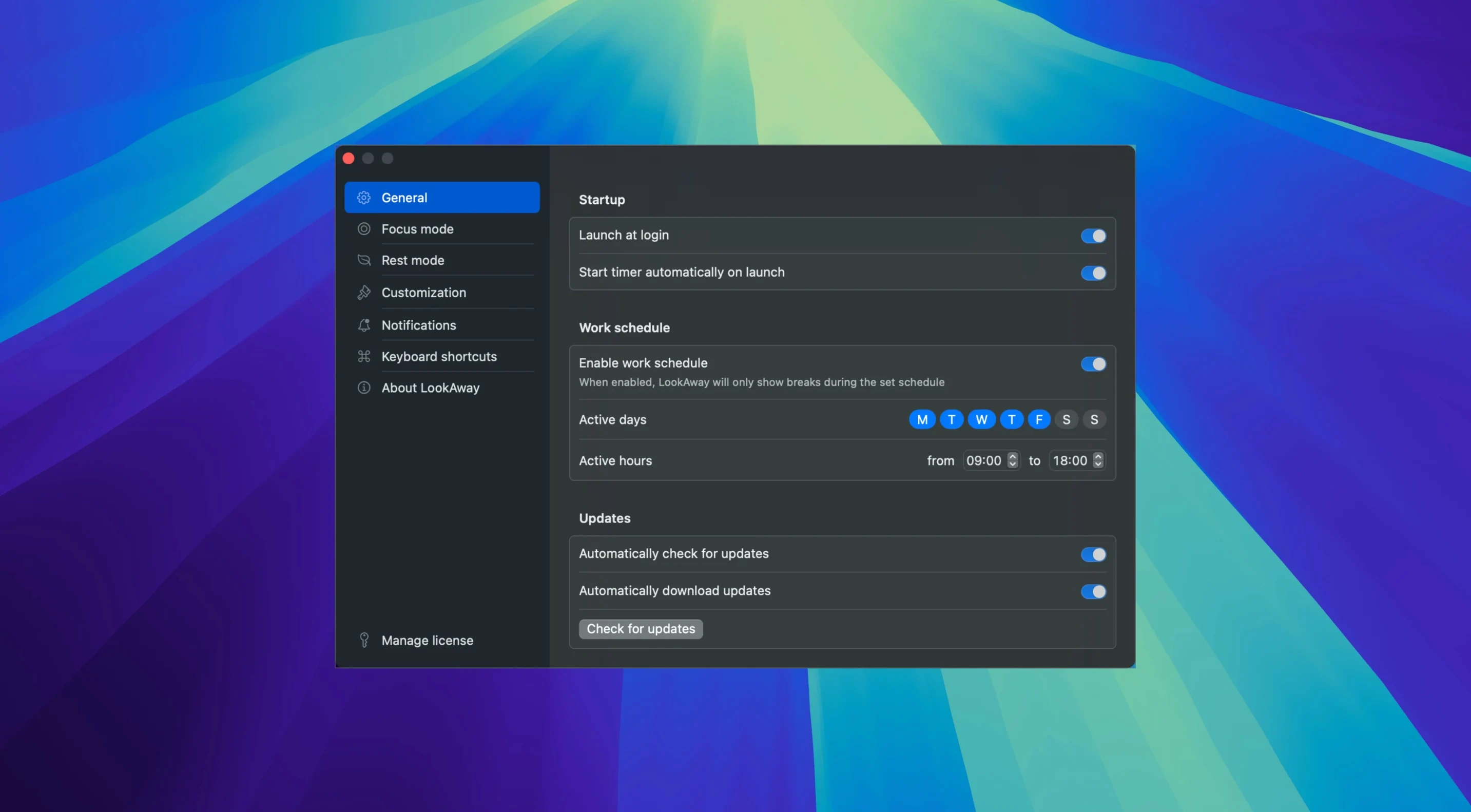
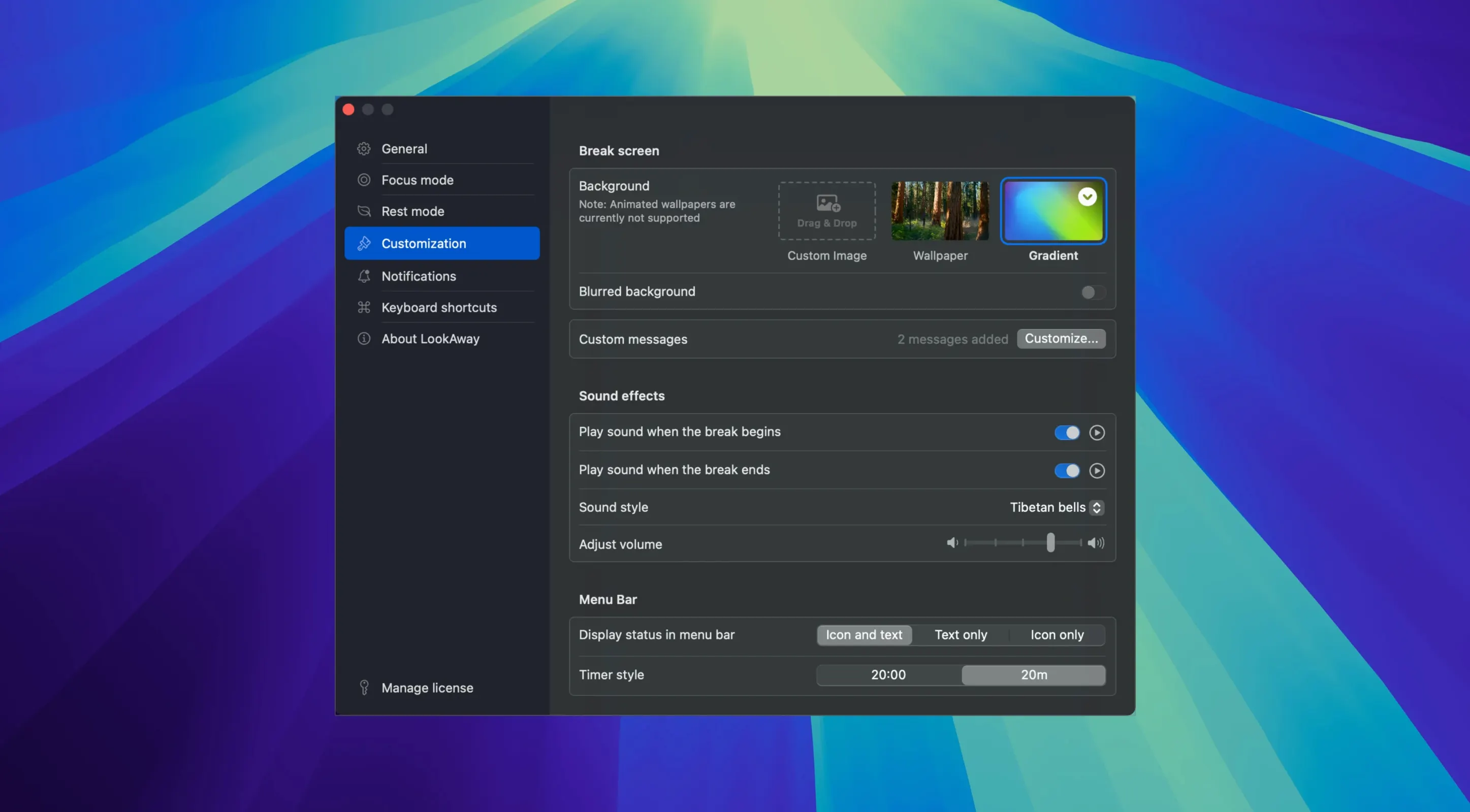
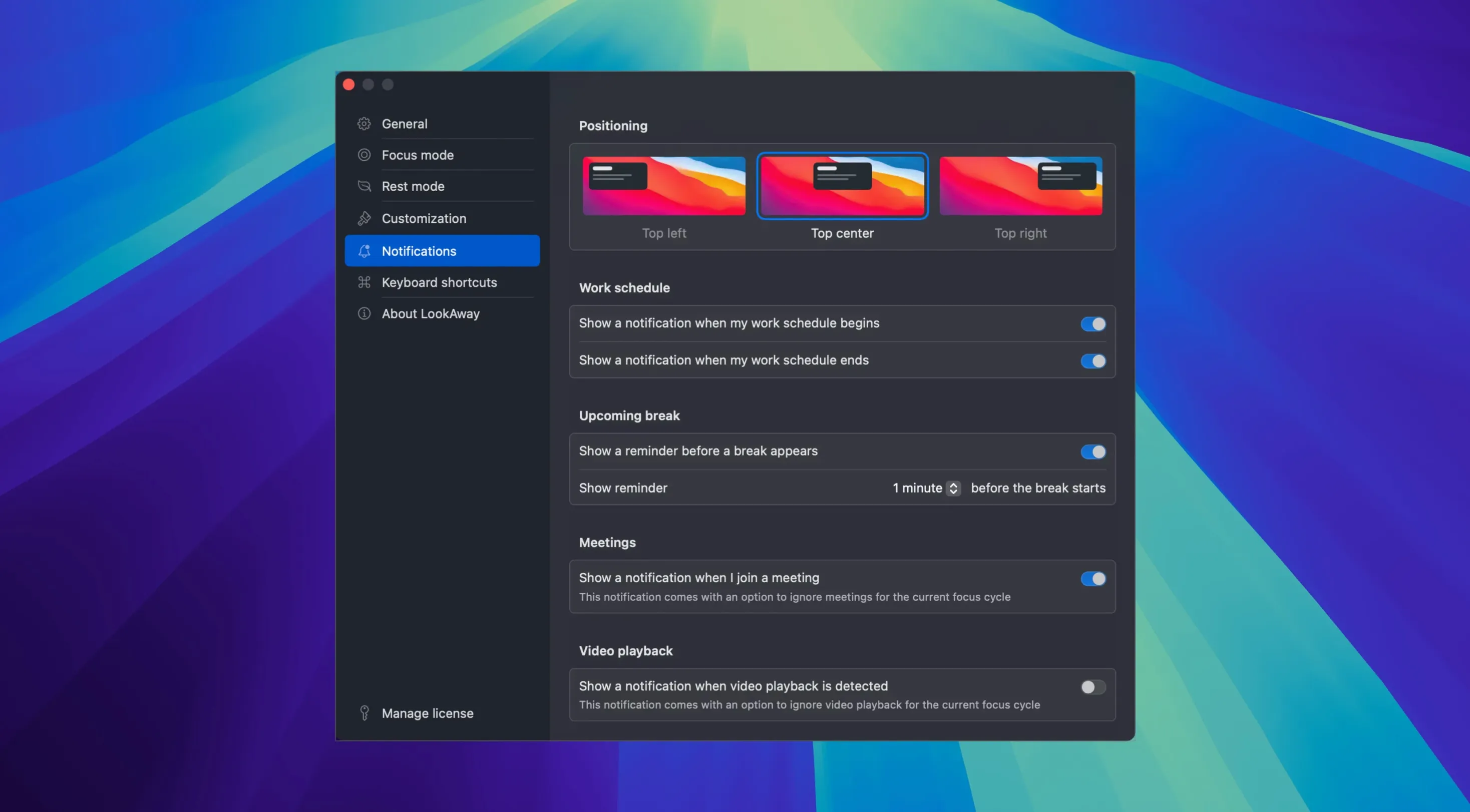
LookAway requires a Mac with macOS 13 Ventura or newer, and the single app runs natively on both Apple Silicon and 64-bit Intel machines. It sits in the background tracking your active screen time and stepping in when you need a pause. The core idea is straightforward: regular short breaks away from the display help reduce accumulated eye strain from long work sessions.
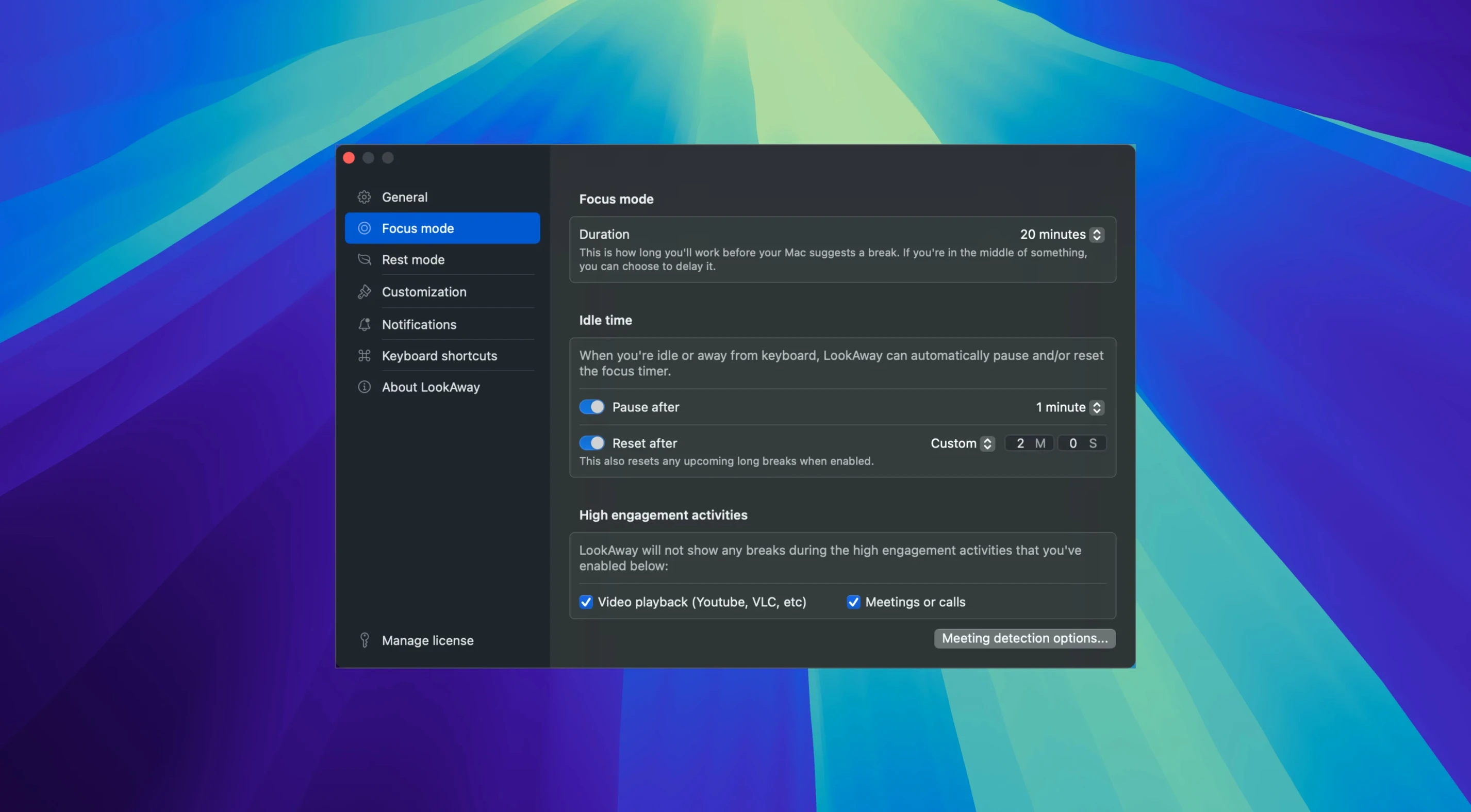
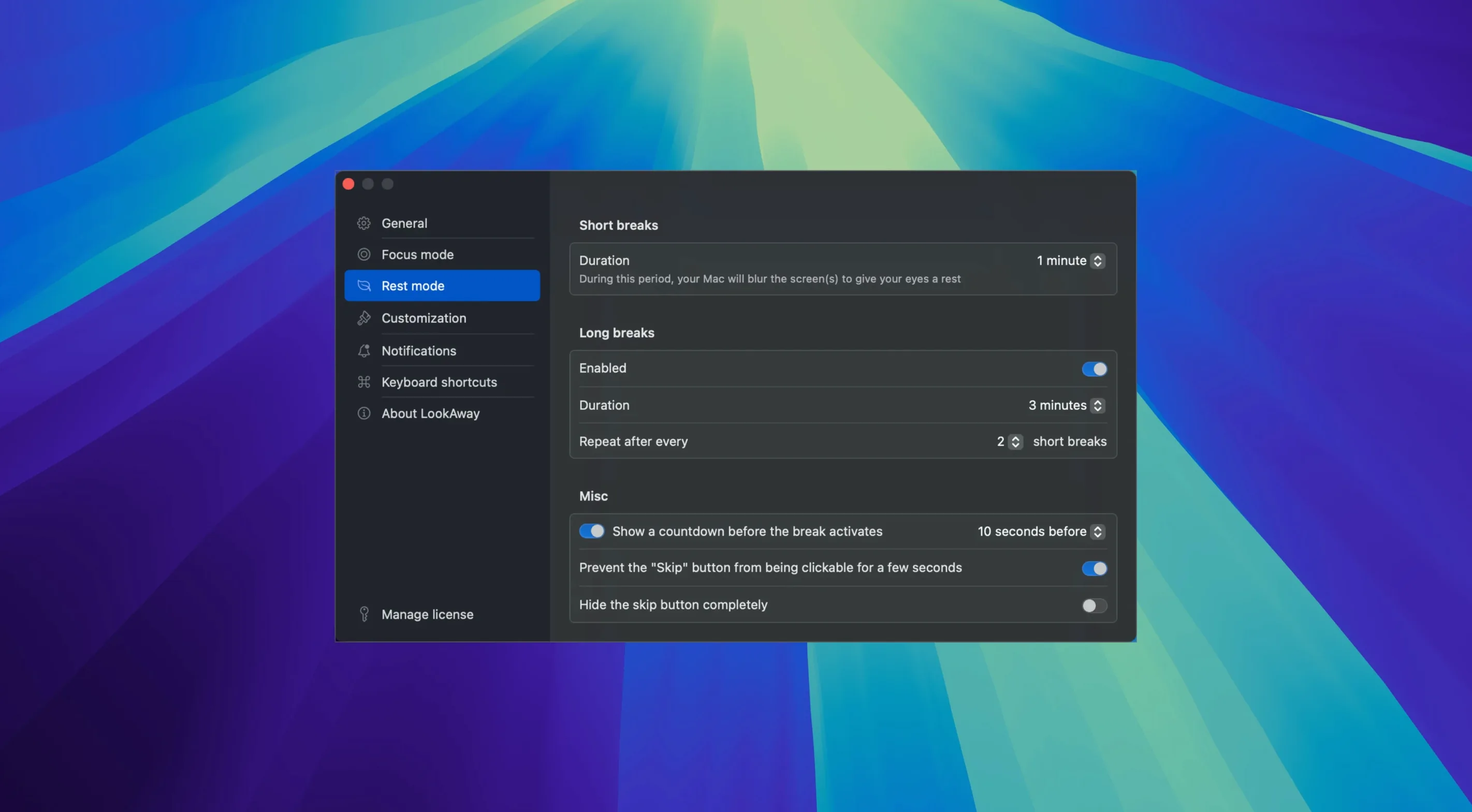
- Break intervals and durations are fully adjustable, so you set a rhythm that suits your working pattern.
- Idle detection pauses or resets the timer when you step away, preventing a break prompt the moment you return.
- Meeting and call detection suspends reminders automatically during video conferences and VoIP calls.
- A companion Mac app is needed for LookAway Mirror, which syncs break states across devices.
- The interface is presented in English.
Setup is simple: open the disk image, drag the app to Applications, and launch it from Launchpad. Once running, it works quietly in the menu bar, nudging you away from the screen at the intervals you specify and backing off when it senses you are not actively using the Mac.
Two-hour breaks with five-minute pauses undo the relief you installed it for
One of the first things new users do is set break intervals far too long and durations far too short. A five-minute break every two hours might feel productive, but it does little to ease the strain that builds up steadily over a morning. The app works best with frequent, modest pauses — something like twenty seconds every fifteen minutes for a short break, and a longer stretch of two or three minutes every hour. Starting with the defaults and adjusting slowly gives your eyes time to settle into the rhythm.
Another slip is ignoring the pre-break notification entirely. A small banner appears a few seconds before the break screen takes over, and people reflexively dismiss it to keep typing or reading. Doing that repeatedly trains you to override the nudge, which undercuts the whole point. Letting the notification sit and using those seconds to finish a sentence or save a file makes the transition feel less abrupt, and you are more likely to respect the break itself.
People also overlook idle detection and then wonder why the timer resets when they return with a coffee. The app notices keyboard and mouse inactivity and pauses the countdown. That is deliberate — it prevents a break from firing the moment you sit back down. If you prefer the timer to keep running regardless, the behaviour can be changed, but leaving it on stops the app from nagging you after a natural pause.
The break screen feels intrusive until you spot the snooze button
Most people want to know how intrusive the break screen is. It covers the display and shows a gentle prompt to look away, but it can be skipped or postponed if something urgent is happening. A small “snooze” option appears, and you can also configure how much warning you get beforehand. It is not a locked screen you cannot escape — more a firm suggestion with a polite way out.
Another common question is whether LookAway gets confused by video calls. The meeting detection feature watches for active camera or microphone use and suspends breaks automatically. During a long Zoom session, the timer pauses and resumes only after the call ends. This means you will not find yourself staring at a break screen mid-presentation.
A few people ask about multiple displays. The app handles them without extra configuration. When a break triggers, all connected screens show the reminder simultaneously, so you cannot simply drag a window to a secondary monitor and carry on.
The break-end chime hides its volume control outside the system audio
A recurring irritation is the quiet sound that plays when a break finishes. Some users find it too subtle to notice, while others would rather have silence. The volume is not tied to the system output level in an obvious way, so it can catch you out if your Mac is muted or set very low. Checking the app preferences and testing the end-of-break chime with your usual speaker setup sorts it out quickly.
Another snag involves LookAway Mirror. People sometimes install the companion app on a second Mac and assume it will sync automatically without further steps. Both copies need to be running and signed into the same iCloud account, and the Mirror option must be enabled in preferences on each machine. If breaks fire at different times, it is usually because one Mac has not been granted the permissions it needs to read break state across devices.
Occasionally someone searches for a lookaway for mac free download and ends up with an older build that does not include meeting detection or the latest idle-behaviour tweaks. That version can feel rougher around the edges. Installing the current release clears up most quirks, and the disk-image installation process stays the same: open it, drag the app across, and launch from the Applications folder.