Aspecten
 Download (135 MB)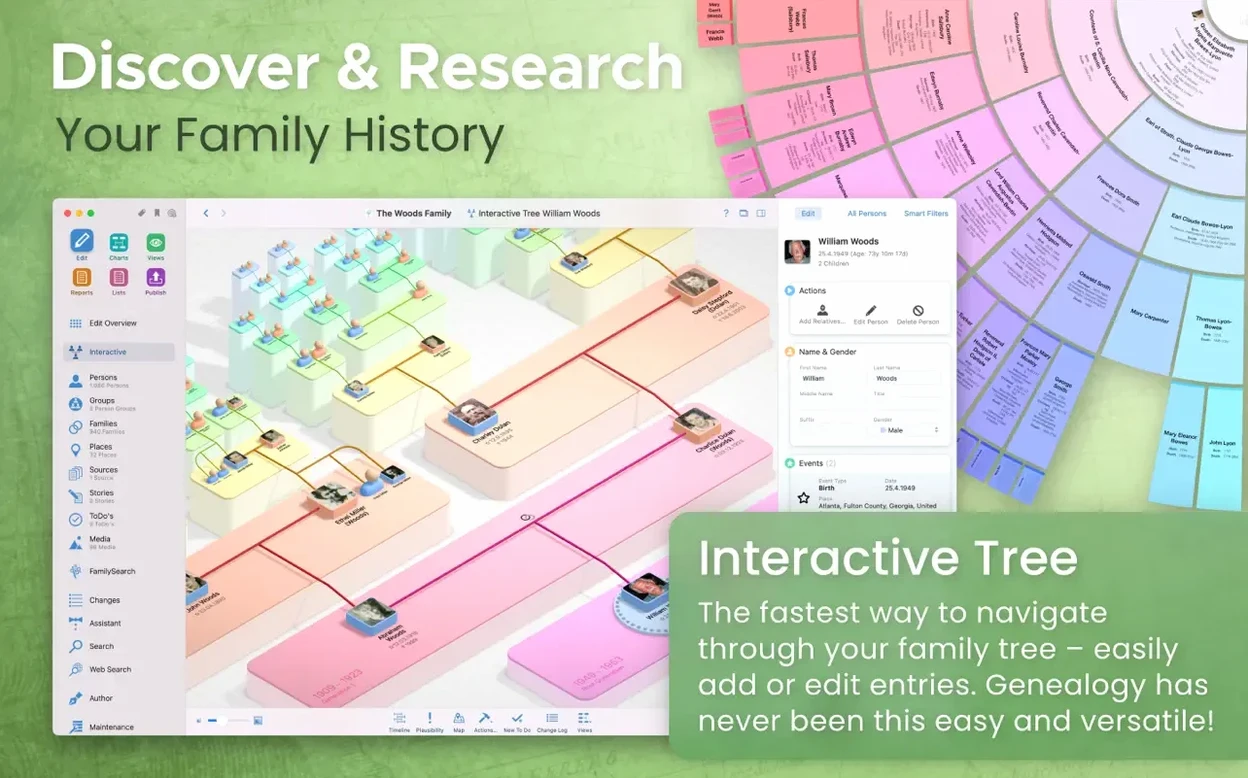
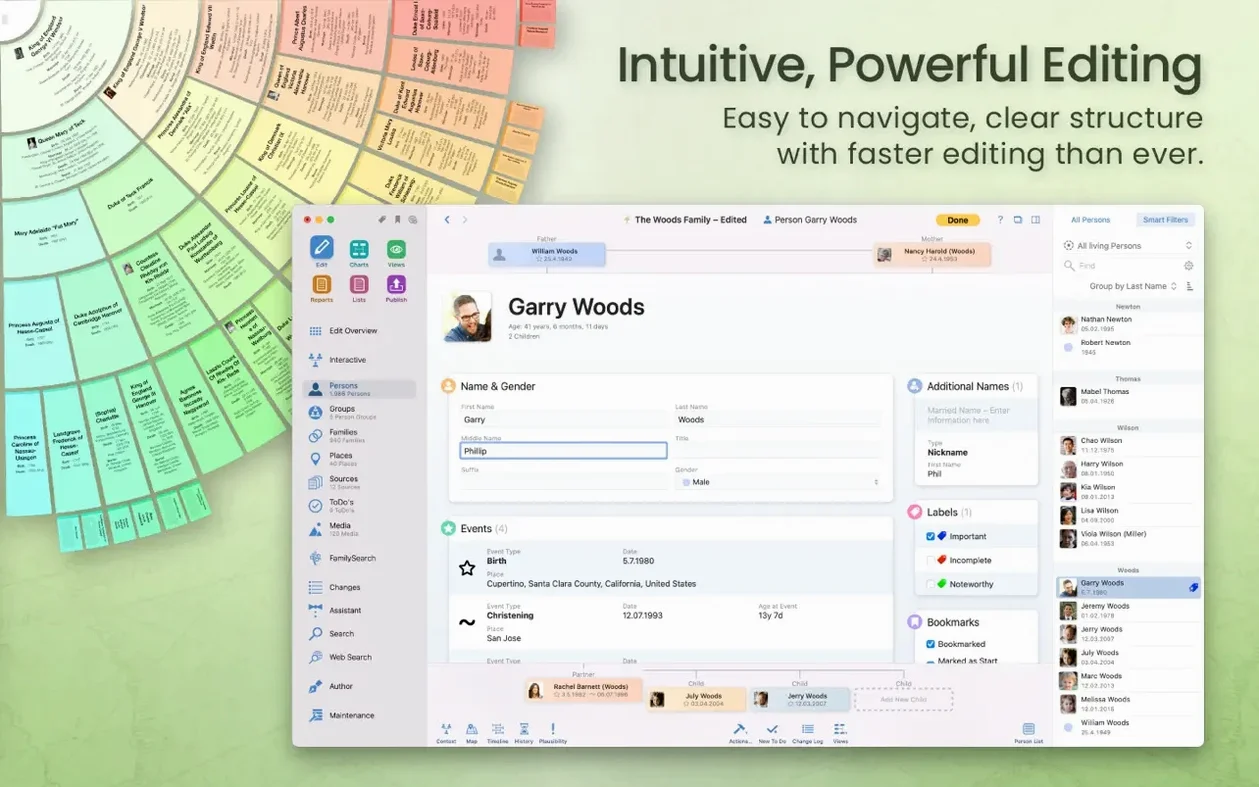
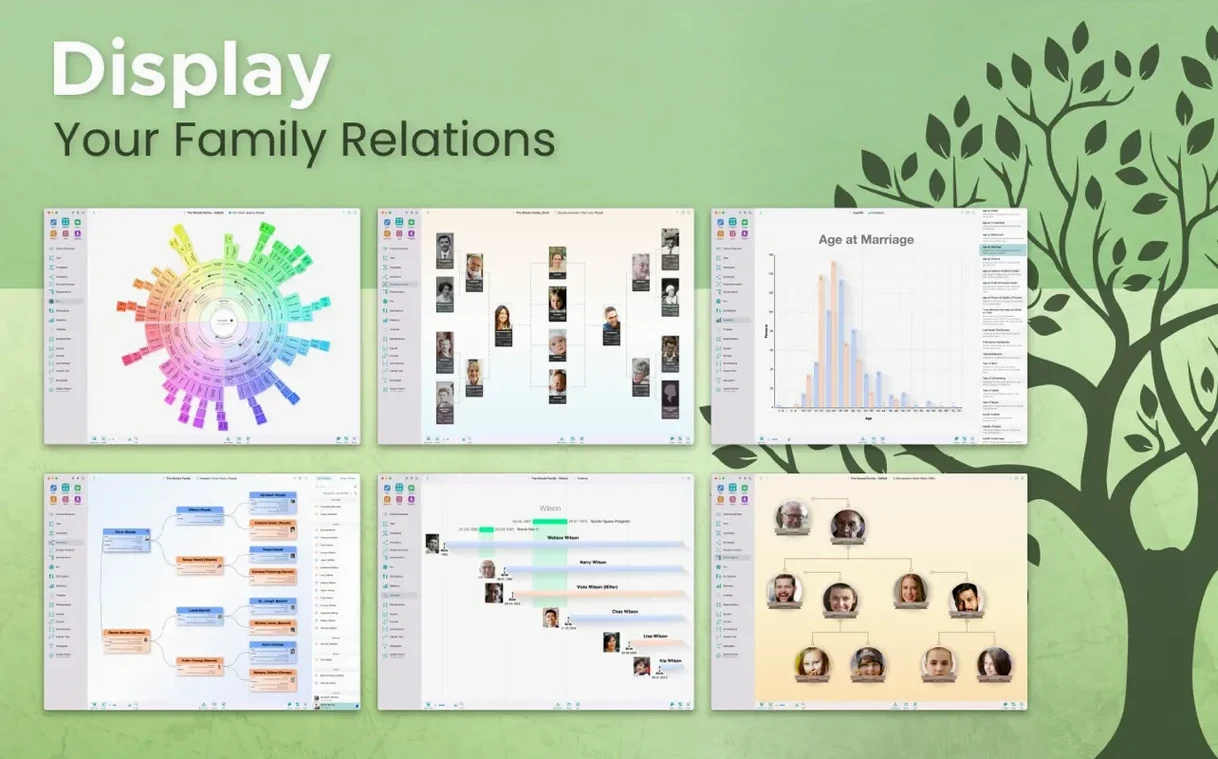
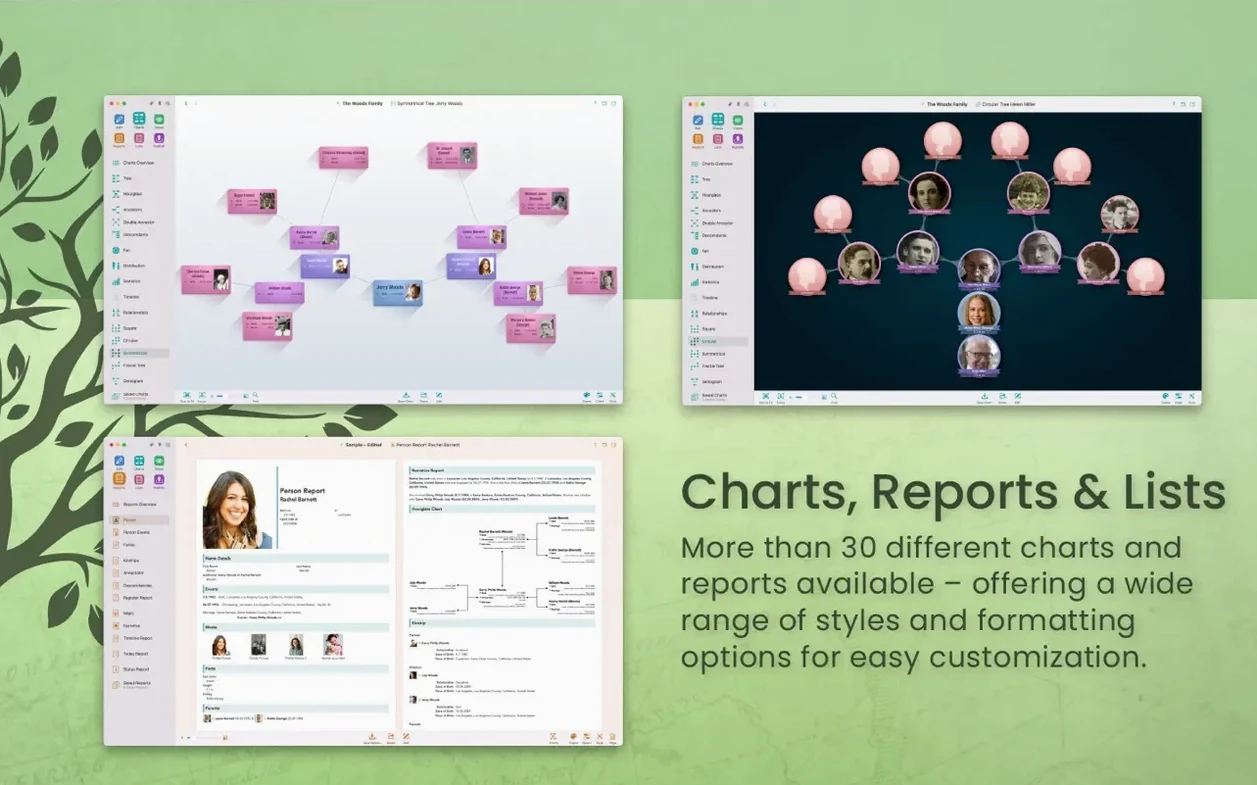
MacFamilyTree 11 can read GEDCOM files and connect directly to FamilySearch for record hints without leaving the workspace. The interface switches between sixteen languages, from Norwegian to Simplified Chinese.
Building a tree from scratch
You enter a person, add a parent or spouse, and the on-canvas chart expands immediately, colour-coding bloodlines and marriages as you go.
Searching online records
The sidebar opens a FamilySearch panel so you can pull census entries and vital records into your local tree and cross-check conflicting data on the spot.
Exporting a website
Switching your database to encrypted iCloud storage
MacFamilyTree works with the defaults, but a few adjustments make daily use noticeably calmer. The first thing to look at is the local storage location. By default the database lives on your Mac; switching to encrypted iCloud storage means the tree survives a machine change and stays available to MobileFamilyTree on an iPhone or iPad. The change is made in the app preferences, not per tree, so decide early.
Second, open the export privacy settings. MacFamilyTree can hide living people and private notes from exported charts, reports and websites. This matters less when you print a chart for yourself and considerably more when you generate a public or shared website. Set the default before you export anything; changing it later means re-exporting everything.
Third, adjust the chart colours. The default palette uses similar tones for different relationship lines, and on a large tree that becomes hard to read quickly. Setting distinct colours for bloodline, marriage and step-relations helps when you scan a crowded on-canvas view. The setting is per chart and stays until you change it.
Finally, set the date format and calendar preference. MacFamilyTree can display dates in Gregorian, Julian or French Republican formats, and mixing them without realising it leads to quiet confusion in reports. Pick the calendar you actually work in and stick with it for the whole database; conversion happens in the background but the display stays predictable.
Bringing in a GEDCOM file from another program
MacFamilyTree is not an island. GEDCOM remains the common currency for family history data, and the app imports and exports it cleanly. A file from another genealogy program — or from a relative who uses one — can be brought in without manual retyping. The same works in reverse when someone in the family insists on their own software.
With iCloud storage enabled, MacFamilyTree pairs with MobileFamilyTree on iOS. Changes made on a phone during a family visit appear on the Mac after syncing, and vice versa. The developer states that syncing between devices requires an iCloud account, and the connection is handled by the app rather than by manually moving files around.
The FamilySearch integration is more than a search box. Record hints arrive inside the workspace, so you can attach a census entry or a birth record to a person without switching to a browser and back. This fits into a workflow where the local tree is the source of truth and online records are supporting evidence, not the other way round.
For printed output, MacFamilyTree exports charts and reports in multiple formats. A chart can be saved as a PDF for a family newsletter, a report can be sent to a relative as a text file, and the whole tree can become a website through MacFamilyTree.com with password protection if the family prefers some privacy. None of this requires a separate layout tool.
The app also respects standard macOS conventions. Text fields accept dictation, the interface language follows the system setting when it matches one of the sixteen supported languages, and the window layout behaves like a normal document-based Mac app. Apple Silicon Macs run the current version natively, and Intel 64-bit machines remain supported on macOS 12 Monterey or later.
Entering one person twice under different names
The most common early mistake is entering a person twice under slightly different names — once as “Elizabeth”, once as “Liz” — and then connecting family members to different records. MacFamilyTree has tools for merging duplicate people, but the better habit is to search the existing tree before adding anyone new. The search field is faster than rebuilding a branch.
Another frequent error is attaching a source to the wrong fact. A birth record belongs to the birth event, not to the person as a whole. When you attach it to the person instead, later reports show the source floating under a name with no clear connection to a date or place. Ten minutes spent organising sources early saves an afternoon of untangling later.
Beginners also ignore the credibility field. MacFamilyTree lets you mark a source as primary, secondary or uncertain, and that judgement carries into reports. Entering every source without a credibility marker produces a tree that looks thoroughly documented but gives no sense of which facts rest on solid ground.
The website export surprises people too. A tree that looks tidy in the app can reveal private notes, living relatives and half-finished entries once it is online. The privacy settings mentioned above exist for exactly this reason, and the password protection option is not a substitute for hiding people from export. Both should be configured together.
Finally, some users switch between MacFamilyTree and another genealogy application by exporting GEDCOM each time, then editing both copies. That leads to two divergent versions of the same family. A better approach is to keep one working copy and export GEDCOM only when someone else needs the data.
A cardboard box of photos and a half-filled chart
Take a retired teacher in her late sixties who inherited a cardboard box of photographs, letters and a half-filled pedigree chart from an aunt. She buys a MacBook Air, installs MacFamilyTree 11, and starts by entering her aunt as the root person. From there she adds parents, siblings and cousins as the letters name them.
She stores the database in encrypted iCloud, so when she visits her daughter she can open the same tree in MobileFamilyTree on an iPad and show a branch without carrying the Mac. During a quiet afternoon she types notes from a 1940s letter into the person view, attaching a scan of the letter as a source and marking it primary because it is a first-hand document.
When she finds a great-uncle mentioned only by nickname, she opens the FamilySearch panel inside MacFamilyTree and searches for his given name. A census record appears, and she attaches it to his person entry. The record conflicts with a date she had typed from memory, so she changes the date and notes the discrepancy in the source field.
After six weeks she has ninety-four people, a fan chart for the wall, and a website under password protection for the cousins to browse. The whole project lives in one database, backed up in iCloud, and she has not touched a spreadsheet or a browser-based tree builder once.
Researchers who record sources and dates consistently
MacFamilyTree rewards people who think of genealogy as structured research rather than casual name collecting. A user who records sources, dates places consistently and works branch by branch will find the reports and charts genuinely useful. The chart types — hourglass, double pedigree, fan, genogram, statistical maps — are not decoration; they answer different questions about the same data.
Mac users who already live in the Apple ecosystem benefit most. The companion MobileFamilyTree app means a tree is editable from a phone during a family reunion or a cemetery visit, and iCloud storage removes the need to move files manually. That combination is hard to replicate with a desktop-only genealogy program.
People who share family history with relatives also gain from the export options. A password-protected website gives non-technical family members a way to browse without installing anything, while GEDCOM export keeps the data portable if a relative uses different software. The ability to hide living people from exports makes sharing less of a privacy negotiation.
Users working with FamilySearch records get a more direct workflow than jumping between browser tabs, and anyone who prefers a native Mac application over a web service will notice the difference in responsiveness and offline access. The interface language support also helps households where genealogy is a multi-generational activity and not everyone reads English comfortably.
A site can be generated through MacFamilyTree.com with optional password protection, turning the current tree into a private family portal in a few minutes.