Aspecten
 Download (55 MB)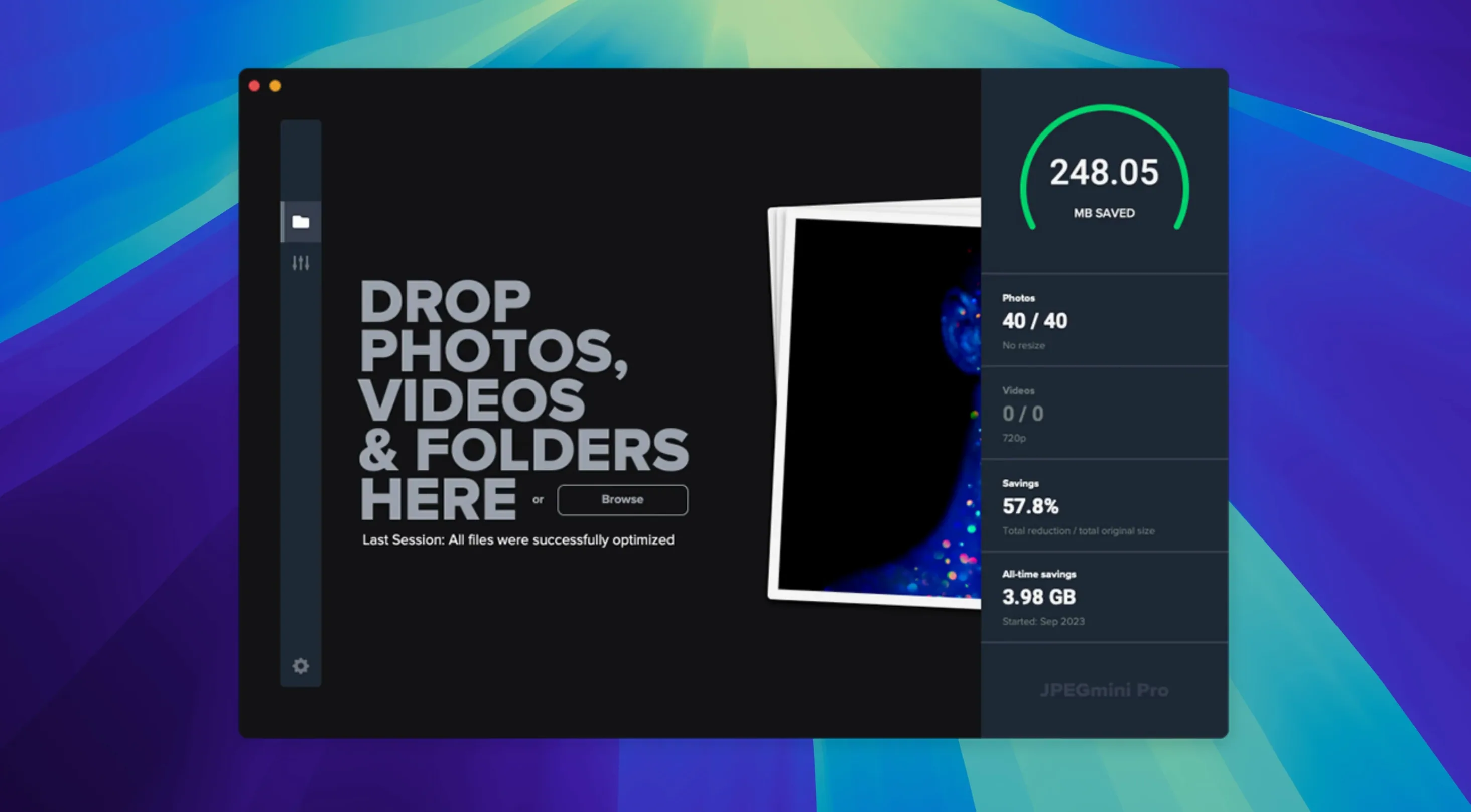
Large image folders and slow website loading often share a common cause: file sizes that are larger than they need to be. JPEGmini Pro tackles this by compressing JPEG and HEIC images in a way that keeps the visible quality intact while reducing the file size considerably. The result is less storage used locally, faster uploads to cloud services, and quicker page loads when images are served on the web.
It runs on any Mac with macOS 10.15 or later, supporting both Apple Silicon and Intel 64-bit processors. The install is a straightforward drag to the Applications folder from the disk image, after which the app appears in Launchpad. There is no separate configuration step to match your Mac’s architecture; a single build handles both.
Once open, the app can compress images individually or via watch folders that process new files automatically. You can set a target quality level, or let JPEGmini Pro decide the compression settings per image. Throughout the process, it preserves EXIF, IPTC, and ICC colour profiles, so metadata and colour information travel through unchanged. This makes it suitable for photographers who need smaller files without stripping contextual data or colour fidelity.
The official technology description also points to video optimisation, though the desktop app’s compression core is built around still images in JPEG and HEIC formats. The practical benefit is felt most when preparing batches of photos for online delivery or archiving: the file sizes drop, but the images look the way they did before.
Compression that fools the eye, not the pixel counter
People often wonder whether the compression is truly lossless. It is not lossless in the technical sense — pixels do change — but the algorithm is tuned to discard only data the human eye struggles to perceive. The result looks like the original at normal viewing distances, even though the file is smaller. If you zoom to 300% and toggle between versions, you might spot tiny smoothing in flat colour areas, but that is not how images are viewed in practice.
Another common question is whether the app can handle HEIC files from iPhones. It can, and it treats them as a first-class format alongside JPEG. Some users ask if running a jpegmini pro mac download from a third-party site is safe; the app itself is a single installer from Beamr, and the version covered here is a clean 4.1.3 build. The architecture support means no Rosetta worries on Apple Silicon Macs — it runs natively.
People also ask about overwriting originals. By default, the app creates compressed copies rather than replacing your source files, which is the safer route. You can change this behaviour, but beginners should leave it as-is until they trust the output.
Turning 380 weekend shots into a lean, shareable batch
Imagine a photographer returning from a weekend shoot with 380 raw JPEGs on an external drive. She opens JPEGmini Pro, drags the folder onto the main window, and sets the quality slider to the middle position — a reasonable balance between size reduction and fidelity. The app scans the folder, showing a thumbnail grid and an estimated total saving before any file is touched.
She clicks the Optimize button. A progress bar moves steadily as each image is processed and written to a new subfolder. The original folder remains untouched. When the batch finishes, the summary reads 42% size reduction overall. She opens a few images side by side with the originals using Quick Look and sees no meaningful difference at full screen.
Next, she sets up a watch folder on her desktop. Any image dropped there will be compressed automatically and moved to an output folder she assigned. She drags a handful of HEIC shots from her iPhone into the watch folder, and within seconds the smaller versions appear in the output location, ready to attach to an email. The session ends with a noticeably lighter photo library and no visible quality penalty.
Dragging a live catalogue in can trigger a bulk recompress
One mistake is dragging an entire system folder or a live Lightroom catalogue into the app, expecting it to know which files to skip. JPEGmini Pro will attempt to compress every supported image it finds, which can lead to unintended alterations inside managed libraries. A safer approach is to export images to a plain folder first, then compress that folder.
Another is maxing out the quality slider on the assumption that “highest quality” produces the best outcome. In practice, the strongest compression setting often yields files that are still visually identical for screen use, and the space savings are far greater. Beginners tend to over-protect image fidelity and miss the storage benefits the app can deliver.
Some users, after searching for jpegmini pro torrent or a jpegmini pro crack, end up with modified builds that strip metadata or introduce odd colour shifts. The genuine 4.1.3 app preserves EXIF, GPS, IPTC and ICC profiles without exception. If your output suddenly lacks location data or looks desaturated, check that the build includes its full processing libraries and colour engine intact, rather than assuming you missed a setting.