Aspecten
 Download (30 MB)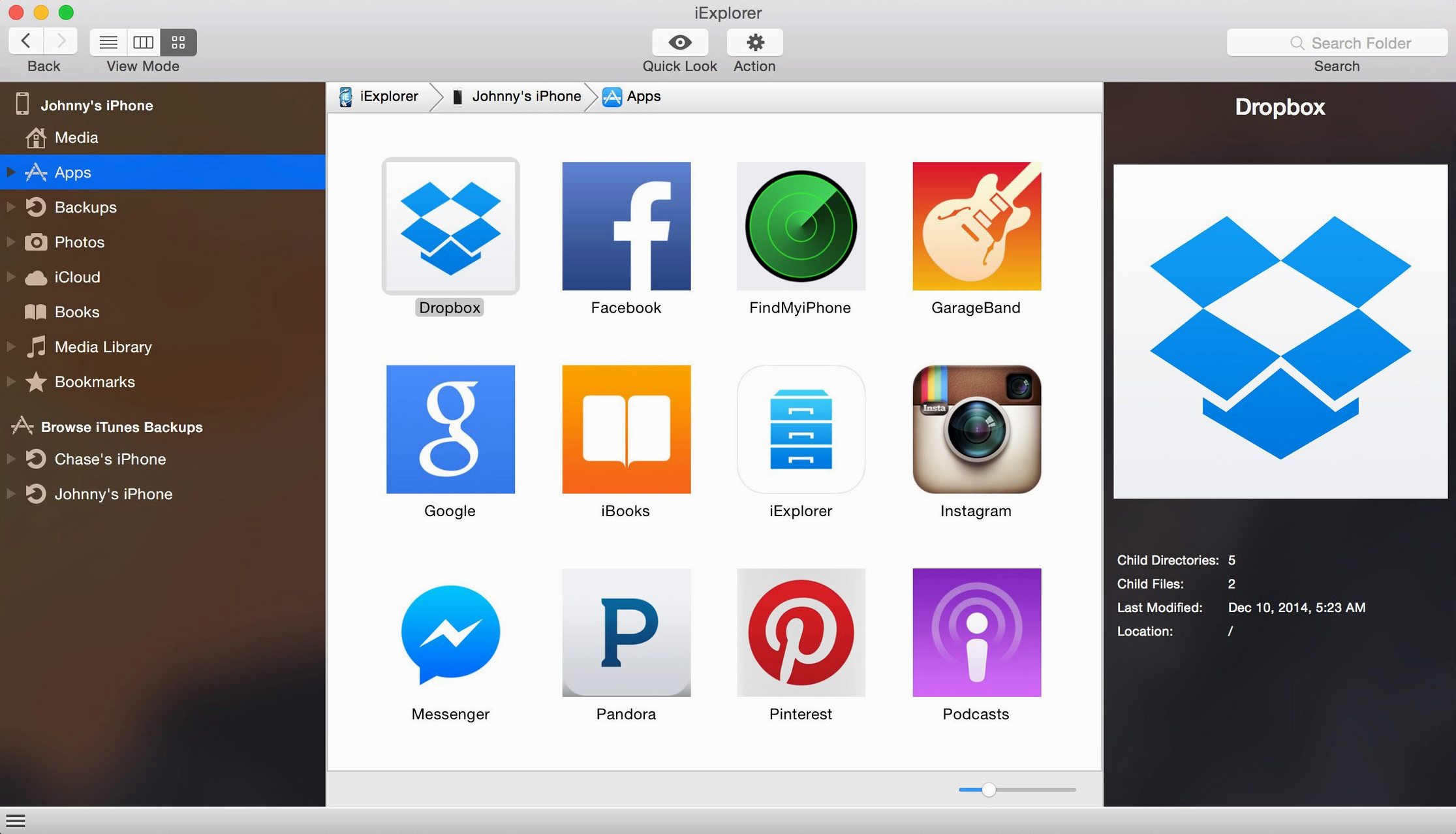
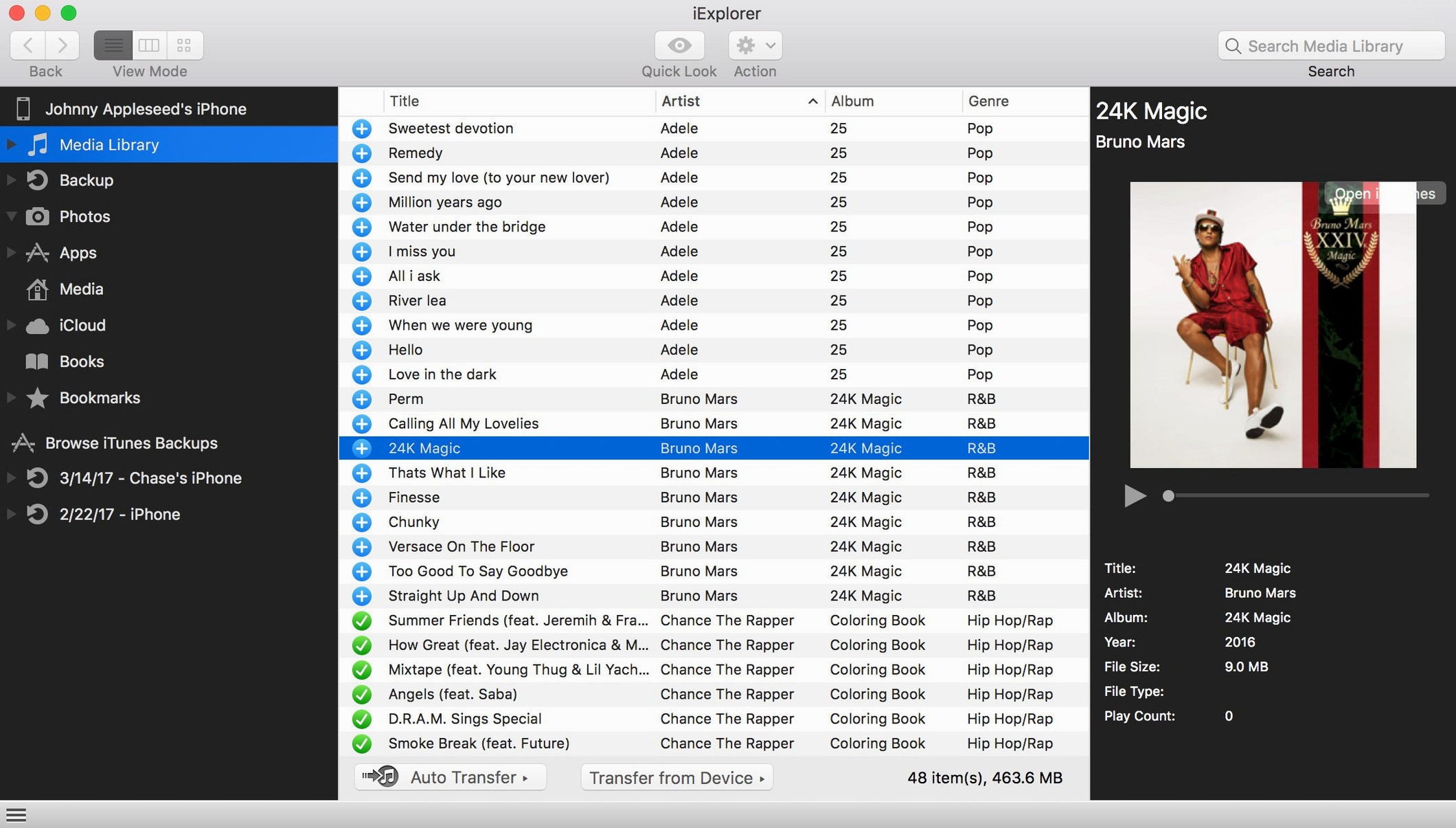
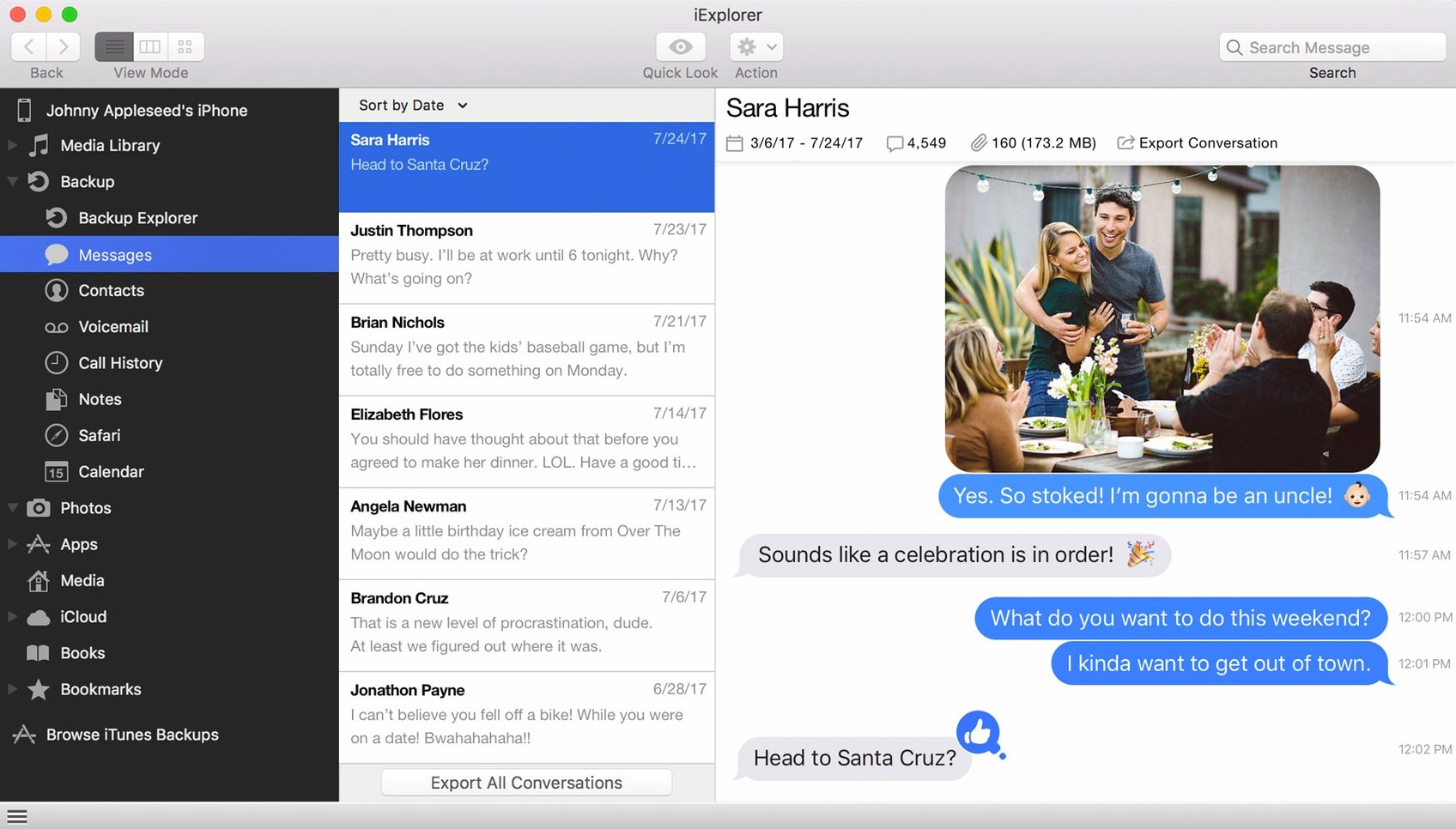
A working installation of iExplorer needs macOS 10.10 (Yosemite) or later, an Intel 64-bit processor, and Apple's iTunes. Apple Silicon Macs run the app through Rosetta 2. The utility does not list a native ARM build at version 4.6.0.
iTunes still required to reach your device
- Does it still need iTunes? Yes. Even on recent macOS versions, the app relies on an iTunes installation to communicate with connected devices.
- What can it pull from a device? Contacts, messages, notes, call history, and media files. It can also browse app data, including documents and icons stored by individual apps.
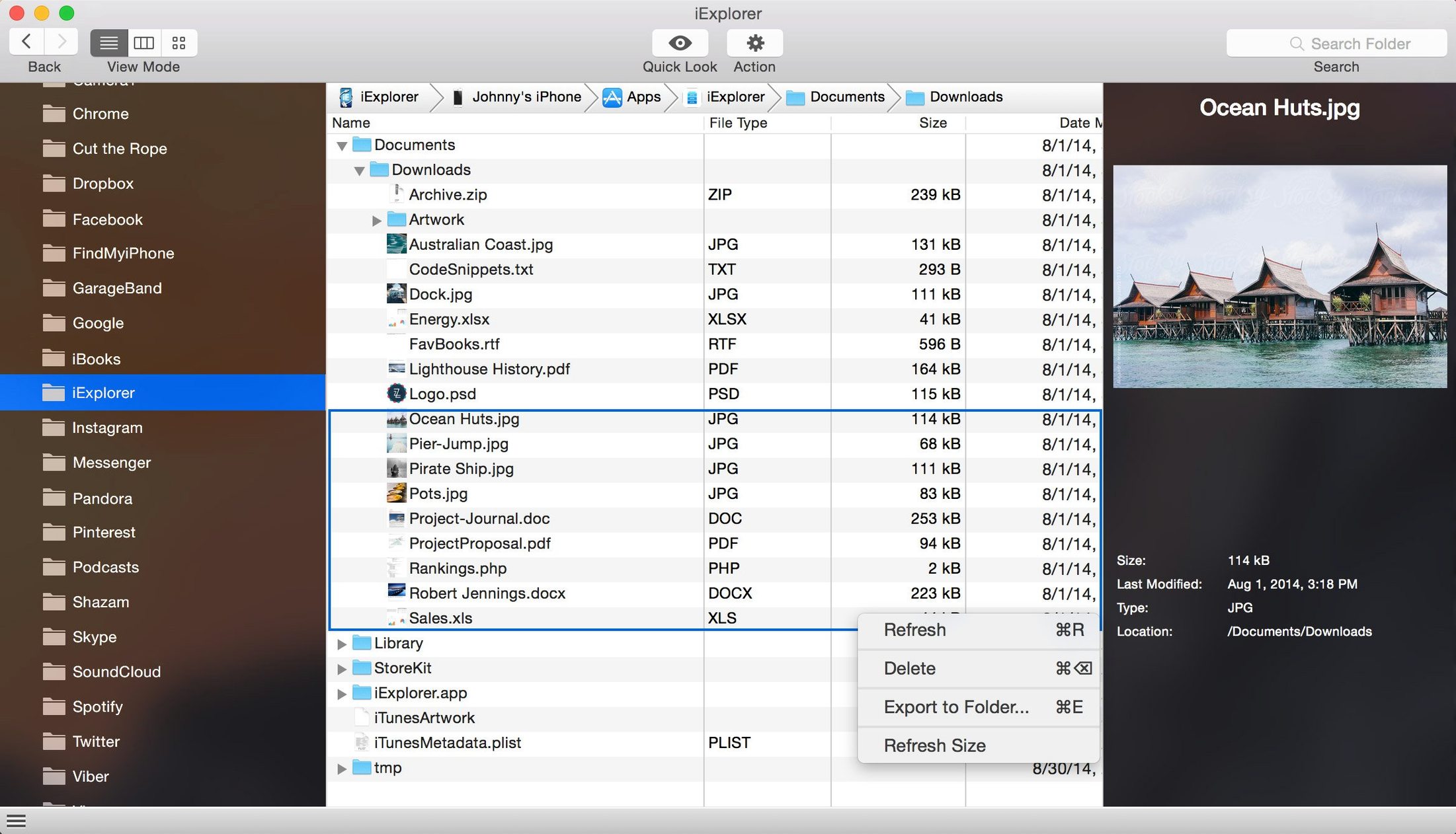
- Can it write data back to an iPhone? It can add files to a device without opening iTunes. The disk-mount feature presents the device as an external volume for drag-and-drop transfer.
- Does it read old backups? Backups stored on the Mac are accessible, so you can extract information without restoring a whole device.
- Is iCloud access included? The app provides a window into iCloud storage, which is useful for retrieving files that never made it to a local backup.
Interface and scope
The interface is English-only and splits the device contents into familiar categories: media, messages, contacts, and app data. Navigation feels utilitarian rather than polished, but the layout keeps the transfer steps short. Mounting a device as a disk makes the iPhone or iPad appear in the Finder, which suits workflows that treat the device as a storage volume. The app does not replace a full backup routine, but it covers the common extraction tasks people look for when an iTunes sync is too rigid.
Device missing from the sidebar fix
A handful of recurring issues surface in daily use, most of them tied to how macOS and iTunes interact with a connected device. The most frequent is the device not appearing in the sidebar. This usually traces back to iTunes not running, or the device not being trusted on the Mac yet. Unlocking the iPhone and tapping "Trust" when prompted resolves the majority of detection failures. Closing and reopening iExplorer afterwards refreshes the connection.
Another sticking point is the "disk mounted but empty" state. When the file system view shows no content, the cause is often an iOS restriction on direct file access for certain app containers. Switching to the app's own browser rather than the Finder-mounted volume sometimes exposes the data that the disk mode cannot show. For encrypted backups, iExplorer asks for the backup password — the same one set in iTunes. Entering it incorrectly three times locks the backup temporarily, and the workaround is patience: wait, then try the exact password again.
Users who move large photo libraries occasionally see a stalled transfer. Pausing and resuming the operation inside the app's progress panel tends to shake it loose. If the transfer fails outright, breaking the export into smaller batches of a few hundred items keeps the connection stable. For those who obtain the software through unofficial channels — searches such as iexplorer mac crack or iexplorer torrent sometimes lead to versions that need a clean removal of the app and its preference files before reinstalling to run well.
USB session fix for iOS 16 browsing
Version 4.6.0 arrived in October 2022 with a narrow but practical focus: iOS 16 compatibility. Before the update, users on the new iOS release reported intermittent disconnections when browsing large app-data folders. The update stabilised the USB session handling so that browsing remains uninterrupted across longer sessions. With iOS 16's tightened security prompts, the app now triggers fewer repeated permission requests after the initial trust handshake completes.
Earlier updates in the 4.x cycle quietly refined backup parsing. Extracting messages and attachments from backups created on iOS 15 and 16 became more reliable, particularly for large group threads with embedded photos. The disk-mount feature also received a behind-the-scenes adjustment: mounted volumes now refresh their directory listing more predictably after files are added from the Mac side. Users who rely on iexplorer full transfers of their media libraries will notice fewer incomplete album copies compared to the 4.5.x builds.
Right-click a contact for instant vCard export
Several touches in the interface reward a closer look. Right-clicking a contact in the sidebar reveals a direct "Export vCard" option that bypasses the export wizard entirely — useful for grabbing a single address card without walking through the full export dialogue. In the messages section, selecting a conversation and pressing Command-E exports the entire thread as a PDF, preserving timestamps and attachment placeholders. The PDF layout is plain, but it prints cleanly.
The disk-mount feature has a hidden behaviour: dragging a folder onto the mounted device volume creates the folder structure intact, which means you can drop a whole project directory onto an iPad and find the hierarchy preserved inside the target app's documents. Holding the Option key while clicking the refresh button in the toolbar forces a full device re-scan, which takes longer but often recovers from a stalled view faster than disconnecting and reconnecting the cable. In the app-data browser, double-clicking a file copies it to the Mac's temporary directory and opens it in the default application, saving the step of manually exporting and then locating the file.
About 120 MB RAM at idle on an Intel Mac
On an Intel Mac running a recent macOS release, iExplorer launches in under four seconds and settles into roughly 120 MB of RAM at idle. Memory use climbs during large exports — a 5,000-photo transfer pushes the footprint to around 350 MB — but it releases the allocation once the job finishes. CPU draw is modest: a background music transfer tickles a single core at 10–15%, leaving the machine responsive for other tasks.
Stability during extended sessions holds up well. Leaving the app connected overnight with an iPad mounted as a disk produced no crashes in testing, though the Finder volume occasionally unmounts after the device enters deep sleep. Reconnecting requires a quick unplug and replug of the Lightning cable. The interface itself stays snappy when browsing large message histories; scrolling through a conversation with 20,000 messages introduces a half-second hesitation per screen of text, which is acceptable for a utility that does not cache conversations locally. Transfers over USB 2.0 cap around 25 MB/s for media files, while USB 3.0 connections on applicable iPad models reach closer to 60 MB/s. The bottleneck is typically the device's storage controller, not the app. For a tool that runs through the Rosetta 2 translation layer on Apple Silicon, the performance penalty is imperceptible in everyday browsing and extraction tasks.