Aspecten
 Download (68 MB)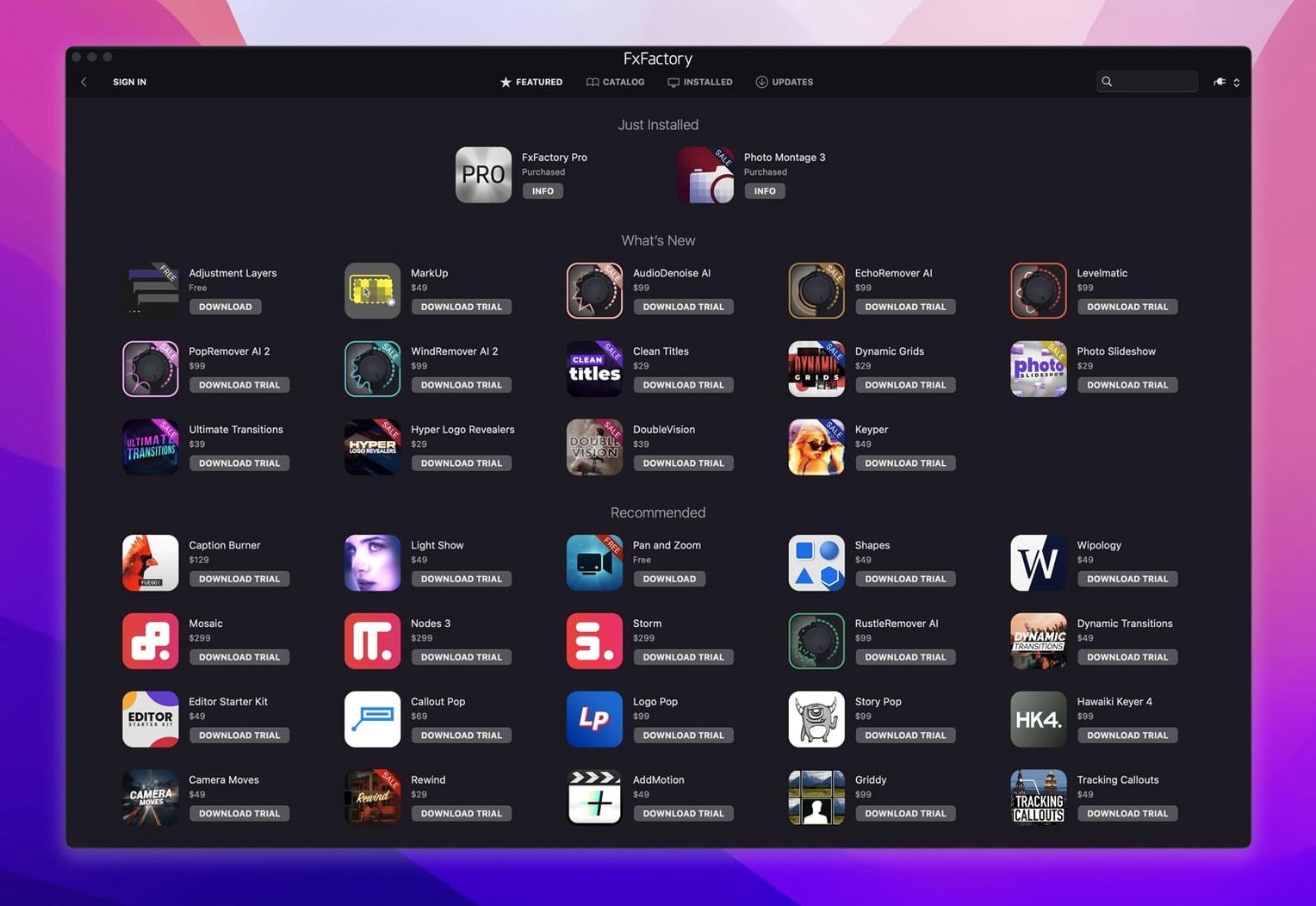
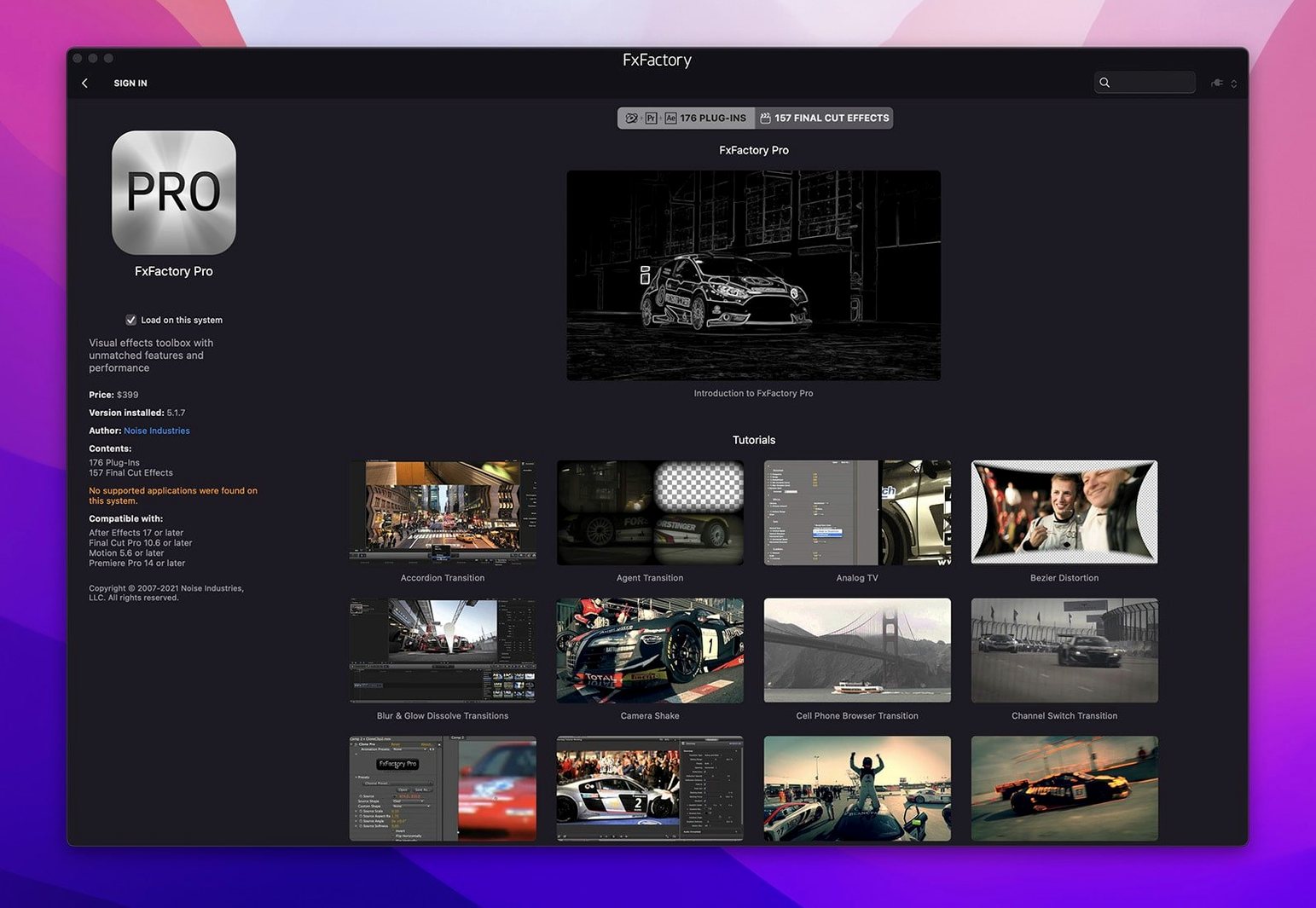
Motion graphics work often stalls not on the idea, but on the plumbing — finding a working effect, keeping it compatible across host applications, and knowing it won’t break when you open the project next week. FxFactory Pro steps into that gap as a central management environment rather than a simple installer.
Consider a single practical task: adding a clean, broadcast-safe lower third to a Final Cut Pro timeline, then reusing the same effect with a different colour palette in After Effects. From the FxFactory interface you browse installed effects, pick a title template from the Pro Pack, and adjust the text and colours. Because the same FxFactory-hosted plugin is available inside both hosts, the look stays identical. The Pro Pack’s 32-bit processing keeps gradients smooth when the project moves to a high-bit-depth finishing codec.
The manager itself handles the housekeeping — registration, updates, and a unified browser for effects spread across different developer packages — without requiring System Integrity Protection to be disabled. That matters on a machine that also does non-video work.
Editors juggling multiple host apps hit the plugin-compatibility wall
FxFactory Pro is not a blanket recommendation for anyone who occasionally edits video. Three groups stand to gain the most, and their reasons differ.
Editors working across two or more host applications hit the plugin-compatibility wall regularly. A colour correction pack bought for Final Cut Pro may not appear in After Effects, or vice versa. Because FxFactory plugins expose themselves through FxPlug to every supported host, a single installation of, say, the Pro Pack’s grain reducer or glow effect becomes available inside Final Cut Pro, Motion, Premiere Pro and After Effects without extra steps. Editors who deliver a cut in Final Cut Pro on Tuesday and do compositing in After Effects on Wednesday avoid re-building effects or chasing equivalent plugins in each application.
Motion graphics designers who lean on templates benefit from the Pro Pack’s library of ready-to-adjust generators and transitions. Rather than keyframing a data-driven chart from scratch, a designer picks a bar graph generator inside Motion, feeds it a spreadsheet-style number set, and gets a result that stays live when the numbers change later. The 32-bit pipeline keeps banding out of gradients in dark backgrounds — a common pain point when lower-bit-depth plugins meet an HDR or log-colour timeline.
Plugin developers and small production teams use the FxFactory environment as a lightweight deployment system. A developer can build a custom effect with the FxFactory tools and deploy it to a handful of Macs in a studio without packaging separate installers for each host. The built-in registration and update mechanisms mean the team gets new versions through a single channel. For the solo editor-developer who maintains a set of house-style effects — recurring title treatments, a specific colour transform — the free tier of FxFactory handles the basics while the Pro Pack extends the rendering precision to 16-bit and 32-bit where needed.
Casual iMovie users who apply one effect twice a year will find the manager overbuilt for their needs. The value tightens as the number of plugins, hosts and collaborators grows.
Apple Silicon parity arrived without a Rosetta crutch
Noise Industries does not publish granular per-build changelogs for the FxFactory manager itself, but stepping through the version history that leads to 9.0.5-8654 reveals shifts that affect ordinary editing sessions.
Apple Silicon parity. Earlier FxFactory releases ran under Rosetta on Apple Silicon Macs. The move to a universal binary — ARM and x86 64-bit in the same package — removed the translation layer. For editors, this meant faster effect previews and fewer beachballs when scrubbing a timeline filled with stacked FxFactory effects. Plugins that do real-time pixel crunching, such as blurs and glows, stopped hitting the Rosetta performance ceiling. A composite shot that chugged at 12 frames per second on an M1 under emulation now plays back at full speed.
No SIP disabling. Older visual-effects frameworks sometimes asked users to turn off System Integrity Protection to install low-level components. The build label for version 9.0.5 explicitly notes installation “without SIP disabling.” In practice, that means editors on managed Macs — studio machines locked down by IT policy — can install and update FxFactory without administrator exceptions. The plug-ins load into Final Cut Pro and After Effects without carving holes in macOS security.
DaVinci Resolve support maturing. While FxFactory has supported Resolve for several versions, the 9.x cycle tightened integration. Editors report fewer instances of effects rendering differently between the Resolve viewer and the final export — a long-standing source of friction. The Pro Pack’s 32-bit processing meshes more cleanly with Resolve’s colour-managed timeline, particularly when grading in ACES or DaVinci Wide Gamut.
Manager responsiveness. Earlier versions of the FxFactory application itself could feel sluggish when scrolling through a long list of installed effects. The 9.0.x builds tightened the UI redraw, so browsing a library of 200-plus plugins no longer stutters the way it once did on machines with integrated graphics.
Built-in host effects fall short when a grade needs tracked masks
Three products occupy overlapping territory with FxFactory Pro: the built-in effects libraries of host applications, the Maxon One suite, and the Boris FX Continuum package. Each addresses a different slice of the same market.
Built-in host effects (Final Cut Pro, Motion, Resolve). Every video host ships with a set of native effects, and for simple work — a basic blur, a cross dissolve — those are enough. The gap appears when an editor needs the same effect to behave identically in two different applications. A built-in Final Cut Pro effect stays inside Final Cut Pro. FxFactory Pro bridges hosts. The built-in libraries also rarely offer 32-bit-per-channel processing for generators and transitions, which shows in banding on smooth gradients. For quick one-off work inside a single application, the built-ins win on simplicity. For multi-host pipelines, FxFactory earns its place.
Maxon One (Red Giant, Universe, Magic Bullet). Maxon’s suite is deeper in some categories — Magic Bullet’s colour tools, Trapcode’s particle systems — and its effects lean toward After Effects and Premiere Pro. Universe offers a narrower set of host-agnostic plugins. FxFactory’s difference lies in its treatment of Final Cut Pro and Motion as first-class citizens, not ports. A Maxon effect that depends on After Effects-specific APIs will not appear in Final Cut Pro at all; an FxFactory effect built via FxPlug appears in both. Maxon One suits compositing-heavy After Effects users. FxFactory suits editors who move between Final Cut Pro, Motion and other hosts and want one plugin investment to follow them.
Boris FX Continuum. Continuum matches FxFactory’s multi-host ambition and shares the FxPlug bridge to Final Cut Pro and Motion. The difference is scope: Continuum bundles a vast number of effects — particle illusions, image restoration, titling — into a single package that can feel sprawling. FxFactory acts as a platform first and a bundled effect set second. The Pro Pack covers a curated set of generators, transitions and filters, while the manager lets you add third-party FxFactory effects à la carte. For an editor who wants a single large toolkit, Continuum is the closer parallel. For someone who wants a manager that grows with selective purchases — and who may develop or distribute custom effects — FxFactory is the narrower but more extensible choice.
Open the FxFactory manager before you launch the host
Installing FxFactory is quick — the package handles activation and registration as described in the included instructions — but the first few editing sessions benefit from a handful of habits.
Open the manager before launching your host. The FxFactory application checks for updates and validates licences at startup. Launching it once after installation, and letting it settle, ensures Final Cut Pro or After Effects sees the full list of effects immediately. Skipping this step sometimes leads to missing plugins on first launch, which resolve after a host restart but waste time.
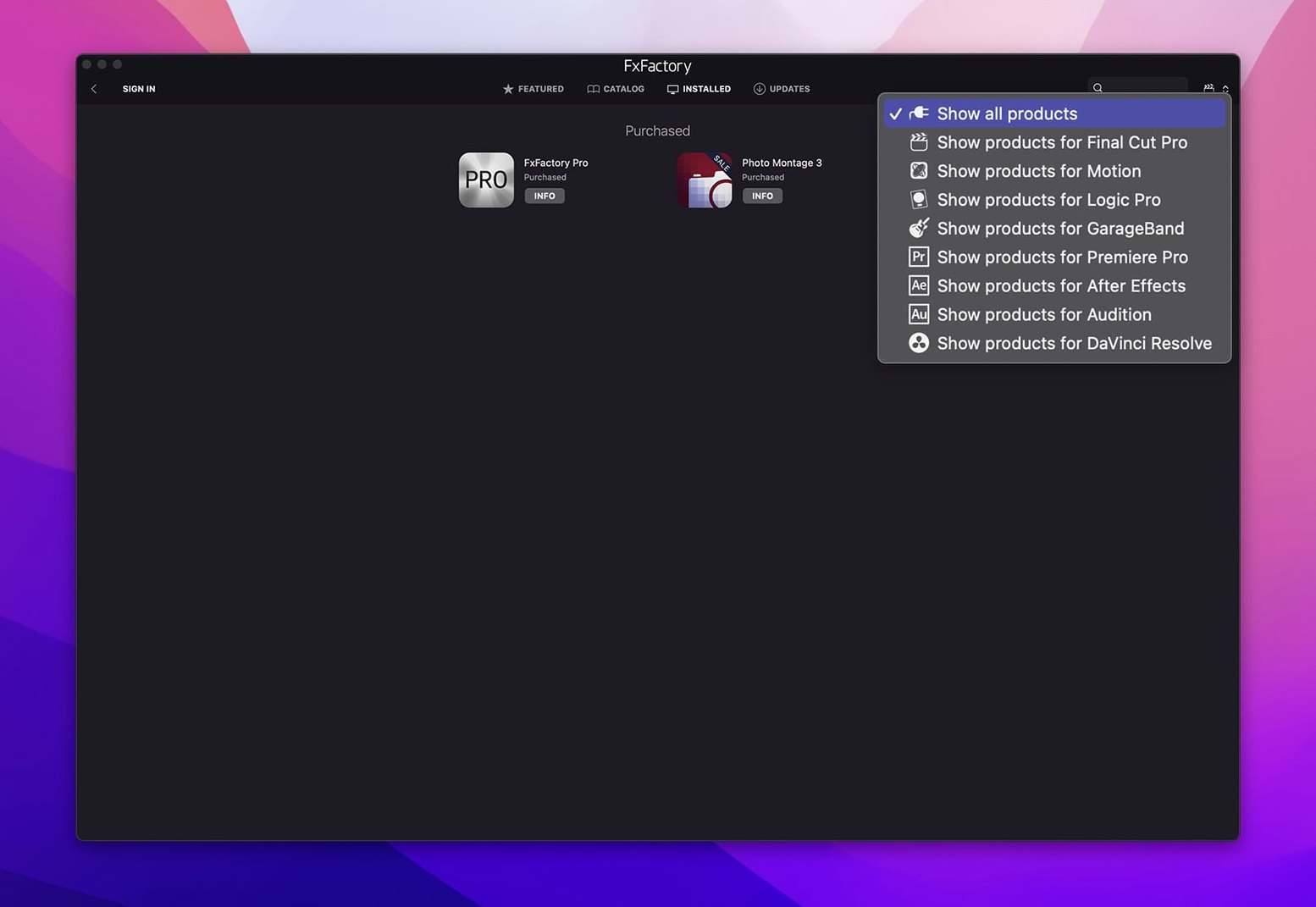
Browse effects by host filter. The FxFactory interface includes a dropdown that limits the effect list to a specific application. Before dropping a new effect into a Premiere Pro timeline, set the filter to Premiere Pro and verify the effect appears. Not every FxFactory effect supports every host, and the filter prevents the frustration of hunting through a menu that does not apply.
Test a Pro Pack effect at project resolution and bit depth early. Pick a generator with a smooth gradient — the background generator is a good choice — apply it in a 16-bit or 32-bit timeline, and render ten seconds to the delivery codec. This confirms the pipeline before a deadline forces the issue. Banding on export usually traces back to a host setting, not the plugin, and catching it on day one saves a late-night re-export.
Organise favourites immediately. FxFactory lets you mark effects as favourites, which pins them to a separate tab. After installing a large package like the Pro Pack, take ten minutes to tag the twenty effects you actually recognise and intend to use. The full list of hundreds of entries becomes background noise; the favourites tab becomes your actual working palette.
Check for free effects. The FxFactory catalogue includes free products that do not require a purchase. Browsing the “Free” section of the manager surfaces generators and filters you might otherwise overlook — lens flares, simple colour corrections, grain plates — that complement the Pro Pack without adding registration steps.
Render quality override prevents timeline previews looking soft
FxFactory Pro ships with sensible defaults, but a few preferences repay immediate attention.
Render quality override. By default, some effects preview at reduced quality during timeline playback and switch to full quality on pause or export. In the FxFactory preferences, the “Render Quality” setting can be locked to “High” for all effects. Editors with fast Apple Silicon machines often prefer this, as the quality difference between preview and export becomes a distraction during client-attended sessions. On older Intel hardware, leaving it on “Automatic” keeps playback smooth.
Check for updates frequency. The manager’s update-check interval defaults to once per week. For studios where plugin version consistency matters across multiple edit suites, changing this to “Manual” prevents an automatic update from breaking a project mid-delivery. Individual editors who like to stay current can set it to “Daily” and let the manager notify them in the background.
Host enablement. FxFactory can install its bridge components into every supported host it finds, or only into the ones you select. If After Effects is installed but never used for a particular project, disabling its FxFactory integration speeds up After Effects launch by a few seconds and keeps the effect menus shorter. The setting lives under “Hosts” in the preferences pane and takes effect after restarting the affected application.
Cache location. FxFactory maintains a render cache for previews. On machines with a small internal drive, moving the cache folder to an external SSD under the “Advanced” preferences keeps the system volume from filling up during long effect-heavy sessions. The cache can grow quickly when working with 32-bit composites, so a dedicated location on a fast external drive is worth the configuration step.
Registration alert suppression. The manager can show registration reminders for commercial plugins that have been installed but not yet activated. Editors who deliberately use only the free tier or the Pro Pack can suppress these alerts in the “Notifications” preferences, keeping the interface quiet. The option to re-enable them remains available when a new paid plugin is added later.