Aspecten
 Download (5 MB)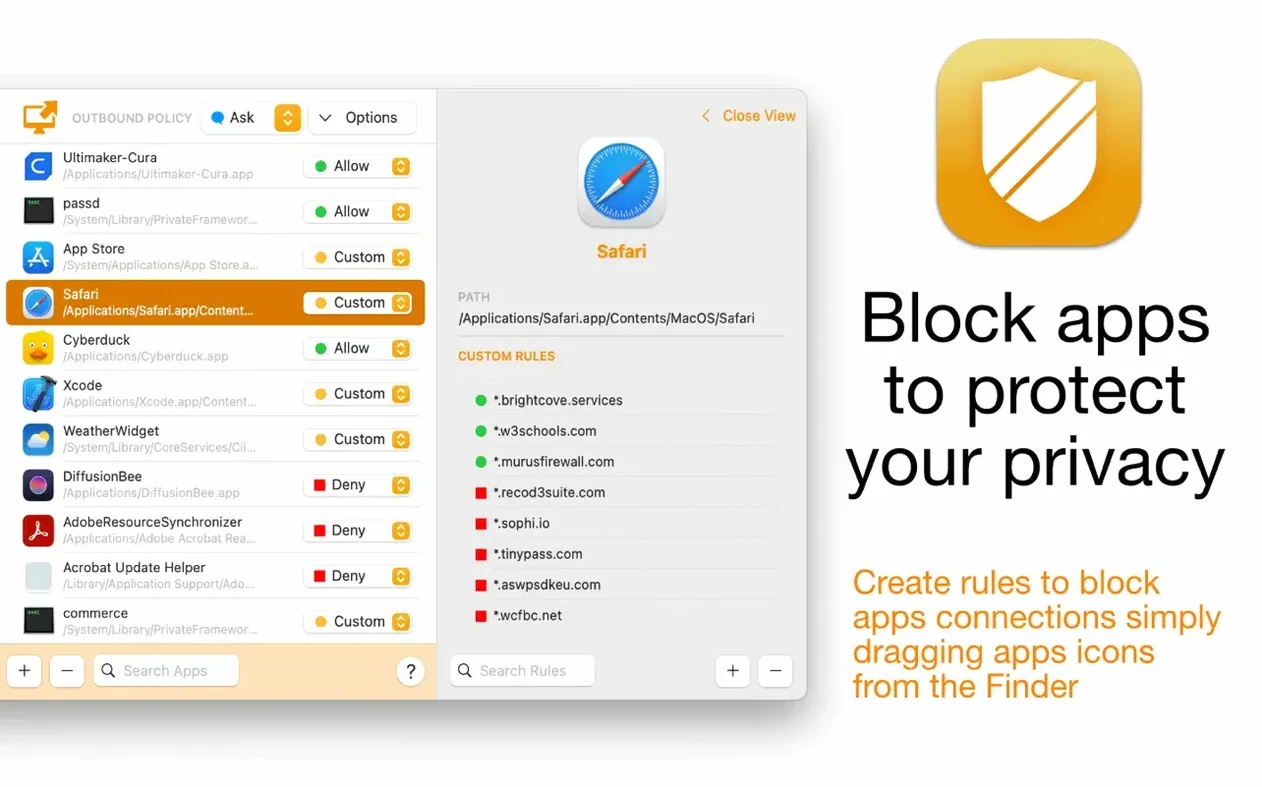
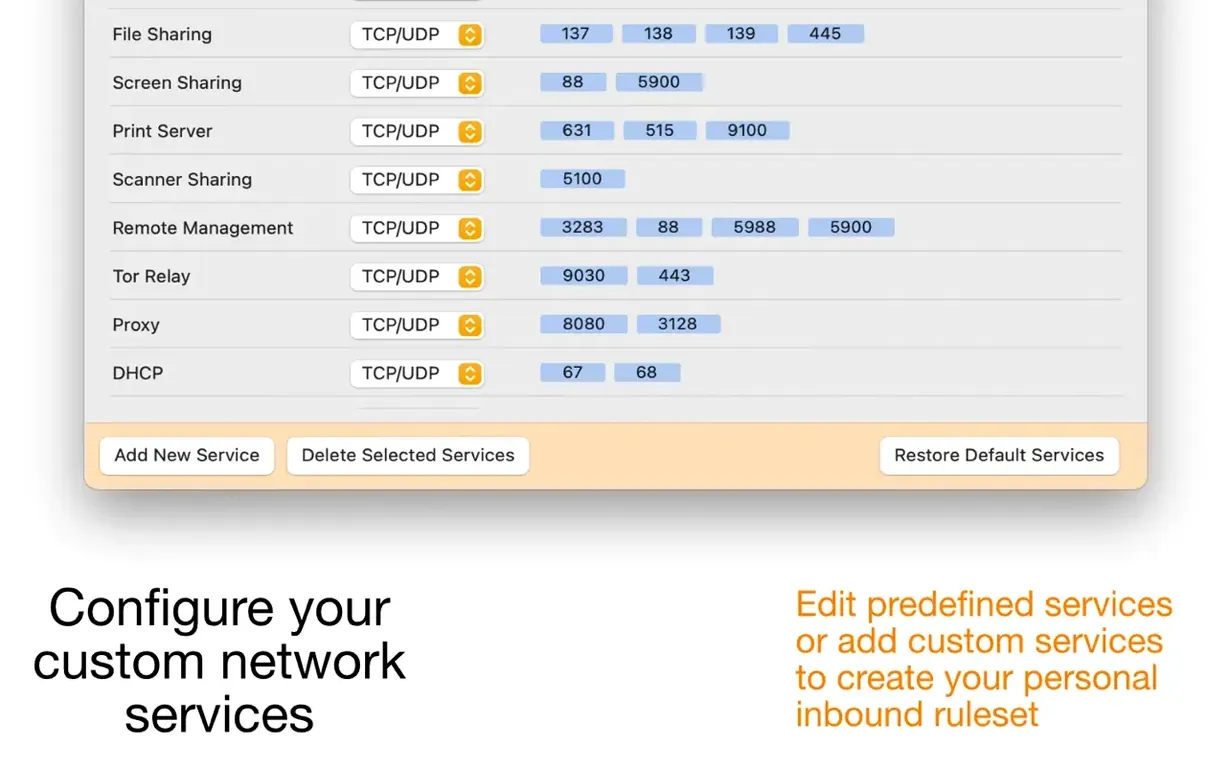
Firewall Scudo fits someone who has outgrown the built-in macOS firewall and wants a simpler alternative to Murus or Vallum, without giving up the deeper controls. A hybrid firewall that filters incoming traffic at the network level and manages outbound connections per app.
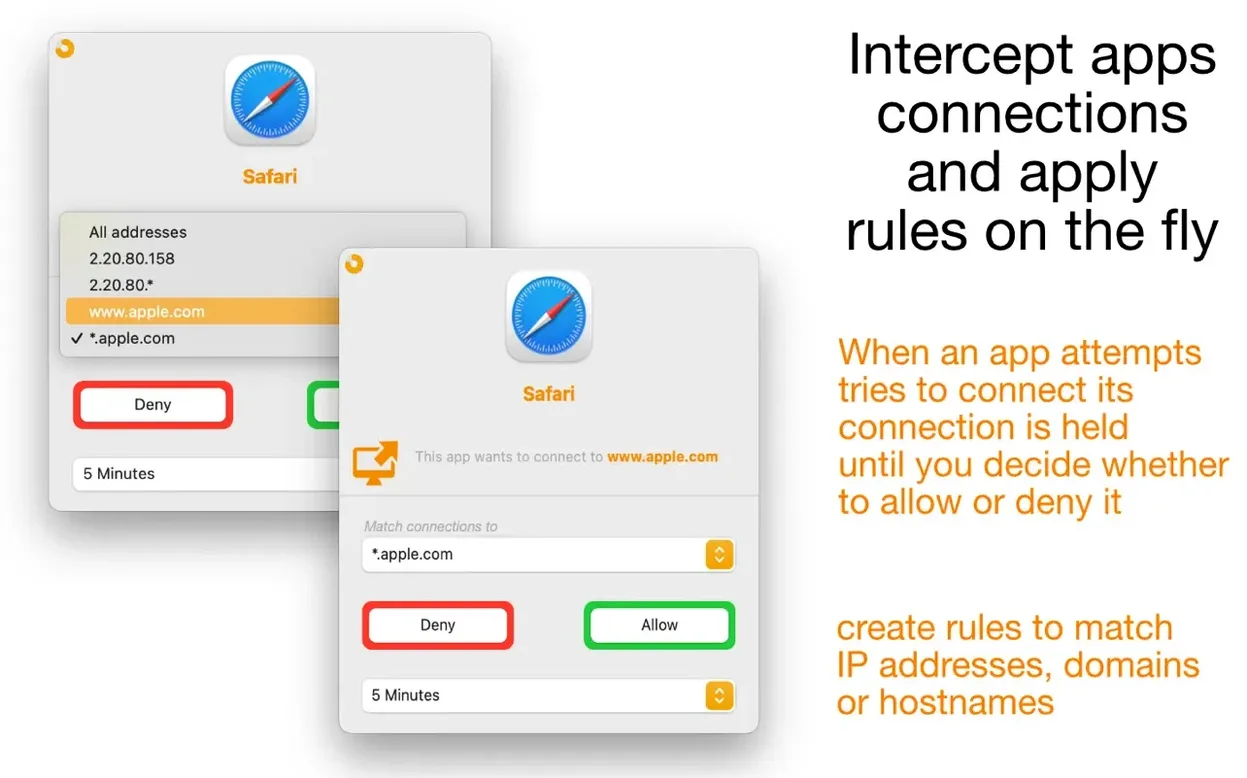
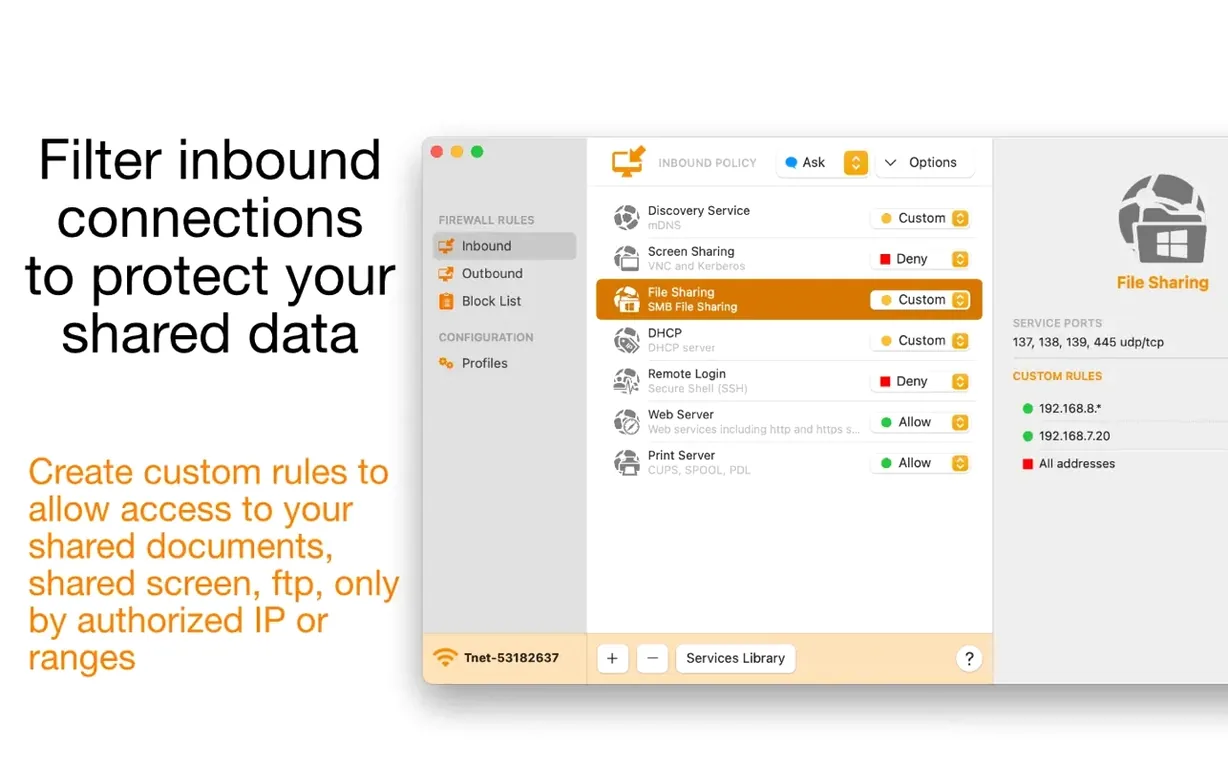
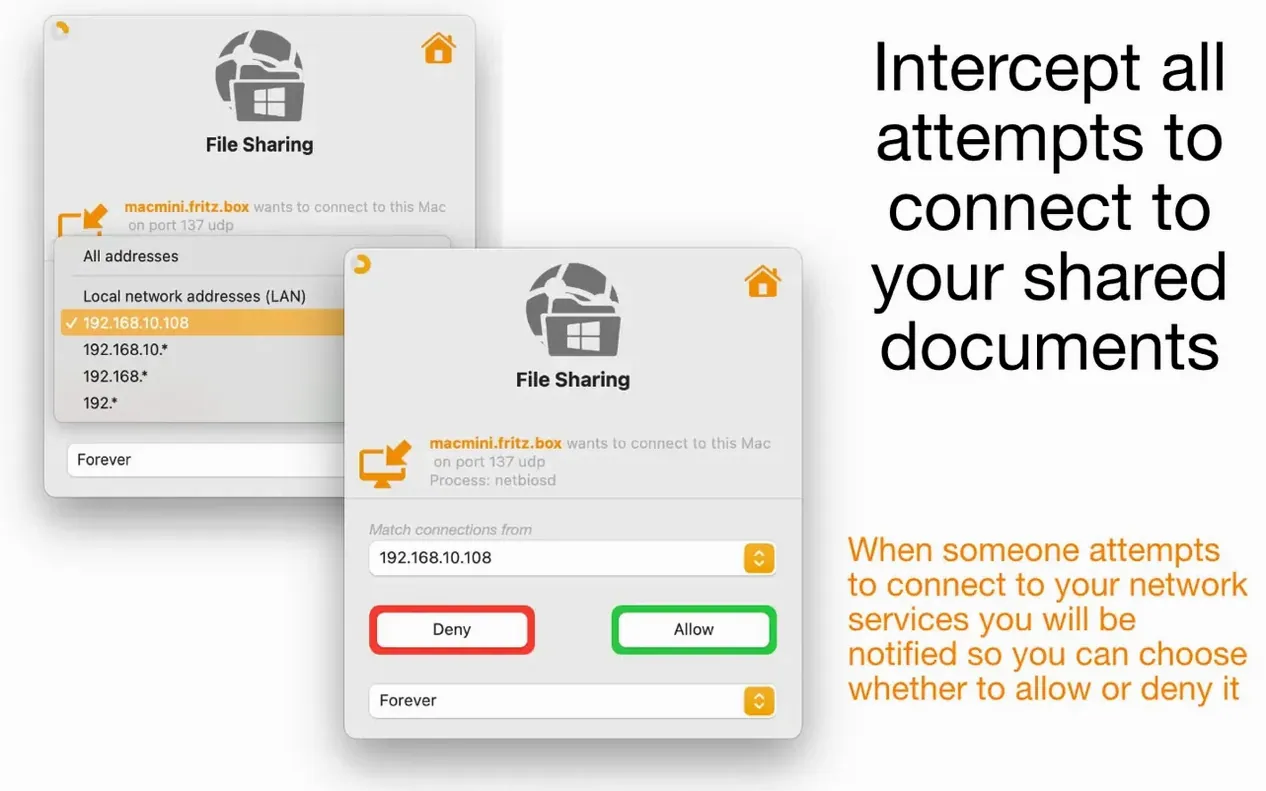
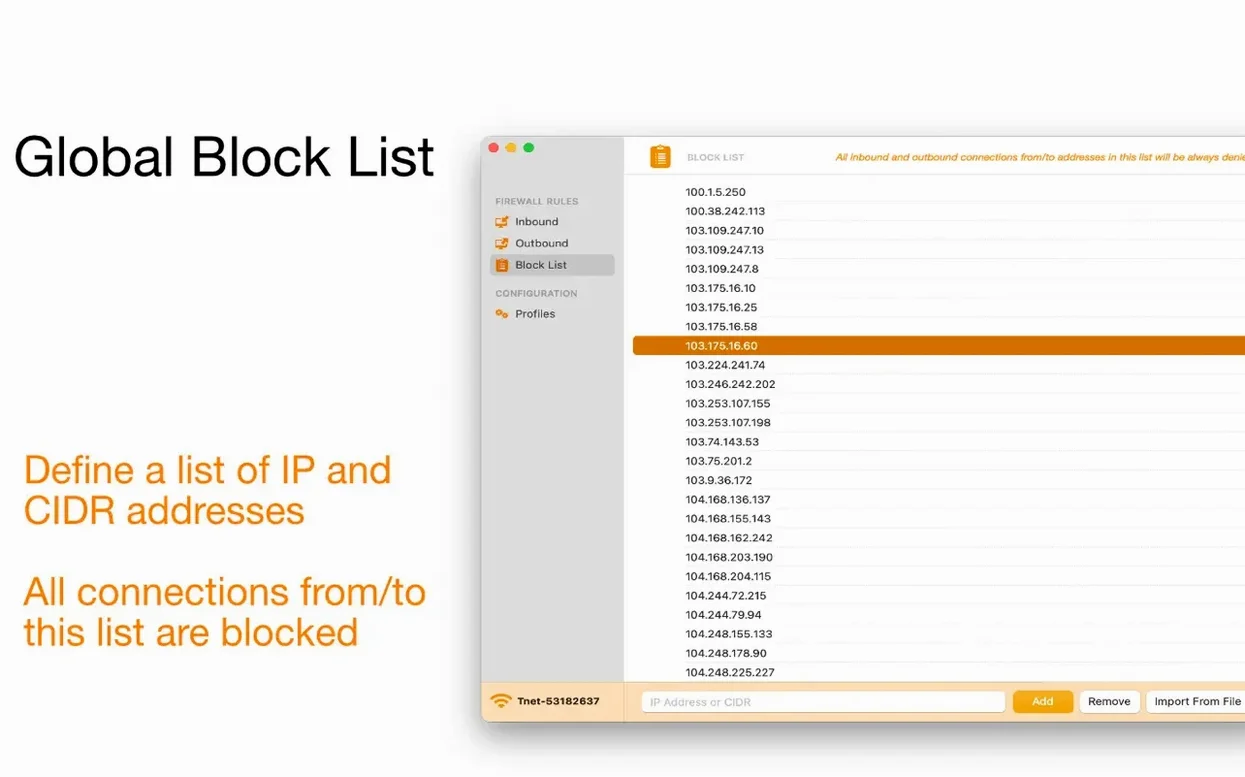
Rule matching — rules can match IP addresses, ranges, hostnames and domains, not just applications. A global block list can stop inbound and outbound connections to listed IP addresses and CIDR network addresses.
Per-app rulesets — each managed app gets its own ruleset. That means a browser, a sync tool and a command-line utility can all operate under different network constraints, set from the same interface.
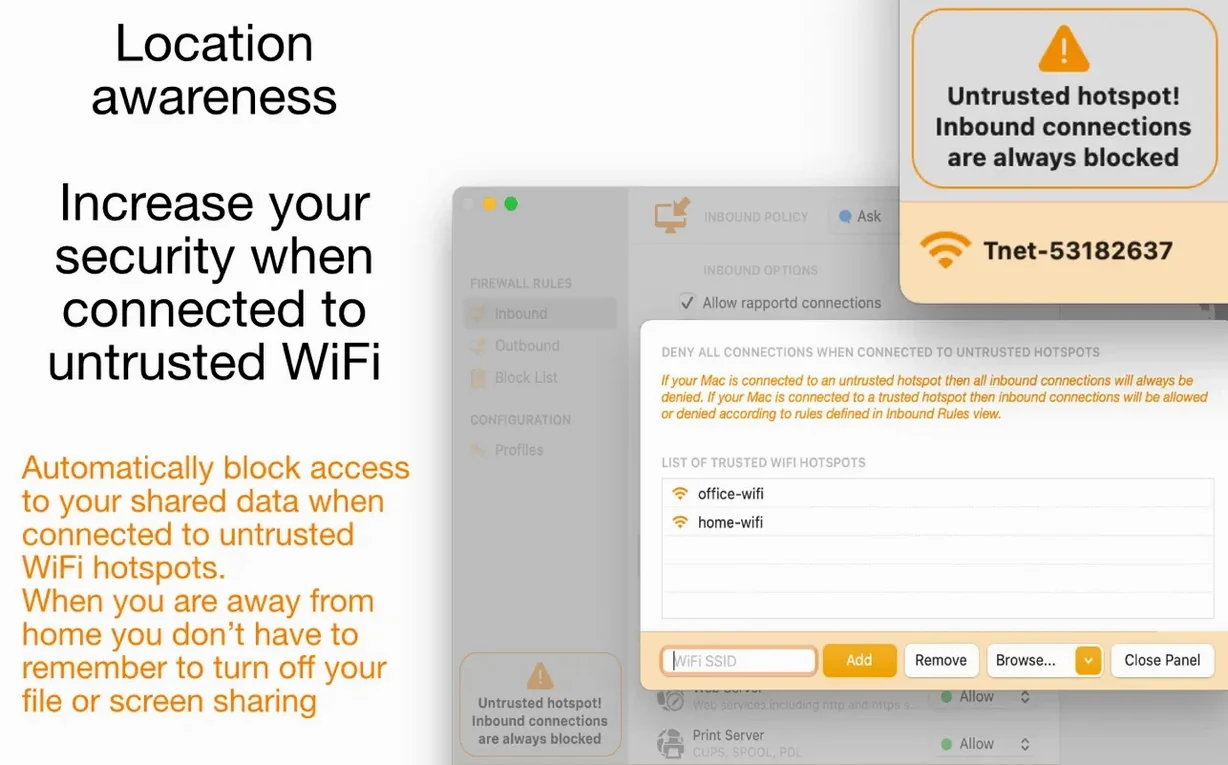
Configuration profiles — profiles can be switched with one click. Location awareness can automatically block inbound connections on untrusted Wi‑Fi hotspots, reducing the attack surface when you are away from the home or office network.
Menu bar presence — a menu bar icon keeps the current status visible and gives quick access to profile switching and basic controls.
Outbound traffic control beyond macOS built-in firewall
Scudo sits between the no-frills application firewall built into macOS and the full-featured Murus, both from the same developer. The built-in firewall can block incoming connections but treats outbound traffic as an all-or-nothing affair — either an app can phone home or it cannot, with no granularity about which servers it reaches. Scudo adds domain-level and IP-level control while keeping the interface manageable. Murus goes much further: it exposes the raw PF packet filter ruleset, lets you craft custom rule hierarchies, and suits network administrators who want to build a firewall configuration from scratch. For most people, that is overkill. Scudo trades that depth for speed of setup.
Little Snitch takes a different approach. It is purely an application-layer firewall with a famously detailed connection alert and an interactive map of network activity. Scudo does not attempt that level of forensic display. Instead it combines application-layer outbound filtering with network-level inbound filtering in one tool, and it adds a global block list that covers both directions — something Little Snitch does not offer in the same way. LuLu, a free open-source firewall, also monitors outbound connections per app but lacks inbound service rules, profile switching and location awareness. Scudo covers both directions and adds the convenience features.
Per-app custom destination rules arrive
Version 3.0 introduced custom rules for managed apps, so each application can have its own set of allowed and blocked destinations. Before that, rules were either global or tied to simpler service definitions. The shift makes it practical to, for instance, let a backup tool reach only its cloud storage endpoint while a messaging app connects to a broader set of domains.
Inbound service custom rules gained reorderable priority in the same release. Dragging a rule higher in the list changes how the firewall evaluates it, which matters when two rules could match the same packet. The global block list also arrived in 3.0, accepting both individual IP addresses and CIDR ranges. Location awareness, which reads the current network and can tighten inbound rules automatically on untrusted Wi‑Fi, was added at that point. The 3.0.4 update itself was a maintenance release; it did not change the feature set but brought stability fixes for the sandboxed environment.
When notification prompts suddenly go silent
Notifications stop appearing for a known app. This usually happens because a permanent rule was created during an earlier prompt. Open the app’s ruleset in Scudo and check whether the connection is already covered by a standing rule. If the rule is too broad — allowing all traffic instead of a specific domain — delete it and let Scudo prompt again, then make a narrower choice.
An app cannot reach a server even though it looks allowed. Check the global block list. A blanket block on a CIDR range can override a per-app allow rule. Removing the conflicting entry from the global list, or tightening it to a smaller range, restores access without disabling the block list entirely.
Inbound service rules do not behave in the expected order. Since version 3.0, rules are reorderable. Drag the more specific rule — the one matching a single IP or a narrow range — above the broader catch-all rule. The firewall evaluates rules top to bottom, so order matters.
Profiles do not switch automatically on a new network. Location awareness needs the profile to have an associated network condition. Edit the profile and confirm that a Wi‑Fi network name or trust level is assigned. If the condition is set to “any untrusted Wi‑Fi” but the network is marked as trusted in macOS network settings, Scudo will treat it as safe and stay on the current profile.
Scudo seems to block something after a macOS update. System updates occasionally reset network settings or alter the sandbox permissions. Reinstalling the helper component — by following the in-app setup prompt that appears after major system changes — usually restores normal operation. If the menu bar icon shows a warning, click it for specific guidance.