Aspecten
 Download (14 MB)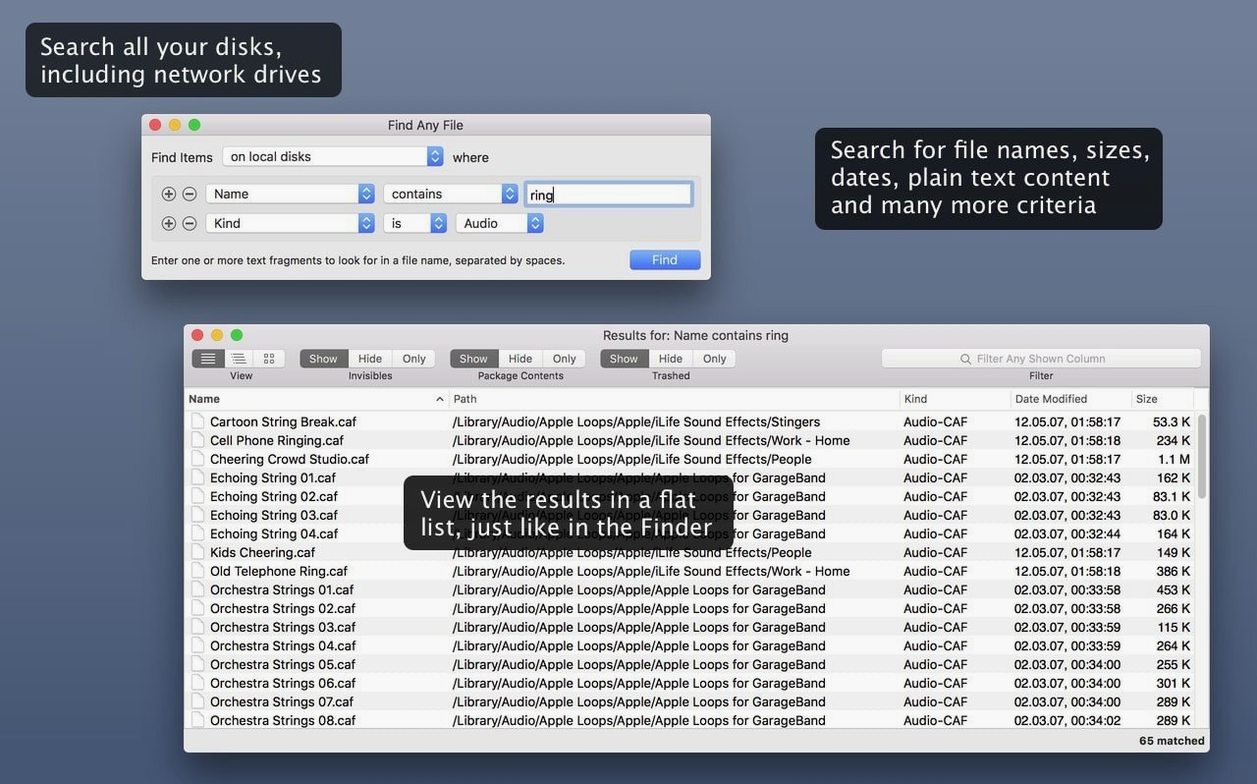
Find Any File requires macOS 10.11 (El Capitan) or newer and runs natively on both Intel and Apple Silicon machines. There is no separate architecture to choose; the same build covers both.
| Detail | Note |
|---|---|
| Current version | 2.6.1 |
| Architecture | Intel and Apple Silicon |
| Licence | Shareware |
| Interface language | English |
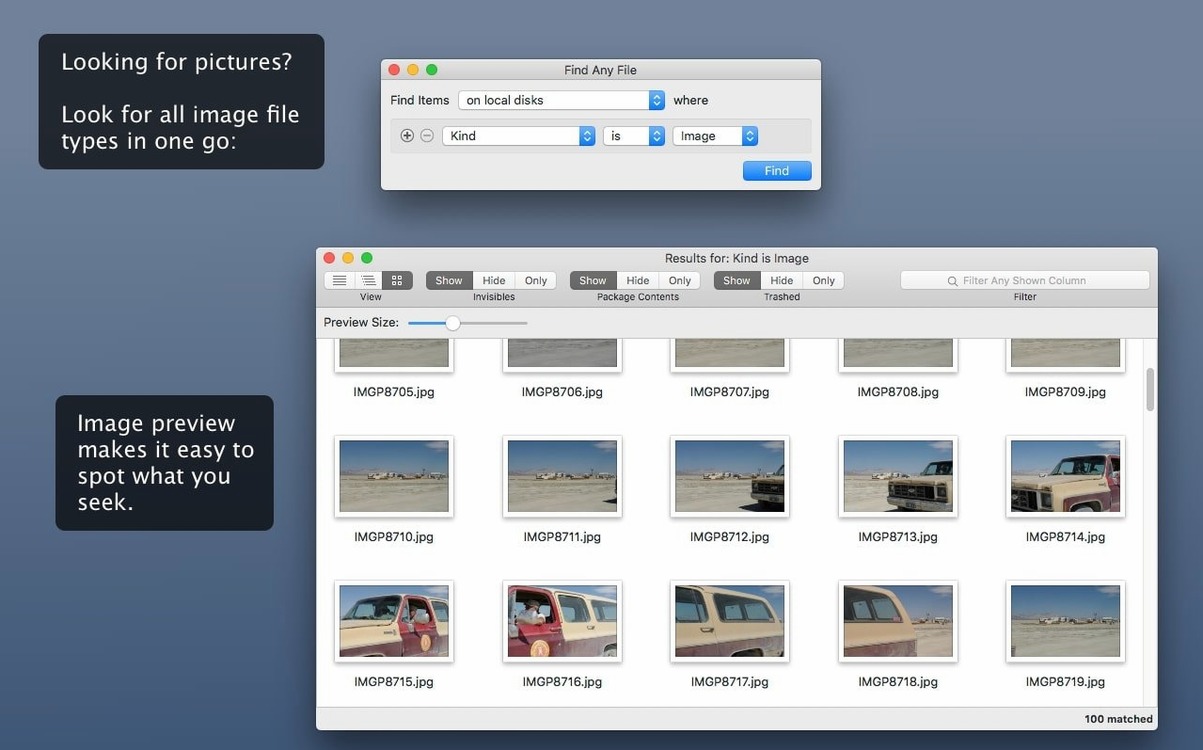
Where Spotlight draws on its own index, Find Any File reads the disk directly. That lets it search volumes Spotlight never touches — network shares, external drives formatted with non-Mac file systems, and system folders the index normally omits. You set criteria by name, date range, file size, or plain text inside the file, then run the search. Results appear in a hierarchical folder view, so you see not just a flat list of matches but where each item sits on the drive. The app is positioned as a companion to Spotlight, not a replacement: you might rely on Spotlight for everyday lookups and reach for Find Any File when you need to comb through unindexed corners or find a file by a property Spotlight does not expose in its simple query field. A limitation to keep in mind is that it searches for plain text only; it does not parse formatted documents or rich text fields the way a dedicated document indexer would.
Workflow: locating a forgotten configuration file
A settings file you edited months ago has gone missing. Spotlight returns nothing, and browsing ~/Library by hand would take half the afternoon. The file name probably contains config and you recall changing it sometime in March.
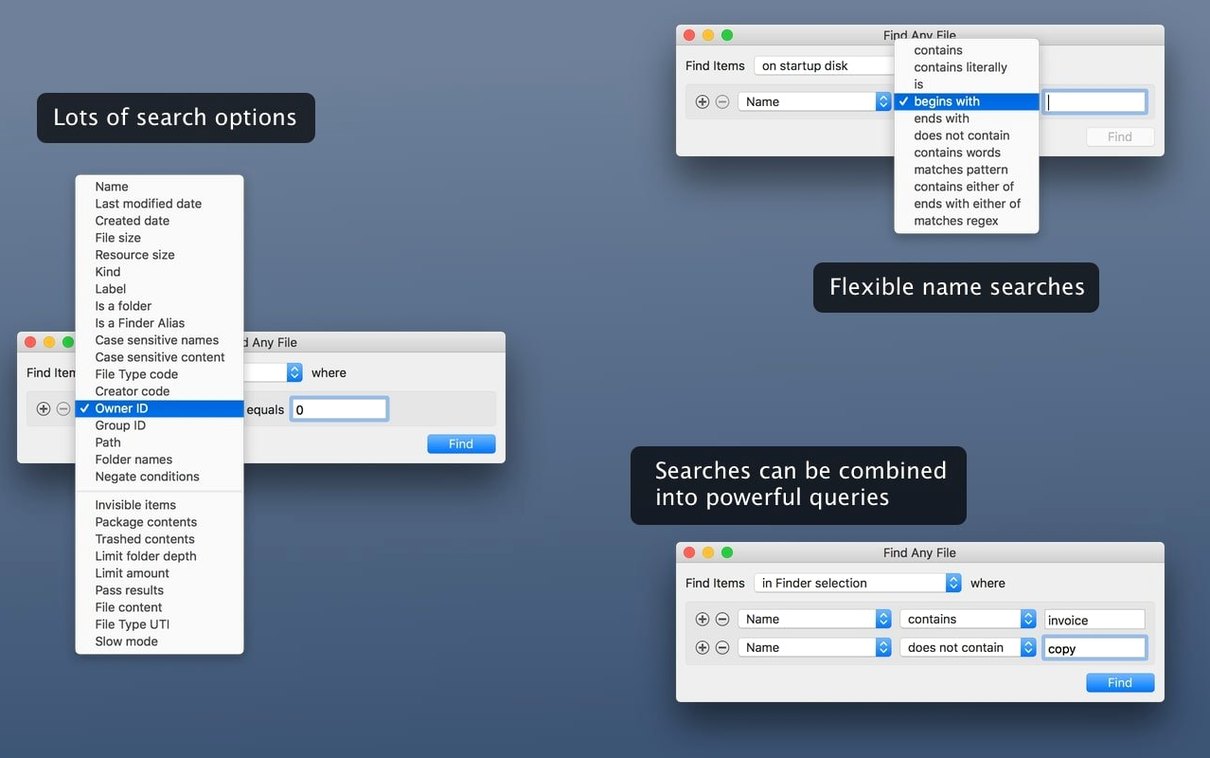
Open Find Any File and set the search location to your home folder. Switch the name criterion to contains and type config. Add a date criterion: last modified between 1 March and 31 March. Press Return.
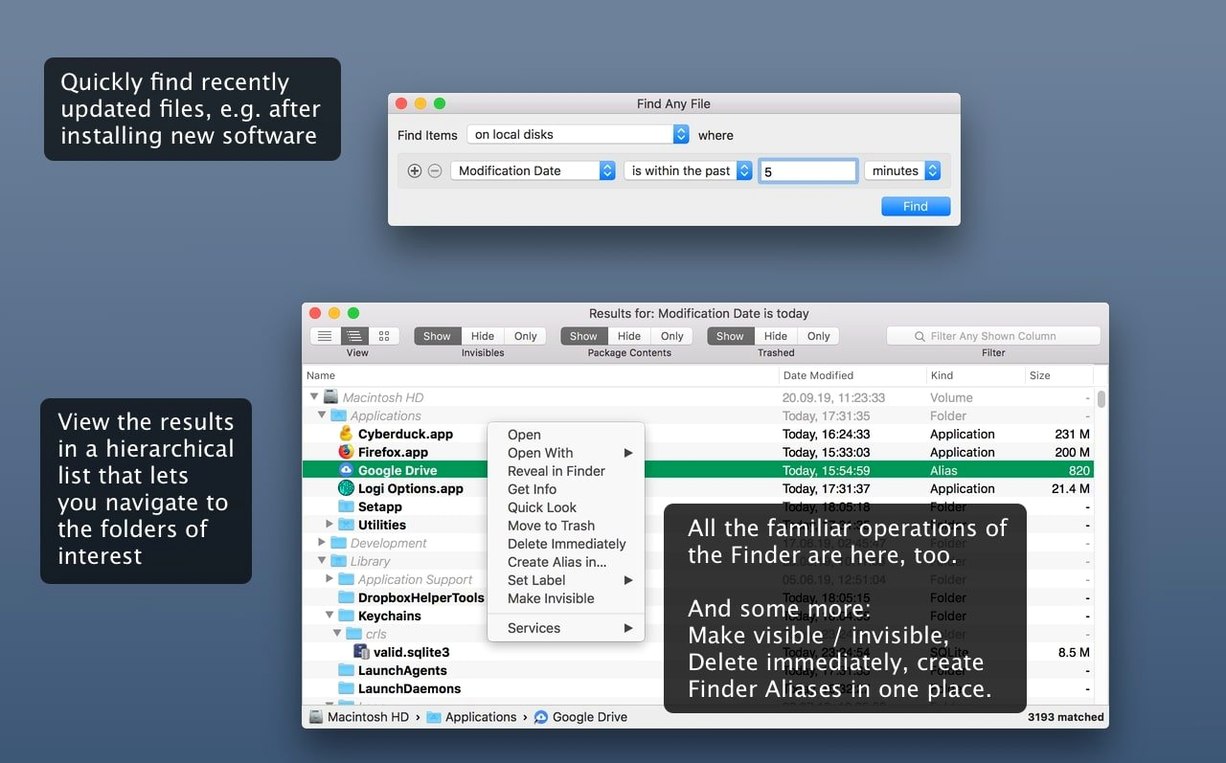
The hierarchical view shows results grouped by folder. One entry sits under ~/Library/Application Support/SomeApp/ — a .plist you had forgotten about. You can right-click it to reveal it in Finder or drag it straight out of the results list onto a script in another window. The whole search took under ten seconds on an SSD, and no index rebuild was needed first.
Why a direct disk read beats Spotlight’s index
Does it duplicate what Spotlight already does?
Not really. Spotlight relies on a pre-built index and searches within its boundaries. Find Any File reads the disk file system directly. That makes it slower for a broad full-disk sweep but indispensable when the index is out of date, the volume is not indexed at all, or the file lives in a system folder Spotlight deliberately skips.
Will it slow down my Mac while searching?
During an active search there is disk activity, especially on spinning hard drives. On modern Macs with solid-state storage the impact is brief and noticeable only if you run several large searches simultaneously. The app does not run background processes or indexing services; it is idle until you trigger a search.
Can it search inside documents and emails?
Only as plain text. It reads raw bytes inside a file and matches them against your search string. That works for log files, source code, CSV exports and similar unformatted content. It will not extract text from a Word document, PDF or Apple Mail message the way Spotlight does.
Uncover hidden files and bundle contents by default
A handful of defaults shape how Find Any File behaves. Adjusting them early makes later searches more predictable.
- Search hidden files by default. In preferences, enable Find hidden files and Find files inside bundles/packages. Much of what Spotlight misses lives in exactly those places.
- Switch the results view to hierarchical. The flat list is faster to scan for a single filename; the hierarchical view shows folder context and helps when dozens of files share a similar name.
- Set the default search location. If you frequently search an external drive or a specific folder, set it as the starting point under Default location. Skipping the folder picker each time saves a surprising number of clicks.
- Increase the maximum results. The default cap is low enough to keep the window responsive. For deep searches — a home folder with years of accumulated files — raising it prevents premature cut-off.
EasyFind, HoudahSpot, and Tembo fill different gaps
Three other search tools often come up in the same conversation: EasyFind, HoudahSpot and Tembo. Each occupies a slightly different spot on the spectrum between raw disk search and Spotlight front-end.
EasyFind is the closest parallel. It also bypasses the Spotlight index and searches file names and plain-text content directly. Its interface is smaller and less flexible — you cannot stack as many criteria or see a proper folder hierarchy. Where Find Any File gives you date, size and kind filters in a clean row, EasyFind keeps things minimal. That simplicity has its place, but for methodical work the extra controls in Find Any File help narrow results faster.
HoudahSpot takes the opposite approach: it builds on the Spotlight index rather than working around it. That gives it access to metadata fields Find Any File cannot touch — image dimensions, audio bitrate, document authors. It also searches formatted file content. The trade-off is that it inherits Spotlight's blind spots. If the index is broken or a folder has been excluded, HoudahSpot simply does not see it. Many users keep both tools around and switch depending on whether the file lives inside or outside Spotlight's reach.
Tembo sits somewhere in between. It wraps Spotlight in a more approachable interface, grouping results by category and making the index feel more browsable. It does not search outside the index, so it shares HoudahSpot's limitation. Find Any File is the tool you reach for when Tembo draws a blank on a network share or an odd system folder.
In practice, Find Any File carves out a clear role: raw, direct, file-system-level search with enough filtering to make large result sets manageable. It does not try to be pretty, and it does not try to replace Spotlight. It simply reads the disk, folder by folder, and shows what it finds — exactly the right behaviour for the moments when the index fails you.