Aspecten
 Download (111 MB)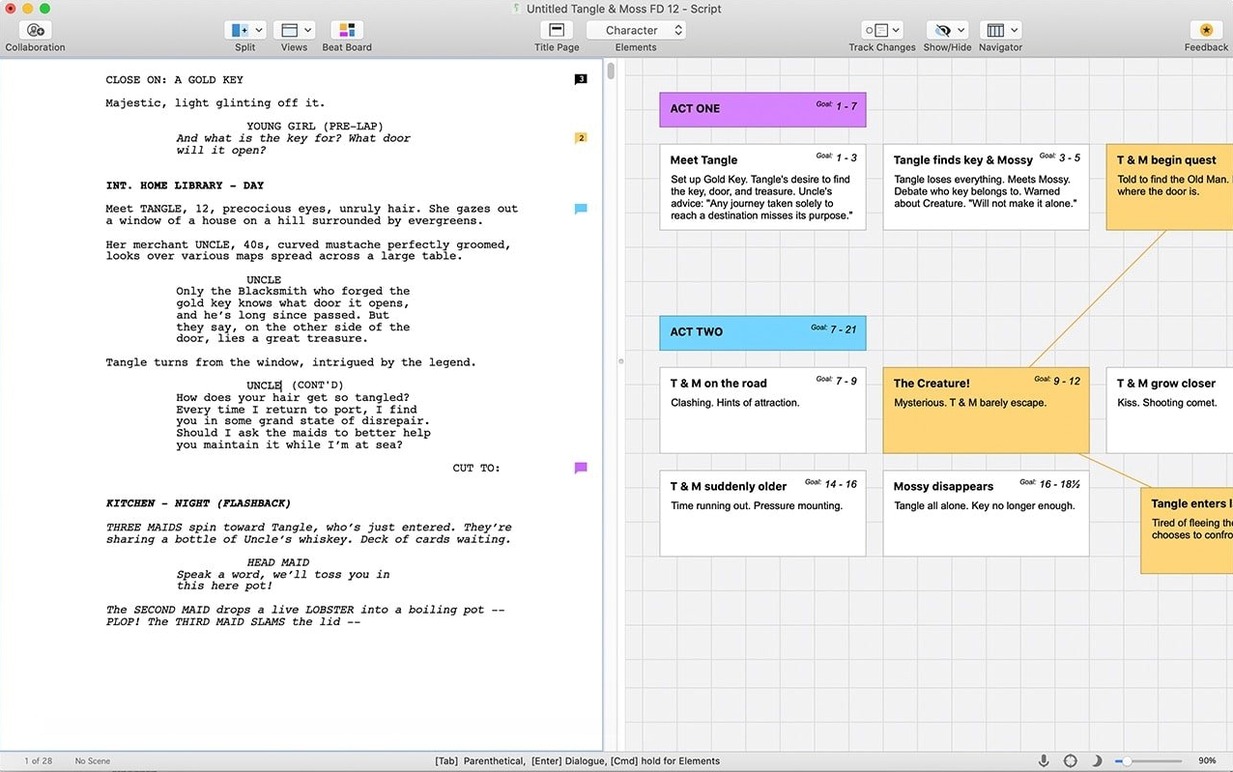
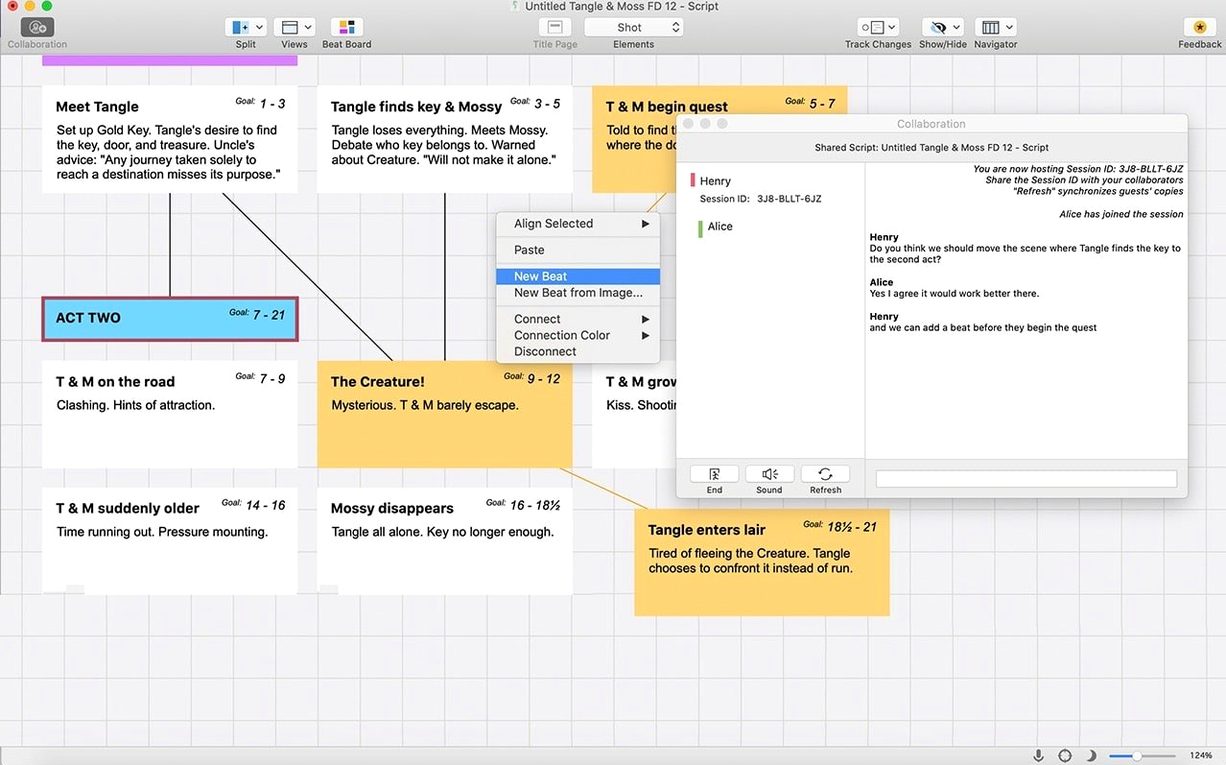
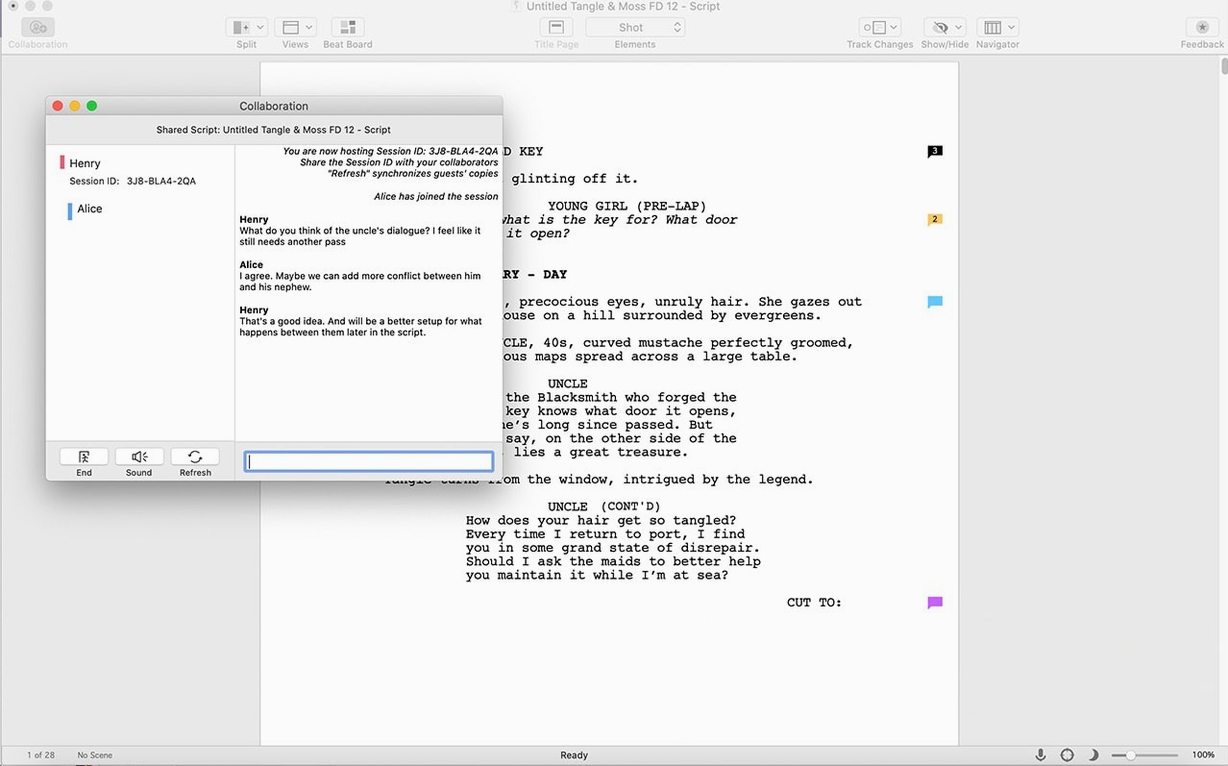
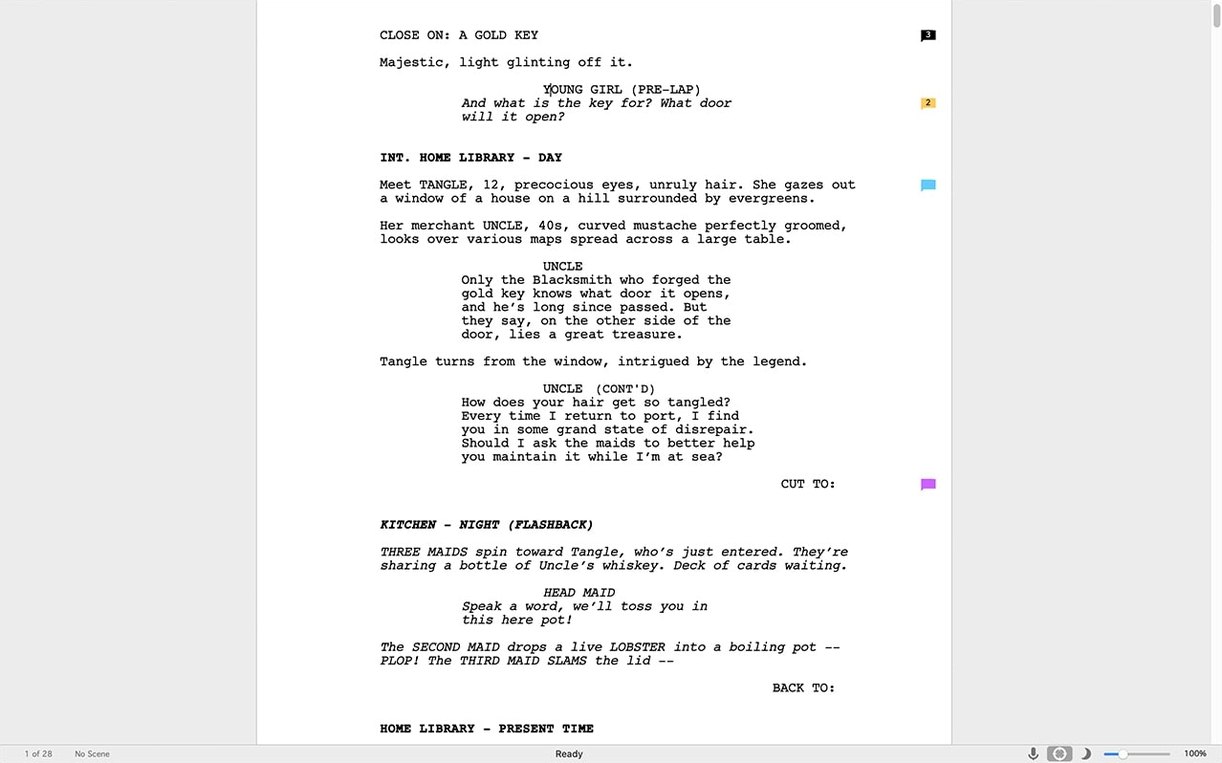
If you have used Scrivener for long-form project management, you will find Final Draft 13.4.0 a different sort of tool. Where Scrivener corrals research and fragments, Final Draft focuses squarely on the script page. The current update is a maintenance release with minor bug fixes, but the existing Scrivener integration still stands as a quiet bridge between drafting and structured project planning.
What does the Scrivener integration do?
It lets you move a script from Scrivener’s research-rich environment into Final Draft for industry-standard formatting. The flow works in both directions, so you can return a polished draft to your project binder without losing scene synopses or notes.
What writing formats does it support?
It is built for film scripts, television episodes, and stage plays. The interface handles scene headings, dialogue, and character elements with automatic pagination that matches professional expectations.
Is there a mobile option?
Yes, Final Draft Go serves as the iOS companion. It is a separate app, not a direct mirror of the desktop version, but it keeps basic script editing available away from the Mac.
What hardware does the Mac version need?
It runs on Intel Macs with macOS 12 Monterey or later. An active internet connection is required only for the initial sign-in; offline writing works afterwards.
Element shortcuts mysteriously stop working
A handful of friction points crop up often enough to be worth addressing directly. Most stem from the way Final Draft enforces industry formatting rather than from bugs.
Element shortcuts stop working after a few minutes. This usually means the cursor has drifted into a locked paragraph style. Tap Return at the end of a line and watch the element label at the bottom left of the window. If it reads "General" when you expected "Action" or "Character", the parser lost track. Press Tab to cycle to the next logical element or manually select from the Elements menu. The keyboard shortcuts rely on context, not absolute mapping.
Scene numbers appear where they should not. Final Draft auto-numbers scenes when the production features are switched on, even if you only wanted a reading draft. Go to Production > Scene Numbers and uncheck "Number scenes". The numbers vanish from the page but the underlying markers stay intact in case you need them later.
The page count does not match what a producer expects. Industry page counts assume US Letter paper, 12-point Courier Final Draft, and the standard template margins. If you switched to A4 or changed the font, the count drifts. Open Document > Page Layout and confirm the template is "Screenplay" with the default font. The difference between A4 and Letter alone can add or drop several pages over a full feature script.
Spell-check flags character names as errors. The built-in dictionary does not know your cast. Go to Edit > Spelling > Learn Spelling while the cursor sits on a character name in dialogue mode. Do this once per name and the red underlines stop. The learned words persist across script files.
SmartType suggestions become intrusive. Final Draft remembers character names, scene headings and locations, offering pop-up completions as you type. If the list blocks the text you need to see, press Escape to dismiss it for that instance. To dial it back permanently, open Preferences > SmartType and raise the delay threshold or disable specific categories.
Dual dialogue formatting scrambles two lines into one. You highlighted two adjacent character-and-dialogue blocks and applied Format > Dual Dialogue, but the result is a single collapsed block. The trick: each line must be a complete element pair — Character element immediately followed by Dialogue element. If there is a parenthetical or an extra blank line between them, the command ignores the second character. Strip out the extras, reapply, and the side-by-side layout snaps into place.
Locked revision pages and four colours of notes
A television staff writer joins a show with eight episodes already in production. The script coordinator sends over the current draft as a Final Draft file, locked page-by-page with revision marks in four colours. The writer needs to pitch a new scene without disturbing the locked pages.
She opens the file and immediately saves a copy under a new revision letter. Inside Production > Revisions, she sets her current draft colour to blue so her additions stand apart from the existing green, red and orange layers. The locked pages prevent accidental edits to scenes already shot, so she writes her new scene on a fresh page after a hard page break. She uses the Navigator panel to jump between her scene and the locked material, checking character voice consistency against earlier episodes.
When the scene is ready, she runs Tools > Reports > Scene Report to generate a list of locations, characters and estimated page length for the producer. She exports the report as a PDF alongside the full script, then emails both without leaving Final Draft. The coordinator imports her revision into the master file; the blue text merges cleanly because she stayed within the revision system rather than making ad-hoc colour changes. The whole process, from receiving the file to sending the pitch, takes under two hours.
Is the one-time purchase really free of subscriptions
Does Final Draft work without an internet connection?
Yes, with one caveat. The initial sign-in demands an active connection so the software can verify the installation. After that, you can write offline indefinitely. The only features that pause without internet are the collaborative tools and any automatic update checks. Script editing, formatting, reports and PDF export all function locally.
Can I open a Final Draft file in other screenwriting apps?
Final Draft uses the .fdx format, an XML-based open standard that many competing applications read. Highland, Fade In, WriterSolo and even some free script editors import .fdx files with varying degrees of fidelity. The formatting holds up best when the receiving app supports the full .fdx specification, but basic scene headings and dialogue nearly always survive the trip. For the reverse journey, Final Draft imports .fountain, .txt and several legacy formats including .fdr and .fadein.
Will my old Final Draft files open in version 13?
Files created as far back as Final Draft 8 open directly. The software converts older .fdr files to .fdx on first save, keeping a backup of the original. If you have scripts from version 7 or earlier, the conversion path goes through an intermediate version, but those cases are rare now. The conversion preserves all text content; revision marks from very old formats sometimes flatten into plain coloured text, so check those before archiving the original.
Does the cracked version behave differently from the standard install?
People searching for final draft 13 crack mac or final draft download mac free often wonder whether a cracked final draft build limits features. The functionality mirrors what the standard version offers, including the Scrivener integration and the full formatting engine. The TNT release requires the Gatekeeper bypass step during installation, which is straightforward once you know the routine, and once installed the app behaves identically. If you have used a final draft free workaround before, version 13.4.0 follows the same pattern as earlier builds like final draft 13.3 in terms of day-to-day stability.
Can I install it alongside an older version?
Yes. Final Draft 13 installs as a separate application bundle. Your version 12 or 11 remains untouched in the Applications folder. Both versions read the same .fdx files, but files saved in version 13 gain a format increment that may not open in version 10 or earlier. If you need to round-trip between machines running different versions, save a copy as .fountain or .txt before switching.
Scrivener drag-and-drop for characters and plot
Final Draft does not try to be a hub for everything. It writes scripts, and it connects to a handful of tools in practical ways that matter during production.
Scrivener integration is the most deliberate pairing. You build characters, plot arcs and research in Scrivener, then send the script portion to Final Draft when the formatting needs to be industry-correct. Edits flow back to Scrivener without breaking the binder structure. The integration lives in the File menu on both sides and requires both apps to be installed, but once set up it operates as a simple push-pull operation rather than a live sync.
Final Draft Go for iOS handles script reading and light editing on an iPhone or iPad. It does not run the full desktop formatting engine, so complex revision marks and some report tools stay on the Mac. Scripts move between devices via iCloud or Dropbox; the Go app opens .fdx files directly from either location.
Spotlight and Quick Look work with .fdx files on macOS. Press the spacebar on a Final Draft file in Finder and you get a preview of the first few pages, complete with proper formatting rather than raw XML. Spotlight indexes character names and scene headings, so you can find a script by searching for a character rather than a filename.
Dictation plays well with Final Draft. The standard macOS dictation shortcut (press the microphone key or use fn twice) drops spoken text into the current element. The parser does not interpret spoken punctuation as formatting commands, so you still need to assign elements manually, but for getting dialogue down quickly it works without fuss.
PDF export embeds the Courier Final Draft font by default, so the file looks identical on any machine. The PDF retains bookmarks for scene headings, making the script navigable in Preview or Adobe Reader. For production use, the export dialog adds options for watermarks, page locking indicators and revision colour rendering.
Printing taps into the standard macOS print panel but adds script-specific options: title page on or off, scene number display, and the choice between full-size and condensed formats. The condensed layout shrinks the text slightly to fit more content per page, useful for table reads when you want to save paper without breaking the one-minute-per-page rule of thumb entirely.
Start with a template, even for experiments
The first few sessions with Final Draft set habits that stick. A handful of deliberate steps early on prevent frustration later.
Start with a template, even for experiments. The "Blank Screenplay" option sets up the correct margins, font and element defaults. Writing a test scene in a blank document created via File > New without choosing a template gives you an unformatted page with none of the automatic behaviour. Pick the template, write a short scene, and watch how Tab and Return move between elements before you commit to a real project.
Customise the element shortcuts on day one. The default keyboard assignments for less-common elements like "Shot" or "Transition" sit behind function keys that many compact keyboards hide. Go to Preferences > Keyboard and remap the elements you actually use to key combinations that fit your hands. If you never write shots in a spec script, free up those slots for something you need.
Set up automatic backups before writing anything serious. Final Draft has its own backup system separate from Time Machine. Open Preferences > General and tick "Automatically save a backup copy". The backups land in a folder you specify. Set the interval to 10 minutes rather than the default 15; script sessions produce a lot of words quickly and losing even a quarter-hour stings when you were in flow.
Learn the Navigator panel immediately. The panel lists every scene heading in a clickable outline. You can drag scenes to reorder them, and the script text follows. This is faster than cutting and pasting blocks of text and far less error-prone when scenes span multiple pages. Spend ten minutes rearranging a test script via the Navigator to build the muscle memory.
Run a sample report early. Even if you are only two scenes into a draft, go to Tools > Reports and generate a Scene Report. Seeing your characters, locations and page counts laid out in a table gives you a different view of the material than scrolling through pages. It also confirms that the software is parsing your elements correctly before you have written eighty pages with a mislabelled scene heading.
Resist the urge to tweak fonts and spacing. Industry readers expect Courier Final Draft at 12 points with standard margins. Changing the typeface or tightening the line spacing to squeeze more words onto a page signals inexperience. If your script feels long, edit the text rather than the formatting. Producers notice when a script that reads like 110 pages has been compressed into 98 through layout tricks.
Try the text-to-speech feature on a scene. Highlight a block of dialogue and choose Tools > Assign Voices to give each character a distinct computer voice, then play the scene back. Hearing your dialogue spoken aloud, even by synthetic voices, catches clunky phrasing and unintentional repetition that silent reading skims over. It works on selected passages, so you do not need to listen to the whole script.