Aspecten
 Download (397 MB)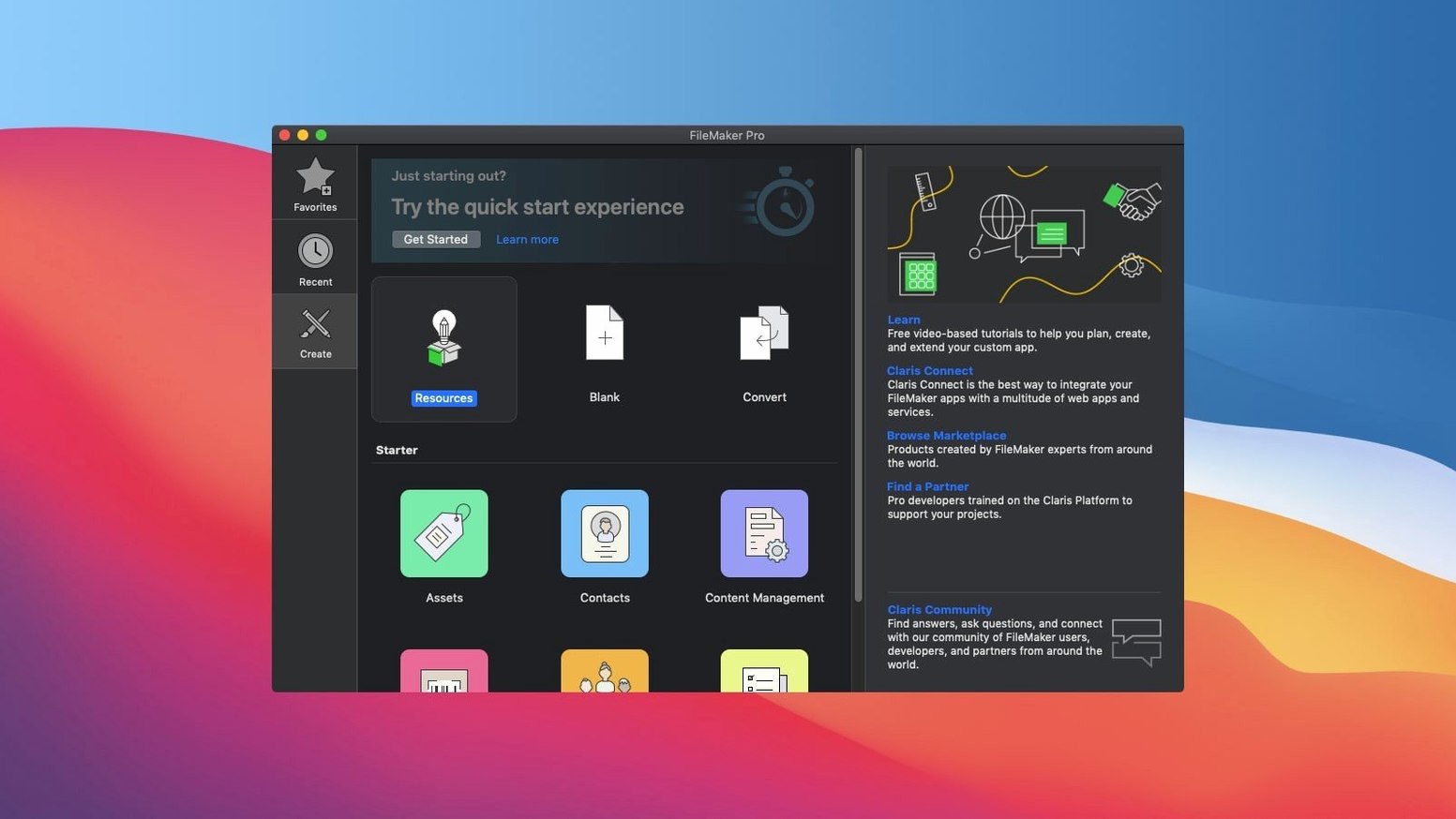
Native on Apple Silicon, back to Mojave
FileMaker Pro 21.0.1 requires macOS 10.14 Mojave or later. It runs natively on both Intel and Apple Silicon Macs. If your hardware falls within that range, the installer handles the rest without manual architecture switching.
Blank file to layout in three steps
Once installed, the workflow follows a predictable sequence. First you open a built-in template or start with a blank file. Step two is the drag-and-drop layout designer, where fields, buttons and tab panels slot into place. Step three sets up the data schema — tables, relationships and calculation fields. Step four ties it together with scripts and custom menus that automate the behaviour. The final step is deploying the file to a team via FileMaker Server or sharing it locally.
This release centres on a handful of AI-driven additions. Configure AI Account sets up the connection to a machine learning model. Insert Embedding and Insert Embedding in Found Set let you store vector representations of your data. Perform Semantic Find uses those embeddings to search by meaning rather than exact text. Set AI Call Logging gives you a record of what the model returned. The core remains the low-code environment for CRM, project tracking, content libraries and asset management, now with a quiet nudge toward smarter data retrieval.
Quick find searches every field on the layout
A few FileMaker Pro touches sit just outside the obvious workflow. The quick find field in browse mode searches across all fields on the current layout, not just the indexed ones. It is surprisingly fast and spares you from building a dedicated search layout for ad‑hoc lookups. Right‑clicking a field label in layout mode offers Replace Field — you swap the field without deleting the label, its size or its formatting. That alone saves a few minutes every time you tweak an existing layout.
In the relationship graph, double‑clicking a table occurrence opens its definition. Less obvious is that you can drag a table occurrence to another position and the graph remembers the layout. On complex diagrams with thirty or forty tables, a little spatial organisation goes a long way. The script workspace has its own hidden asset: Cmd+Option+Up/Down moves a selected script step up or down in the list. No need to cut and paste.
The calculation dialog box offers a function list that filters as you type. Once you learn to type a partial function name and press Tab, you stop scrolling through a long list. Another behaviour worth knowing: if you hold Option while clicking a layout part label in layout mode, the part resizes to fit its contents precisely. It removes the small trial‑and‑error nudging that especially beginners accept as normal.
Forty-table file opens in under four seconds
FileMaker Pro 21.0.1 loads a moderately complex file — around forty tables and a handful of scripted routines — in under four seconds on a recent Mac. Once open, the interface draws layouts without perceptible lag. Scrolling through portals with a few thousand related records stays smooth as long as the portal filter is not doing something unreasonably heavy. The application is not lightweight, but it does not demand attention from Activity Monitor. Idle, it sits at roughly 300–500 MB of RAM depending on the open file; during a long script run that number climbs, then drops back when the script finishes.
Stability in daily use is uneventful in the best sense. On macOS 14, leaving a file open for a full workday — editing layouts, running scripts, switching between browse and layout mode — did not produce a single hang. Layout rendering occasionally flickers when a complex theme recalculates object positions during a window resize, but it settles quickly. The application writes to disk in short bursts during record commits, which keeps the interface free to respond to other actions.
If you work with a hosted file over a slow network, the client waits for the server on record locks and scripted finds. The interface does not freeze; it dims the relevant window and shows a spinner. Closing the window cancels the operation cleanly. The same applies to the new AI functions: a semantic find waits on the model, and the status bar shows the request is in progress. A long embedding job on a found set of several thousand records uses a single thread and keeps the rest of the application usable.
One flat table instead of related tables
One common early misstep is treating FileMaker Pro like a spreadsheet. People create a single table with fifty fields and a flat layout, then wonder why reports become hard to build. The platform rewards splitting data into related tables early — customers, orders and line items separated by relationships that mirror what the business actually touches. Fixing a flat structure two months in takes far longer than spending an extra afternoon on the schema at the start.
Another frequent habit is adding unstored calculation fields to a portal and expecting fast scrolling. An unstored calculation that references a related table re‑evaluates for every row on every screen redraw. Newcomers who learn to use script triggers and auto‑enter calculations instead get a smoother result. Many also miss the difference between Edit Layout and Edit Layout Set — the former changes one layout, the latter can propagate a change across several layouts at once if you set it up.
A subtler mistake is over‑scripting. FileMaker’s script engine is capable, but some tasks are better handled by the native behaviour of relationships and field options. A script that loops through records to set a field can often be replaced by a single Replace Field Contents step or a calculated auto‑enter. The result runs in a fraction of the time and leaves the script workspace cleaner. Beginners also tend to overlook the debugger and the data viewer. Stepping through a script while watching variable values clarifies logic faster than adding temporary dialog boxes.
Outgrow a shared spreadsheet by lunchtime
Small‑ to medium‑sized business teams that outgrow shared spreadsheets gain the clearest benefit. A marketing department that needs to track campaigns, assets and approvals can build an app in a morning and share it with four colleagues by lunchtime. A small field‑service company can create a mobile‑friendly work order tracker, sync it to a central file and stop emailing PDFs back and forth. The low‑code promise is hollow when the tool cannot express real business rules; here, the combination of calculation fields, script triggers and privilege sets handles genuinely complex logic without a programmer.
Internal tool builders inside larger organisations also find a fit. When the IT queue is six months long, a technically‑minded operations person can prototype a working solution, prove it adds value, then hand it to a proper developer to harden. Those who already think in terms of entities, relationships and workflows adapt within days. People who enjoy tinkering with logic but do not write code for a living often describe FileMaker Pro as a thinking tool as much as a database.
Data‑aware solo professionals — an architect managing projects, a researcher cataloguing sources, an event organiser tracking vendors — get a system that adapts to how they think, rather than the other way around. The effort of learning the platform does not suit someone who needs a quick, fixed‑function app. But once the investment is made, the same person tends to find new uses in corners of their work they did not plan to systematise.
Point a file at a machine‑learning model
FileMaker Pro 2024 version 21.0.1 introduced a cluster of AI features that quietly alter a few everyday tasks. Configure AI Account adds a new section in the security settings where you point the file at a machine‑learning model. Once that connection is live, Perform Semantic Find becomes available as a script step. In practice, you type a natural‑language description — “find all complaints about late delivery in January” — and the function returns a found set that matches the meaning, not just the words. For databases with large text fields or loosely structured notes, this replaces several manual keyword‑filtering steps.
Insert Embedding and its found‑set counterpart take a field’s content and generate a vector representation, storing it in a container field. That vector can later be compared for similarity searches. The feature is silent in the interface — there is no new layout object for it — but a developer can add a button that triggers the script step and use the results in a portal. Set AI Call Logging enables a log that records what the model received and returned, helpful during development when the output needs tuning. None of these additions forces a change in how the database works; they sit alongside the existing scripting tools and wait for someone to wire them into a button or a scheduled script.
Outside the AI envelope, the version feels like a consolidation release. File handling, layout rendering and script execution behave as they did in the preceding version, with no new layout themes or schema tools. The additions are surgical, aimed at teams that have already built a stable FileMaker workflow and now want to experiment with semantic search and embeddings without leaving the platform.