Aspecten
 Download (3 MB)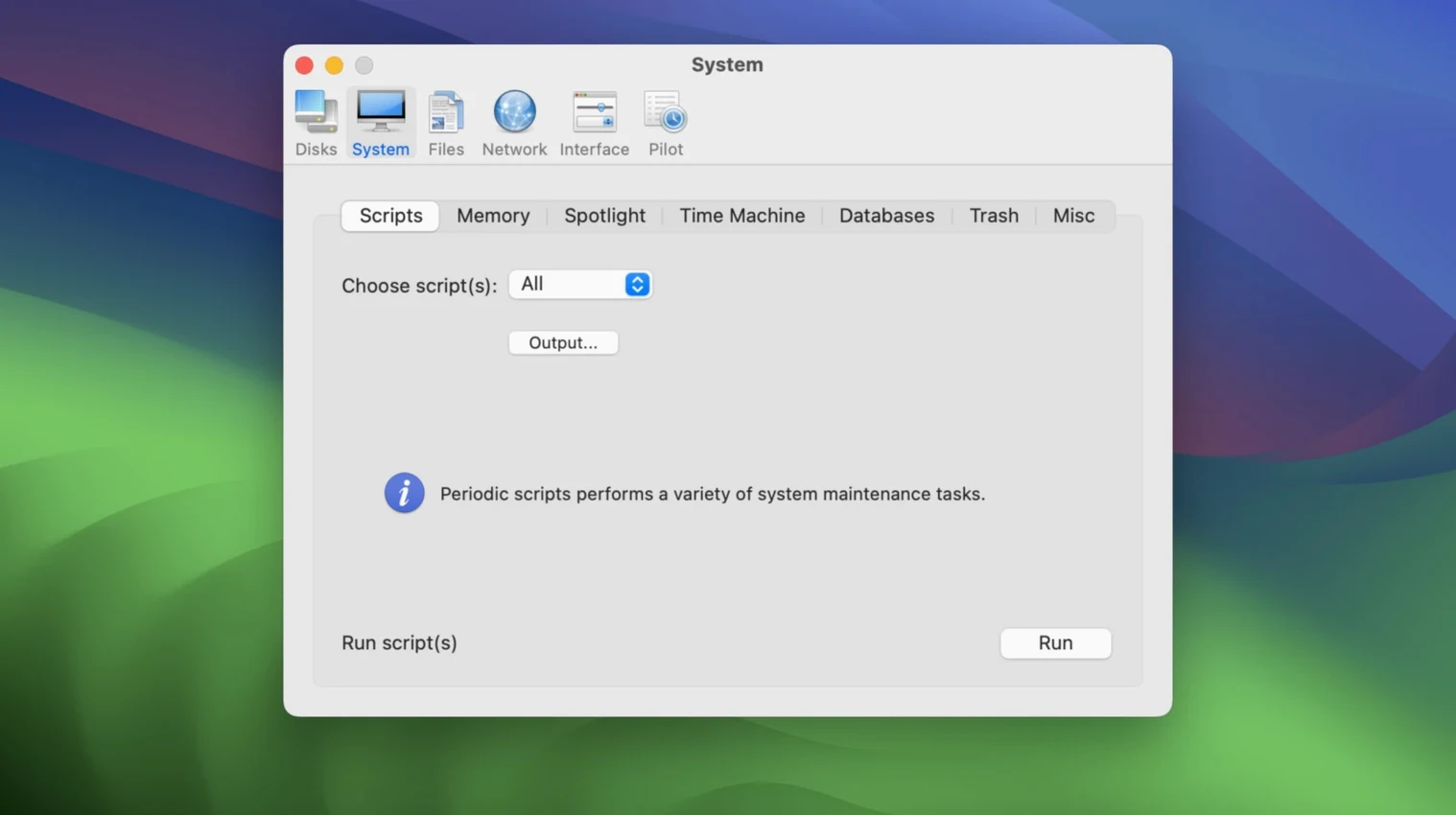
The current edition stays in step with macOS Sequoia, carrying forward the same five-category layout that has long defined the tool. No new functions were added this time around, so the release is about compatibility rather than change.
What does the automatic pilot mode actually do?
It runs a pre-selected batch of cleaning and maintenance routines with a single click. That makes it useful if you want a regular tune-up without having to remember which caches to clear or which system checks to run.
How are the functions organised?
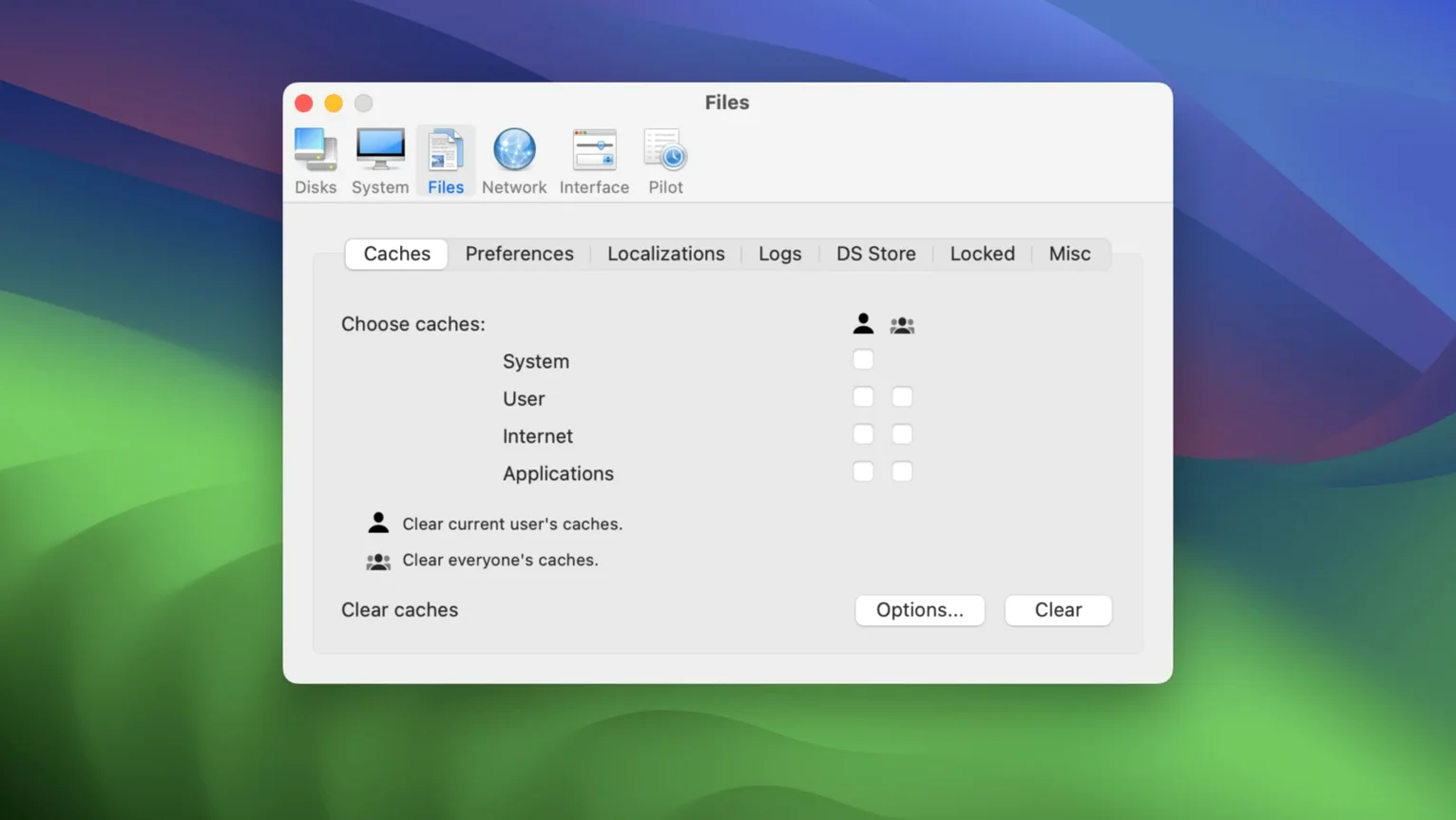
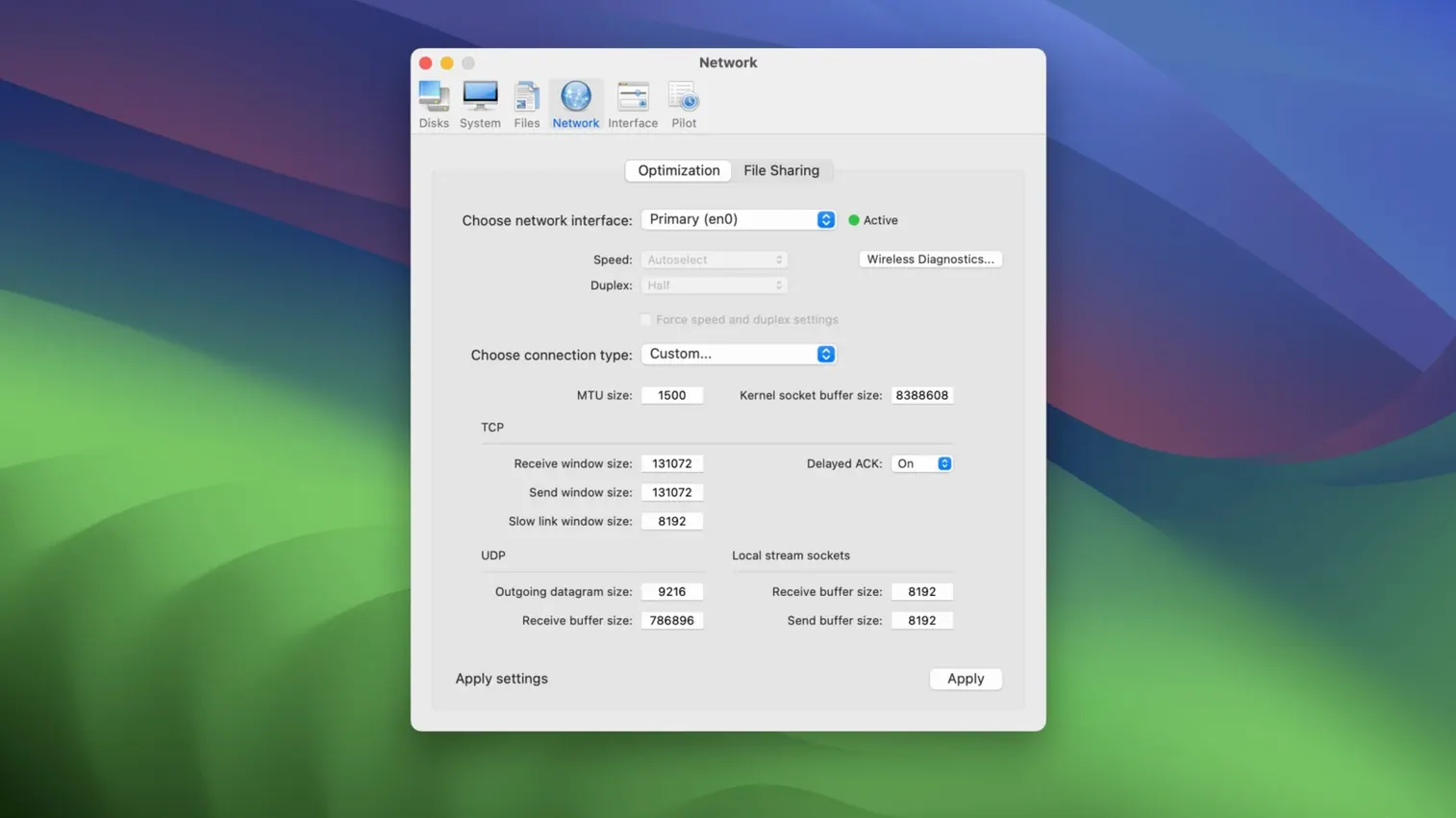
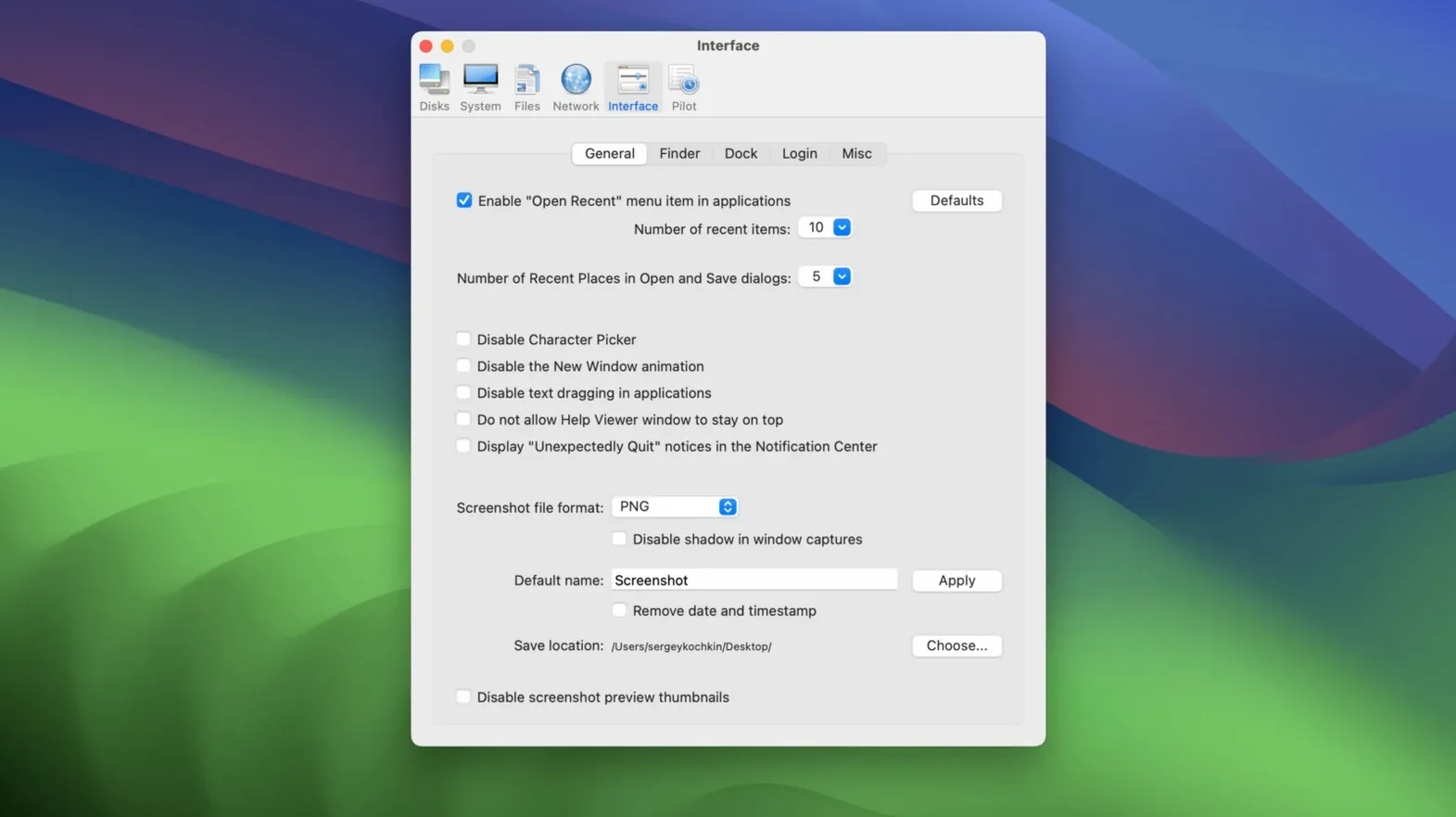
Everything lives inside five tabs: Disks, System, Files, Network and Interface. Each tab keeps its own set of controls, so you know exactly where to look when you need to purge system logs, repair disk permissions or adjust a hidden network setting.
Why are there separate editions for older macOS releases?
Because a tool that touches core system components has to match the OS it runs on. Maintain keeps earlier Cocktail versions available for users who have not upgraded, preventing the kind of mismatch that can cause unpredictable results.
Automatic pilot refuses encrypted disks
One recurring stumble involves the automatic pilot mode refusing to run because a volume is encrypted and not yet mounted. Cocktail needs direct access to the disk structures it cleans, so the fix is straightforward: unlock the volume in Finder first, wait for the mount to complete, then hit the Pilot button again.
Another headache surfaces when users run the tool shortly after a macOS point update. The system may still be reindexing Spotlight or finishing background maintenance, and Cocktail can report permissions mismatches that are not real faults. Giving the Mac a few minutes to settle—and perhaps a restart—before running a full scan usually clears these false positives.
Some people notice Safari caches not clearing as expected. The browser sometimes holds tabs open in the background that lock certain cache files. Quitting Safari completely before running the relevant cleaning routine almost always resolves it. The same applies to Mail envelope indexes: quit Mail first, or the index files remain locked.
Option-click any tab for a quick tooltip
Holding the Option key while clicking any tab header reveals a brief tooltip describing what that category actually touches. It is a tiny detail, but handy when you are unsure whether a function lives under System or Files.
The Disks tab includes a little-known checkbox labelled Verify startup volume. It is off by default, and most users never tick it. Once enabled, it runs a lightweight fsck check during the next pilot cycle, flagging directory inconsistencies before they turn into boot problems. The scan adds a minute or two, but for machines with years of accumulated cruft it is worth the wait.
Double-clicking any log entry in the System tab copies it straight to the clipboard. No right-click menu, no export dialog—just a quiet shortcut that speeds up troubleshooting when you are pasting output into a search engine or a support thread.
In the Network tab, the flush DNS button is straightforward, but the tiny dropdown next to it lets you target a specific service rather than flushing everything. That matters on setups where multiple VPN or virtual network interfaces are active, and a blanket flush would disrupt connections you want to keep alive.
Time Machine snapshots stay consistent with other tools
cocktail sequoia edition does not hook into other applications via plug-ins or APIs, but it respects the same system databases that other tools read and write. For instance, after a Time Machine snapshot thinning routine in Cocktail, you can drop into Disk Utility and see the freed space reflected immediately. The two utilities simply look at the same underlying snapshot list.
Terminal users often pair Cocktail with periodic scripts. A common pattern: run Cocktail's pilot via its command-line trigger, then chain a custom tmutil command to verify the backup state. Maintain has kept the CLI hooks functional across versions, so the Sequoia Edition still accepts the same cocktail binary calls from shell scripts and launch daemons.
macOS Sequoia’s own storage management tools—visible in System Settings under General > Storage—show recommendations that occasionally conflict with Cocktail’s cleaning scope. For example, the system may suggest removing large files while Cocktail is set to purge temporary Xcode caches. The two do not step on each other technically, but running them the same afternoon can produce confusing before-and-after numbers. Spacing the runs by a day gives a clearer picture of what each tool actually reclaimed.
Users of the cocktail 2 torrent download or macos sequoia torrent search phrases sometimes end up with mismatched editions. Cocktail builds are tied tightly to the macOS version, and dropping a Ventura edition onto a Sequoia machine produces nothing but a refusal dialog. The about box in the Sequoia Edition confirms it is the right one with a clear "macOS 15" marker, which is worth checking before any troubleshooting begins.
Uncheck font cache clearing to avoid slowdowns
The cleanest first step after installing is to open the Files tab and uncheck "Clear font caches" unless you actually have garbled type on screen. Font cache purging forces a system-wide rebuild that can temporarily slow down any app that renders text, including browsers and word processors. It is safe, just needlessly aggressive as a default-included task.
Under the System tab, toggle "Clear kernel caches" to off for day-to-day use. Kernel cache rebuilds are useful after system updates or when kext-loaded drivers misbehave, but on a healthy Sequoia installation they add boot time for no tangible gain.
The Interface tab holds a setting labelled "Show hidden files in Finder." It is tempting to leave on, but it clutters directory views with dotfiles you rarely need. A better approach: enable it only when you are about to do something that requires visibility into hidden items, then switch it off from the same tab afterwards. Cocktail makes that toggle quick enough that it becomes part of a targeted workflow rather than a permanent Finder state.
Finally, in the Network tab, consider raising the "Maximum connections" value for the built-in web server discovery service. The default is conservative and dates back to older hardware constraints. On modern Intel Macs running Sequoia, a modest bump can reduce finder-side lag when browsing volumes on a busy local network.