Aspecten
 Download (398 MB)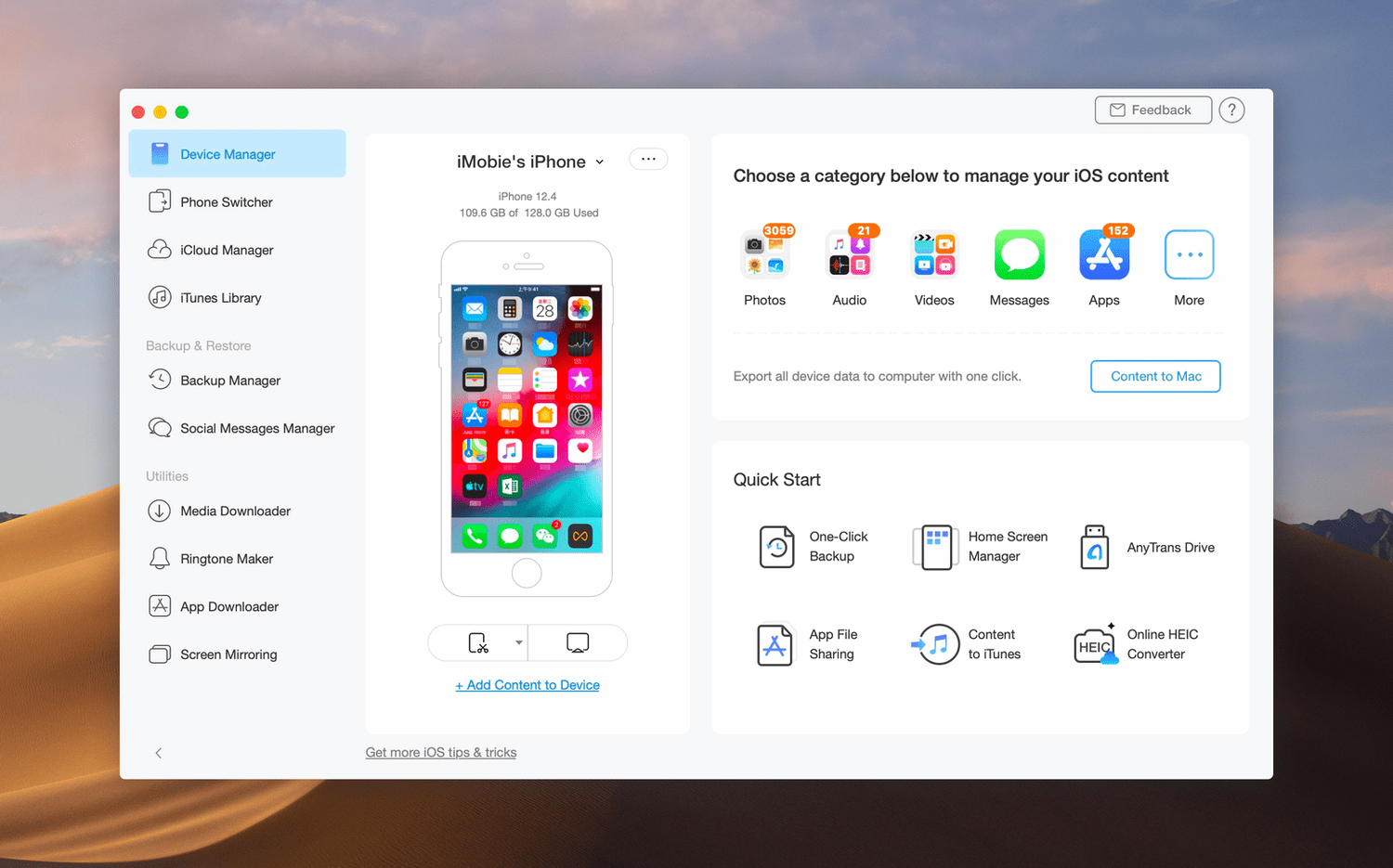
Moving data off an iPhone or iPad without erasing what is already there remains oddly complicated with first-party tools. A full restore from a backup can overwrite newer files, and pulling selected messages or voice memos onto a Mac often involves workarounds. AnyTrans for iOS approaches the problem from a different angle: it treats an iOS device as a browsable volume and lets you copy items out individually or in batches, without forcing a full sync.
Interface
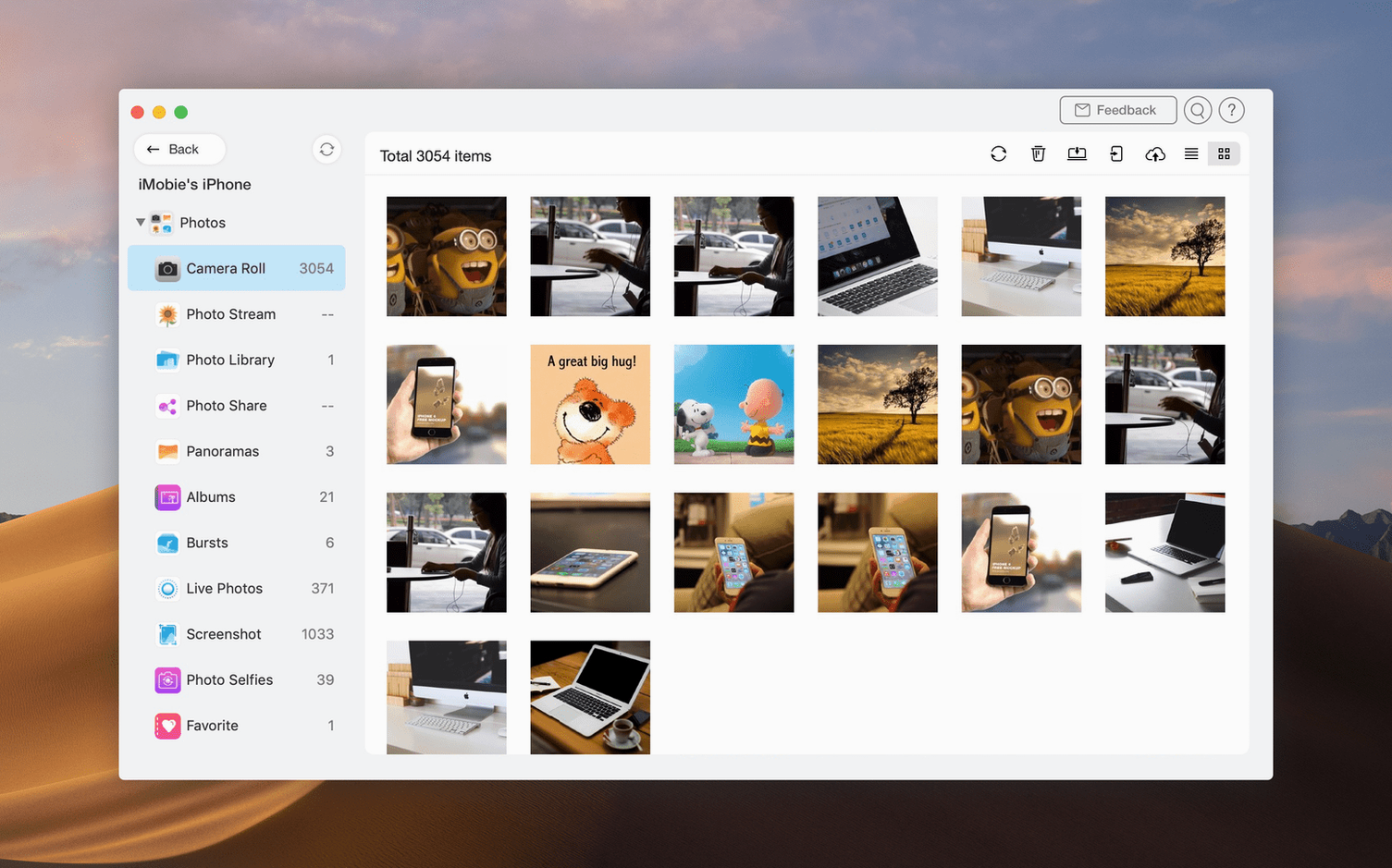
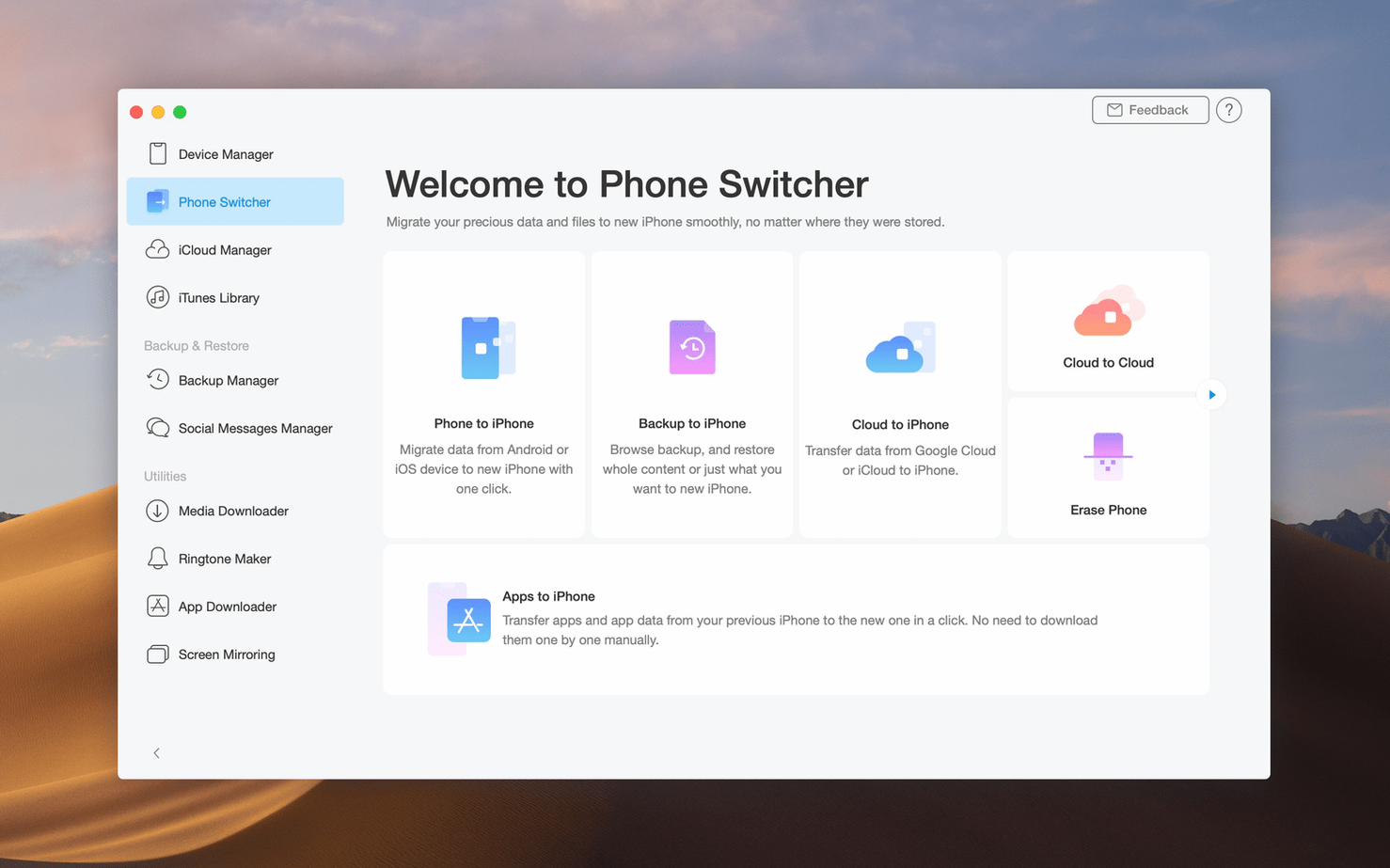
The main window is built around a device manager that shows connected hardware alongside iCloud and iTunes libraries as distinct sources. Selecting an iPhone, for instance, reveals category tabs for photos, music, messages, contacts and other data. A destination picker sits nearby, so you can choose whether content lands in a local folder, another iOS device, an iTunes library or a different iCloud account. The layout favours drag-and-drop and one-click transfers, though first-time navigation through the category tree takes a moment to learn.
Workflow
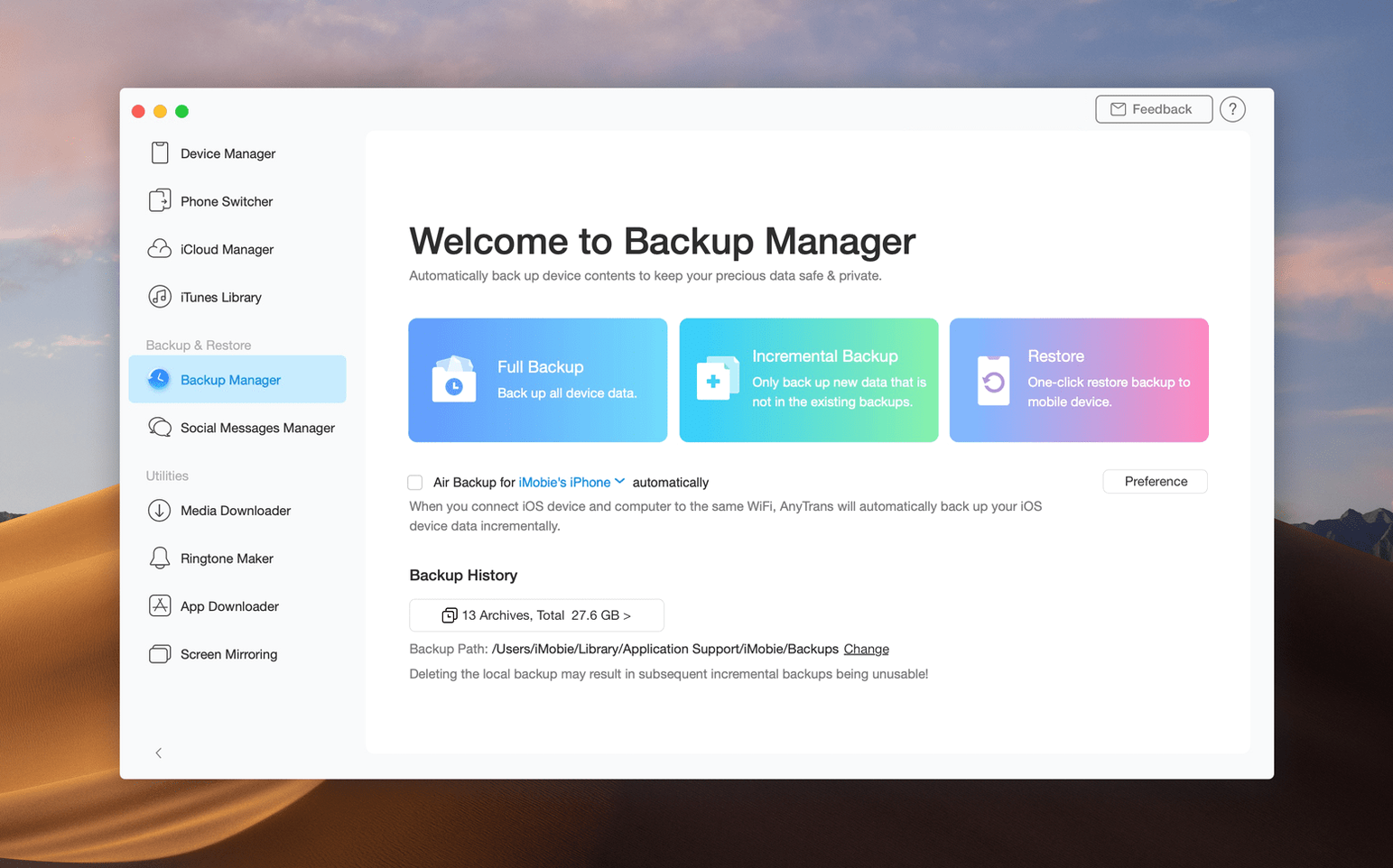
The app covers several transfer directions: iPhone to Mac, iPad to Mac, between two iOS devices, and even between iCloud accounts. A media downloader built into the browser extension can save audio and video from many websites directly to a device or the Mac. Backups are stored locally and remain accessible for partial restores — you can pull a single conversation thread from an older backup without loading the whole image. The one-click iPad-to-Mac copy is practical for offloading large photo libraries or video projects before a trip.
Settings worth changing first
Out of the box, AnyTrans places backups inside the default user Library folder. That location can fill a boot drive quickly once a full 256 GB iPhone backup lands. Open preferences and point the backup directory to an external SSD before the first large transfer. The app respects the change immediately and moves existing backup files across if you confirm the prompt.
A second setting worth adjusting is the auto-conversion toggle for media. When copying HEIC photos or HEVC videos to a Mac, AnyTrans can transcode to JPEG and H.264 on the fly. The preference is off by default, which preserves originals but may leave you with files that older Mac apps cannot open. Turn it on only if your photo library software balks at HEIC, and leave it off otherwise — transcoding adds noticeable time to large exports.
Under the connection tab, disable "automatically launch on device connect" unless AnyTrans is your daily transfer tool. The helper process draws a modest amount of CPU at mount time, and on a Mac running several background utilities the cumulative effect is unnecessary. The Wi-Fi transfer option, buried in the same panel, is also worth switching off for first-time use. USB transfers are faster and less prone to interruption, especially when moving video files above 4 GB.
Which kinds of Mac users get the most out of it
Users who juggle multiple iOS devices and separate iCloud accounts tend to benefit first. A family with shared iPads and individual iPhones, for example, can pull photos from each device into distinct Mac folders without signing everyone into the same Apple ID. The iCloud-to-iCloud transfer feature serves a similar niche: someone migrating from a work iCloud account to a personal one can move contacts, calendars and reminders without the manual export-and-import routine that Apple's web apps demand.
People who treat an iPhone as a work device and need granular backups will also find the partial restore workflow useful. A journalist who wants to archive only iMessage threads from a specific project, leaving the rest of the backup untouched, can do that in three clicks. The same applies to voice memo collections and call histories — data types that iTunes and Finder lump into an all-or-nothing restore.
Anyone who downloads audio or video from websites for offline use on an iPhone gains a direct pipeline through the built-in media downloader. The file lands on the device immediately, bypassing the add-to-library-and-sync step that Finder and Music enforce. Users who still keep a local iTunes library on a Mac — often those with large CD-ripped collections — can push selected playlists to an iPhone without syncing the entire library and erasing tracks added from other sources.
Impressions of speed, stability and resource use
USB transfer speeds sit close to what the Lightning or USB-C connection allows. A 10 GB photo export from an iPhone 14 Pro to a MacBook Air with an M1 chip finished in just over two minutes on a direct cable. Wi-Fi transfers, by contrast, dropped to roughly a third of that throughput and occasionally paused when the Mac switched between mesh network nodes. For anything above a few hundred megabytes, the cable is the practical choice.
Memory use during idle is low — around 90 MB on an Intel Mac running macOS Ventura. During an active transfer, the figure climbs to 300–400 MB, which is unsurprising for an app that reads and writes large media files. The helper process that watches for device connections adds another 40 MB. On an 8 GB Mac, leaving AnyTrans open alongside a browser with many tabs and a few office apps produces no swap pressure under normal use. A full iPhone backup while encoding video in the background, however, pushes the system harder and occasionally causes the progress bar to stutter.
Stability across version 8.9.14 is solid in routine tasks. The app has not crashed during photo exports, music transfers or iCloud downloads in a week of daily use. One reproducible quirk: unplugging an iPhone mid-transfer leaves a stuck progress dialog that requires force-quitting the helper process from Activity Monitor. The main window recovers without a relaunch. Spotlight indexing of the backup folder can also spike CPU for a few minutes after a large backup completes; excluding the backup directory from Spotlight in System Settings solves this.
Questions people usually ask before installing
Does it replace iTunes or Finder syncing completely? For most manual transfers, yes. You can copy music, photos, videos, contacts and messages without opening Music or Finder. The one area where iTunes still matters is firmware updates and full-device restores from an encrypted backup. AnyTrans handles partial restores well but does not overwrite the operating system.
Will it conflict with iCloud Photo Library? No, but the behaviour needs a moment of attention. If iCloud Photos is enabled on the iPhone, the library shown inside AnyTrans reflects what is locally stored on the device, not the full cloud collection. Photos optimised to save space appear as thumbnails only. Disabling "Optimise Storage" in iPhone settings before a full export ensures all originals are pulled.
What about messages and WhatsApp data? AnyTrans reads the Messages database directly and can export threads as PDF, HTML or plain text. WhatsApp chats appear as an option only if an unencrypted iTunes backup exists. The app does not decrypt end-to-end encrypted chat databases on its own — an important distinction for users hoping to bypass backup encryption.
Does the media downloader handle playlists or just single files? Single files per URL. You can queue multiple URLs, but the tool does not parse YouTube playlists or channel pages. For batch downloading, users typically pair it with a dedicated browser extension and then import the resulting files through AnyTrans for device transfer.
What the latest versions changed in everyday use
Version 8.9.14 arrived in late March 2026 as a maintenance update aimed at macOS compatibility and USB detection fixes. Earlier 8.x releases had already shifted the interface away from the older "iOS Mover" branding toward a unified device manager layout that treats iCloud, iTunes and connected hardware as equal sources in a sidebar. That change reduced the number of clicks needed to switch between an iPhone backup on disk and a live device.
The media downloader received a quiet update in the 8.8 cycle that expanded site support beyond the original 900 domains, though the exact count is not published. In practice, video sites that use standard HTTP streaming work reliably; those requiring login or DRM decryption do not. The downloader now saves files with correct metadata more often than earlier versions, which occasionally left video files without creation dates.
For users coming from the older AnyTrans for iOS 7 line, the biggest everyday change is the removal of the separate "AnyTrans for Android" mode. Android-to-iPhone migration now lives inside the same app window as a device-switching wizard. The process asks for both devices to be connected simultaneously and moves contacts, photos, videos and music in one guided sequence. The transfer runs over USB and typically completes a 30 GB migration in under 25 minutes on a recent Mac.