Aspecten
 Download (3.1 GB)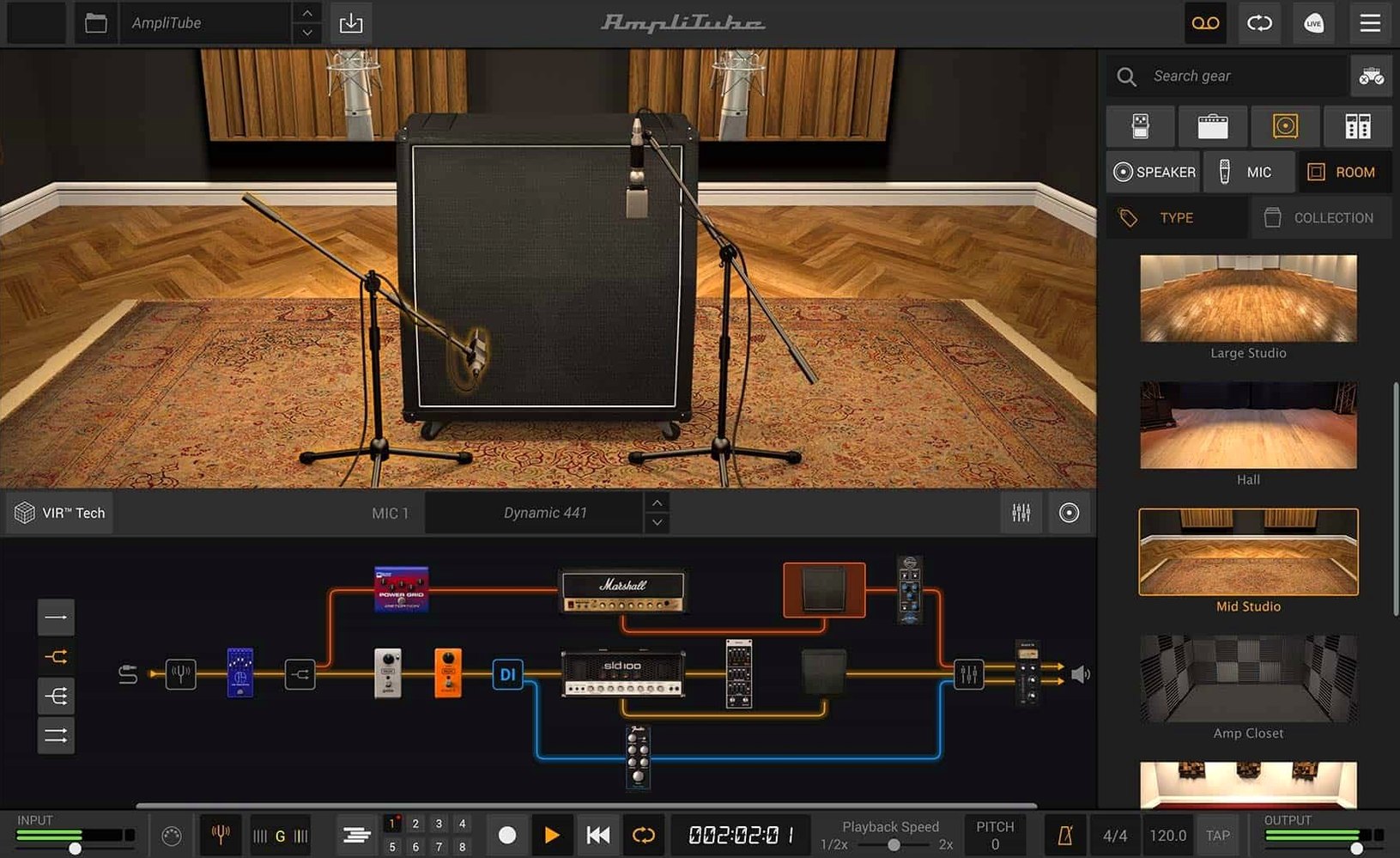
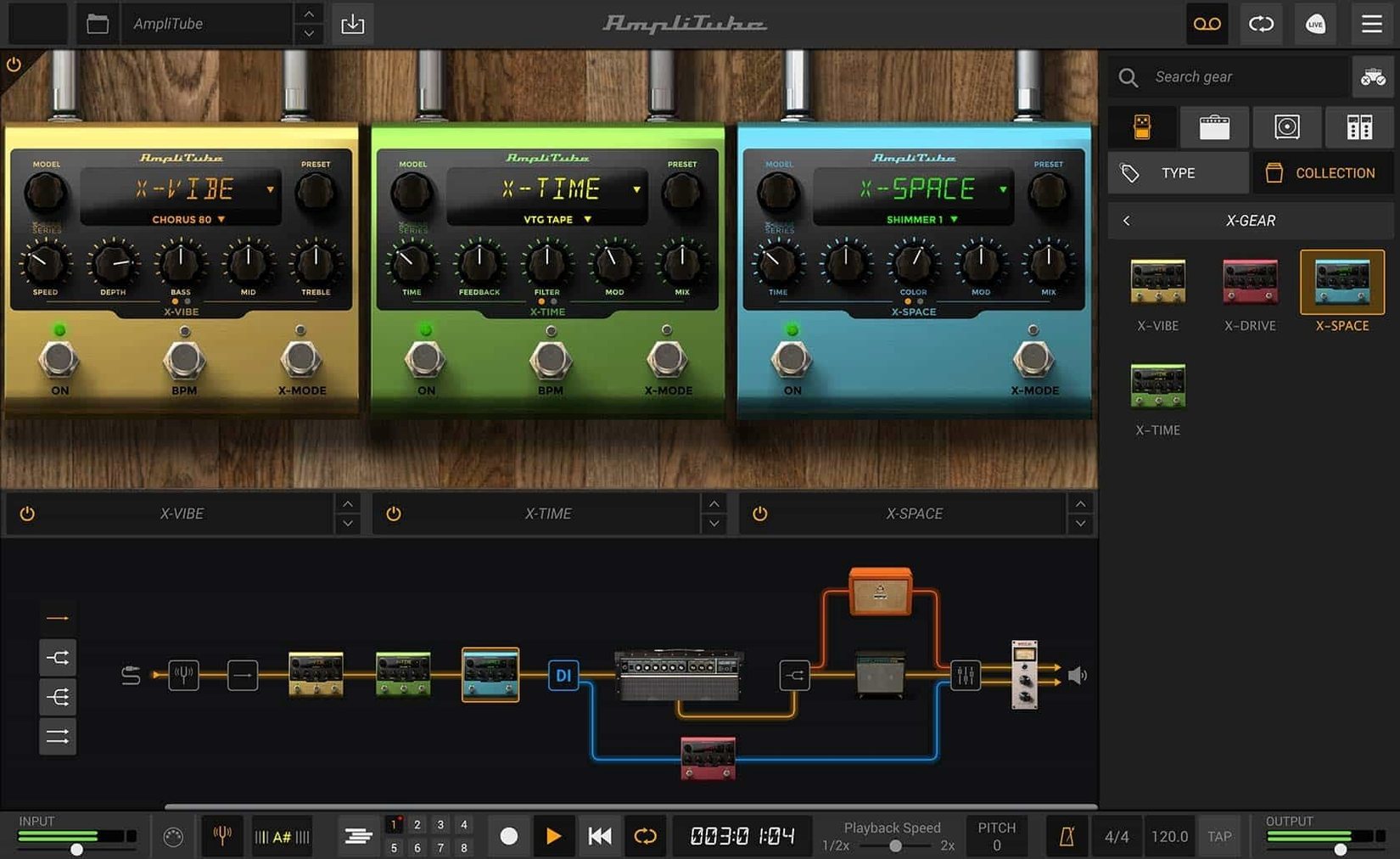
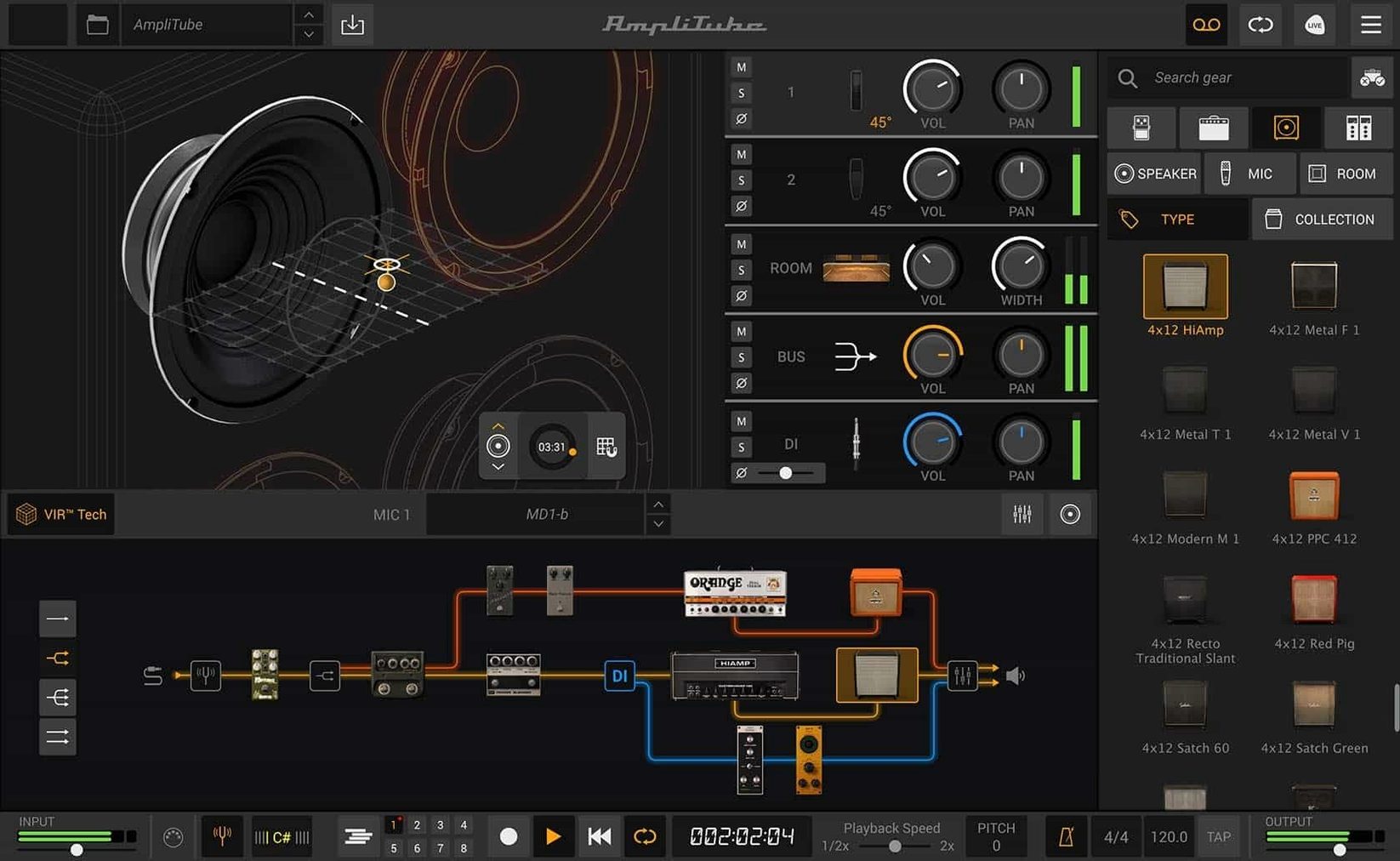
AmpliTube 5.8.2 ships with five amp models and a signal chain that supports drag-and-drop routing. Here is what that means in practice.
AmpliTube — Software for modelling guitar amplifiers and effects, built around a modular rack-and-pedalboard structure.
Amp models — Five base amplifier emulations covering clean, crunch and high-gain voicings. The MAX edition adds over 400 gear models across 11 artist and brand collections.
VIR cabinet section — A redesigned cabinet engine using IK Multimedia's Volumetric Impulse Response technology. More than 100 cabinets are included, each repositionable by microphone distance and axis. You can also load custom IR files for third-party cabinet profiles.
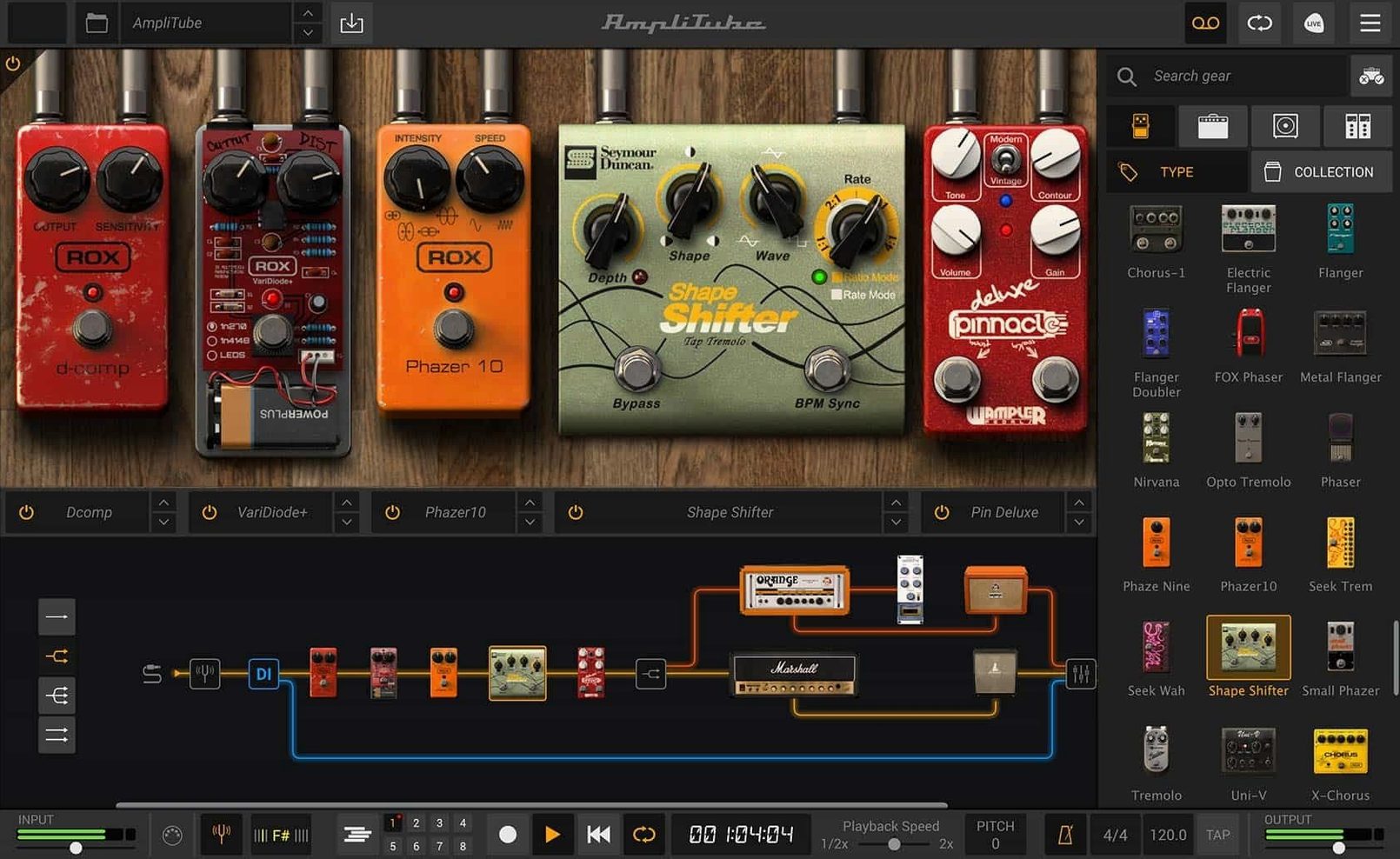
Effects — 23 new rack effects and 2 new stompbox pedals sit alongside the existing suite of modelled overdrives, modulations, delays and reverbs. All effects are placed via drag-and-drop routing, and the mixer now carries built-in effects for parallel processing.
Copy protection, plug-in scanning and the iLok question
Most guitar software carries some baggage — copy protection schemes, background services, or plug-in formats that refuse to scan. A few practical questions tend to surface in guitar forums and YouTube comments when someone considers AmpliTube 5.8.2. Here are the answers that matter.
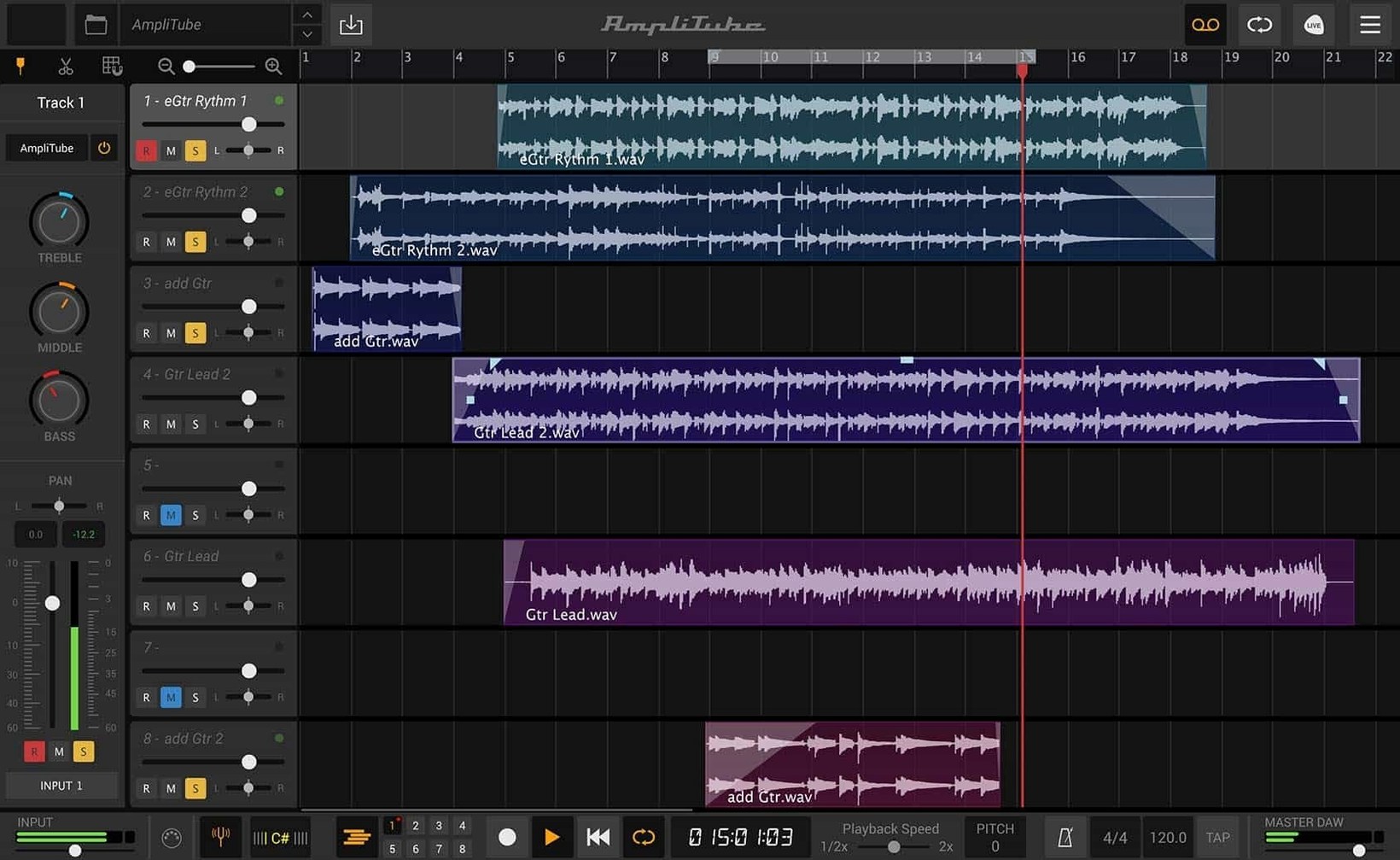
Does the standalone app work without a DAW? Yes. The standalone application opens directly on the desktop and recognises audio interfaces connected to the Mac. You can plug in, select an input, load a preset and play. No DAW is required for practice, tone browsing or quick recording into the built-in looper (available in the full version). The standalone app also handles MIDI foot controllers for preset switching during live use.
Will it run on an older Mac? The stated minimum is macOS 10.15. On machines that meet that requirement but have modest processors, the larger amplifier models — particularly the high-gain ones with multiple IR-based cabinets — can push CPU meters upward. Users on older Intel Macs often find they need to run the buffer size at 128 or 256 samples to avoid crackling during tracking. On Apple Silicon Macs, performance is notably smoother even with complex dual-amp rigs.
How does the free CS edition differ? AmpliTube 5 CS installs with 42 gear models — a small but usable set of amps, cabinets and effects. The interface is identical to the full product. The CS edition lets you audition any model from the MAX collection; locked models appear with a padlock icon and produce a short noise burst when loaded. Some users keep CS installed for the VIR cabinet module alone, which processes custom IR files without restriction.
Does it work with other plug-in hosts? The AU, VST and AAX formats cover Logic Pro, GarageBand, Ableton Live, Reaper, Pro Tools and most other Mac DAWs. The plug-in scans as a single entry; all guitar and bass amp routing happens inside AmpliTube's own window. Some hosts require a manual plug-in scan after installation. The AU version is the safest bet for Logic users, while VST suits cross-platform projects moving between Mac and Windows machines.
What about preset compatibility with older AmpliTube versions? IK Multimedia maintains forward compatibility for presets created in AmpliTube 4, though the reverse is not guaranteed. Presets saved in version 5.8.2 that use the newer VIR cabinet module or the redesigned mixer will not open in AmpliTube 4. Users running an AmpliTube 4 torrent setup often keep the old application installed alongside version 5 until they have rebuilt their favourite sounds.
Where a single amp and cab lands on an M1 Mac
AmpliTube 5.8.2 sits in the middle of the modelling software field when it comes to CPU appetite. A single amplifier with one cabinet and a couple of stompbox effects hovers around 10–15% CPU on an M1 Mac running a 64-sample buffer. Start stacking a dual-amp rig with spring reverb, tape delay and a VIR cabinet per channel, and the meter climbs to 35–45%. The application never spikes unpredictably — it scales linearly with model count — but it also rewards users who freeze or commit tracks early in a dense session.
Memory usage stays moderate. The plug-in instance typically occupies 300–500 MB of RAM. Loading large sessions with many instances pushes that higher, though the Mac's virtual memory handling on modern systems keeps swapping to a minimum. The standalone app uses slightly less overhead than the plug-in, presumably because it skips the host wrapper layer.
Stability in version 5.8.2 is solid under Logic Pro 10.8 and Ableton Live 11. Crashes are rare during normal patch browsing, recording and playback. Two edge cases are worth knowing about. First, switching between amplifier models very rapidly — clicking through presets at speed — can occasionally cause a brief audio dropout while the engine reallocates DSP resources. Second, loading custom IR files from network-mounted volumes sometimes triggers a beachball if the volume is slow to respond. Keeping IRs on local storage avoids this entirely.
Users who have moved from an AmpliTube 5 torrent installation to the current build often notice that the 5.8.2 release handles preset loading more cleanly than earlier 5.x versions, particularly with complex parallel signal paths. The drag-and-drop routing engine has matured; earlier quirks where dragging a split point would momentarily mute the output are resolved.
Buffer size and sample rate before you plug in
The default install works, but a few preferences reward immediate attention. Open the standalone app and go to the Audio/MIDI settings panel before plugging in for the first time.
Buffer size and sample rate. The initial buffer setting defaults to 512 samples — safe but sluggish for monitoring through the software. Players tracking guitar parts will want 128 or 64 samples for a responsive feel. The sample rate should match the project rate of your DAW. Mismatches between the standalone app and a DAW session cause subtle pitch shifts when moving recordings between environments.
Input metering and gain staging. AmpliTube models respond to input level the way a physical amplifier does: hotter signals push preamp stages harder. The input meter in the signal chain header should peak around -12 dBFS for clean tones and can hit -6 dBFS for pushed crunch sounds. If your audio interface has a pad switch, test it with and without the pad engaged; some interfaces clip the input before the signal reaches the software, and AmpliTube cannot recover a clipped waveform.
Oversampling. Hidden inside the cabinet module's settings is an oversampling toggle. It increases internal processing resolution, smoothing out the top end of distorted tones at the cost of roughly 30% more CPU per cabinet instance. During tracking at low buffer sizes, leave it off. When rendering or printing final tones, switch it on. The difference is subtle on bright single-coil pickups and almost inaudible on darker humbucker setups, so audition it per preset rather than enabling it globally.
MIDI mapping. The MIDI learn function is fast: right-click any knob, move a foot controller pedal or switch, and the assignment sticks. Set up a basic mapping for wah pedal position, preset increment/decrement and a clean/dirty gain toggle before taking the laptop to a rehearsal room. The software remembers mappings per preset, not globally, so save a template preset with your most-used controller assignments and duplicate it as a starting point for new sounds.
IR loader folder. The cabinet section includes a user IR slot. Point it toward a folder of impulse responses on local storage and the browser populates instantly. AmpliTube reads standard WAV-format IRs at common sample rates. Files above 500 ms are truncated to 500 ms internally, so excessively long room captures lose their tail without warning.
How AmpliTube fits with other apps and macOS features
AmpliTube 5.8.2 is not an island. Its place in a Mac-based recording setup depends on how it connects to DAWs, MIDI controllers, system-level audio routing and file management.
Inside a DAW. The AU plug-in inserts on a mono or stereo track. Mono input is typical for guitar and bass; stereo input makes sense only when processing a stereo DI signal from a modeller or a pre-panned effects chain. The plug-in processes audio in real time, so placing it on a recorded DI track with input monitoring disabled keeps CPU load predictable during mixing. Many users pair AmpliTube with a DAW's own utility plugins — a tuner before the plug-in, an EQ or compressor after — rather than using AmpliTube's internal versions, purely because the DAW-native plugins offer lower latency metering during recording.
With other modelling software. AmpliTube sits alongside Neural DSP, Line 6 Helix Native and ML Sound Lab plugins without conflict. All four load as separate plug-in instances; none claim exclusive access to the audio driver. The one caveat is preset management: AmpliTube uses its own proprietary preset format and does not import .hpx or .nzp files from competitors. Users who move between modellers for different sessions often keep a simple text note listing their AmpliTube signal chain settings, since there is no cross-platform preset translation tool.
System-wide audio routing. On macOS, Audio Hijack and Loopback can route the standalone AmpliTube app into other applications. A common live-streaming setup sends the standalone output to OBS via Loopback, while the Mac's built-in microphone handles voice. Latency through this double-route is acceptable for livestream practice but too high for studio overdubbing. BlackHole (a free virtual audio driver) works as a lower-cost alternative, though it requires manual sample rate matching in Audio MIDI Setup.
macOS integration details. AmpliTube respects Dark Mode and switches its chrome automatically. It uses a standard macOS file browser for loading IRs and presets, so folders bookmarked in the Finder sidebar appear inside the application. The app does not integrate with iCloud for preset syncing across Macs; users with two machines copy the preset folder manually or use a shared external drive. Spotlight does not index AmpliTube preset files, so finding a long-lost tone means browsing from inside the application rather than searching in the Finder.
With hardware modellers. Players who own a physical amp modeller or multi-effects unit sometimes use AmpliTube as a re-amping processor. The hardware unit records a dry DI signal to the DAW; that DI track then runs through AmpliTube during mixing, allowing tone changes after the performance. The only practical requirement is that the hardware unit passes a clean DI signal without baked-in amp colouration, and that the recorded level matches the gain staging expectations described earlier.
A recording guitarist's evening session
Anna plays a Telecaster and sings in a four-piece band that rehearses in a rented lock-up on the edge of town. She has a small desk setup at home — an M1 MacBook Air, a Focusrite Scarlett 2i2, closed-back headphones — and a few spare hours after dinner to work on a new idea.
She opens the AmpliTube standalone app. The audio interface is already plugged in, and the input meter twitches as she brushes the strings. She loads a preset she built last month: a clean Fender-style amp with a little spring reverb and a compressor at the front of the chain. The tone is warm, immediate, and the latency at 64 samples is low enough that she forgets she is playing through software.
The riff she has in mind leans on a slapback delay. She drags a tape echo from the effects panel into an empty slot between the compressor and the amplifier input. The default settings are too wet, so she pulls the mix knob back to 20% and shortens the delay time until the repeats sit just behind her pick attack. With the VIR cabinet engine, she nudges the virtual microphone a few centimetres off-axis — not because the tone was wrong, but because the slight high-end roll-off softens the transients in a way that suits the part.
She plays the riff for ten minutes, looping the best take in her head, then opens Logic Pro. The project is a scratchpad session with a drum loop and a placeholder bass part. She creates a mono audio track, sets the input to the Scarlett, and inserts AmpliTube as an AU plug-in. The preset from the standalone session transfers with a few clicks — she saved it to the shared preset folder earlier — and the tone loads identically.
Three rhythm takes later, she duplicates the track and loads a higher-gain British amp model for a doubled part. The two amps sit on opposite sides of the stereo field, the cleaner Telecaster tone on the left and the crunchier part on the right. Together they create a wide, layered rhythm bed that feels larger than the individual tracks. CPU sits at 28% across both instances; no pops, no dropouts.
Before closing the laptop, she saves the Logic project and exports the AmpliTube presets as a backup. The whole session — from opening the standalone app to bouncing a rough mix — took under an hour. She did not touch a physical amplifier, a microphone stand or a single XLR cable.