Aspecten
 Download (669 MB)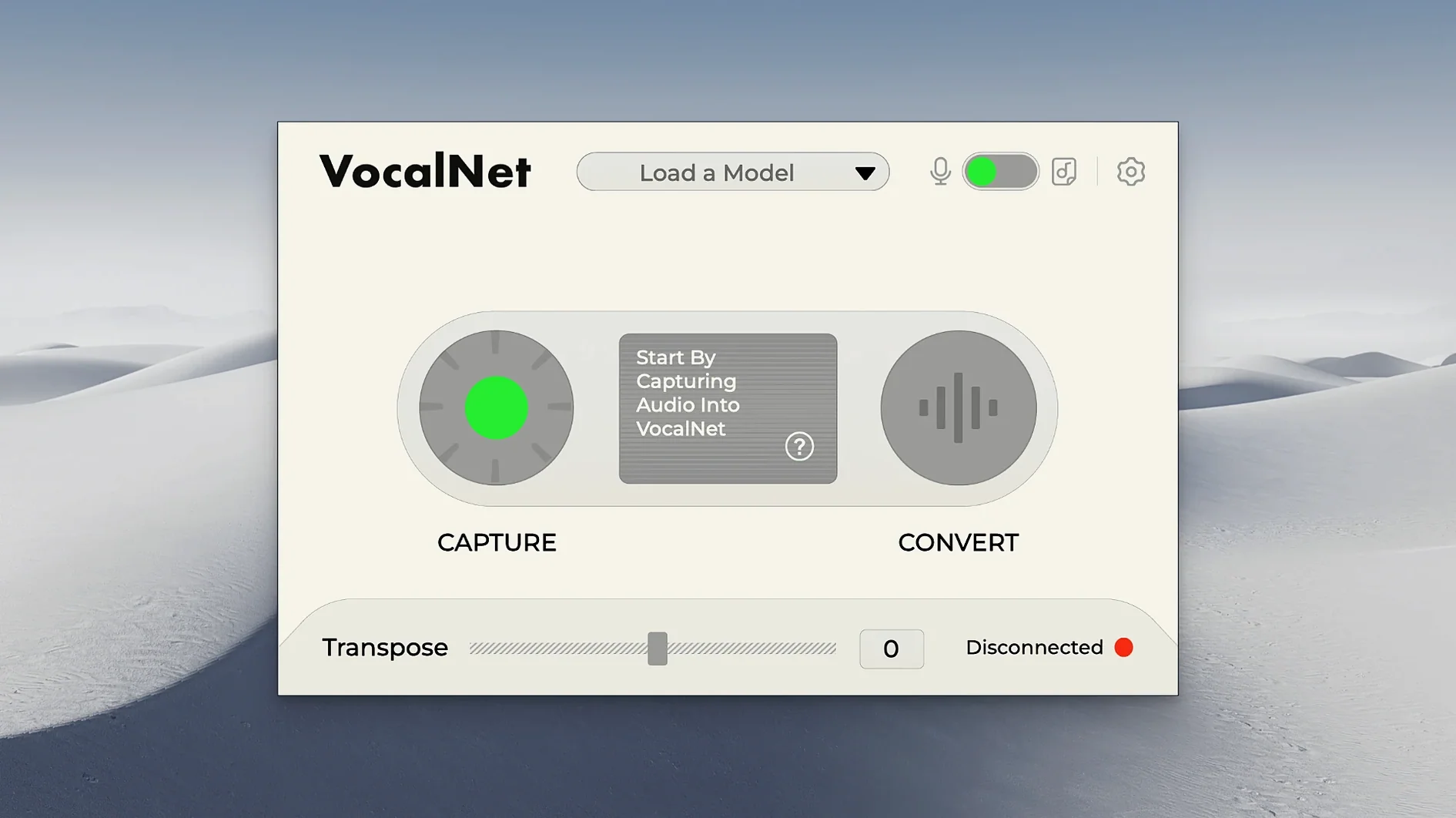
VocalNet ships as a 64-bit plugin in three formats — VST3, AU and AAX — and runs natively on Apple Silicon and Intel Macs from macOS 10.15 onward. The processing stays entirely on the local machine, so no audio leaves the computer during analysis or playback.
- Three plug-in formats in a single Mac installer: VST3, AU and AAX.
- Real-time processing that changes a vocal track while the DAW is running.
- Timbre analysis from an uploaded voice sample, which the AI then uses to colour a new performance.
- Smooth morphing between two voice samples to produce hybrid, shifting characters.
- English-only interface, with controls kept to a focused set.
What sets VocalNet apart from conventional pitch-and-formant shifters is the way it builds a new timbre from source material rather than tweaking the existing signal. Loading a sample gives the plugin a target character, and the output sits somewhere between the original take and that reference. The morph control makes the result less static: sliding between two references can push a vocal from airy to nasal mid-phrase without hard switching. Because the analysis runs locally, the latency stays predictable enough for real-time monitoring, though the exact load depends on the host and buffer size.
How VocalNet fits into a working setup
VocalNet sits as an insert effect on an audio or instrument track, not as a standalone application. In Logic Pro, that means dropping it into the Audio FX slot of a vocal channel and routing a sidechain if you want to feed it a separate reference track. In Ableton Live, the plugin appears under the VST3 or AU heading and works the same way — load a sample into the plugin, sing or speak into the mic, and the output carries the new timbre.
The plugin plays well with macOS audio routing when your DAW supports it. If you use an aggregate device in Audio MIDI Setup to combine a microphone and a loopback channel, VocalNet can process a live voice against a prerecorded reference without leaving the DAW. On Apple Silicon Macs, the AU version loads inside GarageBand too, which opens the door to quick vocal sketches without a full production session.
VocalNet also cooperates with macOS accessibility features. VoiceOver reads the control labels in the AU version, and the plugin window scales with the system display settings, though the text remains small on high-resolution screens. The plugin state saves inside DAW projects as standard preset data, so moving a session between two Macs keeps the reference samples and morph settings intact — provided the sample files stay in the same location.
Fixing a blank plugin window with microphone permissions
A few rough edges surface in daily use. The most frequent is a blank or unresponsive plugin window after inserting VocalNet. This usually traces back to the DAW's microphone permission under System Preferences → Security & Privacy → Microphone. The plugin draws its analysis routines through the same permission gate as the host, and a denied request leaves the interface visible but the sample loading non-functional. Granting the permission and restarting the host clears it.
Another hiccup involves reference samples that won't load. VocalNet expects 16-bit or 24-bit WAV files; compressed formats like MP3 or AAC produce a silent rejection. Converting the file in the Finder with a quick right-click → Encode selected audio files (if the option is available) or using a lightweight utility sorts it out. The plugin also ignores sample rates above 96 kHz — resampling the file to 48 kHz or 44.1 kHz before loading avoids the silent treatment.
Latency spikes during real-time morphing appear on older Intel Macs when the buffer size drops below 128 samples. Raising the buffer to 256 samples in the DAW's audio settings gives the analysis engine enough headroom without making the monitoring lag obvious. On Apple Silicon machines, the same setting rarely trips, though a heavy plugin chain before VocalNet can still push the CPU meter into the red.
Some users who looked up vocalnet torrent or session loops vocalnet on forums notice that downloaded versions sometimes miss the AAX component. The official Mac installer bundles all three formats, and copies from other sources may only drop the VST3 file into the system folders. Checking both /Library/Audio/Plug-Ins/VST3 and /Library/Audio/Plug-Ins/Components for the AU version catches a partial install. If Pro Tools doesn't see the plugin, the AAX file should sit inside /Library/Application Support/Avid/Audio/Plug-Ins.
Start with a dry vocal and the morph knob at full reference
Start with a dry vocal clip you know well rather than a complex arrangement. Insert VocalNet on the track, load a single reference sample, and set the morph knob to full reference so you hear the purest version of the transformation. Sing or speak a short phrase and listen back with the DAW stopped — this reveals the base character before real-time monitoring colours your impression.
Build a small sample library early. Create a folder inside your Music directory called "VocalNet References" and drop in five or six contrasting WAV files: a whispered phrase, a sung note from a different vocalist, a spoken sentence with a raspy texture. The timbre analysis responds differently to short percussive sounds than to sustained vowels, so having a range lets you test what the engine grabs from each sample.
Test the blend control with two samples that sit at opposite ends of a spectrum — bright and dark, male and female, clean and distorted. Move the morph slider slowly while a loop plays and note where the transition sounds most natural. Mark those spots mentally or with a DAW automation lane. The plugin saves automation data per parameter, so you can write morph movements that follow the emotional shape of a verse.
The plugin uses no cloud processing, so all sample analysis runs locally. On first launch after installing, the DAW may take a few extra seconds to validate the Audio Unit in Logic or the VST3 in Cubase. This is a one-time check tied to macOS code-signing, not a recurring delay. Once validated, VocalNet appears in the plugin list without further authentication.
What the move to version 1.0.4 changed
Version 1.0.4 brought native Apple Silicon support, which removed the Rosetta 2 translation layer from the processing chain. The practical upshot is a lower CPU draw on M1 and M2 Macs — sessions that previously nudged the processor meter now sit comfortably in the middle range. The installer also consolidated the three plugin formats into a single package, so users no longer had to pick between separate VST3, AU and AAX downloads.
The update addressed a bug where the morph control would jump to zero when reopening a saved project in certain DAWs. That fix means automation lanes stay faithful to the saved state, which matters for anyone using gradual timbre shifts across a full arrangement. The sample-loading dialogue also gained the ability to remember the last-used folder — a small change that cuts down the clicking when you rotate through reference files during a session.
Some producers who searched for vocalnet ai vst or vocalnet ai vst free download were running earlier builds that lacked the current stability on macOS Ventura and Sonoma. The 1.0.4 release tightened compatibility with those system versions, particularly around the audio input handling that had caused occasional dropouts when the Mac woke from sleep with the DAW still open.