Aspecten
 Download (3.5 GB)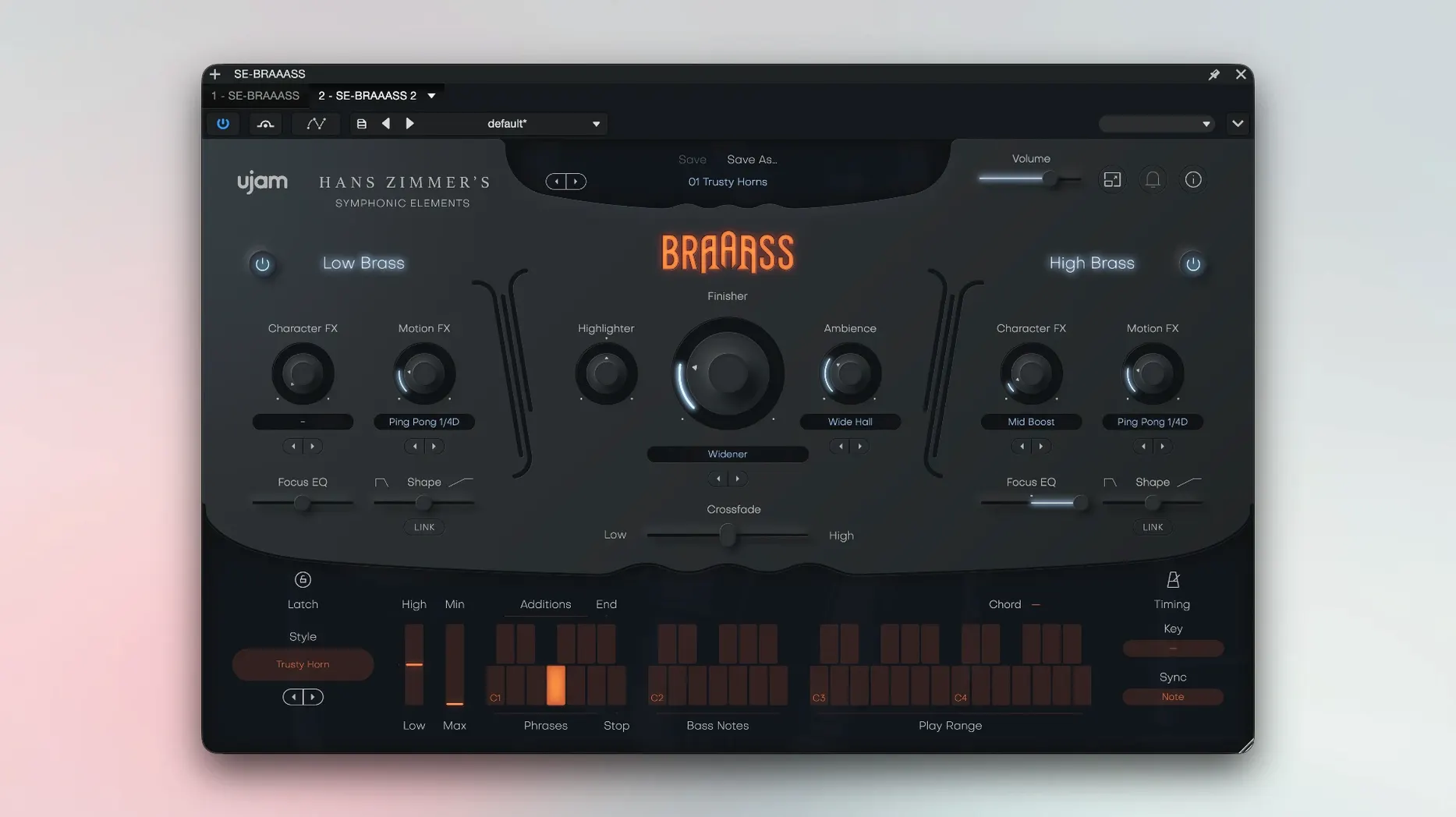
Brass parts often demand either a full orchestral template or hours of keyswitching. Symphonic Elements BRAAASS sidesteps that by serving ready-made phrases drawn from Hans Zimmer’s personal recording collection.
Phrase Style — a set of 78 playing styles, each containing six pre-recorded phrases performed on French horns, trumpets, trombones, cimbassos or tubas. The browser lets you filter by instrument and character.
Reverse — a toggle that plays the selected phrase backwards. Useful for swelling transitions or unsettling textures that still sit in a mix.
Drones — a dedicated mode that stretches sustained tones from the source recordings. It produces a steady pitch bed rather than a rhythmic figure, working well under dialogue or sparse arrangements.
Finisher — a multi-effect chain tuned for brass. Compression, saturation and spatial widening are combined into a single macro, so the tone shifts from dry and close to cinematic with one fader move.
Because the instrument relies on complete phrases, it does not give you per-note control over articulation. That limitation is offset by the speed with which a finished-sounding brass line lands in a project.
A scoring workflow, start to finish
Suppose you need a tense, low-brass undercurrent for a chase cue. Open Symphonic Elements BRAAASS on an instrument track, set the tempo in your DAW first so the phrases sync correctly. Filter the style browser by instrument—tick Trombone and Cimbasso—then by character, choosing something with a rhythmic pulse rather than a long swell. Audition a few phrases with C3 held down. Once a pattern catches, drag the MIDI of the phrase into your track and trim its start to land on the downbeat of bar nine, where the tension should peak.
With the phrase in place, split the low and high frequency controls. Push the low section fader up a touch and leave the high section flat; the weight stays in the chest of the mix without brassy edge cutting through the strings. Enable Drones on a second instance, pick a tuba sustain, and tuck it underneath the rhythmic phrase at low volume. The drone fills the gaps between hits and keeps the section breathing. Finally, nudge the Finisher to about 30%—enough compression and width to glue the two instances together without sounding processed. The whole thing takes under two minutes, and it leaves headroom for percussion and synths above it.
Fixing tempo drift and missing phrases
A few sticking points surface regularly with a phrase-based instrument like this, but most have straightforward fixes.
- Phrases drift from the project tempo. The engine follows the host tempo, but only if it receives a reliable clock signal from the DAW. If a phrase sounds out of sync, check that the transport was running before you triggered the note. Starting playback mid-phrase can confuse the sync, so let a full bar pass before the first MIDI note hits.
- The plug-in window stays black on first launch. Apple’s notarisation checks can stall the initial scan. The documented workaround is to open the plug-in, close it, then open it again. The second launch typically loads the interface without issue.
- Reverse toggle sounds glitchy on long phrases. The reversed playback starts from the tail of the recording, which may include natural room decay. Trimming the MIDI note length often cleans up the attack. If the reversed excerpt still feels unwieldy, bounce it to audio and cut the transient manually.
- Finisher introduces low-end rumble. The multi-effect chain adds saturation that can excite sub frequencies, especially on tuba and cimbasso patches. Use the separate low frequency section fader to pull back anything below 100 Hz rather than reaching for an external EQ.
Metropolis Ark gives per-note control, BRAAASS trades that for speed
Orchestral Tools Metropolis Ark 1 (low brass). Metropolis Ark gives you individual sections with deep multisampling—staccatissimo, marcato, sustains and swells all under keyswitches. That means far more per-note control than BRAAASS, and the sound is famously enormous. The trade-off is setup time: you build a brass part note by note, whereas BRAAASS hands you a complete phrase in one key press. For fast underscore or hybrid trailer work, BRAAASS is the quicker path to a finished line. For exposed passages where every articulation matters, Ark pulls ahead.
Native Instruments Action Strings 2. Action Strings 2 also runs on phrases, though for strings rather than brass. The philosophy is similar: pick a style, trigger a phrase, shape it with macro controls. BRAAASS applies the same idea to a Zimmer-sourced brass library, with the added benefit of the drone mode and the reverse toggle—features Action Strings 2 does not offer. If you already work comfortably with phrase-based strings, the jump to BRAAASS feels immediate.
Spitfire Audio Albion Colossus (brass patches). Colossus includes phrase-synced brass alongside traditional articulations, but its phrases lean toward epic, blockbuster territory. BRAAASS covers a wider dynamic range, from quiet, tense figures to full-force blasts, and the Finisher macro makes timbral shaping faster than stacking Colossus’s onboard effects. Colossus suits projects that need a unified orchestral palette; BRAAASS slots in when brass alone is the focus and speed matters most.