Aspecten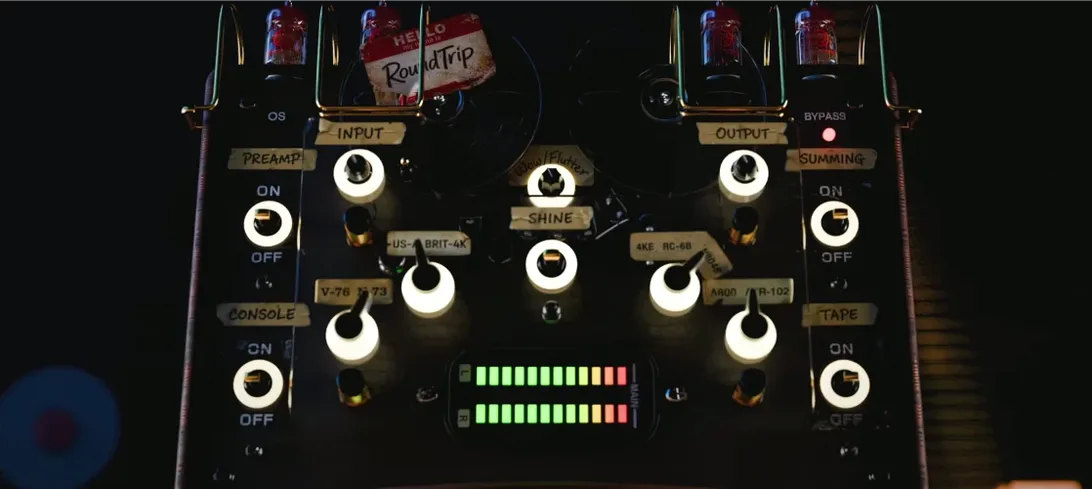
 Download (186 MB)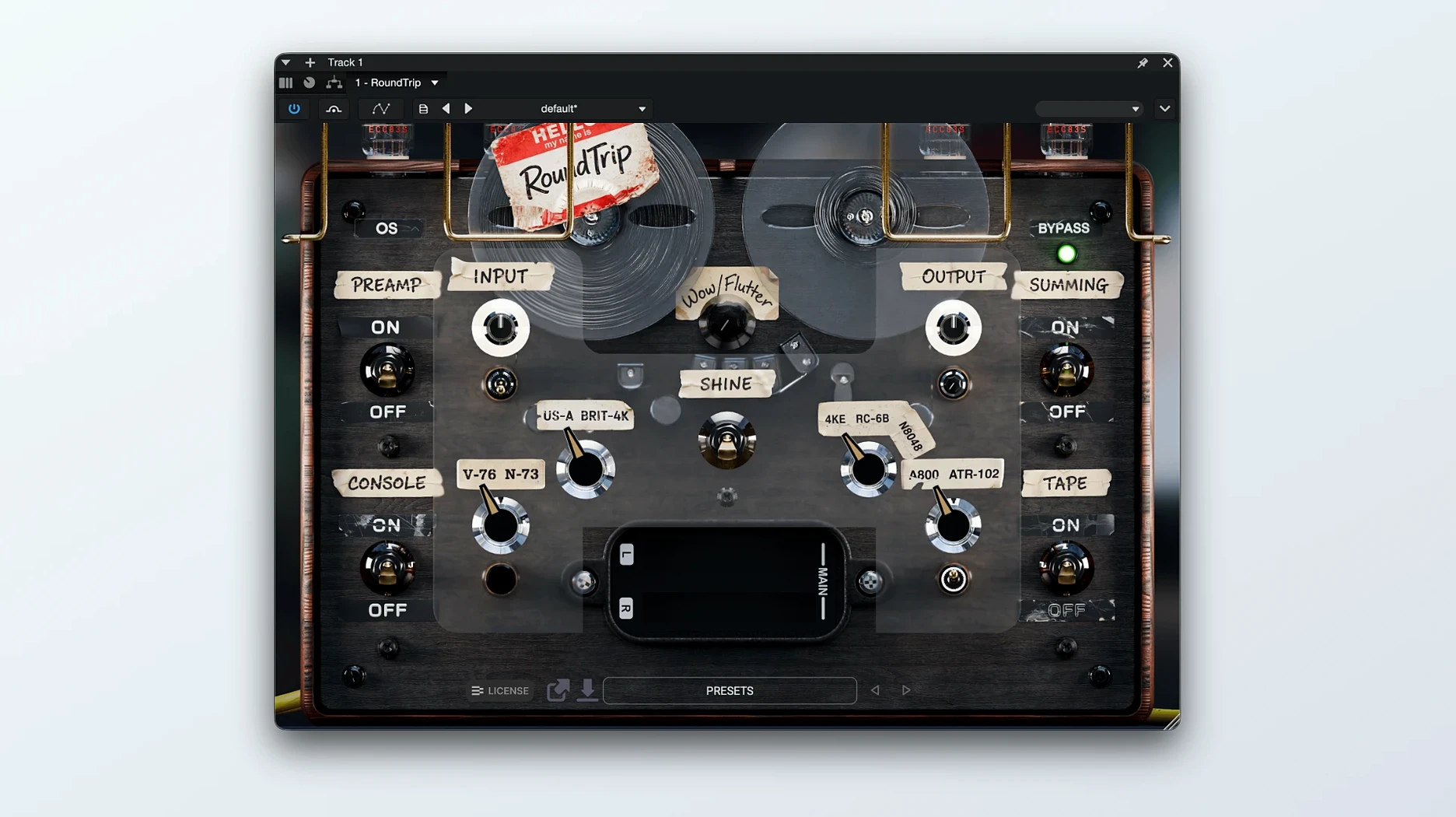
If you reach for a console emulation or tape plug-in to give a sterile bus some weight, RoundTrip sits one step earlier in the chain. It combines preamp colour, tape behaviour and summing-stage interaction in a single window, aiming to reduce the number of processors needed before the fader. The workflow suits a mix where each track or group already carries its own finished tone.
- Drum bus glue — the summing section adds a subtle cohesive push without obscuring transients.
- Vocal track body — driving the preamp stage lifts a thin recording into something more present without extra EQ.
- Synth group warmth — the tape section rounds off brittle high-frequency content from virtual instruments.
- Master bus polish — a light touch across all three stages gives a digital mix a more settled, replay-ready character.
- Drift variation — a slow bounded movement around the target setting keeps static loops from sounding identical on each pass.
The Drift addition in version 1.1 is the element that stops the processing feeling locked in place. On a thirty-second pad or a repeated bass figure, the slight movement prevents the ear from latching onto a fixed texture. RoundTrip works best when the aim is a finished character early in the session, not a corrective tool to fix problems later.
A concrete workflow: setting up a drum bus
Open RoundTrip on a stereo drum bus where the raw tracks are already gain-staged but sound flat. Start with all three stages bypassed so you hear the unprocessed signal. Engage the preamp section first. Push the input gain until the meter shows a consistent amber flicker on kick and snare hits — usually 3 to 6 dB of drive works for a rock kit without choking the transients. The preamp compacts the low end slightly and adds a forward midrange push that makes the snare feel closer.
Next, bring in the tape stage. Set the tape speed to 15 ips for a gentler high-frequency roll-off; 30 ips keeps more top end if the overheads need air. Dial the bias so the loudest snare hit just nudges into the sweet spot, not into obvious saturation. The tape section softens cymbal harshness and gives the kick a rounded, punchy thump rather than a sharp click.
Finally, engage the summing section. Leave the output trim at unity and listen for the stereo image shift. The summing stage narrows the extremes slightly and adds a sense of shared space across the kit pieces. If the toms feel pushed back, a small mid-side adjustment in the summing controls can anchor them without widening the whole bus. Bypass all three stages quickly to compare: the treated version should sound like a record, not a collection of separate mics.
Mix engineers tying together virtual instruments and amp sims
Mix engineers working with heavily virtual productions get the most immediate improvement. Software instruments and amp sims often lack the subtle nonlinearities that tie a mix together. RoundTrip places those characteristics across groups before any corrective EQ or compression enters the signal path. A producer building a track entirely from samples and plug-ins will notice the difference on the first full playback pass.
Mastering engineers who receive clean but lifeless stereo mixes also find a use for it. Running the preamp at low drive with mild tape compression and summing interaction adds a layer of cohesion that a limiter alone cannot provide. The plugin works as a finishing character stage rather than a repair tool. Users who already own separate tape and console emulations may still value having the three stages interact inside one interface, especially when Drift keeps the processing alive across a full-length track.
Beginners in mixing benefit too, because RoundTrip front-loads decisions that otherwise require experience with gain staging across multiple processors. Setting the preamp, tape and summing in one window teaches the ear how analog-style saturation accumulates along a chain.
Insert RoundTrip before any corrective EQ or compression
Place RoundTrip as the first insert on every bus or track you plan to process. Running it after compression or EQ changes how the preamp reacts to peaks, and the results are less predictable. Gain-stage the input so the preamp meter hovers around the transition from green to amber; pushing harder too soon makes the tape and summing stages overreact.
Toggle Gear Swap on every instance. Right-click the preamp section header and enable Gear Swap to generate a unique set of component tolerances for that track. If two guitar layers share identical settings, Gear Swap prevents them from stacking with the exact same harmonic imprint. The difference is subtle but audible when tracks build up across a chorus.
Set Drift to a moderate speed and depth on sustained sources — pads, bass sustains, long vocal notes — and leave it off on material with sharp transients like percussion, where the slow modulation can feel disconnected from the attack. A Drift speed around 0.3 Hz with depth at 40% suits most tonal material without calling attention to itself.
Save an init preset with your preferred input trim and output level, plus Drift and Gear Swap enabled. The default state ships with everything flat, but a small output trim of -3 dB prevents clipping when you audition the plugin across different material in a hurry.