Aspecten
 Download (319 MB)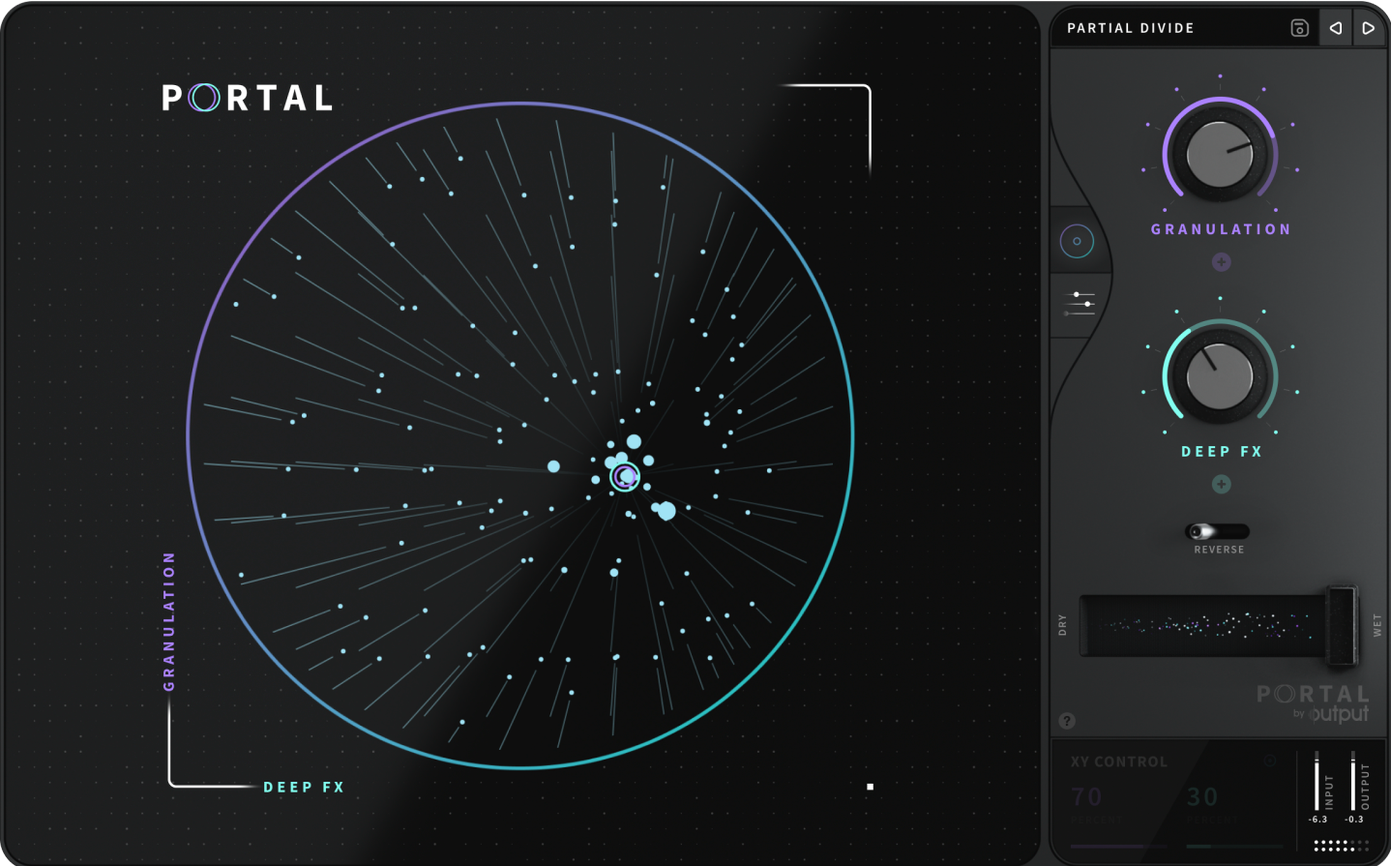
Portal runs on both Intel and Apple Silicon Macs, so it will load on most machines from roughly the last decade. The system requirements from Output do not specify a minimum macOS version, but the current 1.2.1 build is distributed as a standard installer with native support for both architectures.
As a granular effects plugin, Portal takes incoming audio and re-synthesizes it into new textures. The input can be slowed down, stretched, or locked to a pitch scale. Granular processing works in two broad modes: synchronized to the host tempo, or left unsynchronized for drifting, irregular movement.
The plugin sits among Output's effects products rather than its instruments. That distinction matters: Portal expects an audio source, whether a vocal, a drum loop, or a synth part, and reshapes it rather than generating sound on its own.
The feature set is focused. Tempo-synced grains keep rhythmic material tied to the project, while the unsynchronized mode suits ambient or transitional work. A scale-locking option keeps pitch movement within a chosen set of notes, which helps when processing melodic input.
Granular effects live or die by how you input material, and a few snags crop up regularly when people first open Portal. One is no audible output despite a healthy input signal. Portal needs a constant stream of audio to generate grains. If the track is stopped or the input is silent, the plugin produces nothing. Feeding it a short sample on an audio track works, but only while the transport is running or the clip loops. For sustained textural work, many producers route a live input or place a signal generator before Portal in the chain.
Another common snag involves tempo sync drift. When Portal is set to synchronized mode and the host tempo changes mid-project, grains can momentarily stutter or jump until the engine re-locks. This is not a bug so much as a behaviour of real-time granular processing. A workaround is to bounce affected sections to audio once the tempo map is settled, then process the bounced file through Portal in unsynchronized mode for completely stable playback.
CPU spikes also catch users off guard. Portal's grain engine can stack many voices, and higher grain density settings push the processor hard. On Apple Silicon machines the load is manageable, but older Intel Macs may struggle when several instances run at once. Freezing or bouncing tracks as you go keeps sessions moving. Reducing the number of active grains in the plugin's main display also helps without dramatically changing the character of the effect.
Smoother preset switching on Apple Silicon
Version 1.2.1 arrived as a maintenance update that addressed stability under macOS, particularly on Apple Silicon. The most practical improvement is smoother preset loading: earlier builds could hang briefly when switching between complex patches, and that hesitation is now gone on both architectures. For everyday use this means faster browsing through the factory library during sound design sessions.
Earlier updates in the 1.2 cycle introduced expanded scale-locking behaviour. The pitch engine now respects microtonal offsets more reliably, and the scale menu includes a wider set of preset scales drawn from Output's instrument ecosystem. On the workflow side, the grain visualisation was tightened to respond more immediately to parameter changes, which makes dialling in a specific texture feel more tactile. The installer itself was also simplified for the 1.2.x line: a single package installs both Intel and ARM components, so moving a session between an older Mac Pro and an M-series laptop no longer requires separate plugin versions.
Turning dry guitar into shifting grain atmosphere
Imagine a producer who wants to turn a clean electric guitar phrase into a bed of shifting, grainy atmosphere for a bridge section. The guitar part is already recorded on a stereo audio track, dry and unprocessed.
The session opens with Portal inserted as an insert effect on the guitar track. The producer hits play to let the phrase loop, then opens Portal's interface. The first move is to select a preset close to the intended mood: something from the Ambient Textures category with a long grain length and moderate density. Immediately the guitar dissolves into a cloud of overlapping fragments, still recognisable but softened and spread across the stereo field.
Next, the producer switches the grain engine to unsynchronized mode. The tempo link is cut, and the grains begin to drift at slightly different rates, creating a slow, organic wash. The main grain position knob is pulled back to focus on the tail of each note rather than the attack, removing the pluck and leaving only the harmonic bloom. The density control is nudged down to about forty percent; too many grains clutter the texture, too few make it feel sparse.
With the basic texture in place, the producer turns to pitch. The scale lock is engaged and set to D minor, the key of the track. Portal now constrains all pitch deviations to notes within that scale, so even as grains are detuned and shifted, nothing clashes with the bassline or vocal. A small amount of random pitch variation is dialled in per grain, just enough to create a choral widening effect without losing the harmonic centre.
The final step is automation. The producer draws a slow ramp on the grain size parameter over eight bars, gradually stretching each grain from short and rhythmic to long and ambient. By the end of the bridge, the guitar has become a thick, evolving pad that carries the transition into the final chorus. The track is bounced in place to free up CPU, and the session continues.
How Portal compares with similar plugins
Granular processing on the Mac now spans a range of tools, and Portal occupies a specific niche within that landscape. It is worth looking at how it sits alongside three other plugins that cover similar ground.
Portal versus Output Thermal. Thermal is Output's distortion and saturation plugin, and while it shares Portal's modern interface design, the two serve different purposes. Thermal breaks sound apart with multi-band saturation, compression, and filtering. Portal breaks sound apart temporally, through grain resynthesis. A producer might run Thermal before Portal in a chain: Thermal adds grit and harmonic density, and Portal stretches that harmonically rich signal into something ambient and evolving. They complement more than they compete. Where Thermal rewards aggressive, in-your-face processing, Portal rewards patience and subtle parameter movement.
Portal versus Soundtoys Crystallizer. Crystallizer is a granular echo processor with a reverse-grain character and a strong pitch-shifting section. It excels at creating rhythmic, syncopated repeats with a distinctive glassy tonality. Portal's grain engine is more flexible in its routing: it can hold grains indefinitely rather than cycling them as echoes, and its scale-locking system is more developed. Crystallizer feels like a delay pedal that happens to use grains; Portal feels like a dedicated granular resynthesis tool. For short, snappy granular delays, Crystallizer is immediate and musical. For building sustained textures or completely transforming source material, Portal offers deeper control over grain behaviour.
Portal versus Inertia Sound Systems Granulizer 2. Granulizer 2 is a granular synth and effect that leans into experimental territory. Its interface is more technical, with direct access to grain envelope curves, spray patterns, and modulation routing that can push sounds into glitch and noise. Portal's preset library and curated control set make it faster to reach a polished result. Granulizer 2 rewards deep tweaking and yields unpredictable, often chaotic output. Portal keeps the results musical and mix-ready with less effort, but it offers fewer avenues for total sonic destruction. A sound designer who wants a granular tool they can trust to stay within usable bounds will lean toward Portal; someone chasing happy accidents and extreme textures might prefer Granulizer 2 alongside it.
Searching for a portal mac torrent often surfaces alongside queries for output portal torrent, which indicates how many producers first encounter the plugin. Those looking for an output portal mac torrent quickly discover that the 1.2.1 build runs natively on both architectures and installs without additional compatibility layers, making it straightforward to get started regardless of which Mac sits on the desk.