 Aspecten

 Download (190 MB)
Runs on Apple Silicon and Intel Macs back to High Sierra
Xpitch requires a Mac running macOS 10.13 (High Sierra) or newer, with at least 8 GB of RAM. It loads in any 64-bit host that supports AU, VST3 or AAX formats and works on both Intel and Apple Silicon processors.
Zero-latency Realtime mode works on input channels during recording
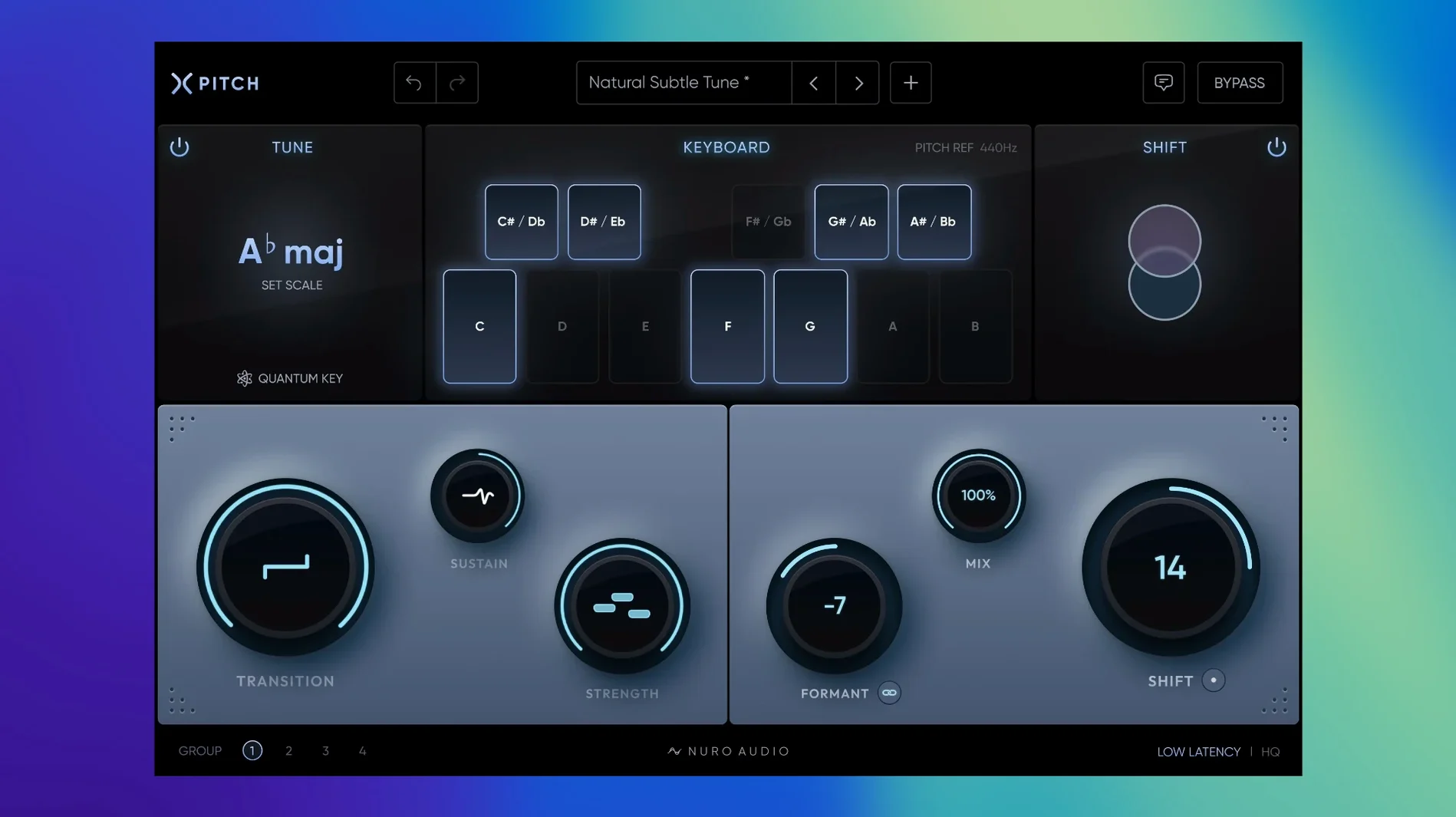
You typically place Xpitch directly on a vocal track as an insert. The new Realtime mode, which is zero-latency and light on CPU, also makes it practical on an input channel during recording or on a live vocal bus. For more involved sound design, an instance on a synth or sample track can shift pitch and formant independently across a 48-semitone range.
Which jobs does it handle best?
Two broad jobs cover most use. First, natural pitch correction: the Sustain control lets you preserve the singer’s intentional note slides or flatten them for a steadier take. Second, deliberate manipulation: independent formant shifting and a Link function that ties pitch and formant together give you anything from subtle thickening to a hard robotic effect. The Transition control then determines whether those pitch changes snap or glide.
A tracking producer’s afternoon
A singer-songwriter working from a home studio lays down a double-tracked chorus. The takes are expressive but a handful of syllables drift flat. She inserts Xpitch in Realtime mode on both channels, sets Strength around 35%, and pulls Sustain just low enough to let the natural scoop into held notes survive. Transition stays near the middle so fast runs don’t sound glued. For the bridge, she pushes the formant down four semitones on a duplicate take, links pitch and formant, and blends it at 40% with the Mix control. The result is a wide, slightly shadowed harmony that doesn’t need a separate session for vocal production tweaks.
Independent Transition and Sustain controls for finer correction
Next to MAutoPitch, Xpitch trades a free entry point for a cleaner, more sculpted correction workflow. MAutoPitch covers basic tuning and formant shift, but the independent Transition and Sustain controls in Xpitch give you finer grip over how the correction lands, which matters when you’re preserving a vocal take’s movement rather than just locking it to a grid.
Measured against Waves Tune Real-Time, Xpitch’s Realtime mode runs equally lean on CPU yet adds a 48-semitone pitch-shift range and the option to decouple or link formant shifting. Waves stays more narrowly focused on live correction; Xpitch doubles as a sound-design insert without forcing you into a separate plugin. The trade-off is a slightly less opinionated default curve — Waves can sound polished out of the box, whereas Xpitch asks the user to shape the response deliberately.
Alongside Logic Pro’s Pitch Correction, Xpitch adds AU host flexibility, independent formant control, and a Mix knob that stock Logic users only get by routing a parallel bus. Logic’s built-in tool remains handy for quick note nudges, but anyone reaching for nuro audio xpitch for mac free download typically wants a single plugin that handles both transparent correction and overt pitch manipulation without switching contexts.
Track with light correction in Realtime, then render in HQ Mode
Producers who track and mix their own vocals benefit first. The zero-latency Realtime mode means you can commit a lightly corrected performance while monitoring, then switch to HQ Mode for the final render — all inside one plugin instance. Mix engineers working with raw, unedited stems appreciate the Transition and Sustain pair: they can tighten pitch wobble without erasing the singer’s timing quirks.
Electronic producers and sound designers who treat the voice as a texture rather than a lead find the 48-semitone range and Link function useful. Formant-shifted ad-libs, synth-vocal hybrids and octave-down drones sit comfortably alongside Xpitch’s robotic-hard-tuning setting. The plugin suits anyone who wants correction and creative pitch work in the same window, rather than chaining a tuner, a formant shifter and a pitch shifter and then fighting latency mismatches.