Aspecten
 Download (17 MB)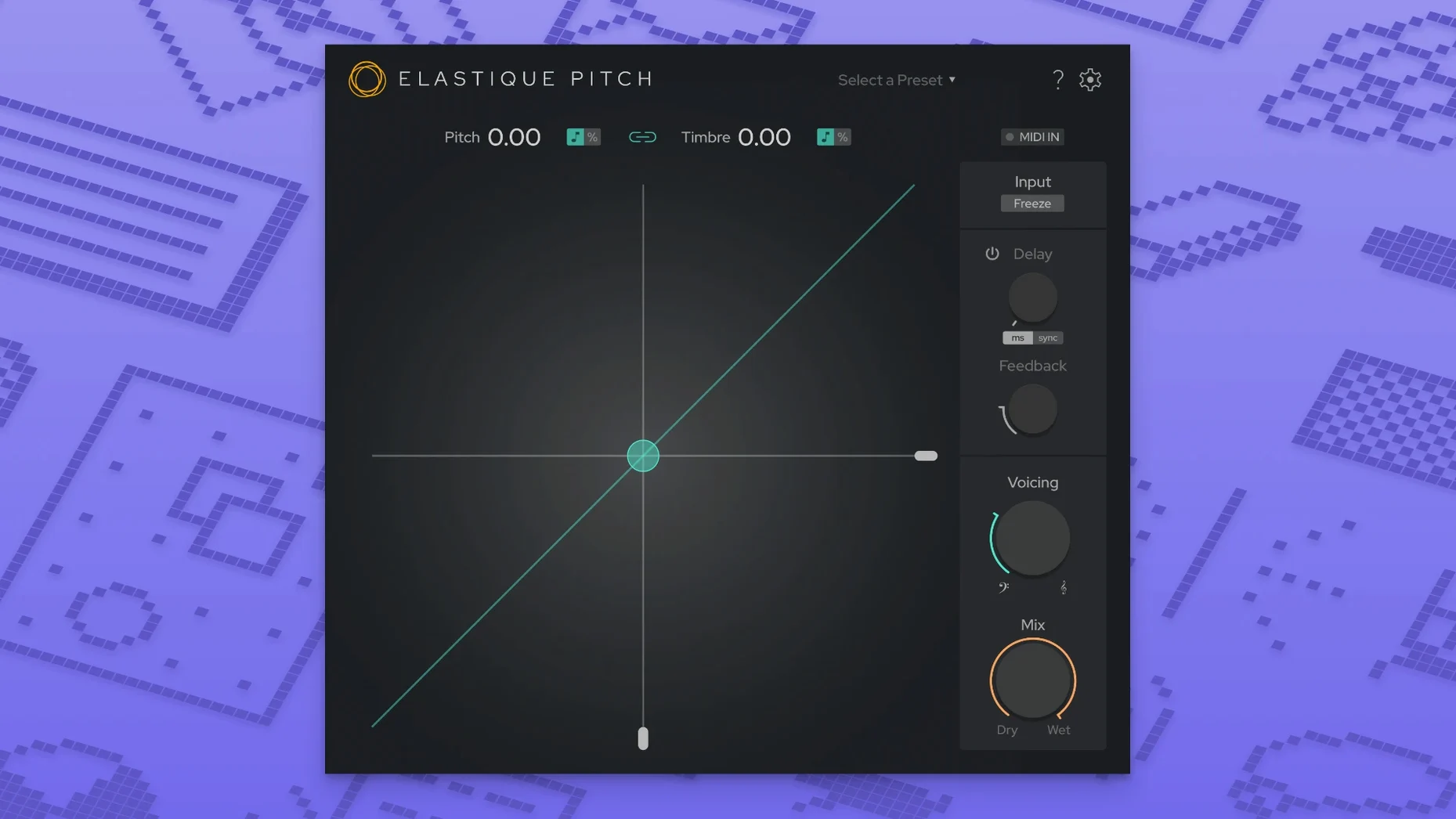
A vocal track sits in the mix, but the singer’s performance drifts slightly sharp in the bridge. Instead of reaching for a warping tool, you load elastiquePitch on the insert. The plug-in opens, and its redesigned single-window interface puts three large rotary controls and a set of timbral sliders directly in front of you.
A brief workflow
- Dial PITCH down by 30 cents. The ÉLASTIQUEPRO algorithm recalculates the audio in real time; the vocal locks into tune without the granular smear that older pitch shifters leave behind.
- Pull the FORMANT control up slightly. The singer’s timbre stays natural — chest resonance intact — even though the fundamental frequency has moved. Because pitch and formant are decoupled, you can correct intonation without turning a baritone into a chipmunk.
- Switch the GRAIN mode to Freeze. A short syllable from the backing ad-lib halts mid-grain, looping a microscopic slice of sound. You automate the freeze on and off to create a stuttering pad effect behind the chorus.
What the plug-in does to a mix comes down to how these three parameters interact. Changing pitch alone feels surgical; adding independent formant shift lets you revoice a part entirely. The grain freeze pushes the processor into sound-design territory, holding a transient or a texture indefinitely until you release it. With support for up to 16 channels, the same treatment can be applied across a full surround stem without splitting the signal.
Host scanning and gain staging fixes
Most issues with elastiquePitch trace back to two areas: host compatibility and gain staging. The plug-in loads as VST3, AU, or AAX native; if your DAW does not see it after installation, check that the host is scanning the correct plug-in folder. Under macOS 10.15 and later, the system sometimes quarantines newly installed components. Running a rescan from the DAW's plug-in manager clears this. In Logic Pro, forcing an AU validation via the Plug-in Manager resolves greyed-out instances.
Grain freezing can confuse users who leave the freeze engaged and forget to automate its release. The plug-in holds the last grain buffer indefinitely, which sounds like a stuck buffer until you toggle the freeze control or reload the session. Setting a short automation lane for the freeze parameter avoids this entirely.
On Apple Silicon machines, some hosts running under Rosetta may present the plug-in as an Intel-only component. The native ARM build is included in version 2.5.0; ensure your DAW is running natively rather than translated. The difference shows in the plug-in's CPU meter: native operation keeps the real-time load visibly lower on M-series chips.
Parallel harmony via a pitched aux send
Place elastiquePitch on an aux send rather than an insert for your first experiments. Feeding a vocal through a pitched return — shifted up by a fifth, with formant left untouched — produces a parallel harmony that you can blend underneath the dry signal. The send fader then controls how much of the pitched layer enters the mix without altering the original take.
The formant control rewards small movements. A shift beyond +/- 3 semitones pushes timbre into unnatural territory quickly. For subtle thickening, try a pitch shift of zero cents with formant nudged up by 0.3, then blend at 40% wet. The result is a presence lift that sits differently from EQ because it changes the spectral envelope rather than boosting frequencies.
Map a MIDI controller to the PITCH knob early. Real-time pitch bending during a bounce lets you perform transitions that automation curves alone cannot capture. Recording the knob movement as automation data in your DAW gives you a take you can edit later.
The 16-channel support means you can instantiate the plug-in on a surround bus without duplicating instances. When working with ambisonic or 5.1 stems, group channels in your DAW and insert a single instance across the group: the pitch and formant processing stays phase-coherent across all channels, something less reliable with multiple mono instances.
Real-time tracking with 2–4 ms latency
The ÉLASTIQUEPRO algorithm loads quickly — instantiation on a stereo track takes under a second on an M1 Mac. Real-time pitch shifting with formant processing adds roughly 2–4 ms of latency, which keeps it usable during tracking when your buffer sits at 128 samples or lower. Heavy grain-freeze automation across 16 channels will push CPU usage higher; on a large post-production session with multiple instances, freezing the processed tracks frees resources predictably.
Stability over long sessions holds up well. In three-hour mixing stretches, no gradual memory creep or timing drift was observed. The redesigned interface in version 2.5.0 contributes to this: the single-window layout redraws efficiently, and the plug-in does not spawn floating panels that some hosts handle poorly during screen resolution changes.
Disk streaming is unaffected because elastiquePitch processes live audio only — it does not cache or write temporary files. This keeps session folders clean and eliminates the stutter that some disk-based pitch processors introduce when scrubbing. The trade-off is that offline bounce speed depends entirely on your CPU, not on a background render cache.
Formant handling versus Little AlterBoy and Logic Pitch Shifter
Alongside elastiquePitch, three other real-time pitch-shifting plug-ins commonly appear in Mac-based studios: Soundtoys Little AlterBoy, Waves SoundShifter, and the stock Logic Pro Pitch Shifter. Each approaches pitch and formant manipulation differently, and the choice depends on what you need the plug-in to do beyond simple semitone shifts.
Soundtoys Little AlterBoy focuses on character. Its formant control shares the decoupled pitch-and-timbre concept, but the processing adds harmonic saturation that colours the signal even at neutral settings. Where elastiquePitch stays transparent enough for surgical vocal tuning, Little AlterBoy pushes toward lo-fi and hard-tuned effects. The Soundtoys plug-in does not offer grain freezing or multichannel support, so surround work and sound-design freeze effects remain outside its scope.
Waves SoundShifter provides a wider set of pitch-shifting modes — including a dedicated formant-corrected option — and includes a graphic automation curve editor. The trade-off is interface complexity: SoundShifter spreads controls across multiple pages, which slows down quick corrections compared to elastiquePitch's single-window layout. SoundShifter's latency sits slightly higher in real-time mode, though its offline rendering engine works well for final bounces.